Brizy keeps updating automatically although I disabled auto updates

On my website, https://la241.org/ Brizy updates automatically although I disabled auto-updates for both Brizy and Brizy Pro. This is causing the SVGs to appear broken due to the bug in the latest update.
Please help, this is a live page. I can give access to the system.

-

Hi Pablo,
We are sorry for this inconvenience. Plugin update is a WordPress feature and Brizy has little control over it.
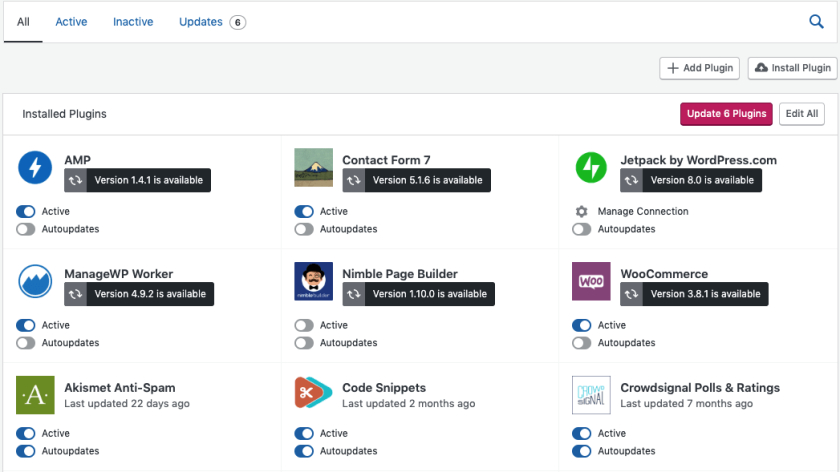
Do you use Jetpack? If so, make sure that Brizy's automatic updates are disabled in Jetpack as well.
 0
0 -
No, jetpack is not installed. I really need to fix this, will we have a new version of Brizy that addresses this issue soon? If not, what can I do? Something has to be done, the main menu on this website uses a custom svg as the icon.
0 -
Hi Pablo,
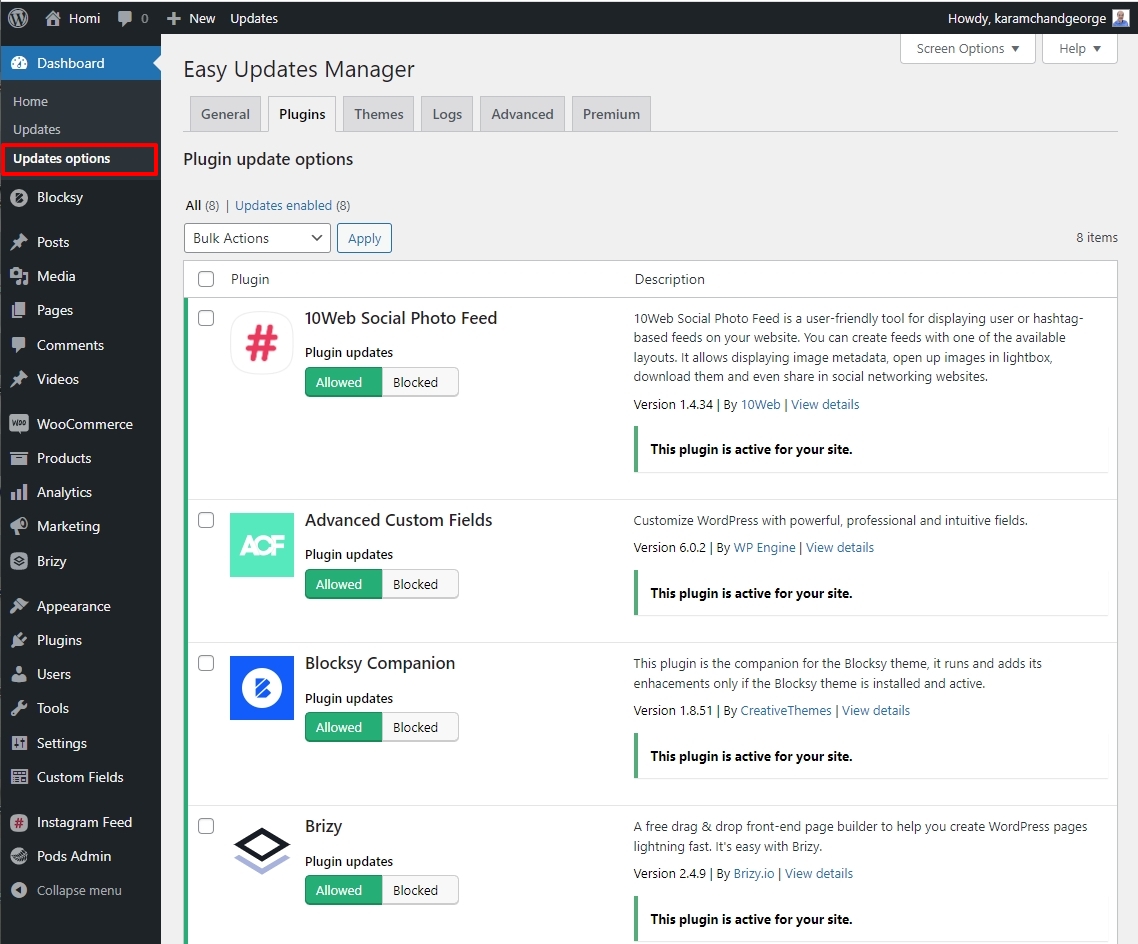
Please try the Easy Updates Manager plugin and see if that helps. Once you install the plugin, in your WordPress Dashboard under Dashboard - Update Options - Plugins tab, please block updates for Brizy and Brizy Pro
 0
0 -
Thank you George, for the moment this is doing the trick. I'll wait for the next Brizy update.
0
Please sign in to leave a comment.
Comments
4 comments