brizy frontend editor not working

Hello Team,
As per I logged in WordPress site with frontend and i was able to edit with brizy with this link https://pitaloca.deelzoo.com/?brizy-edit but now i can successfully login in WordPress but not able to see brizy editor. i check with backend and there is brizy editor active in pages.
this issue raise from yesterday. can you please check it
https://pitaloca.deelzoo.com/
-

Hi Michael,
Under the Pages section of your WordPress Dashboard, if I click on any page, I am able to edit the page with Brizy. Please watch this video https://jmp.sh/E6eg18r
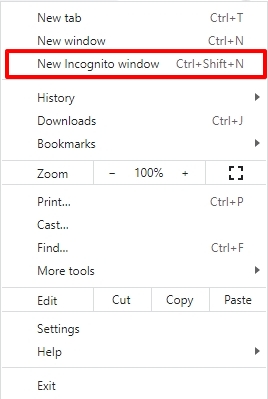
Please sign into your WordPress Dashboard using the private (Incognito) window of your browser if you are unable to edit the pages using Brizy. Please try a different browser as well and see if that helps.
 0
0 -
Yes, its already working from wordpress dashboard but as per this url https://pitaloca.deelzoo.com/?brizy-edit i was able to edit page with editor which now stop. i need to edit site with this url which was working condition for frontend user.
0 -
Hi Michael,
Do you have a reason for wanting to edit using the URL https://pitaloca.deelzoo.com/?brizy-edit?
0 -
Yes, it was frontend user editor link which i was use and working for user without use WordPress backend dashboard. i dont want to user allowed backend side. user only stay in front-end and edit site with brizy.
Thank you
0 -
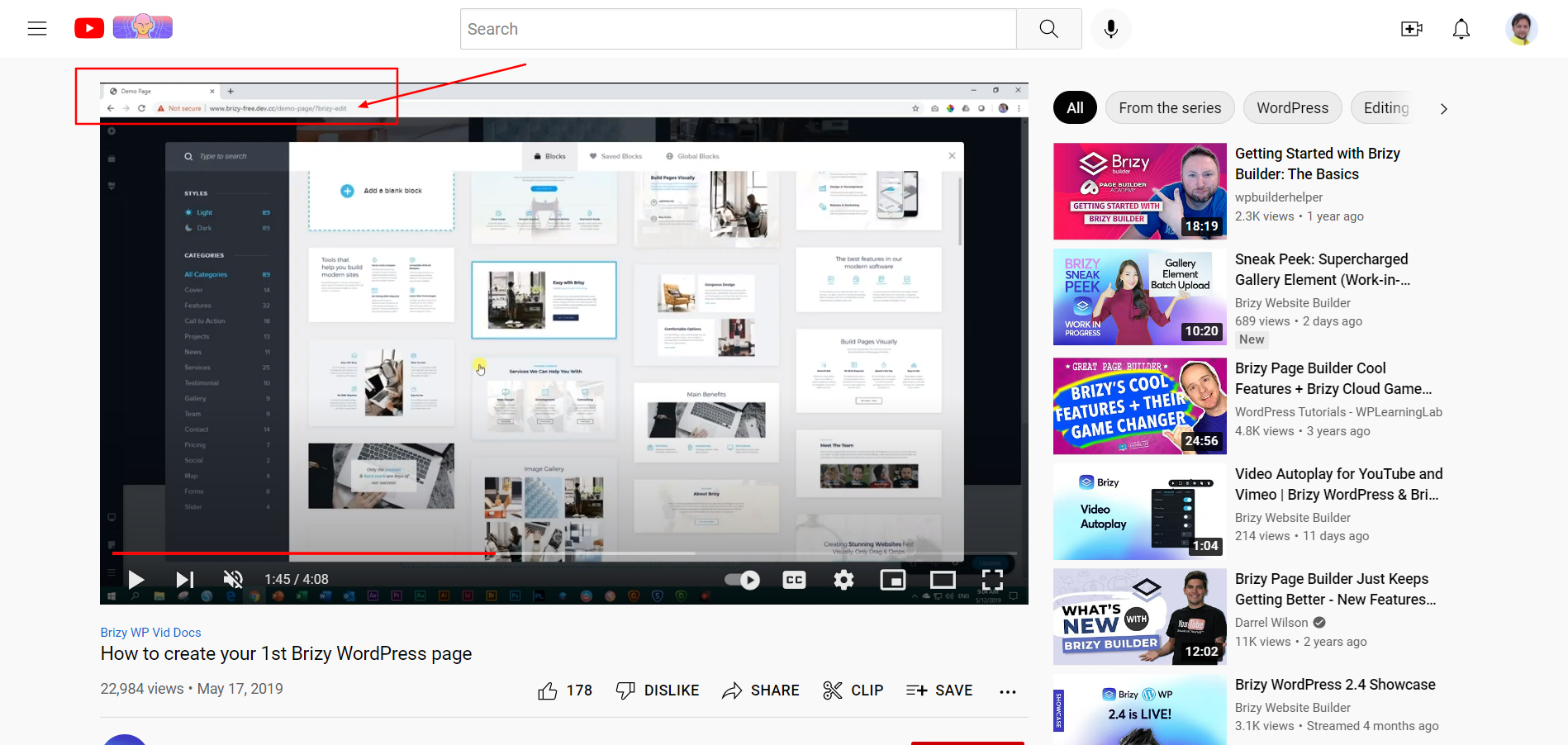
Please check this link and video. ther is link after go to edit any page https://www.youtube.com/watch?v=3s1P9Hgl2w4
 0
0 -
Hi Michael,
I am not sure if this is what you are looking for, but if you browse the URL, https://pitaloca.deelzoo.com/?brizy-edit? you do see the WordPress Admin bar on top. Please see this screen recording. https://jmp.sh/DWHWonA
0 -
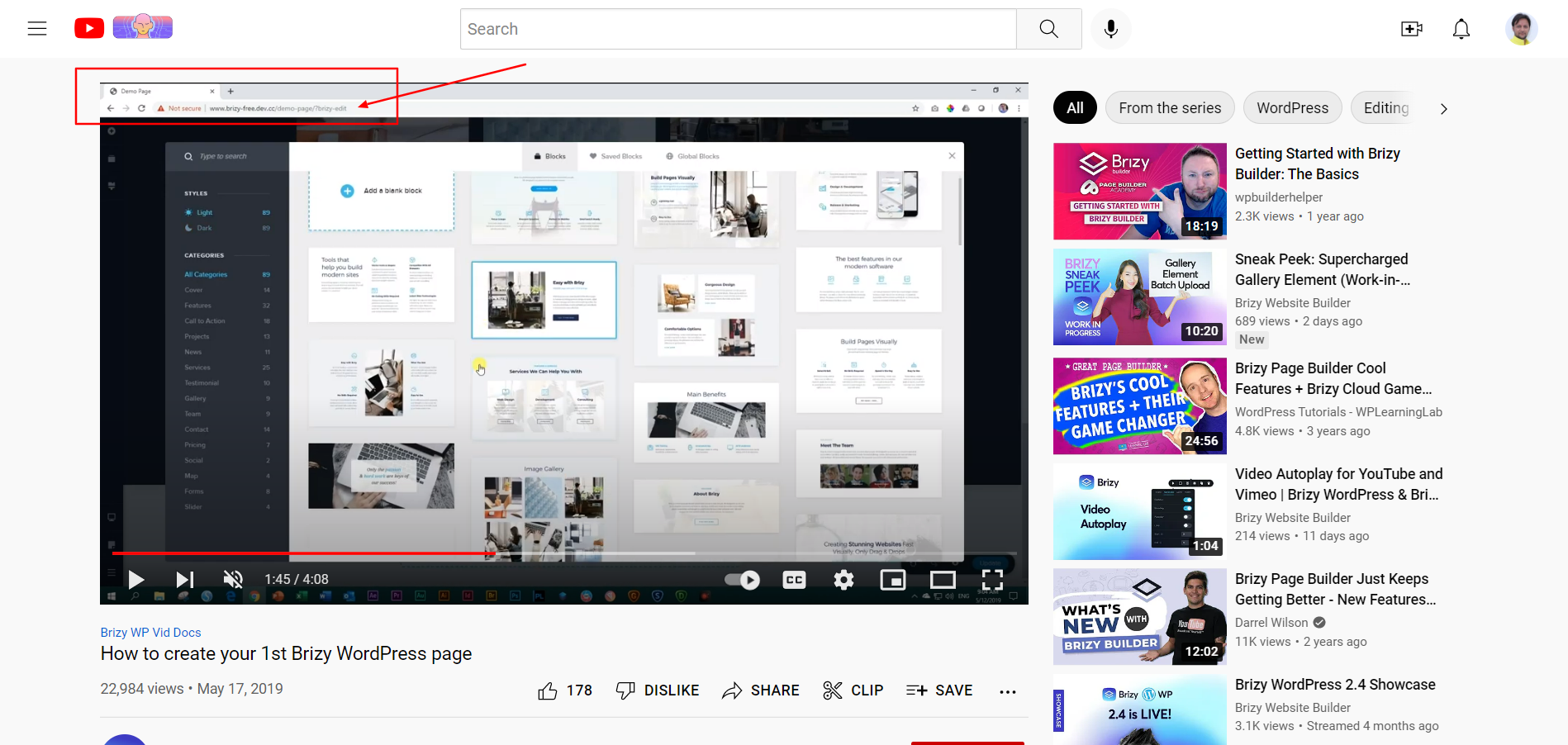
i was able to use brizy editor in front-end with https://pitaloca.deelzoo.com/?brizy-edit before update new version. but now i am not able to use editor with this link i plase check above video there is frontend link is like https://domain.com/?brizy-edit . right now only use editor with via wp backend.
if i hit https://pitaloca.deelzoo.com/?brizy-edit link so brizy editor was active and i am able to use but now its not working.
please check this https://www.youtube.com/watch?v=3s1P9Hgl2w4 and this screenshot mark section
 0
0 -
is there issue with latest version update?
0 -
Hi Michael,
You are right; after the recent update, https://pitaloca.deelzoo.com/?brizy-edit does not open the page in Brizy. To open the page in Brizy, after typing the above URL,
- In the top admin bar, select 'Pages'
- Click on any page's 'Edit' button in the list of pages that appears. https://jmp.sh/TcXTivB
0 -
Okey, so i need to same link for edit page with /?brizy-edit . for that i have to roll back version ro you can fix it? and if i got to rollback so nothing to loss which already develop, right?
0 -
Hi Michael,
If you would like to roll back to Brizy 2.4.8, here is the procedure: https://jmp.sh/SlMHWLK
You can download the previous Brizy versions here- Brizy 2.4.8 : https://jmp.sh/ek66Syo
- Brizy Pro 2.4.8 : https://jmp.sh/ELbaLgT
You would not lose any data by rolling back to the previous versions.
0 -
Hello,
i done roll back version 2.4.9 to 2.4.8 but still i am not able to edit page with brizy editor with this link https://pitaloca.deelzoo.com/?brizy-edit
Can you please check it asap.
0 -
Any update for able to access https://pitaloca.deelzoo.com/?brizy-edit ?? alreday install version 2.4.8 but still link is not working..
0 -
Hi Michael,
We really do not how how to help you with this request. We can provide an earlier version of Brizy if you require it. Tell us which version, if possible.
0 -
Hi KC,
Thanks for your replay but it can not help me for changes exiting link and you have to mention in version update log. its major changes from update version and many peoples update pro plugin. we use this link for user frontend and now link is remove so we have to develop new thing for that and also take much time for that.
Thank you,
0 -
Hi Michael,
Setting up a user access rights system based on the URL of the Brizy editor is not be a recommended practice because the developers are free to alter the editor URL any time. You need a stronger user access rights mechanism.
Assigning the users appropriate privileges in your WordPress Dashboard is the recommended approach to limit access to a user. Please consider using the User Role Editor plugin if you would like more precise control over user rights. As you can see from this screenshot the plugin gives you fine control https://jmp.sh/C1Idurh You could also consider other plugins from this list. https://ostraining.com/blog/wordpress/best-permissions-plugins/.
0
Please sign in to leave a comment.
Comments
16 comments