GDPR Problem: Brizy connects to Youtube.com even if the video is on vimeo

Hi,
after checking the connections because of the font problems (google fonts vs bunny fonts) I have found that brizy connects to youtube even the video is on vimeo.
Also it connects to youtube, when I use a cover image. Last time i check this, the cover image prevents from connecting youtube before the user clicks on the cover image.
Whats going on guys?
Best regards,
Matthias
-

Hi Matthias,
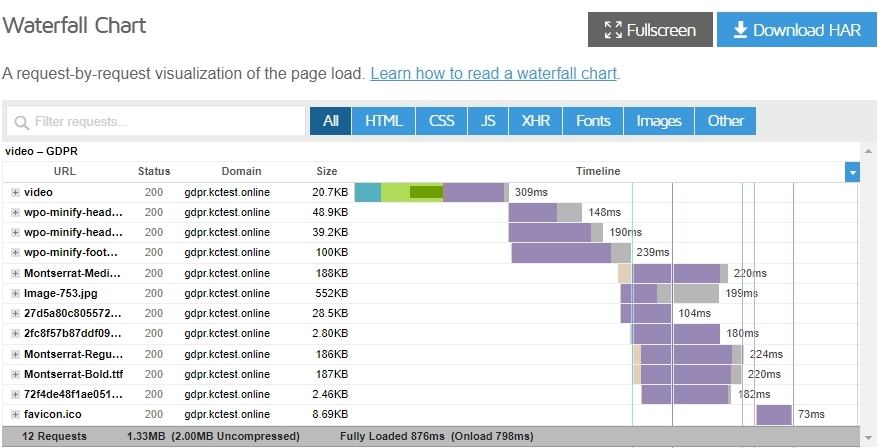
I created a page with a vimeo video and added a cover. https://gdpr.kctest.online/video/
When I check the waterfall of this website, I do not see any request going to vimeo or youtube. All requests are internal. Please have a look at this report. https://gtmetrix.com/reports/gdpr.kctest.online/RP4r4HTI/
 0
0 -
Hi George, the site is: https://kath-kurs.de and the GT-Metrix Waterfall shows YouTube.com…
The video is hosted on vimeo Regards, Matthias.
0 -
Hi George,
the same here on free-indeed.de:
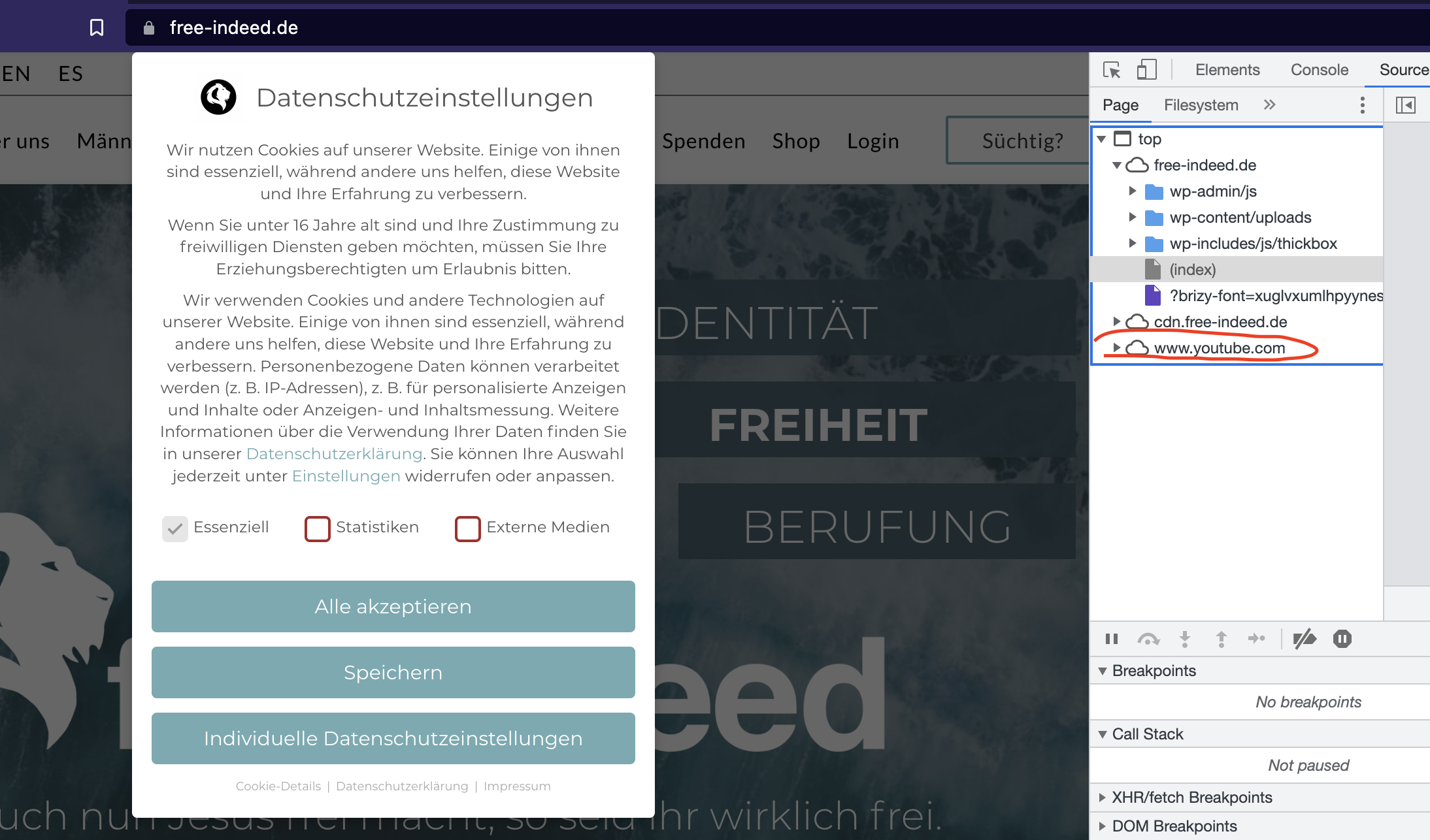
BUT there is NO Video on the Page?
GDPR Violation!
Regards,
Matthias
0 -
Hi Matthias,
Can you please allow me to look into https://kath-kurs.de to check why it is sending a request to YouTube? Please add me as a user to your WordPress Dashboard if you would like me to check your site. My email: kc.george@brizy.io. As shown in this screenshot: https://jmp.sh/sOSGGR3, please turn on the option "Send the new user an email about their account"
Please let me know here when you send me an invitation.
0 -
Done.
0 -
Hi Matthias,
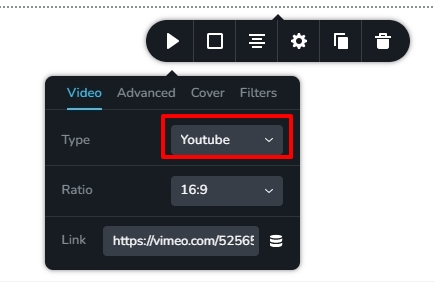
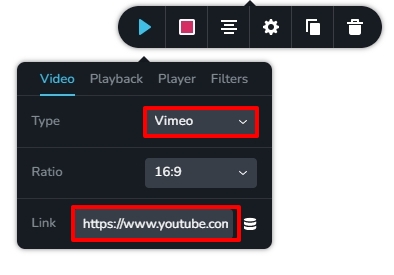
You had selected YouTube and pasted the Vimeo URL in the video element on your homepage. I have now set it to Vimeo. Please check if you see any http request going to youtube.com.
 0
0 -
Hi George,
okay, that's interesting. I created the page last year, checked the GDPR and there was no call to youtube. Since then I have only made plug-in updates.
But thanks for the solution to the problem!
I have a similar problem on another page where a youtube video is embedded with cover image, it contacts youtube before I clicked on the cover.
I recreated this on a test page where there is almost nothing on it and on a page where there is only the video with cover on it, it contacts youtube before clicking on the cover image.The url is: https://app.free-indeed.de/
0 -
OK, I have a Solution. I use Vimeo on Type for youtube videos too.
Then there is no connection to youtube and the video plays after klick on the Cover image.
Not nice, but it works. I have to edit all videos embeddings...
0 -
Hi Matthias,
Please take a look at the Brizy version on this website. Can you upgrade Brizy (and Brizy Pro) to 2.4.9 and try again if you're on an older version?
If this does not work, I will need to look into your project to help you further.
0 -
Hi KC,
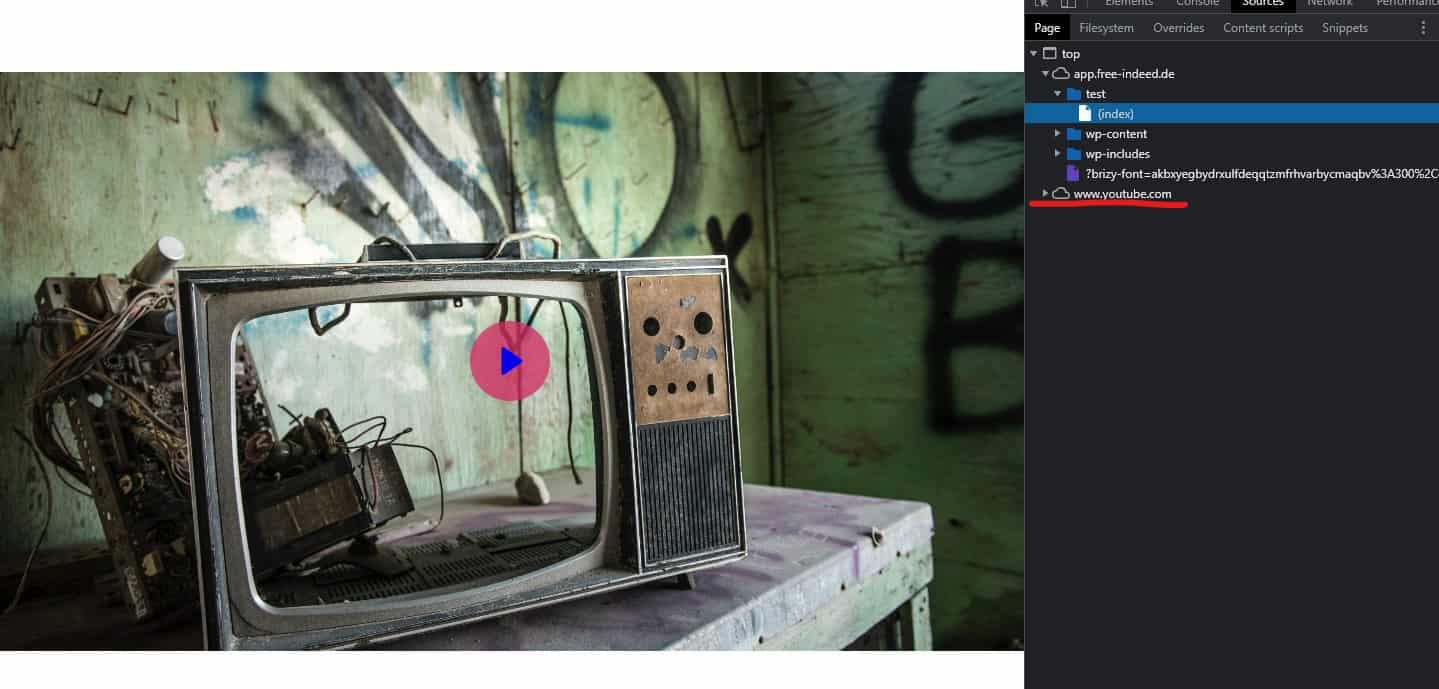
Brizy is on 2.4.9 and I have created a test page only with a youtube video with cover image:
https://app.free-indeed.de/test/
and youtube is loaded before I click on it.
 0
0 -
Hi Matthias,
You are right; two requests go to youtube.com when embedding a YouTube video to a page even if you add a cover.
The work around that you have suggested seems to work well. You can avoid sending requests to youtube.com by selecting Vimeo for a YouTube video.
0 -

Hi, is there any news on the youtube calls?
0 -
Hi Philipp,
This issue was fixed a while ago. Looks like it resurfaced again. However you can use the work around suggested above to get rid of the YouTube HTTP requests.
When embedding a YouTube video, if you select the 'Vimeo' Type in the Video element, you can stop the HTTP requests to youtube.com. Please have a look at my test page https://codesk.brizytest.online/video and the GT Metrix performance report https://gtmetrix.com/reports/codesk.brizytest.online/YEERuZSj/ Please check the waterfall of this webpage
 0
0
Please sign in to leave a comment.
Comments
13 comments