WHAT'S GOING ON?????!!!!

Brizy totally screwed with the latest update. I have several customers going crazy over their pages appearing totally wrecked: no SVG's, posts element showing categories they shouldn't, etc.
PLEASE HELP, THIS IS AN EMERGENCY AND I SEE I'M NOT THE ONLY ONE!
My customers are really anxious, I'm talking about live websites!
-

Sorry Pablo,
We apologize for the inconvenience. Brizy 2.4.9 and Brizy Pro 2.4.9 has issues with SVGs, Webps, and Gifs. If you are using these versions, please consider rolling back to earlier Brizy versions until we can release a fix for this. Please follow this procedure: https://jmp.sh/SlMHWLK
You can download the previous Brizy versions here
- Brizy 2.4.8 : https://jmp.sh/ek66Syo
- Brizy Pro 2.4.8 : https://jmp.sh/ELbaLgT
0 -
Ok, this helped with the SVG's but what about the posts? I have several pages with posts being filtered as if they were from certain categories wich they don't have assigned. Can you please check on that? Seriously, my customers are mad!
0 -
OK, I understand what's happening now: filters in posts element are not working at all. Please do check, I cannot stress how urgent this is.
0 -
Hi Pablo,
Can you give an example URL where we can see the Posts element filtering issue?
0 -
I can send you support passwords for both installations if you wanna check.
0 -
Hi Pablo,
I can take a look at https://valeriaguzman.com first. Please add me as a user to your WordPress Dashboard. My email: kc.george@brizy.io. As shown in this screenshot: https://jmp.sh/sOSGGR3, please turn on the option "Send the new user an email about their account". If you already have an account setup for support, please forward the credentials to my email address.
Please let me know here when you send me an invitation.
0 -
I just sent the password to your email.
0 -
Hi Pablo,
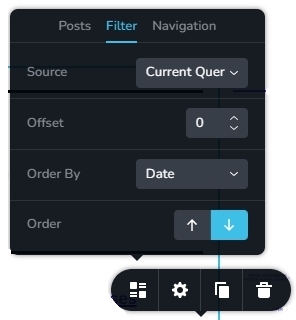
I have selected the Current Query option within the Posts elements in your category archive templates for https://valeriaguzman.com/. Now your category pages appear working fine. Please check.
I have not done the same for https://la241.org/. Please try the same for this project as well
 0
0 -
But why would I have to select current query and not the category? And what changed if it's been working fine for more than a year now? This seems very odd, not reliable at all. At some point it will fail and I think the behaviour is abnormal.
0 -
Hi Pablo,
In your Display Condition, you have selected the category for the category archive templates. Hence you don't need to choose the category in the Posts element again.
Instead you use the Archive element in the category archive templates. When you make the Current Query selection in the Posts element it behaves just like the Archive element. Hence instead of the Archive element, you can also use the Posts element with Current Query selection.
For a broad overview of setting up blogging templates, please have a look at this video https://youtu.be/lkiSk6IE7tA
0 -
But what if I have 2 different post elements on the same page? And what changed in the recent couple of versions? Something must have changed since it used to work just fine and it has worked for more than a year, as I said.
A system cannot be this inconsistent.
0 -

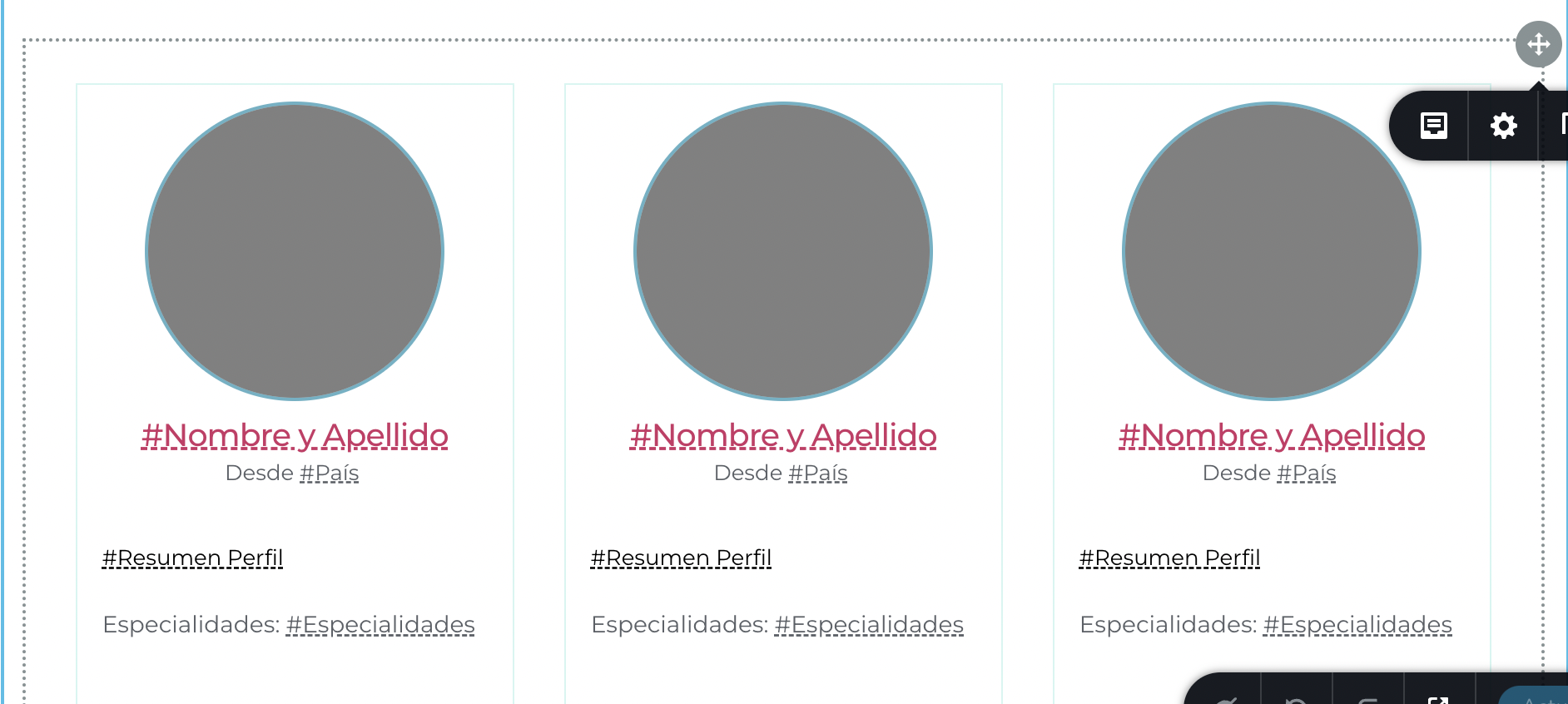
KC George, I have the same problem with Template of archives. It shows information from other categories, not the ones I filtered (as before this version).
But I'm using a different element that does not contains the "current query" filter.
This is VERY FRUSTRATING!
Please your help
 0
0 -
Hi Daniel,
For the category archive templates, we do not advise using the 'Posts' element. Please swap the 'Posts' element with the 'Archive' element. Please watch this video for the right procedure to create archive templates. https://youtu.be/lkiSk6IE7tA
0 -
Hi KC Georce,
I think I'm using the archive element.
Regards,
Daniel
0 -
Hi Daniel
You had mentioned that
It shows information from other categories, not the ones I filtered (as before this version).
Only under the Posts element is it possible to filter posts by various categories. This option is not available on the Filter tab of the Archive element. The first tab of the Archive element is labeled "Archive." You will notice "Posts" in the first tab of the Posts element.
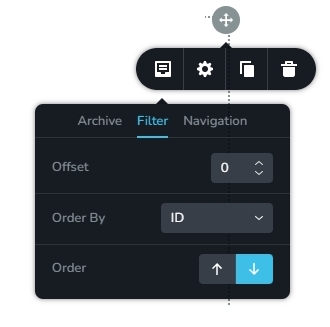
Please confirm if you are using the Posts element or the Archive element.
0 -
Hi KC George! thanks for your respones.
I can confirm I'm using the archive element
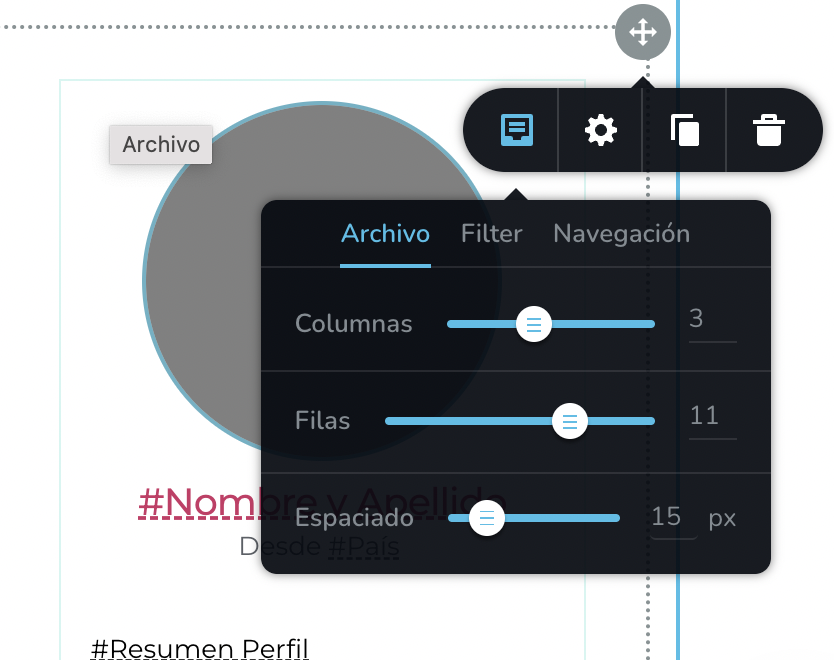
I also think it is important to mention that I did a rollback to my backup and that I am now using Brizy Version 2.4.5 with Brizy pro Version 2.4.6 (I had to do this because the 2.4.8 version you posted earlier did not work for me).
Lastly, what I mean by "filters" is the ones that appear outside of the Brizy editor:

Apparently in the newer version, the "Archive" element is not taking into account the display conditions.
Please your help! Thanks!
0 -
Hi Daniel,
In order to assist you further on this matter, I will require access to your project. Please add me as a user to your WordPress Dashboard if you need assistance with this. My email: kc.george@brizy.io. As shown in this screenshot: https://jmp.sh/sOSGGR3, please turn on the option "Send the new user an email about their account"
Please let me know here when you send me an invitation. Please also include the URL of your website below. (I'll be able to tell which support request it pertains to when I get your invitation.)
0 -
Hi KC George,
I can give you the access you are asking for, but keep in mind that I rollbacked the changes, so at this moment the old version of Brizy (2.4.5 and 2.4.6 in pro) is installed.
Does that work for you or do you need me to create a staging site with the updated versions?0 -
Hi Daniel,
I would like to take a look at your website in its current Brizy versions. I would like to check if all templates are setup correctly. If everything is setup correctly, it should continue to work fine when updated to the latest versions.
0 -
Hi KC George,
I just sent you the user for https://koshertherapy.com
0 -

I'm following this closely, as we reverted a site in a similar situation from the newest update... an Archive page from custom post type (Projects) displayed blog posts.
0 -
Hi Daniel,
I have not received your invitation in my email. Can you please set a password for me and send me the credentials by email?
0 -
Hi KC George,
Just sent the password you asked me.
Regards,
0 -
Hi Don, That is exactly the same thing that happens to me. In an "Archive Template" that should show custom types posts, it shows regular blog posts.
0 -
Hi Daniel,
I have made these changes to your website
- In the Profesionales CPT, I have added taxonomy connections https://jmp.sh/BiLaDMS
- The Profesionales Category Archive template has been added. It is accessible here. https://koshertherapy.com/category/profesionales
- Recreated the Profesionales Archive template. Click here to see it. https://koshertherapy.com/profesionales/
- Updated Brizy and Brizy Pro it its most recent versions
- Changed theme to Twenty Twenty One. Brizy starter theme is not recommended
- Profesionales menu in your header was linked to Profesionales archive page. It is now linking to Profesionales category archive page. Feel free to change it back if you like.
Please check if everything functions as expected when you are logged into WordPress Dashboard.
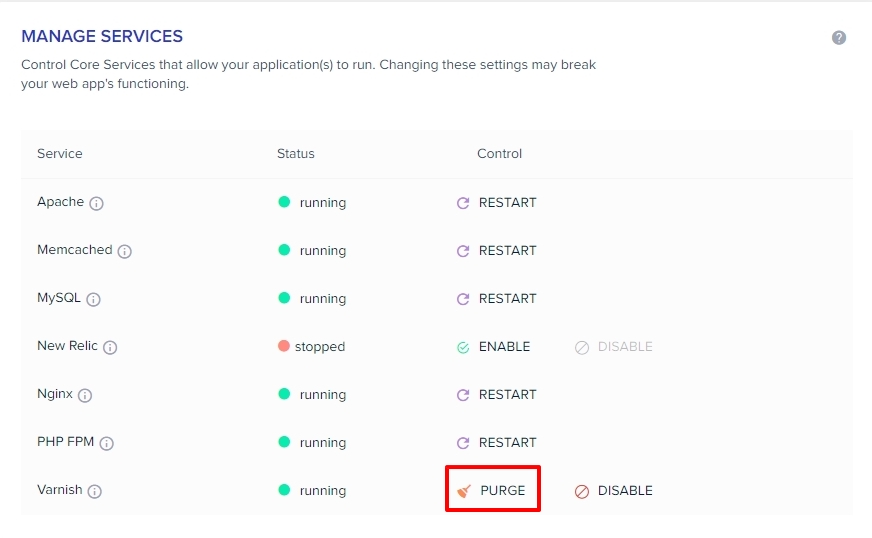
Looks like you are hosting with Cloudways. Please purge all server cache to view the latest changes in preview.
 0
0 -
Hi KC George,
Thanks for your help.
after making some minor aesthetic changes and adding the "search" page to the new archive I think it's working fine.
Could you tell me what was configured wrong so I don't repeat it in the future?
0 -
Hi Daniel,
I would like to specify these three best practices for developing Brizy Templates for CPTs using Pods.
- Use a recommended theme: Twenty Twenty One and these themes are recommended for feature-intensive websites that use woocommerce, Pods, ACF, etc., whereas Brizy starter theme can be used for simple 5-page websites. https://www.brizy.io/theme-partners
- Connect your CPT with its category: If you are using category for your CPT, please make sure that the category and the CPT are connected in Pods here: https://jmp.sh/BiLaDMS This selection is necessary for Brizy Category Archive template to function well.
- Do not combine categories and other taxonomies: Please do not add Display Conditions for categories and other taxonomies in a single template when creating Brizy templates. A single template can include all custom taxonomies. Add your CPT categories only to a Category Archive Template.
0
Please sign in to leave a comment.
Comments
28 comments