Unusual thing with Google

Hi:
I have what I think is an unusual problem with one of my Brizy WP sites.
The site is wwww.silverview.ca
When you do a Google search, the following appears: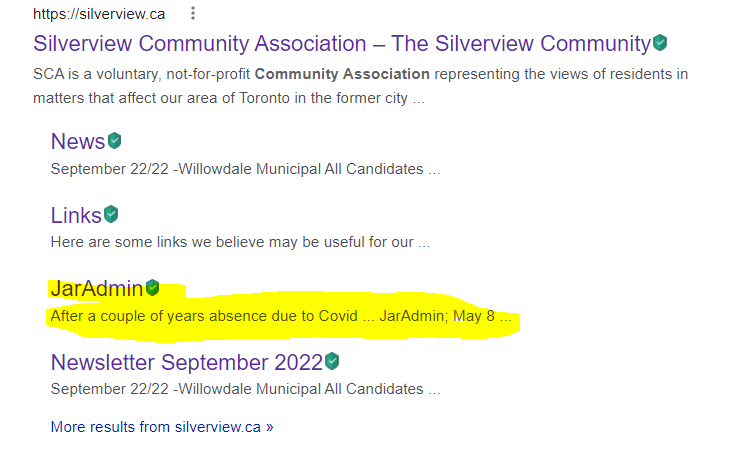
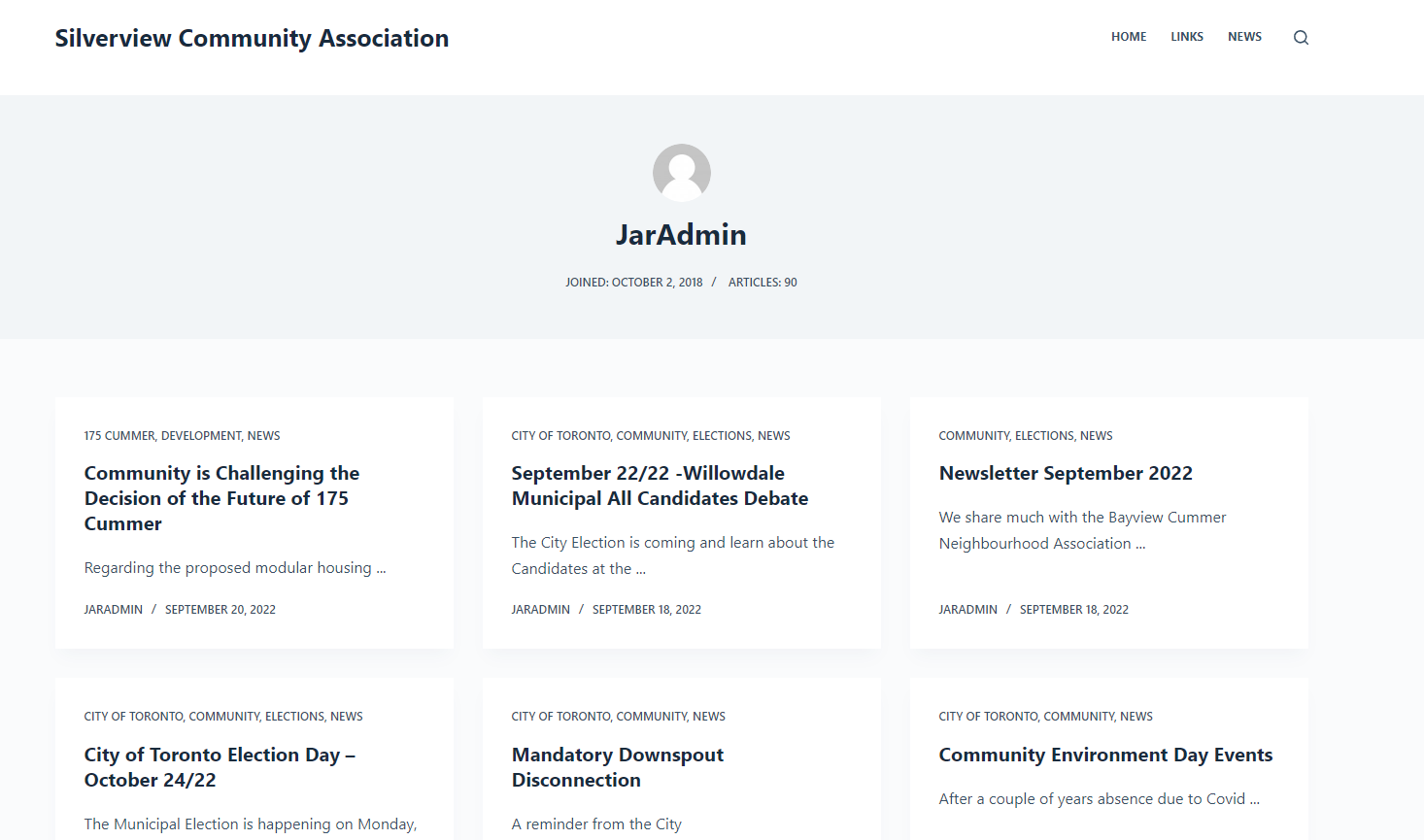
When you actually click on the JarAdmin, it goes to a page which has all of the posts. (https://silverview.ca/author/jaradmin/)
I am "JarAdmin" and this page does not really exist on the site. What I mean is that if a visitor goes to www.silverview.ca, this page does not exist. However, if you follow the Google link it does and the menu is active.
I have no idea why this is happening and have another web site with a similar structure and this is not appearing.
Any idea how this has happened and how I can correct it so JarAdmin does not appear?
With thanks,
Jim
-

Hi Jim,
On the basis of your sitemap, Google often indexes your website. Please review your sitemap's list of pages at https://silverview.ca/wp-sitemap.xml. You can access the author pages by clicking the last link in your sitemap.
If you want to exclude the author pages from Google Index you can do this by adding a line to your robots.txt file Disallow: /author Once you've added this line, your Robots.txt file should be like follows:
User-agent: *
Disallow: /wp-admin/
Disallow: /author/
Allow: /wp-admin/admin-ajax.php

Sitemap: https://silverview.ca/wp-sitemap.xml
This is the path for your Robots.txt file. https://silverview.ca/robots.txt
0 -
Thanks KC, much appreciated.
Know I just need to find out where the robots.txt file is located and make the change.
Any chance you could please guide me to where I would find the file?
With thanks,
Jim
0 -
Hi Jim,
You may find your robots.txt file here: https://silverview.ca/robots.txt, as I had suggested in my previous response. Please consider these steps to modify the robots.txt file.
- Install an FTP client like FileZilla on your computer.
- Find your hosting account's FTP hostname, username, and password
- Use FileZilla to connect to your FTP server
- Download the robots.txt file to your PC
- Make the required edits to the file
- Upload the file to your server (overwrite the existing file with the file you have edited)
0
Please sign in to leave a comment.
Comments
3 comments