Forms Not Sending Emails

-

Hi Gabriel,
Your form email notifications may not be delivered for a few different reasons.
Your form data will be sent out using WordPress' PHP Mail feature if you choose this option to send out emails. A few hosts, including GoDaddy, do not support PHP Mail. If you chose this option, make sure your hosting company supports PHP Mail.
The likelihood that mail servers may suspect your email notification as spoof is significant when sending emails from a form. Please abide by these email notification recommended practises to reduce the likelihood of receiving a mail server rejection.
- Don't omit the Subject field. Choose a relevant subject.
- Put the same domain as your website in the 'From Email' field. If your form is hosted on the domain https://bbc.com, form@bbc.com is a good choice for the 'From Email' field.
- Give a meaningful "From Name". Please do not leave this field blank
- Avoid using short codes in these three fields as much as possible.
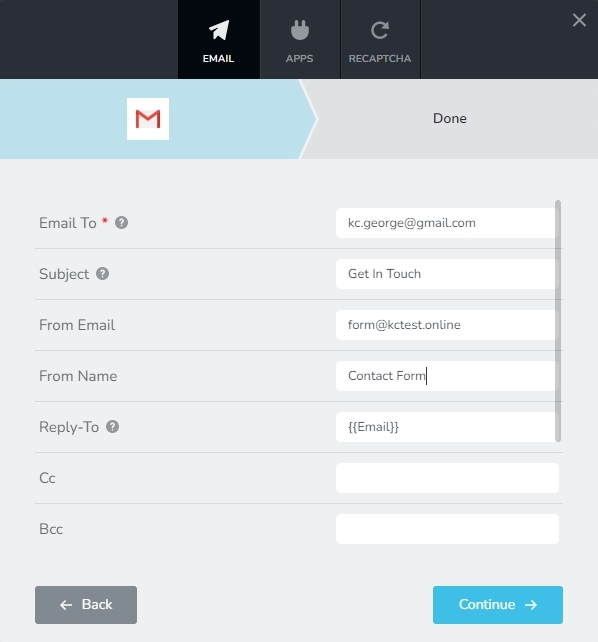
Please check your SPAM folder for the email notification while testing your form.
If you still have trouble after implementing all of these suggestions, please get in touch with us, and we'll assist you resolve the problem.
0
Please sign in to leave a comment.
Comments
1 comment