Unable to uppercase text elements inside the post elements

I have a page with 2 different post sections, one copied from another, just filtered with different categories.
On the first one, I was able to capitalize all letters using the CSS text-transform function but the second one is not capitalizing, though it has exactly the same custom CSS code.
Please help, I can give you the credentials if necessary as this is urgent.
-

Hi Pablo,
I would like to take a look at your project to help you with this. Please add me as a user to your WordPress Dashboard if you need assistance with this. My email: kc.george@brizy.io. As shown in this screenshot: https://jmp.sh/sOSGGR3, please turn on the option "Send the new user an email about their account"
Please let me know here when you send me an invitation.
0 -
Done, added and email sent. Also, the focal point for images in post templates (you can check them inside the Brizy templates, they're the only 2) is doing no effect. Is this as it is for the moment? I think this should definitely be fixed. I had to change my design a lot to make it aesthetically functional and not lose the focal point.
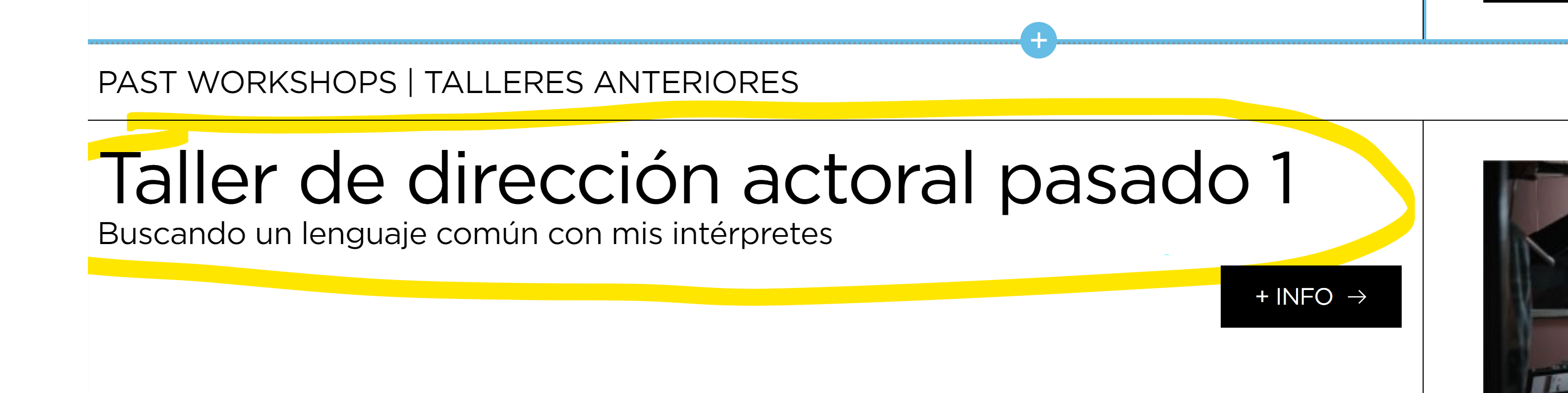
This is the section I'm talking about that's not being uppercased:
 0
0 -
Hi Pablo
I am unable to see the issue you're having. Look at this screenshot to see what I mean. https://jmp.sh/MVI37ms The portion of the page you cited that isn't capitalised appears capitalised at my end. Do you still face the above problem, or was it resolved?
When the width or height of the image is greater than the viewport, the focal point dot typically works for static images. You use the focus point dot to determine which portion of the image is visible within the viewport. The focal point dots typically do not work for dynamic images.
0 -
I'm still seeing the issue. It's the second posts element in that page. Please check again: https://ibb.co/vxgQqFn
The second post element has the exact same CSS code as the first one but it's not capitalizing.0 -
Hi Pablo,
In your WordPress Dashboard, under Appearance - Customize - Additional CSS, I have added a different CSS. Please check if the Posts elements headings are capitalised.
0 -
Yes, now it's working fine. I usually prefer editing CSS on each element instead of using the general CSS for modularity and granularity. Do you know why these were not working before? Is this due to a known bug?
0 -
Hi Pablo,
CSS works best when added to Additional CSS under the Customizer. This also helps maintain design consistency across the website.
I am not sure why the CSS did not work with one Posts element when it worked with another.
0 -
I see. Is there a list of Brizy classes somewhere in the support section to easily customize elements?
0 -
Hi Pablo,
We regret that we do not maintain a comprehensive list of all classes that can be altered using CSS. I suppose utilising the Inspect tool to target a specific CSS class would be quicker than looking through a list of classes.
0
Please sign in to leave a comment.
Comments
9 comments