Desktop/Mobile/Tablet views & editing (setting to hide for desktop is not shown)

I'm trying to add a Spacer to only show on Tablet devices (not on Desktop, especially), but there is no way to access the wider Stylings setting that I can see (where you can toggle the "show on desktop" to off). How can I "hide" the spacer element to not show on Desktop (I was able to hide it for Mobile)? Thanks.
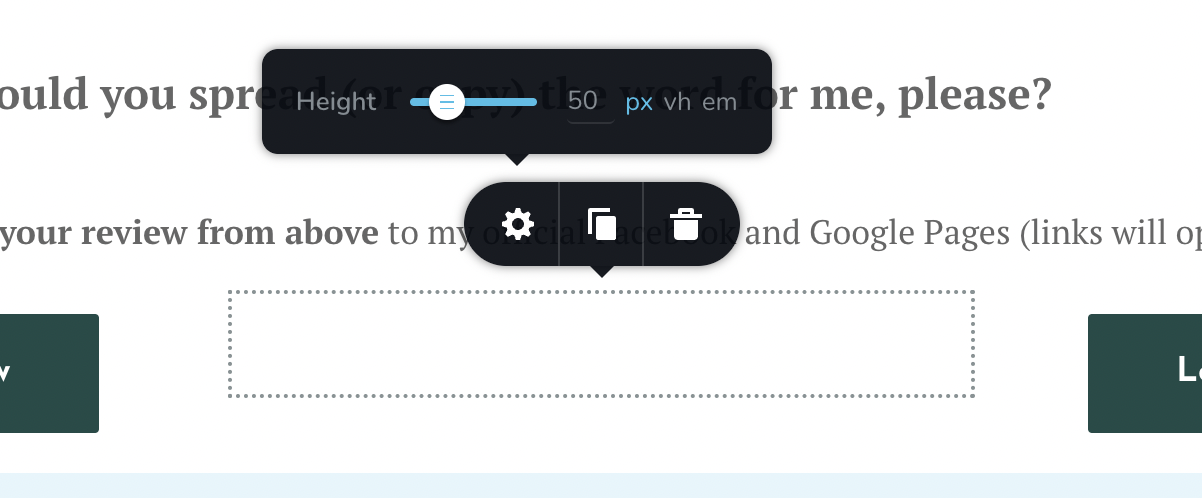
-

Hi,
Thank you for contacting us.
Unfortunately, there is no option to hide the spacer element in desktop view. This option it is available only for tablet/mobile view. I'm sorry, but in this way was made Brizy builder. Can you please try to delete the space element from desktop view ?
Best regards, Nelea.
0 -
Oh, but if I delete it, it disappears from all views, no?! And I *do* need the spacer for the Tablet view! How can I get it for the Tablet (but not other) views?
0 -
Hi Jenna,
You can leave the spacer element in desktop view, in the preview mode no one see this element, it is as if hidden. I see that you have added the space element between 2 buttons, please see this video.
Best regards, Nelea.
0 -
Hi Nelea, that's not quite true; the spacer is definitely there on desktop; it creates a wider gap between the two buttons! It doesn't look good that way.
(I decided to go for a workaround for this particular situation, but would like to know how to solve this issue for when the situation arises again.)
Thank you!
0 -

Hi Jenna,
Maybe adding the spacer element to the tablet and mobile views was an attempt to remedy a problem. If you could describe the issue, perhaps we might come up with a different solution without the spacer element. Could you please describe what the initial issue was?
0 -
It was... the 2 buttons next to each other "blended" into each other, looking like one big blob. (I worked around it by moving one button below for mobile/tablet rather than next to the other one)
However... that still doesn't solve/answer my question RE hiding spacers when needed only on Tablet but not on Desktop. :)
0 -
Hi Jenna,
You are right; the spacer element cannot be hidden alone on the desktop. Here is a solution you can think about. If you used columns/rows to develop your design, you can duplicate rows/columns and display one on mobile and another on desktop. Once you have two distinct designs, one for mobile and another for the desktop, you can remove the spacer element from the desktop design
0 -
Got it, I guess I'll play around with workarounds like this (I didn't use columns for this, but I guess I might if I have this problem again). Thanks for clarifying!
0
Please sign in to leave a comment.
Comments
8 comments