Line spacing issue

Hi!
I'm having an issue with the line spacing, I got this original design:
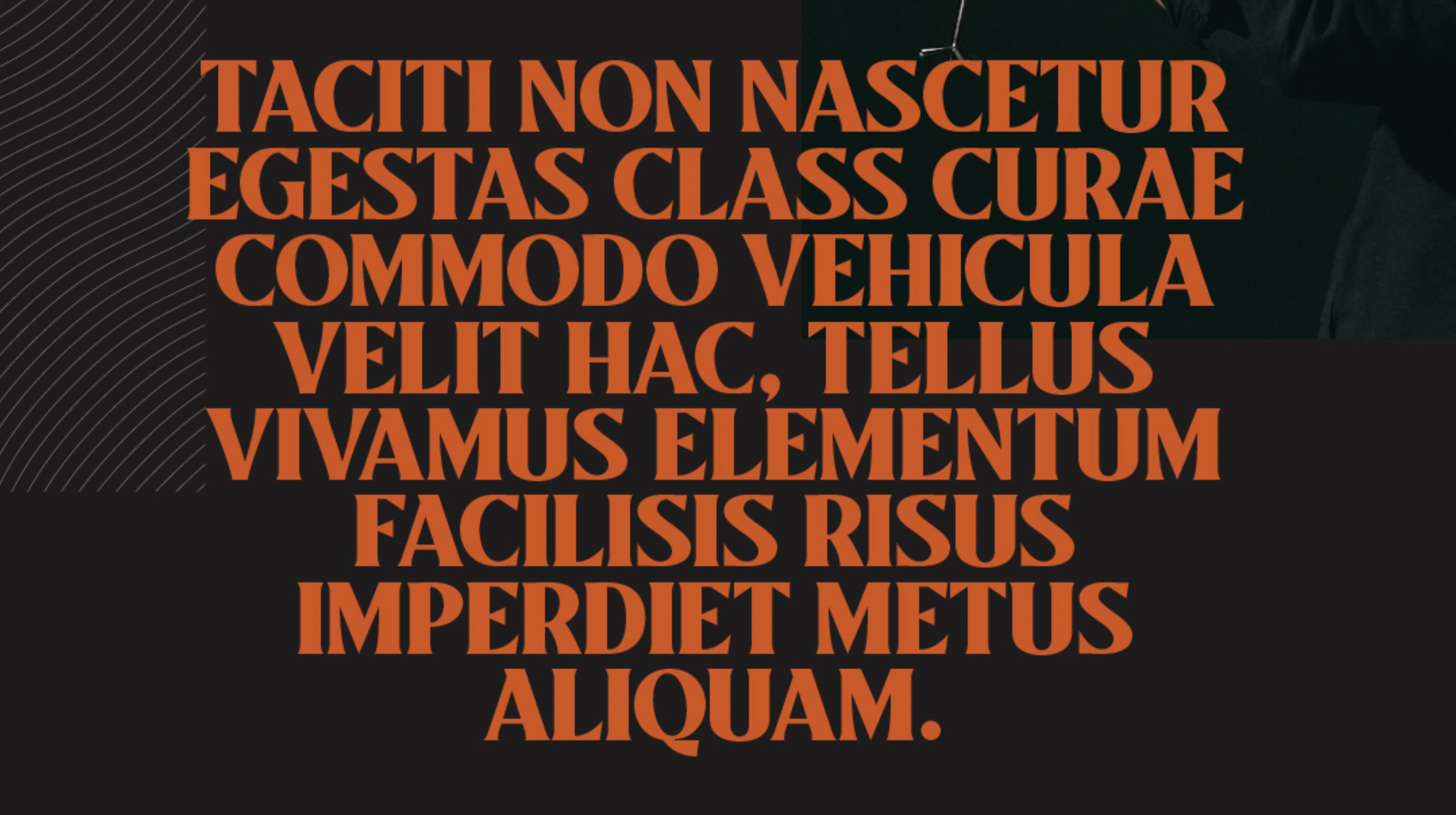
But when I design it in Brizy, the minimum of line spacing is this:
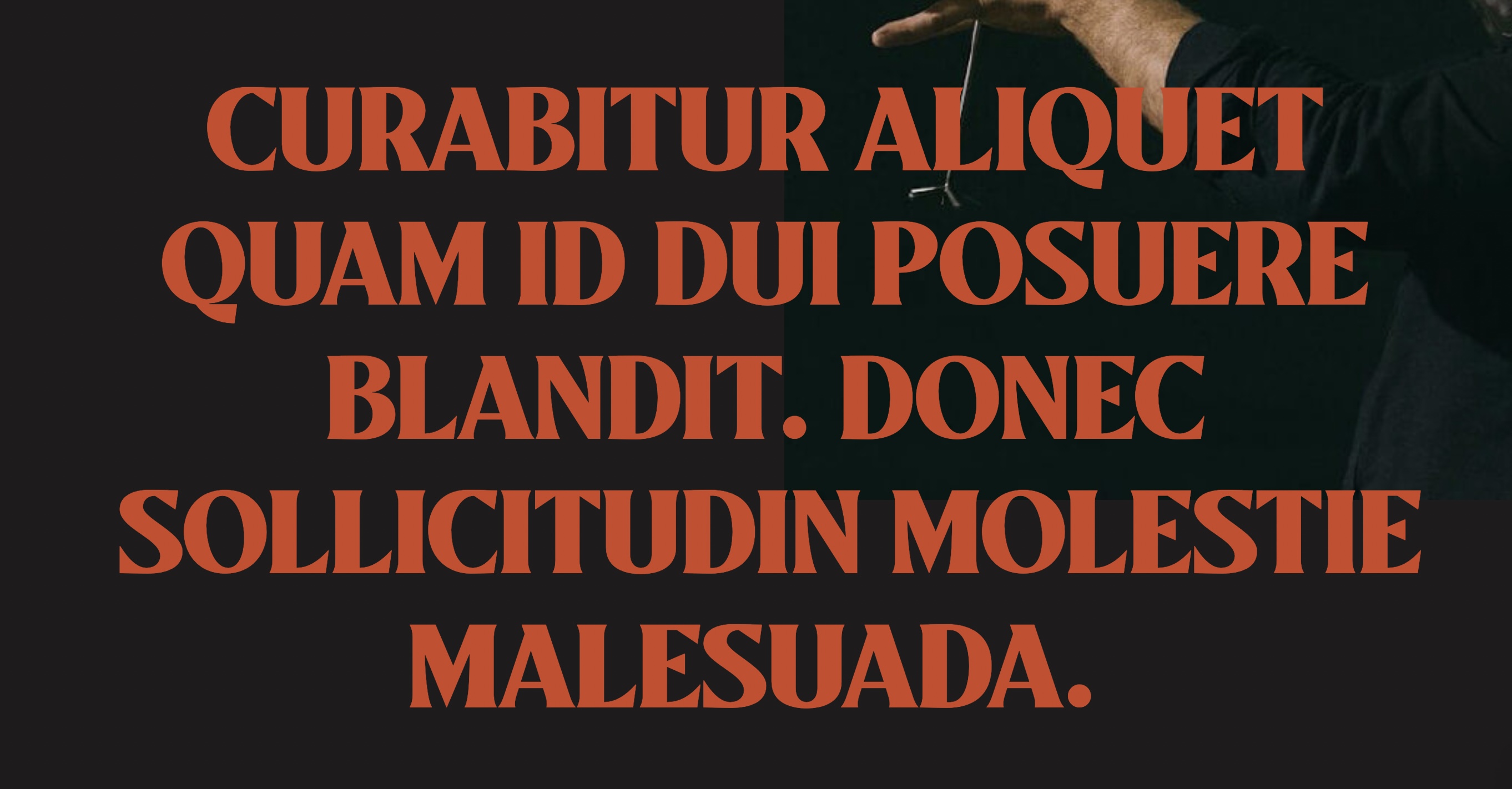
Do you know what can I do to reduce the line spacing in brizy?
-

Hi,
Thank you for contacting us.
If you need to reduce the space between the line, then click on Text -Typography - Line Hgt. Please see this video. Please let me know if you have any other questions.
Best regards, Nelea.
0 -
Hi nelea. I know how yo reduce the line hgt. The thing is want to reduce it more but brizy doesn't allow that. The picture I attached shows the maximum of reduction that brizy offer, what can I do to reduce it more?
0 -
Hi,
In my video the space between the row are very small, in your photo, the space is bigger. How you have added the text? Can you add a column, then the text element, and then write your text?
Best regards, Nelea.
0 -
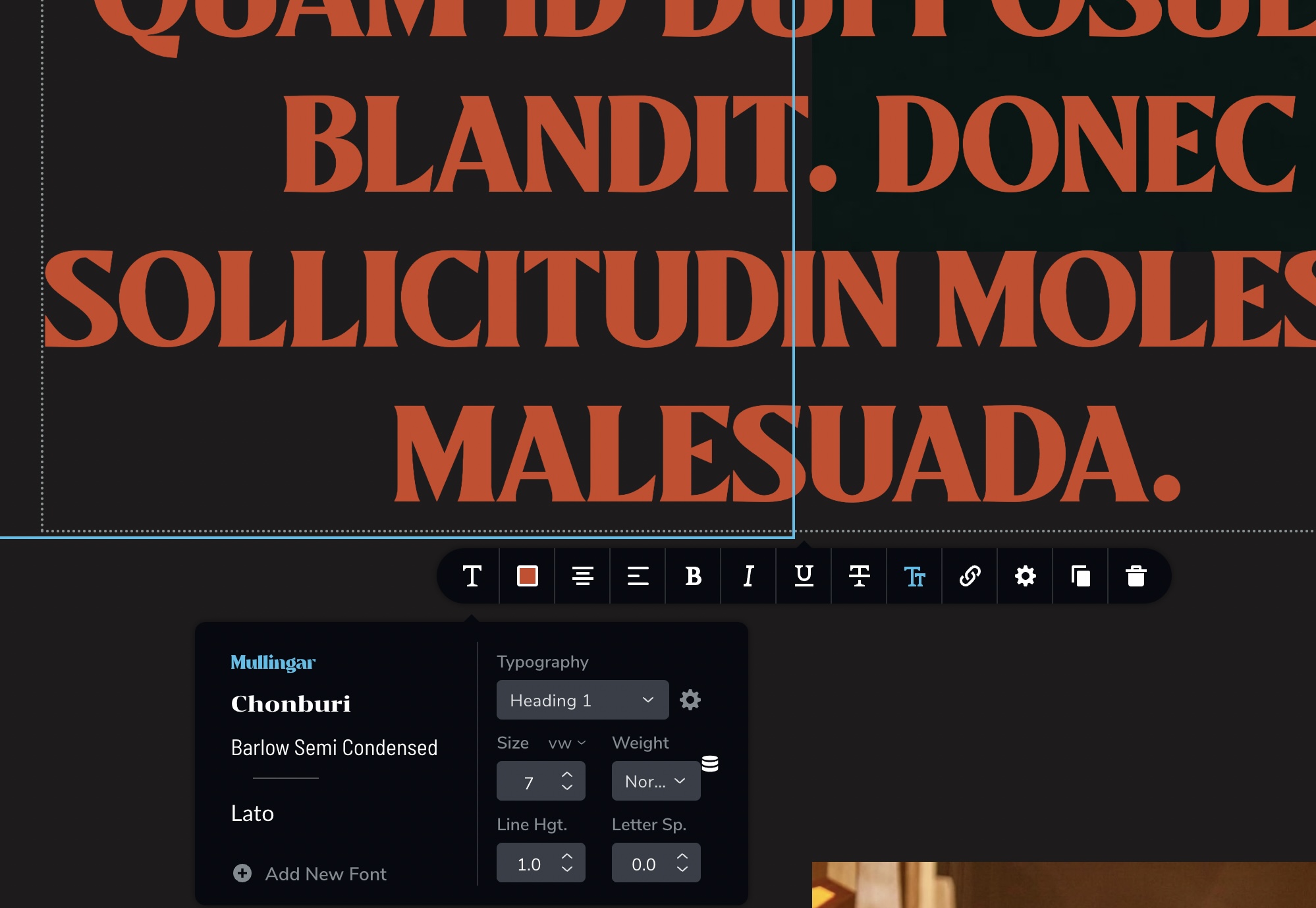
Is a custom font, but I find this issue in all the fonts, there is no way to reduce it more than 1.0.What can I do to reduce it more?
 0
0 -

Hi Gera,
You should be able to recreate your design in Brizy. Please have a look at my test page here. https://kctest.online/line-spacing I am using Line Height : 1 and Letter Spacing: 0 for this design.

If you are not able to reproduce the design, we will take a look at your WordPress Dashboard to help you further. Please let us know
0
Please sign in to leave a comment.
Comments
5 comments