How to remove underscore from link; and remove dot (o) from <ul> ?

Hi –
Sorry for combining these. I was going to separate them, but they are kind of related.
1. I do not see how to add a link to one or two words in a text element. Everytime I highlight a word or two, the entire text element is selected and the text menu pops up.
2. I have an old link from Brizy and I want to remove the underscore. How can I do that?
3. I copied some text from outside Brizy and that text was actually a <ul>. In the original <ul> there was no list-style-type, but when pasting into Brizy it displays a "dot" for each list item. How can I get rid of the "dot"?
Thanks!
Jeff Safire
-

Hi Jeff,
- It it normally possible to add a link to a single word and multiple words based on the selection you make. Please have a look at this screen recording. https://jmp.sh/inDarKe Please get back to us with answers to some questions below to help you solve this problem.
- To remove the underline for links, please try adding CSS given below to the Additional CSS.
- When you copy the text from an external document, try pasting it into a text editor like Notepad and then copy paste from the Text editor to Brizy. This will remove formatting.
p a {
  text-decoration: none;
}
Can you please specify your Brizy and Brizy Pro version numbers? (I am assuming you are using Brizy along with WordPress here).
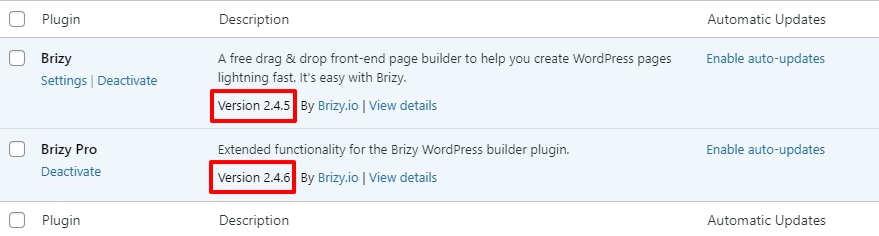
Can you also do a few compatibility checks?
- Are you using WordPress 5.9 or above? https://jmp.sh/iqlQrFw
- Are you using PHP 7.4 or above https://jmp.sh/XrkFgLV
- Are you using a theme compatible with Brizy? Twenty Twenty One and these themes work well with Brizy https://www.brizy.io/theme-partners. Try changing to one of these and see if it helps with the first issue you have mentioned above.
- Do you have a plugin which is incompatible with Brizy? If none of the above helps, please deactivate one plugin at a time and check if the problem persists.
0
Please sign in to leave a comment.
Comments
1 comment