Finding it difficult to stretch content to full width

Hello,
I have been trying all day to make the page I created with brizy become full width. I have used the full width options on the columns settings all to no avail. I still get whit spaces around the content. This doesn't happen with Wp bakery though cause I've created pages with both plugins, it only happen with brizy.
Help me fix this please.
Affected page - https://facilitymanagementcourses.com/17753-2/
-

Hi Paul
This is what I see when I browse your page https://jmp.sh/6CKIph7 The page does look full width.
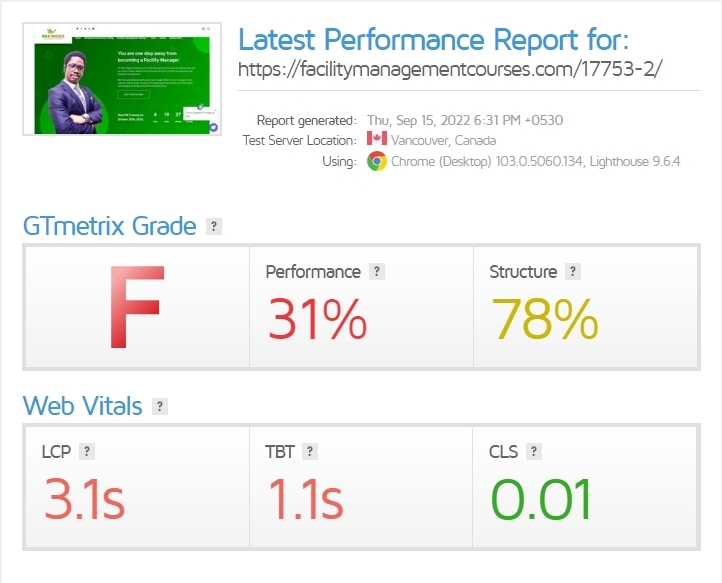
However the page has few browser console errors and is quite slow. Please have a look at this screenshot https://jmp.sh/tZ8fQV4 To speedup the webpage, please try these
- Try deactivating Optimonster Plugin and see if it speeds up the page.
- If you are using a Pinterest plugin, please deactivate it and see if the page speed improves
 0
0 -
Thank you for your response and for checking the page speed. I plan to work on the speed after i'm done with building the site.
Please my problem still persist. The reason you saw that the page is full width is because I was alternating between the Brizy Template and the default template. As you can see, the brizy template does not include the theme's header and footer and if I use the default template, it does not come out full width. There are surrounding white spaces around the contents on the page.
Please check the page again because I have switched to default template. Your solutions and expertise will be appreciated. Thanks
0 -
Hi Paul,
To fix this issue, you will need to look through the theme settings and see if you are using a boxed container for your page. Since other pages of your website are full width, there could be a setting specific to this page. You may need to look through the page specific settings. When you open the page in Gutenberg, look for page specific settings on the sidebar on the right. It may look something like this
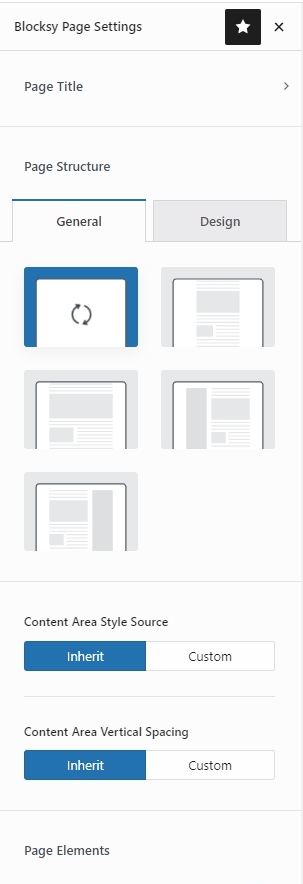
If you still can't find the theme setting, please consider these options
- Contact the theme author at https://support-rt.com/
- Give us access to your WordPress Dashboard and we can try to identify the setting in your theme.
0
Please sign in to leave a comment.
Comments
3 comments