Customize menu

Hi,
How can I customize the color of the menu bar on mobile/table
I would like to change colors there
As you can see...its all red...
Thanks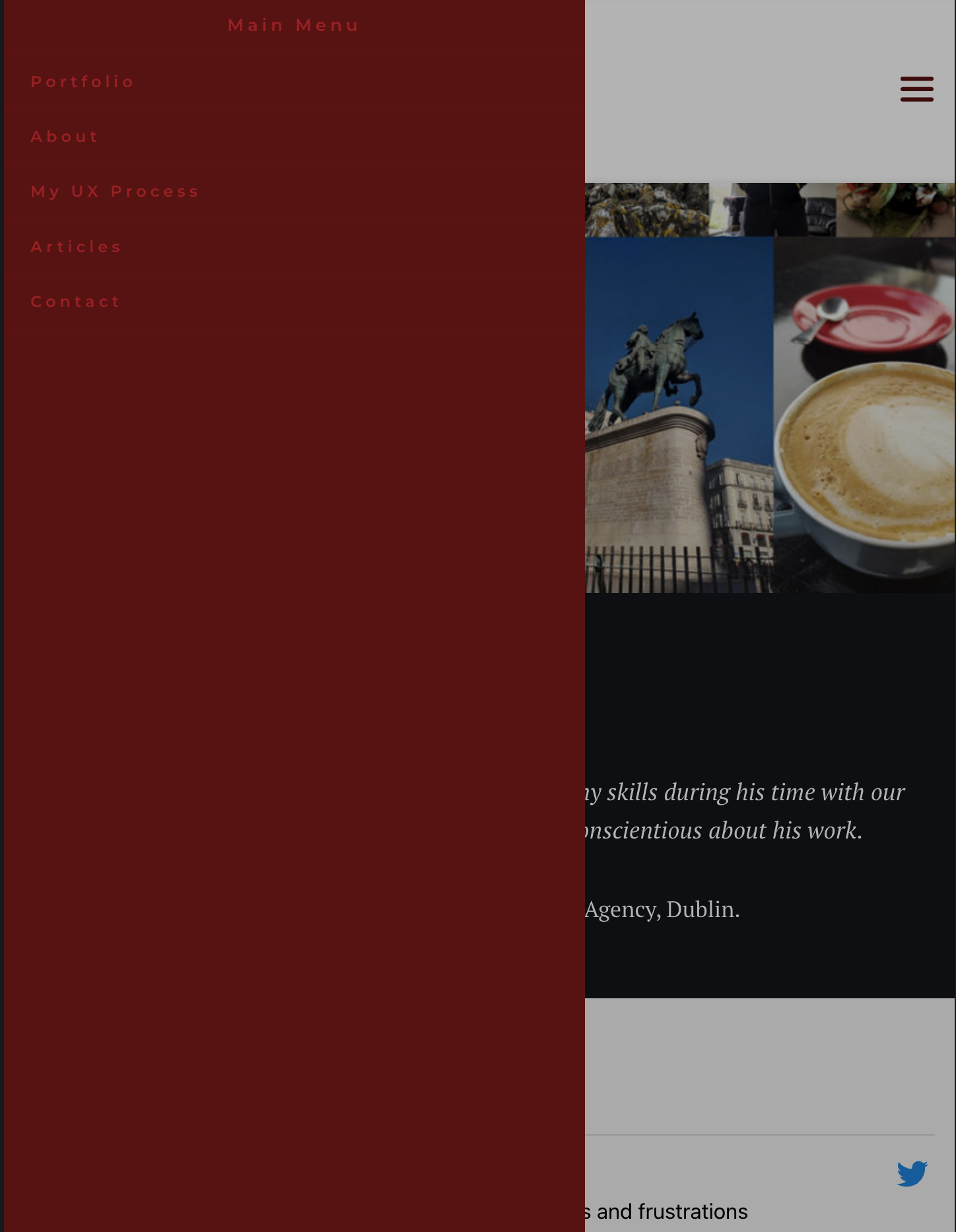
-

Hi Wagner,
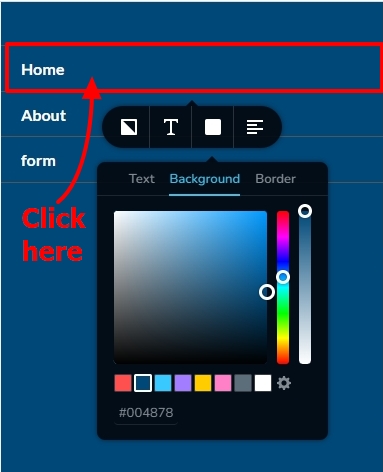
You can customize the background and text color by clicking on the highlighted area and then selecting the color icon.
 0
0 -
Perfect,
I got another question
How can I remove these borders ?This is the bottom nav menu, you can see that the selected/active link is white, so looks like there is nothing there...how can I fix that?
It doesn't happen on the top menu
Thank you for your help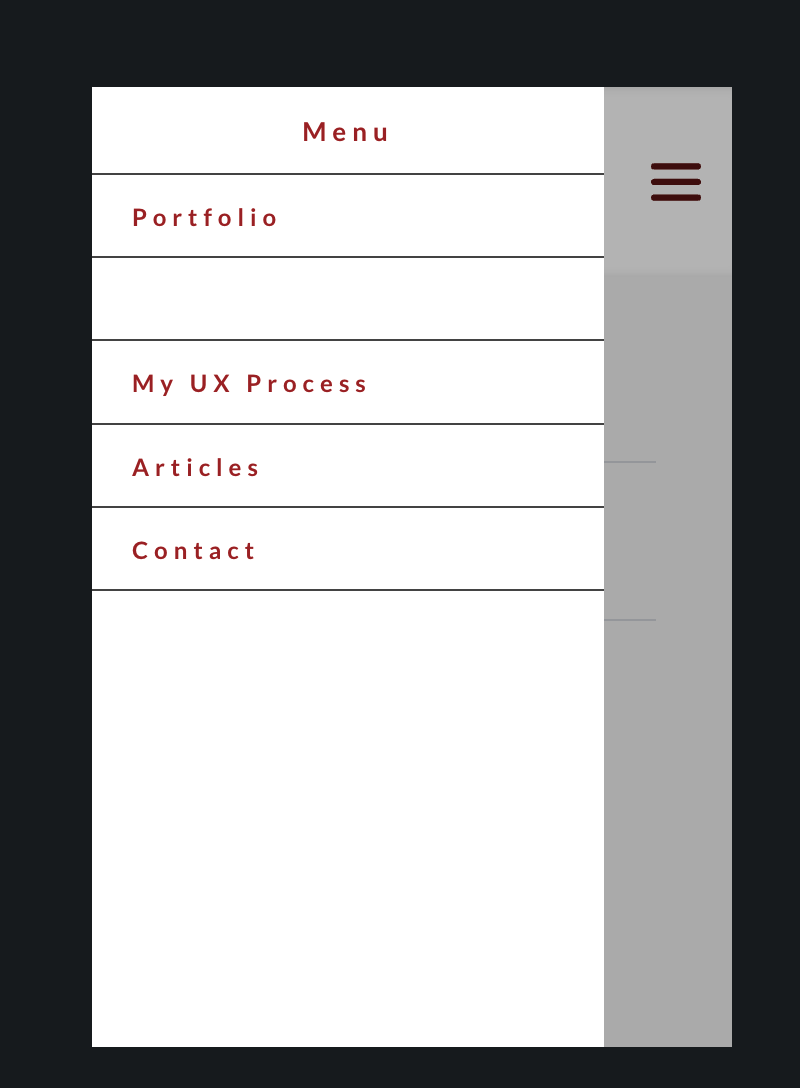 0
0 -
Hi Wagner,
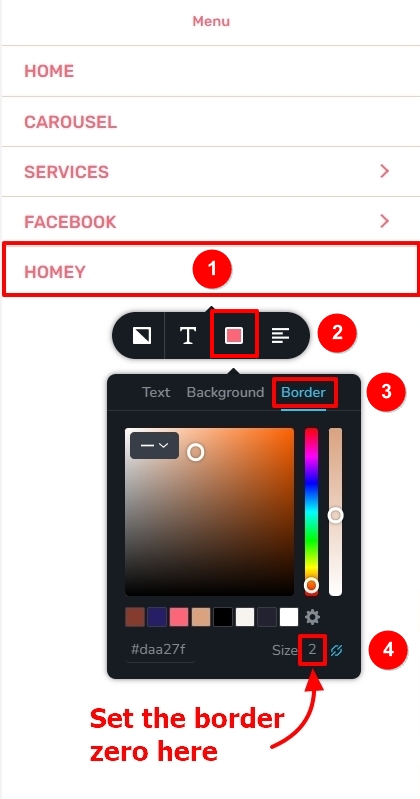
To remove the border, click on the highlighted area and select color icon and then the 'Border' tab and set the border to zero
There are three colors you can set for your menu.
- Normal color: The default color of the menu elements
- Hover color: The color when you hover over a menu item
- Active color: Highlights the current page (on the Contact page contact menu has a different color)
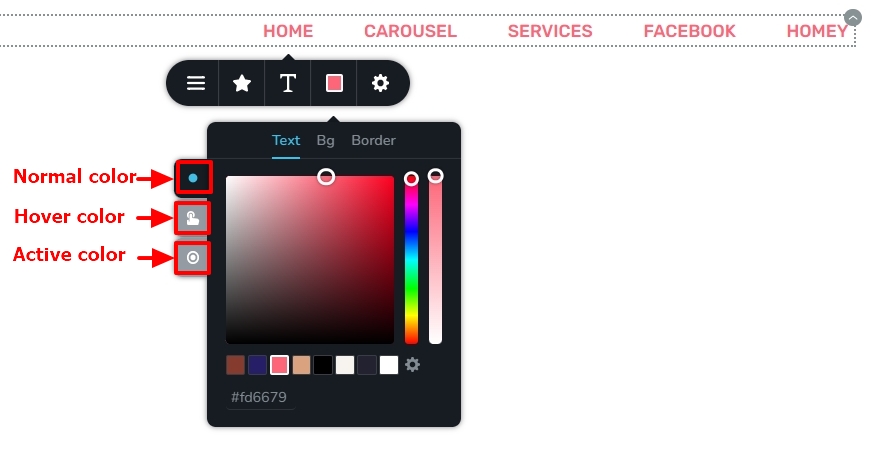
You might have assigned white active color and that could be the reason why About menu is not visible. Please check your menu active color.
0 -
Hi, thanks for your help
I fixed the border issue, but the active link only works on desktop view
On mobile, when clicking the top burger menu, the active link is not showing, but when clicked on the bottom burger menu, its showing the text, but its not as active...please find the following example:
Top burger menu showing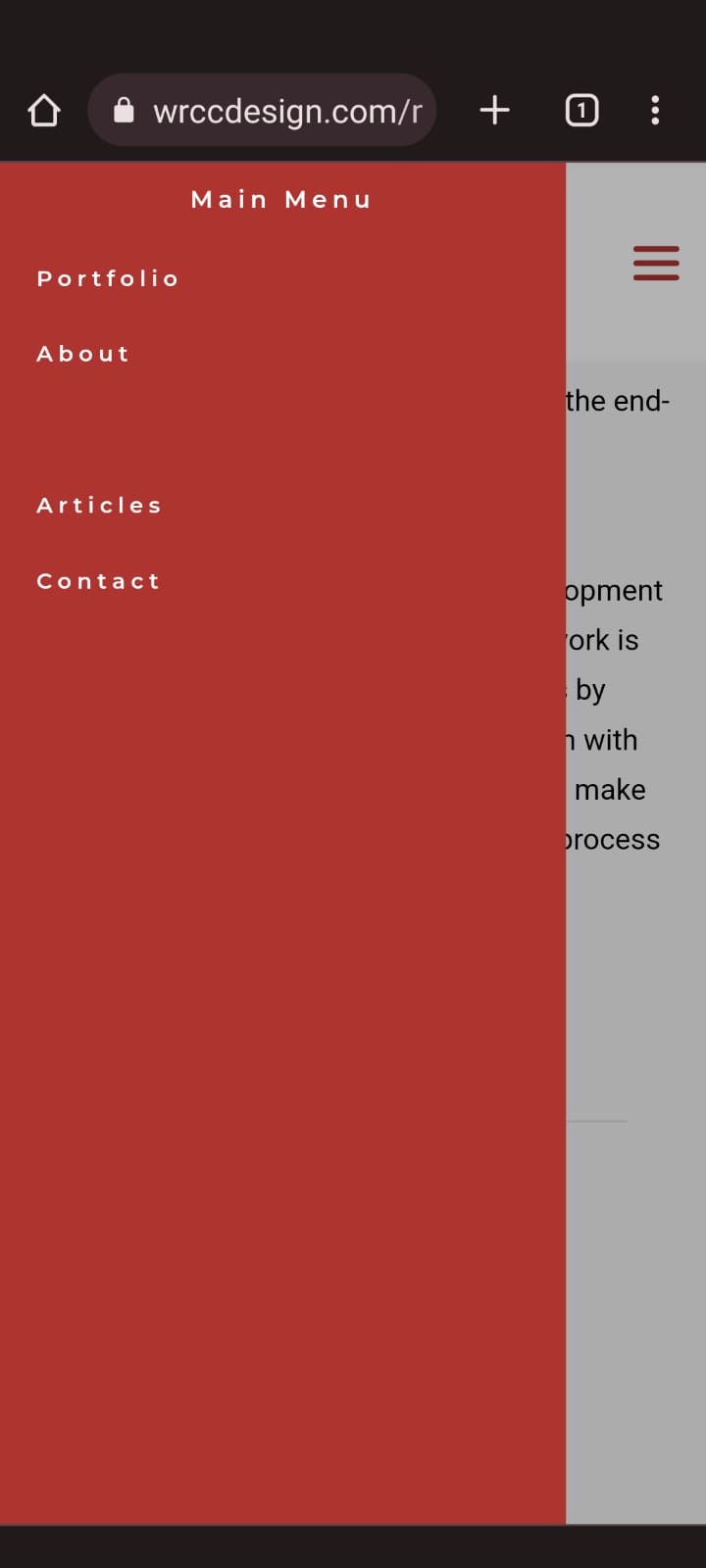
Bottom burger menu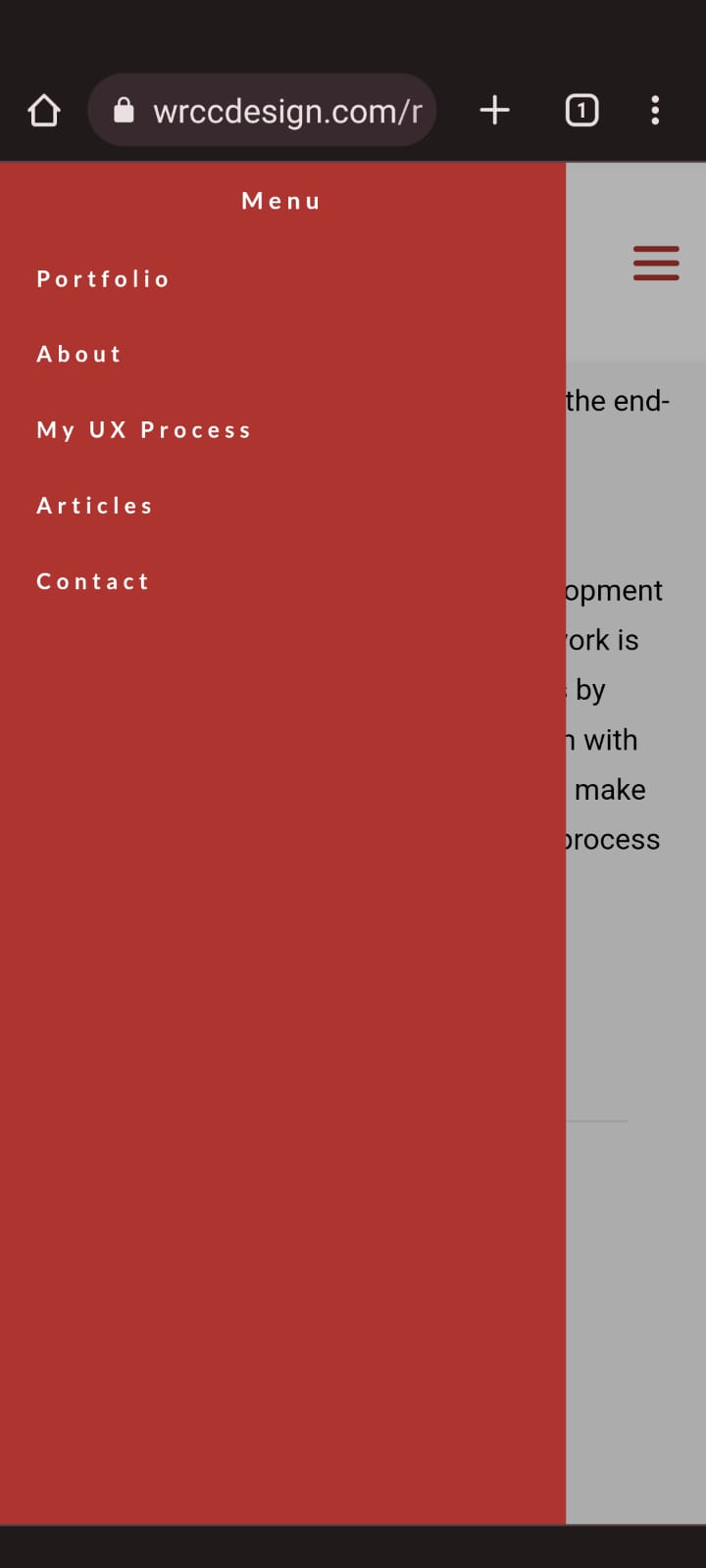 0
0 -
Hi Wagner,
The issue with the active menu appears like a bug. Please use the same color for normal, hover and active for now.
We will work on fixing this.
1 -
Ok, please let me know,
Thank you
0
Please sign in to leave a comment.
Comments
6 comments