How to remove stock status next to add to basket button in product page

Hey guys,
I'm using Brizy Pro with Astra theme and woocommerce.
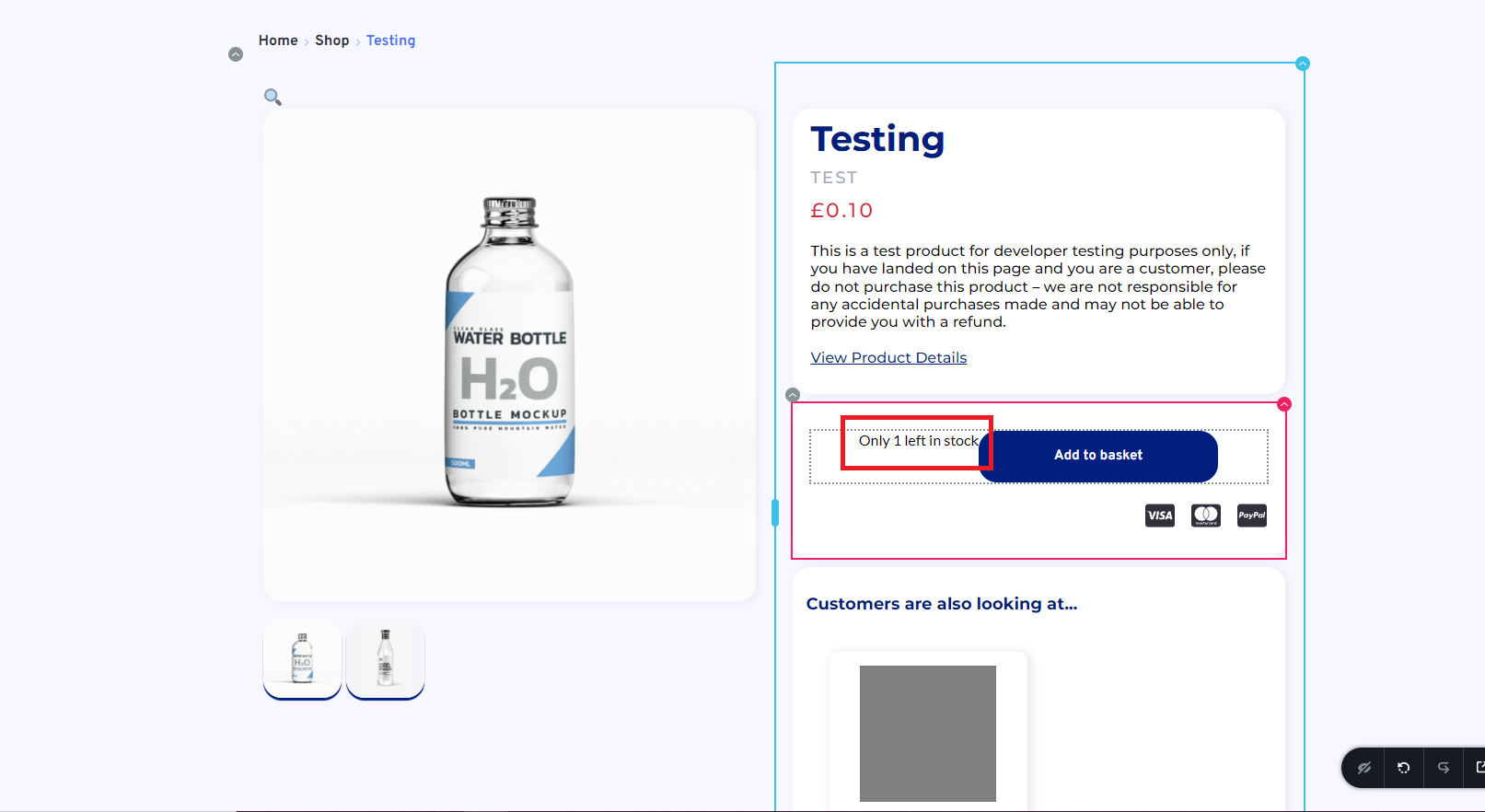
I cannot find out how to disable the stock status text which is appearing next to the "add to basket" button (highlighted in red attached).
0
-

Hi Chris,
When you enable the option 'Manage Stock Level (quantity)' for a product, 'Availability in stock notice gets added automatically to the 'Add To Cart button'. https://jmp.sh/OREv1wf There is no provision to turn this off.
You can try this CSS. In your WordPress Dashboard under Appearance - Customize - Additional CSS, please try adding this CSS
/* Hide Availability in Stock notice */
p.ast-stock-detail {
display: none
}
1 -
Thanks so much KC! That has solved my problem :D
0
Please sign in to leave a comment.
Comments
2 comments