GST and Billing address

My account is renewed soon. I see the charge is inclusive of 6% GST on my current billing address. This year I moved to a country with no GST on cloud apps. What can I do - can I change billing address to reflect that new GST? Thank you.
-

Hi Vitaliy,
Thank you for contacting us.
I have created a private ticket for this request. You will receive a notification regarding this by email.
Best regards, Nelea.
0 -

Hey I moved to the new state, so my billing address and GST Number has changed. I want the new invoices generated using the updated information. Can you pls let me know how to update the same in my account settings? Thank you
0 -

Hi Mukesh,
Thank you for contacting us.
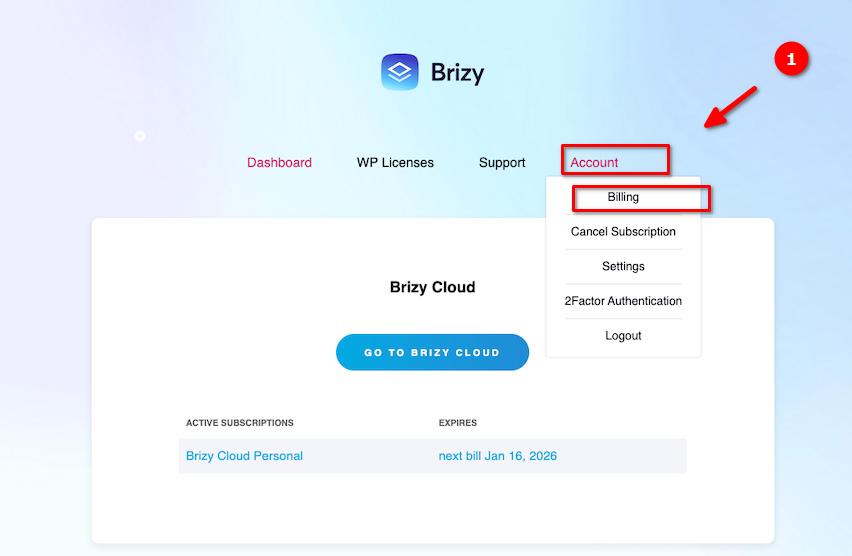
To update your Billing Address, please try these steps.
1. Go to Accounts > Billing
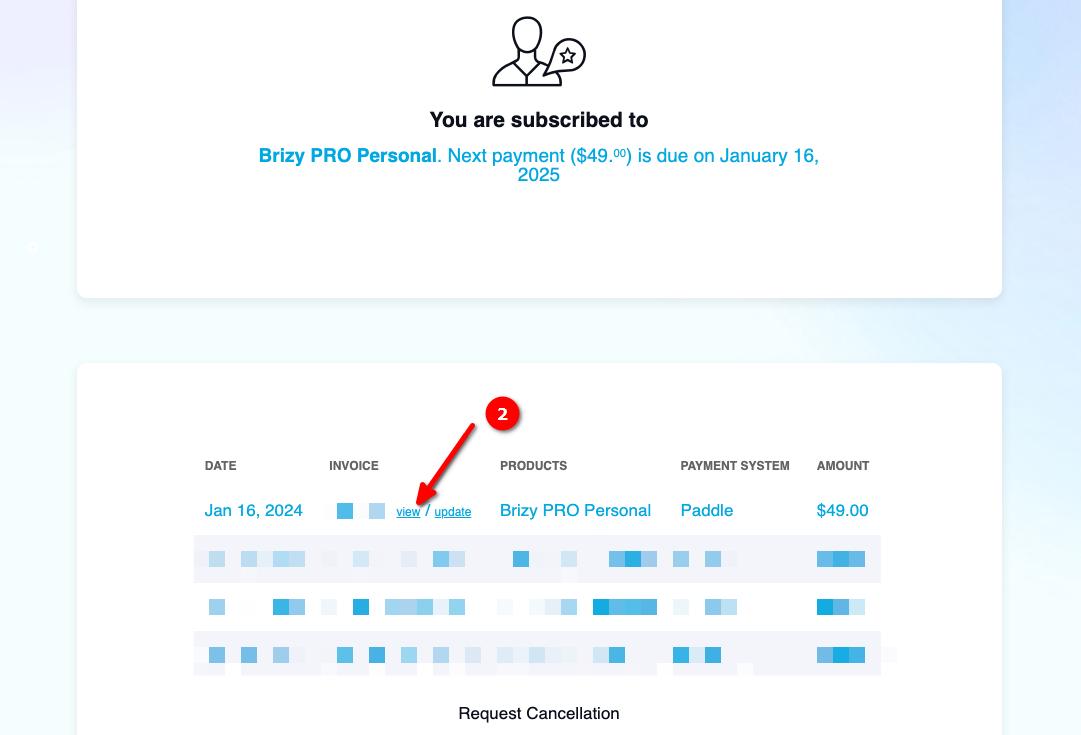
2. Click on the View link from your last Invoice
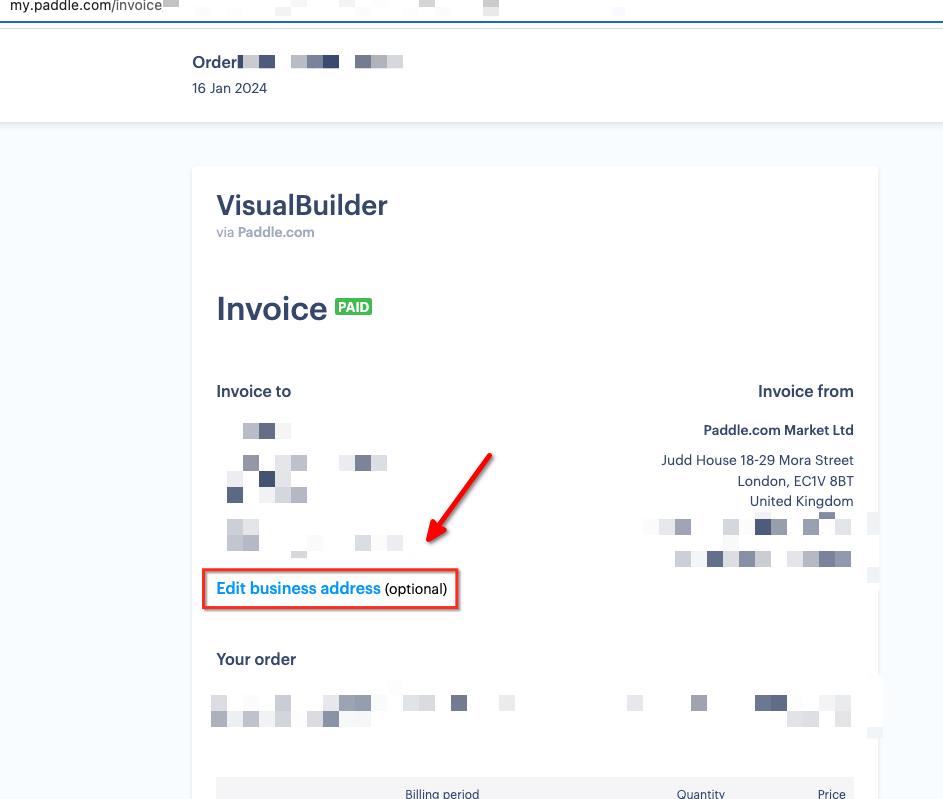
3. Click Edit business address and fill out the required details.
If you have any further questions, please let us know.
Best regards,
Ariel H.0 -
Hi Ariel,
Thanks for your response, I followed the steps you provided. I am able to edit address but it does not allow editing the GST Number.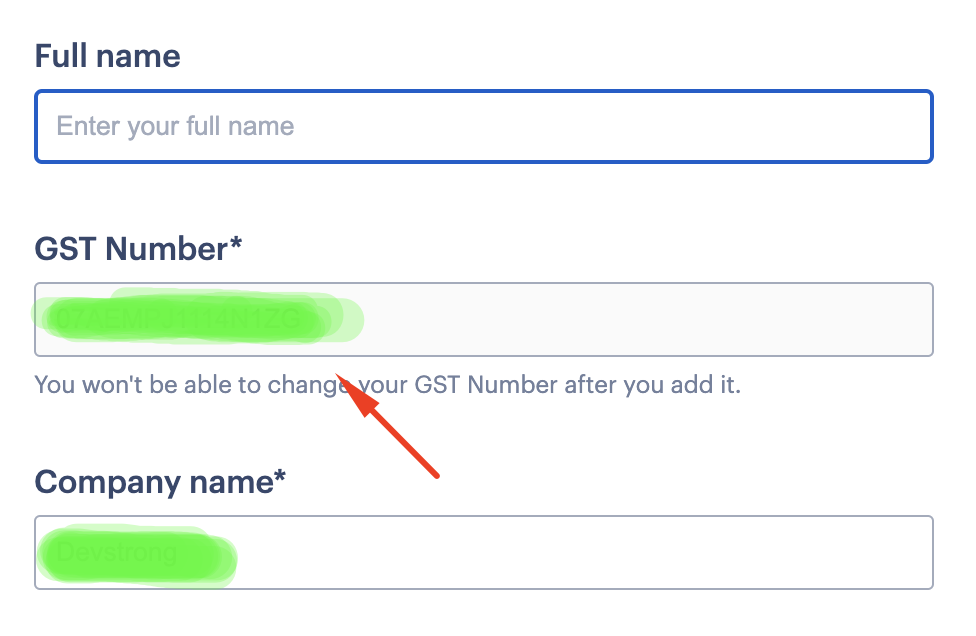 Pls check and advice.
Thanks & Regards,
Mukesh0 -

Hi Mukesh,
We rely on https://www.paddle.com/ for managing subscription payments. They have set a rule that users can't change their GST Number once it is added. Kindly contact Paddle at help@paddle.com and request them to update your GST Number. Please write to them from your email mukesh......@gmail.com quoting these details. You could add support@brizy.io in CC.
- Order Number / Invoice Number
- Billing Period for which you need the invoice
- Product Name: Brizy PRO Personal
0 -
Hi George,
I'm writing to follow up on an ongoing issue that has persisted for over a week now. Despite contacting Paddle support and cc'ing support@brizy.io, my problem remains unresolved.
While Paddle support updated my business address, they have been unable to update my GST Number, which is the crux of the issue. Although they claim to have updated the GST Number, it is not reflected in the invoice settings. And they have stopped responding to my emails since 9th August.
Indian regulations require businesses to obtain and use the GST Number of their new state when relocating. This is a critical compliance issue that needs a permanent solution for all India based users.
If this problem cannot be resolved, I'll have no choice but to close my Brizy Cloud account as I cannot continue with my previous GST Number.
Pls check and advice.
Thanks & Regards,
Mukesh0 -
Hi Mukesh,
As per the Paddle statement, they have updated the business address and GST Number at their end. However this will take effect only for the invoices for your upcoming renewals. The changes they have made will not reflect in you past invoices.
If you would like to modify the GST Number in your past invoice, kindly consider these steps
- Print the Paddle invoice from your browser and select the "Save As PDF" option
- Edit the GST Number in the downloaded PDF file using Adobe PDF Editor or any PDF editing software online. PDF editing is usually available in a paid plan. Most software vendors allow 7 days free trial. After signing up for the free trial, you should be able to edit the GST Number.
0 -
Hi George,
I appreciate your reply. I need it updated for the upcoming renewals only. Great if it's done. I will check my next invoice and get back to you if required.
Thanks0
Please sign in to leave a comment.
Comments
8 comments