Product Gallery Images

I have created a Brizy template for the WooCommerce products on https://concept-ge.co.uk and I have added the Gallery component to show the product images.
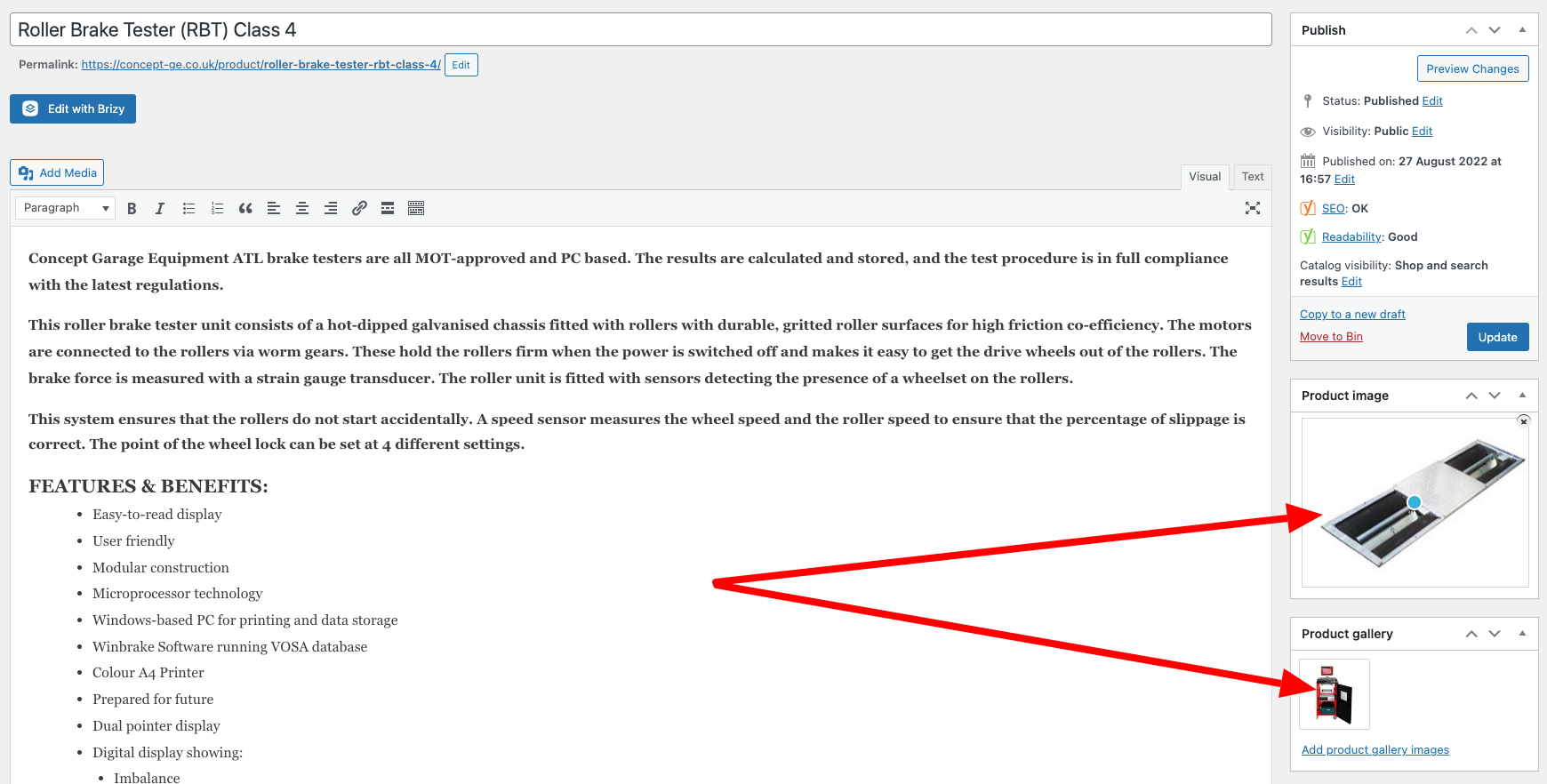
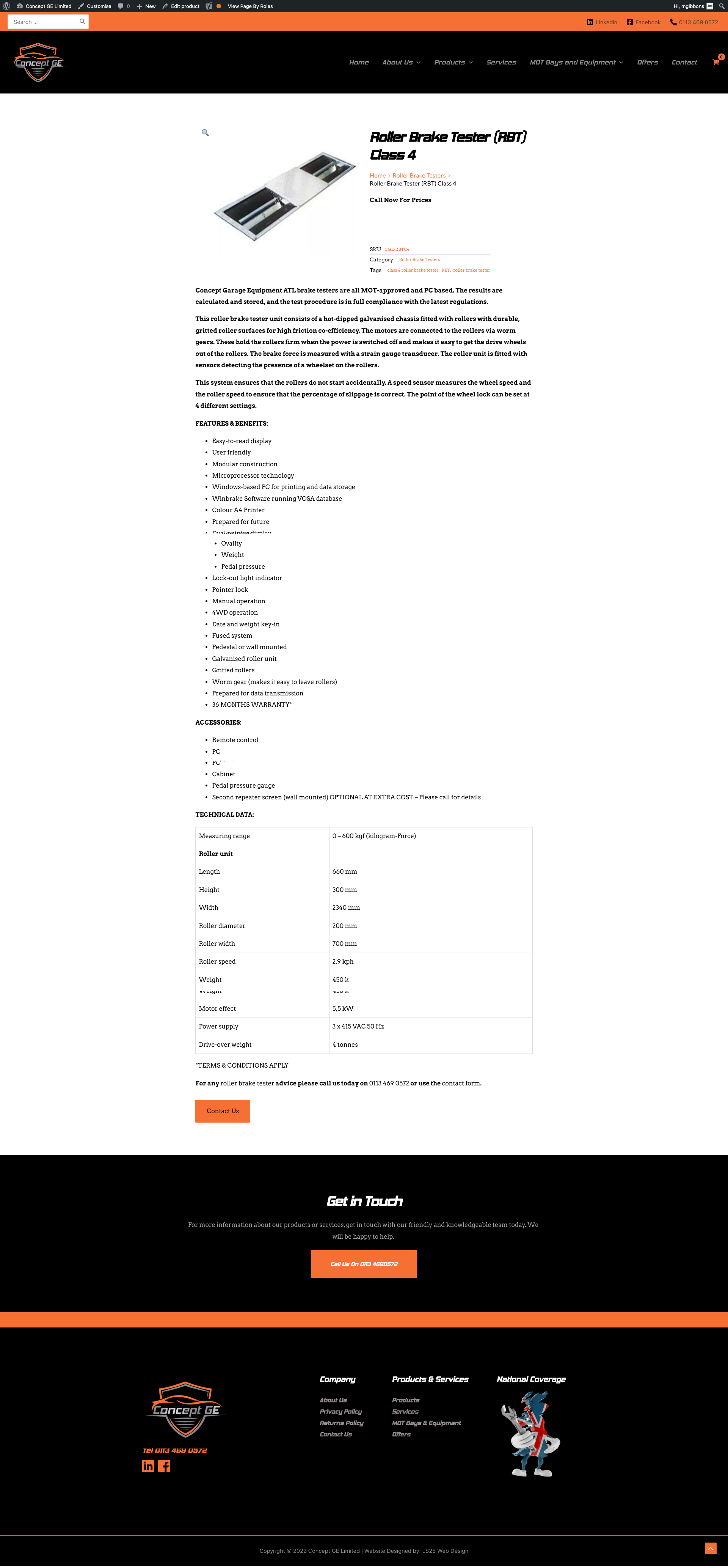
However, I have noticed that it is only showing the main product image and not the product gallery images.
See the following screenshot which is an example product that has a main image and one gallery image:
When you view this on the website using the it only shows the main Product Image:
Please advise. This looks like a bug to me.
Matt
-

Hi Matthew,
There are three console errors I see on your product page https://concept-ge.co.uk/product/roller-brake-tester-rbt-class-4/ Please have a look at this screenshot. https://jmp.sh/6DTVoSy This implies that there are some incompatibilities between Astra Default Page Template and Brizy. If you address this root cause you can solve all the three issues you are facing at once.
- Product Template left aligned
- Blog template left aligned
- Gallery element not working as expected.
If you switch over to Brizy Template from the Default Template, all the above issues will disappear and you can delete the CSS code you have added. You can do this in two steps.
- Recreate your header and footer copyright bar in Brizy and make both blocks global.
- Change all your pages and templates from Default Template to Brizy Template.
If you recreate your header and footer in Brizy, it may look something like this. https://concept-ge.co.uk/test/. This page uses the Brizy Template. I recommend this approach to overcome the above three issues and also to avoid future potential issues.
Please let me know what you think.
0 -
Hi KC,
I am deeply disappointed by your response to this issue. Please connect me with someone in authority at Brizy as we're getting nowhere and it seems you have given up on helping me resolve these issues. .
I cannot start reenginerring the website now for this client. I thought Astra was a theme that Brizy recommended.
You are now just palming me off on this being an incompatability with Astra. Surely it would be mutually beneficial to find a solution to prevent similar issues in the future.
Matt
0 -
Hi Matthew,
I would like to clarify two things.
- I am not giving up on helping you resolve this issue. In fact I am wanting to not only to help resolve the present issue, but also want to spare you from future issues.
- Astra is a theme partner; it is unfortunate that Astra's default template has bugs when used along with Brizy. Astra and Brizy are two different companies. We would like our products to work with each other well; however since both companies keep bringing out updates regularly, the two products can have some incompatibility issues.
You said
Surely it would be mutually beneficial to find a solution to prevent similar issues in the future.
This is the goal we keep in mind. Hence I recommended to you to switch over to Brizy Template to reduce potential conflicts with Astra default template.
To investigate the issue further, I would like to escalate your case to the next level. We will look into why the gallery element does not show the thumbnails in your product template. I am opening a private ticket. We will keep in contact through email. Please look for an email from support@brizy.io
0
Please sign in to leave a comment.
Comments
3 comments