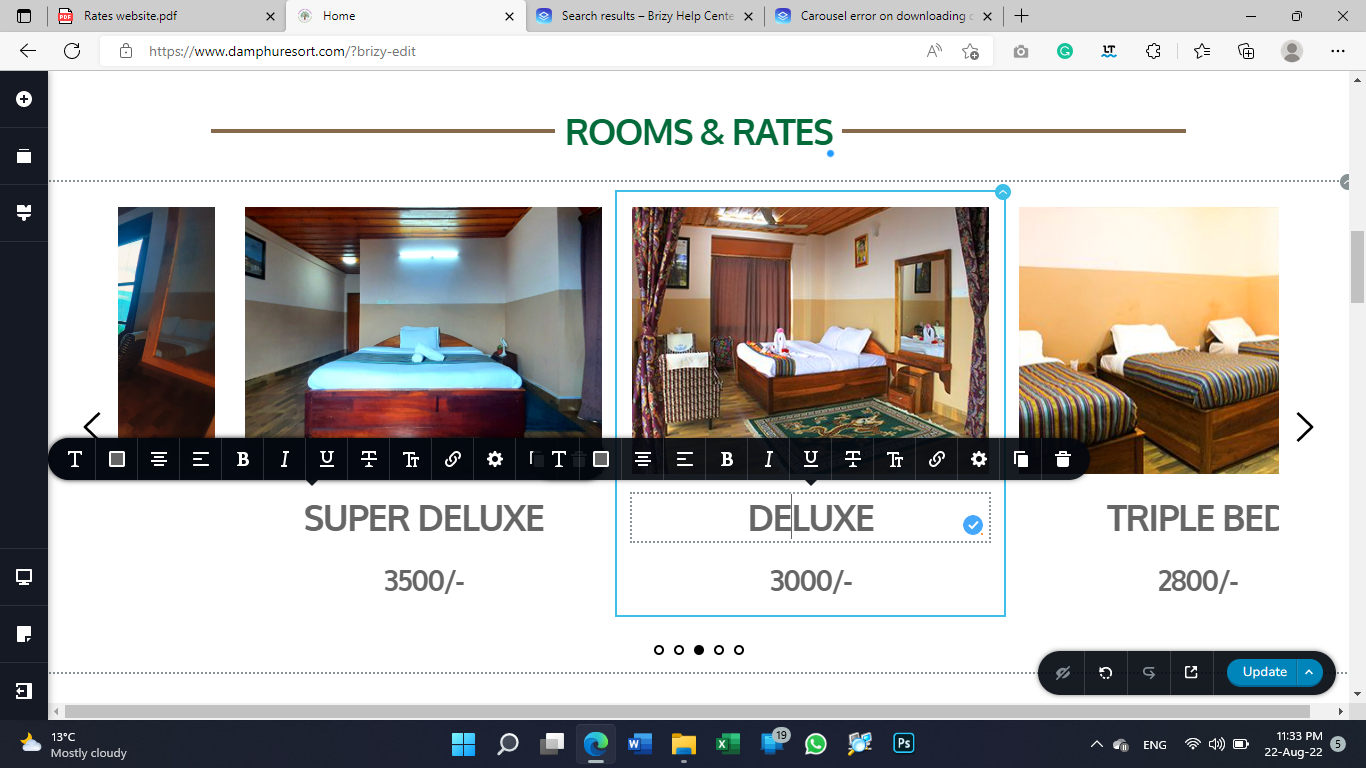
brizy carousel having two options, cannot get rid of first one, having tough time editing text.

-

Hi,
Thank you for contacting us.
I confirm this is an issue from our side. We are working on it already and I will try to have a solution as soon as possible. I'm very sorry for the inconvenience!
Kind regards, Nelea.
0 -
The problem exist in the slider too, while trying to edit the text it jumps over and hence we cannot edit text. Having tough time handling the situation with my clients. Please resolve the problem as soon as possible.
Thank you
0 -
Hi,
I apologize for this inconvenience. Our development team is informed already and we are working to fix this issue as soon as possible.
Thanks for your understanding!
Have a nice day,Nelea.
-1 -
When can this bug get fixed.... I have many pending works to be done, and it's getting pile up day by day. Too much pressure from clients. Please resolve the problems as soon as possible. Or are there any ways to downgrade to a lower version?
0 -
Hi,
This issue has been fixed and it will be included in the next Brizy update. We hope to have another update this week.
I'm sorry but I don't recommend downgrading to a previous version because this can create some inconveniences on the dashboard and in case of some problems we couldn't help very much. We are working with the current versions of the Brizy plugins. As you could notice when a user reports a problem, first of all, we ask to check if the Brizy Free and Pro are updated to the latest versions. But if you insist and want to take the risk, to downgrade you have to deactivate and delete the current version of the Brizy Free and Brizy and manually upload the versions of the Brizy plugins you want.
You can download Brizy 2.4.4 here: Scroll down to the bottom and under Advanced Options, choose the 2.4.5, and download the plugin https://wordpress.org/plugins/brizy/advanced/The latest version of Brizy Pro you can downland it from your account - dashboard, see here.Apologizes again for all inconvenience we caused.Best regards, Nelea.0 -
Hi,
We would like to inform you that the issue with the carousel element was solved in the latest updated version. Please kindly update the plugin to the latest version Brizy Free 2.4.6 and pro 2.4.7 and the problem will be solved. Thanks.
Best regards, Nelea.
0
Please sign in to leave a comment.
Comments
6 comments