Product Layout issues

Hi,
I have created a Template for products but it is boxing the layout rather than it displaying stretched (contained) like the rest of the website. See screenshot below:

How do I fix this? I will presumably need to do the same for the woocommerce cart, checkout and shop pages.
Matt
-

Hi,
Thank you for contacting us.
Please change the page template from here. Let us know if all is working fine. Thank you!
Best regards,Nelea.
0 -
Hi Nelea,
If I do that though, the menu from the theme does not appear.
Matt
0 -

Hi Matthew,
If you are using the theme header and footer, please change to Default Template (from Brizy Template)
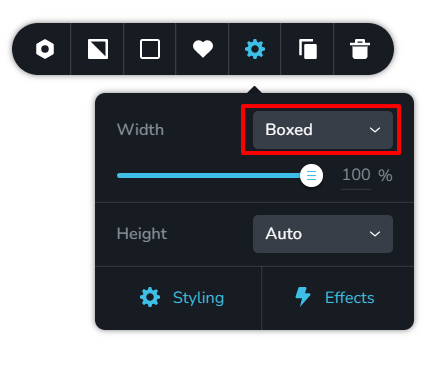
You can make your blocks full width. To make any block full width, click on the Block Settings - Gear icon. Here you can set the width to 'Full' instead of 'Boxed'
 0
0 -
Hi KC,
Changing this to full width does not make any difference.
Matt
0 -
Hi Matthew,
This video demonstrates what is expected to happen when you change from 'Boxed' to 'Full' width. https://jmp.sh/jhCJIB4 This does not happen at your end? When you set the width to Full what happens? Can you share before and after screenshots or do a screen recording?
0 -
Hi KC,
Here you go:
https://www.loom.com/share/2e495b8982074ef79a25e799055cda15
I don't see the same as you.
Matt
0 -
Hi Matthew,
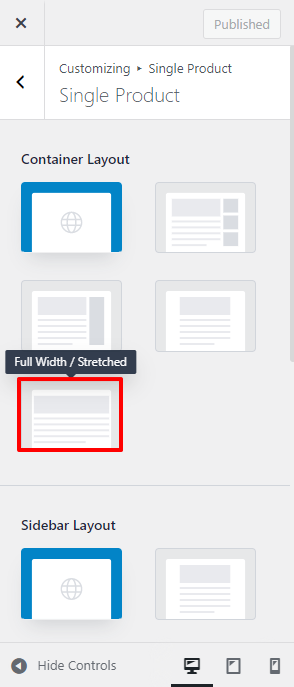
In your WordPress Dashboard under Appearance - Customize - Woocommerce - Single Product - under the heading Container Layout, please select the Full Width/Stretched option and see if that helps.
 0
0 -
Hi KC,
I think we need some serious investigation now.
I have set it to Full width stretched:
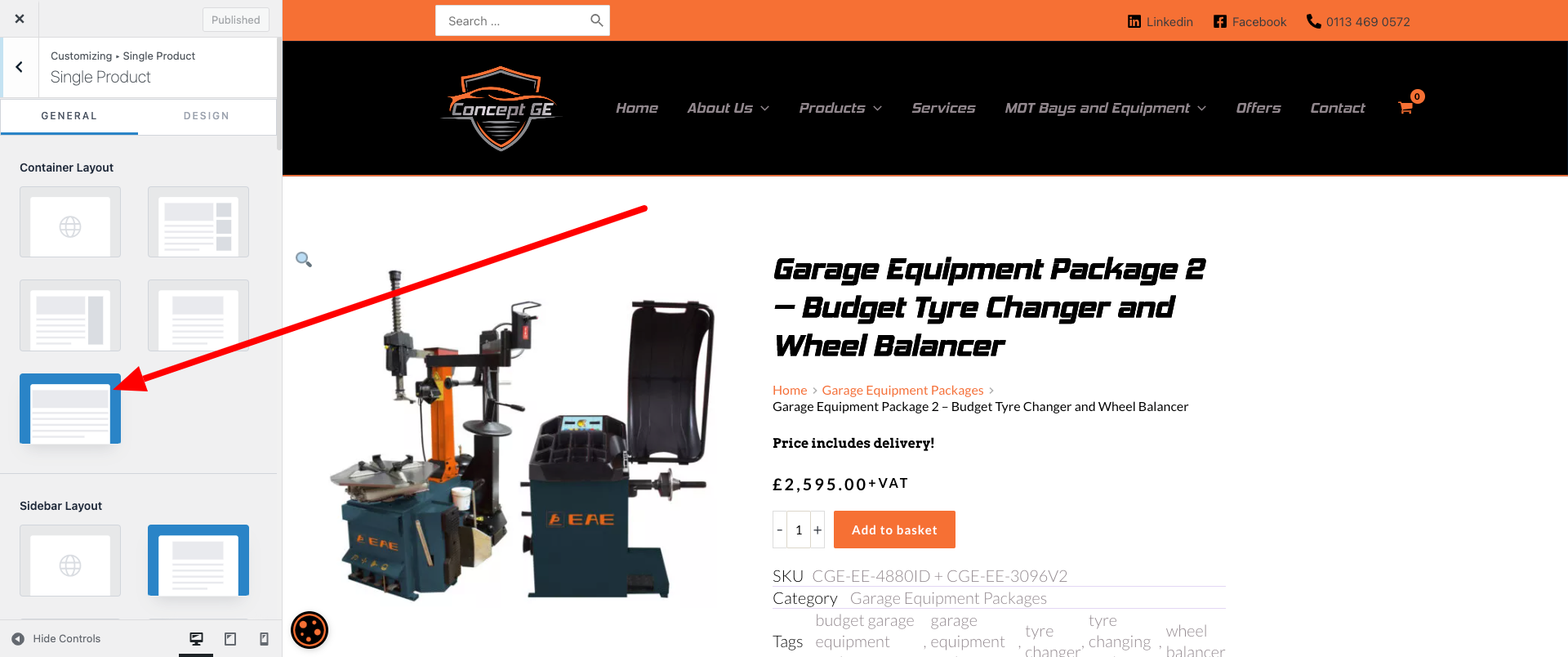
When I did this, everything when I view the products is shunted to the left and it's still not showing full width. I have also tried full width contained (which the rest of the site is built to) and this doesn't shunt everything to the left but it is still not displaying correctly.
Here is it shunted to the left: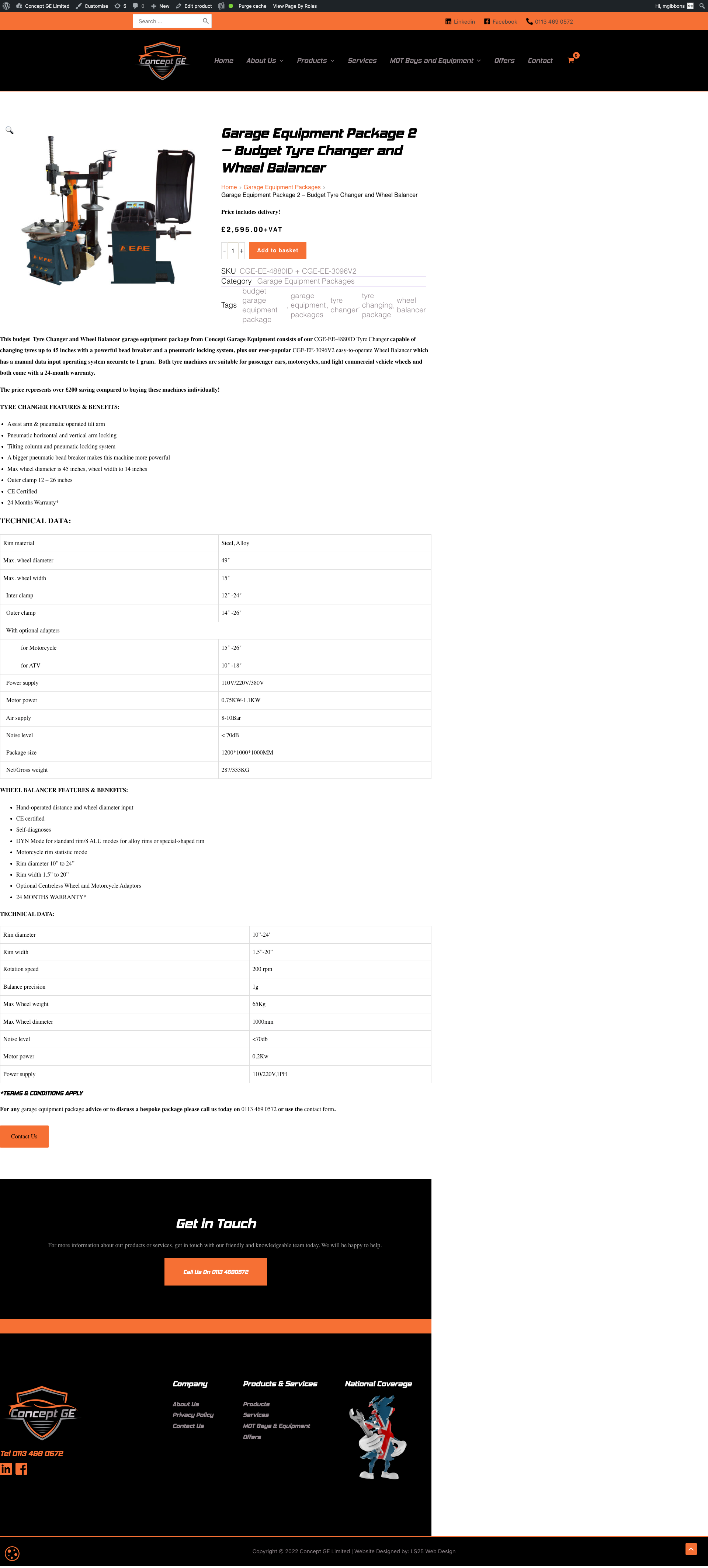
Something is not right here. I have had similar issues in the past like this and you (someone at your end) did something to fix it but didn't tell me what.
Matt0 -
Hi Matt,
To help you further, I will need access to your project. If you need help with this, please add me as a user to your WordPress Dashboard. My email: kc.george@brizy.io. Please enable the option "Send the new user an email about their account" as in this screenshot https://jmp.sh/sOSGGR3
Once you have sent me an invitation, please let me know here.
0 -
Hi,
I have just invited you.
Note, the template in question is currently saved as draft but feel free to try publishing it.
Matt
0 -
Hi Matt,
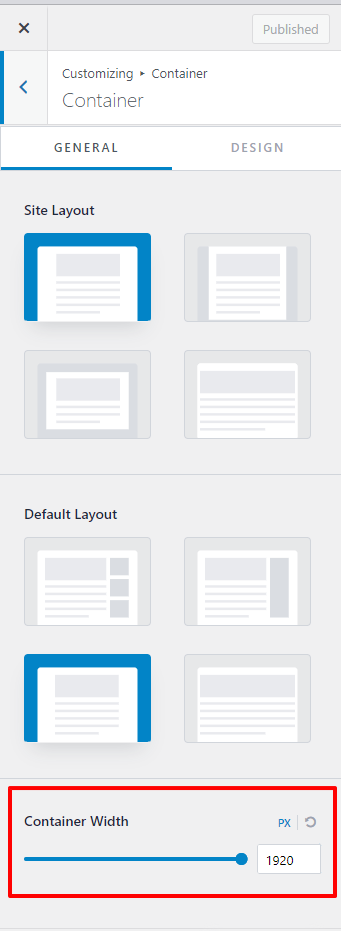
In your WordPress Dashboard under Appearance - Customize - Global - Container - the container width was set to 1200 pixels. I have changed it to 1920 pixels. With this change, you can adjust the width of the woocommerce single product page.
In your Brizy single product template, I have selected 'Boxed' width and set the width to 130%.
 0
0 -
Hi KC,
This is still not the answer and it is starting to look embarrassing for me that we can't fix this issue. Look at the following which is how it STILL shows:
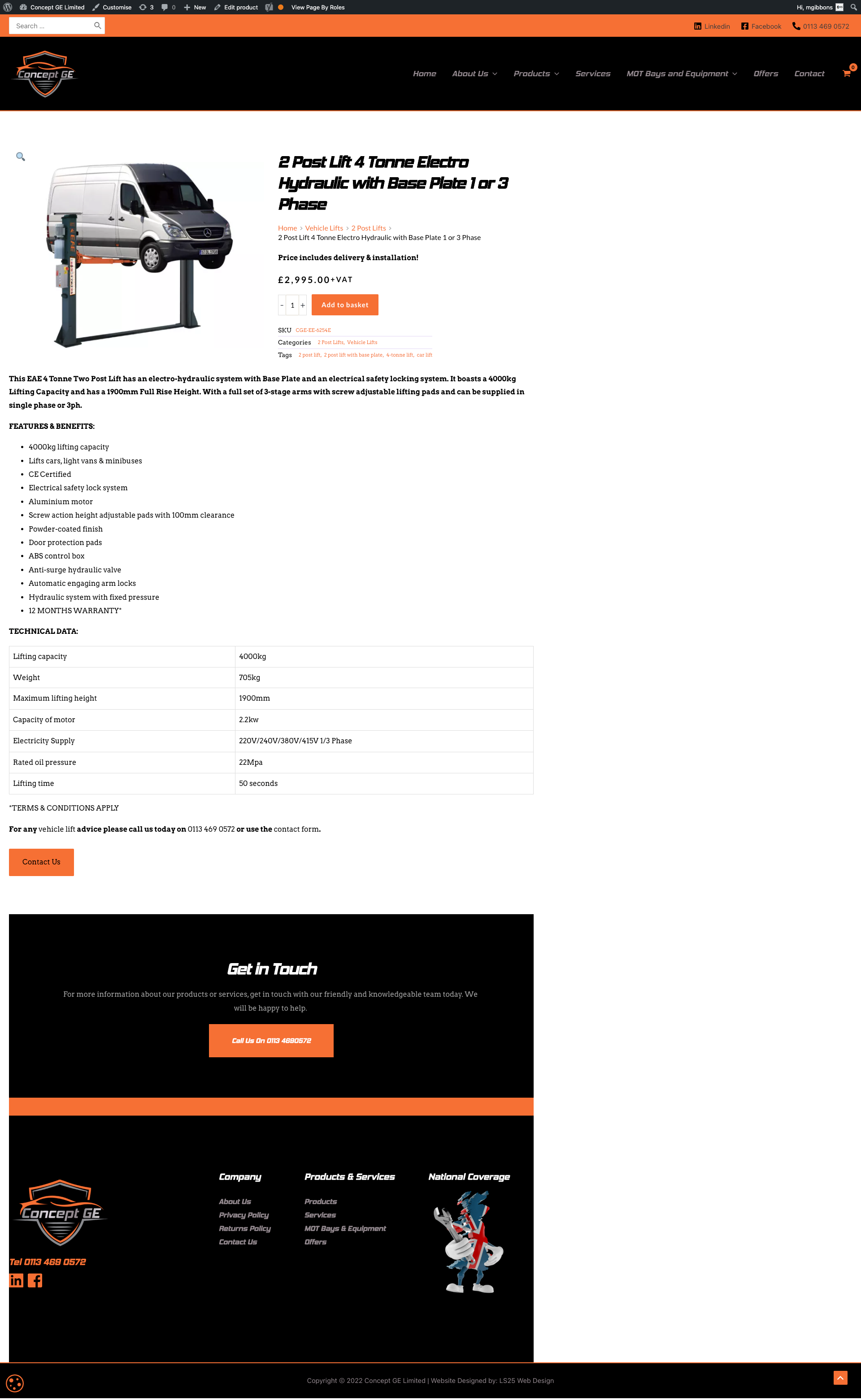
It is still shunted over to the left and there appears to be a block padding issue as well as if you look on the left hand side, it does not go all the way to the left either.
Matt
0 -
Hi Matt,
The Brizy Products template looks a bit different at my end. Please watch this video https://jmp.sh/hfvUmOH
Can you try logging into your WordPress Dashboard from your browser's Incognito (private) window and see if that makes a difference? Please also login to your WordPress Dashboard from an alternate browser and see if that makes a difference.
0 -
Hi,
That is what the template looks like for me (although, if you look, the block padding issues is there in your video on the unpublished template) but if you publish it and then view a product, it is all left aligned and the block padding issue is present also.
Matt
0 -
Hi Matt,
Since you are using the Default Template for your single product, you will have to work within the design options Astra provides you. Please try different container options Astra provides and choose the one you like the best.
If you do not like any of the Astra page layout options, your next best option is to recreate the Astra header and footer in Brizy and use the Brizy Page Template. In this approach, you will have more freedom to design your page exactly the way you want it.
0 -
Hi,
I don't see how this is an Astra issue. I don't experience this issue with any other pages on the website, only the templates that I create.
I'm disappointed in your response to this issue.
I have now fixed it by inserting the following CSS into the Additional CSS in the theme customizer settings:
.single-product.ast-single-post .site-content .ast-container, .woocommerce-cart .site-content .ast-container, .woocommerce-checkout .site-content .ast-container, .woocommerce-shop .site-content .ast-container, .woocommerce-page .site-content .ast-container, .single-brizy_template .site-content .ast-container{
display: block;
}Please look at this previous support ticket I had which shows similar issues and where I found this CSS:
https://support.brizy.io/hc/en-us/requests/15747
I still need your help though as I have the same issue with the Blog template. Can you confirm what changes I would need to make to the above CSS so that it also takes into account the blog posts and displays them full width?
Matt
0 -
Hi Matt,
My reply above was about the block padding that you were referring to. My suggestion was to try changing to different Astra options to see if you like any other page layout option.
I setup a test site using Astra theme. The single product template shows currently in my test page and is not left aligned as in your case. I am using this starter template for this website. Have a look at my test page at https://homi.kctest.online/product/cashew-butter
This page is developed using the Brizy Single Product Template and it uses the Default (Astra) Page Template. As you can see the product details page is not being displayed on the left.
I will do some more investigation to see why you are facing this issue.
0 -
Hi KC,
I just need your help to get the blog template included in the above CSS now or another way to solve the alignment issue for the blog template.
Matt
0 -
Hi Matthew,
I have made some changes to the Blog post layout settings. Can you please check your blog posts now?
0 -
Hi,
What changes did you make?
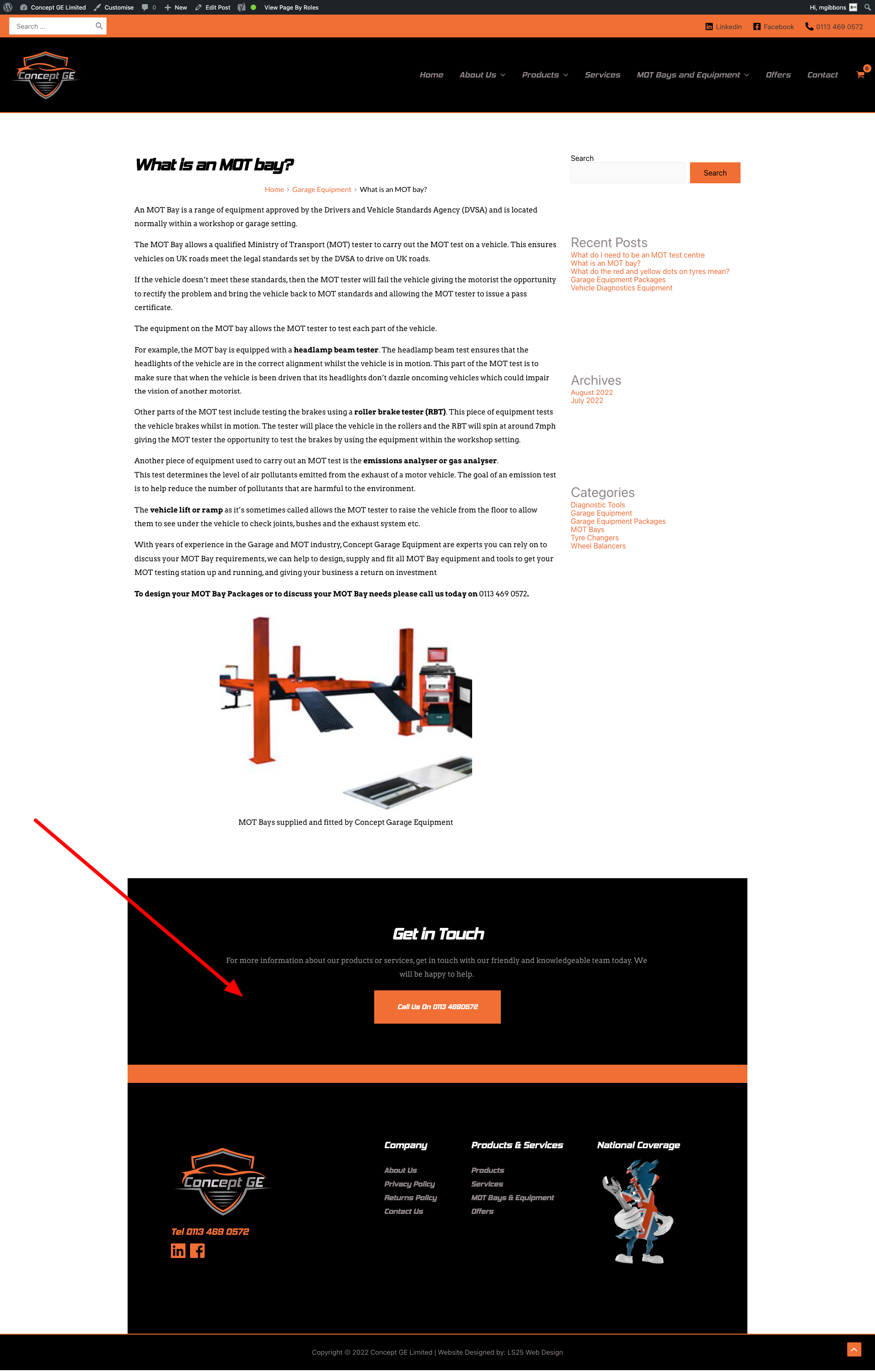
It's still not correct however as the sections highlighted below (which appear full width on every other page as they are global blocks) are still not appearing as Full Width (Contained) even though that is what they are set to in Customizer:
Matt
0 -
Hi Matt,
I had reduced the container width of your blogposts to keep in the centre. Now I have made it full width and added a CSS code in the Additional CSS to keep the blog posts centre aligned.
Please check
0
Please sign in to leave a comment.
Comments
21 comments