new issue: project not configerd in Firefox

The site works fine in Google. However if I try to see it in Fierefox it jumps from matien.app (the actual URL) to https://www.lime13042884.brizy.site/ (the brizy cloud address) and the browser screen says: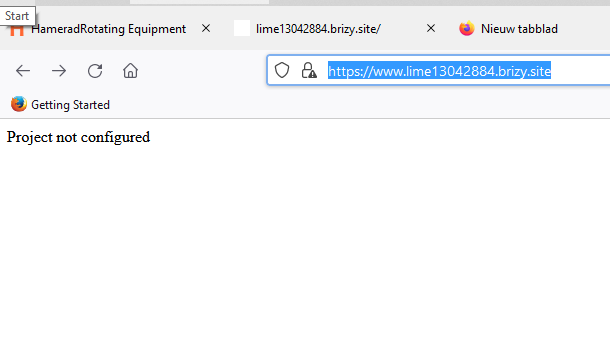
-
Off course it is: project not configured..
0 -

Hi Matien,
I tried opening your URL https://matien.app in Firefox browser. Please see my test here https://jmp.sh/kgQrzES
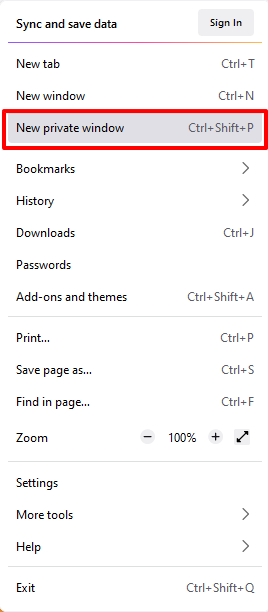
The page appears loading fine at my end. If it does not load well at your end, please try refreshing the page or opening it in a private window
 0
0 -
After refreshing the page and using private window again and again the browser keeps on saying: Also it jumps to the URL : https://www.lime13042884.brizy.site/ - When I put https://www.lime13042884.brizy.site/ in explorer it says the same (project not configured) Can it be a SSL conflict in the cloud account https://www.lime13042884.brizy.site/?
regards Matien
0 -
Hi Matien,
An SSL issue on the Brizy Cloud should equally reflect on all browsers. If your website works fine for some users and some browsers and for other browsers it does not, it implies that the issue could be local to your computer/ local network/ Internet Service Provider
If you are connected to Internet through a local area network (LAN) or to a wide area network (WAN), please try accessing your URL outside of your current network. Please also try accessing the URL using a different Internet Service Provider.
The URL https://www.lime13042884.brizy.site/ is non existent; hence please do not use it. You can use these URLs
0 -
Hi KC George,
You are right. With the given URLs it works fine in Firefox and Edge!
Thanks,
Matien0
Please sign in to leave a comment.
Comments
5 comments