Login Logout Menu Item

I am trying to add a dynamic woocommerce login logout menu item by adding code to my astra child theme functions file. The below code does not add a menu item, is this Brizy or the Theme?
add_filter( 'wp_nav_menu_items', 'add_loginout_link', 10, 2 );
function add_loginout_link( $items, $args ) {
if (is_user_logged_in() && $args->theme_location == 'primary') {
$items .= '<li><a href="'. wp_logout_url( get_permalink( woocommerce_get_page_id( 'myaccount' ) ) ) .'">Log Out</a></li>';
}
elseif (!is_user_logged_in() && $args->theme_location == 'primary') {
$items .= '<li><a href="' . get_permalink( woocommerce_get_page_id( 'myaccount' ) ) . '">Log In</a></li>';
}
return $items;
}
-

Hi Howard,
We are sorry; we do not have expertise in making this code work with a WordPress theme. If you are adding a code to theme's functions.php, it should modify the theme's behavior.
0 -
The code works with the theme template, just not when a page is edited with Brizy. When you add a menu using Brizy does it use the theme_location?
0 -
Hi Howard,
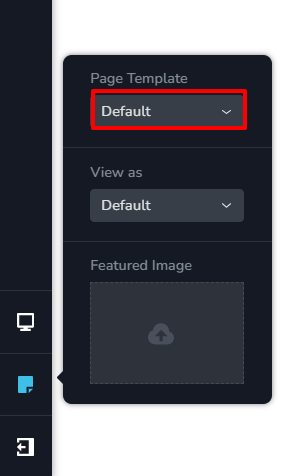
If the code works well with the Default template, may be you should develop your pages using the Default Template and design your header and footer using Astra header footer builder.
 0
0
Please sign in to leave a comment.
Comments
3 comments