Netlify Sync Stopped Worked

In June I moved a site <Wilson Consumer> to a new profile so that my client could have access..
Recently I've tried to push an update to Netlifty but this is not working.
As there is no status in the editor/admin windows, it's impossible to debug what is going on. All I know is that the push doesn't make it to GitHub.
A great feature would be to have some form of status in the <Pages> screen.
My account is <Onthewire@gmail.com>.
Can you please check why updates/edit are no longer being pushed to Github for this site.
-

Hi Barry,
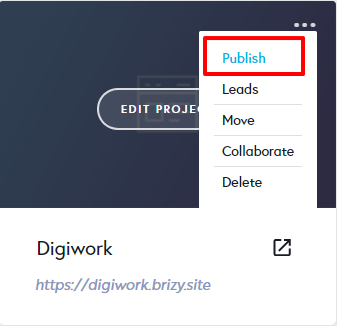
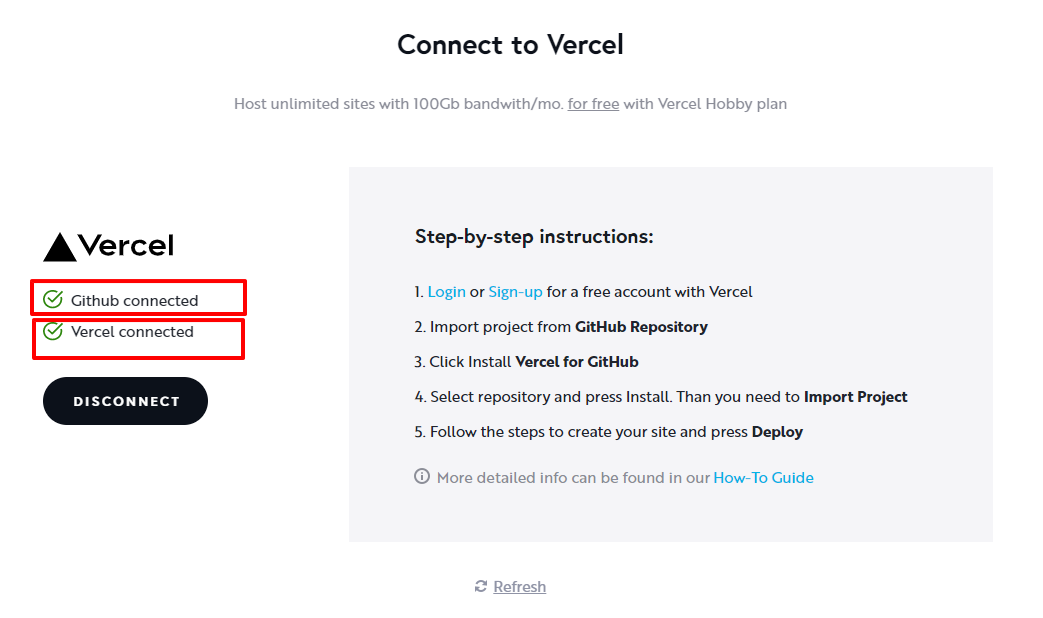
In the Brizy Cloud Dashboard, can you please click on 'Publish' and select the "3rd-party Free Hosting" option and share the screen with us? Do you see these?
- GitGub Connected
- Netlify Connected?
 0
0 -
Hi,
Further to my email earlier, below is the screenshot as requested.
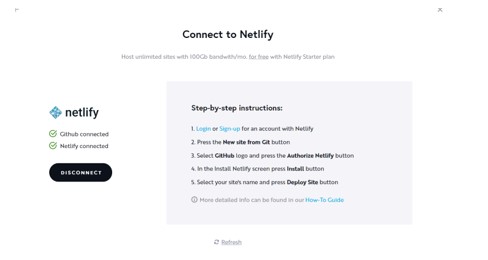
Have also included the <Netlify> log below as I tried a manual pull noting the error,
< No build steps found, continuing to publishing No build steps >
…so it would appear that Brizy Cloud isn’t pushing to GitHub.Will add to the Feature Request page, but it is very disconcerting not being able to see the status of updates to <3rd Party Hosting> or when using <Server Sync> from the Brizy Side. Github is all about robustness, so not being able to see what is going on is very frustrating.
Ideally, the <Connect to Netlify> screen would have a log of any pages updated with a time stamp since the last push, and a status indicator as to whether it had been pushed to Github or whether an error had occurred, along with an ability to manually trigger the push.
Also keen to understand how to resolve the error/s below
< Warning: some redirects have syntax errors>??Many thanks in advance.
Barry
7:51:40 PM: Build ready to start
7:51:48 PM: build-image version: d7b3dbfb0846505993c9a131894d1858074c90b4 (focal)
7:51:48 PM: build-image tag: v4.10.1
7:51:48 PM: buildbot version: 4cffa5dc84445a450e8be6f710e2498d87994fae
7:51:48 PM: Fetching cached dependencies
7:51:48 PM: Failed to fetch cache, continuing with build
7:51:48 PM: Starting to prepare the repo for build
7:51:48 PM: No cached dependencies found. Cloning fresh repo
7:51:48 PM: git clone https://github.com/Softsource-Dev/brizy-project-6910334
7:51:50 PM: Preparing Git Reference refs/heads/main
7:51:50 PM: Parsing package.json dependencies
7:51:50 PM:
Warning: some redirects have syntax errors:
Could not parse redirect line 1:
/ index.html
The destination path/URL must start with "/", "http:" or "https:"
Could not parse redirect line 2:
/about-us about-us.html
The destination path/URL must start with "/", "http:" or "https:"
Could not parse redirect line 3:
/our-brands our-brands.html
The destination path/URL must start with "/", "http:" or "https:"
Could not parse redirect line 4:
/partner-with-us partner-with-us.html
The destination path/URL must start with "/", "http:" or "https:"
Could not parse redirect line 5:
/training training.html
The destination path/URL must start with "/", "http:" or "https:"
Could not parse redirect line 6:
/contact-us contact-us.html
The destination path/URL must start with "/", "http:" or "https:"
Could not parse redirect line 7:
/home2 home2.html
The destination path/URL must start with "/", "http:" or "https:"
Could not parse redirect line 8:
/terms-and-conditions terms-and-conditions.html
The destination path/URL must start with "/", "http:" or "https:"
Could not parse redirect line 9:
/privacy-policy privacy-policy.html
The destination path/URL must start with "/", "http:" or "https:"
Could not parse redirect line 10:
/terms-and-conditions-of-sale terms-and-conditions-of-sale.html
The destination path/URL must start with "/", "http:" or "https:"
Could not parse redirect line 11:
/blog blog.html
The destination path/URL must start with "/", "http:" or "https:"7:51:50 PM: No build steps found, continuing to publishing
7:51:50 PM: Starting to deploy site from '/'
7:51:50 PM: Creating deploy tree
7:51:50 PM: Creating deploy upload records
7:51:51 PM: 1 new files to upload
7:51:51 PM: 0 new functions to upload
7:51:51 PM: Starting post processing
7:51:51 PM: Uploading Cache of size 18.0MB
7:51:51 PM: Post processing - HTML
7:51:51 PM: Finished processing build request in 3.645637619s
7:51:53 PM: Post processing - header rules
7:51:53 PM: Post processing - redirect rules
7:51:53 PM: Incorrect redirect directives:
7:51:53 PM: - In /_redirects: / index.html
7:51:53 PM: - In /_redirects: /about-us about-us.html
7:51:53 PM: - In /_redirects: /our-brands our-brands.html
7:51:53 PM: - In /_redirects: /partner-with-us partner-with-us.html
7:51:54 PM: - In /_redirects: /training training.html
7:51:54 PM: - In /_redirects: /contact-us contact-us.html
7:51:54 PM: - In /_redirects: /home2 home2.html
7:51:54 PM: - In /_redirects: /terms-and-conditions terms-and-conditions.html
7:51:54 PM: - In /_redirects: /privacy-policy privacy-policy.html
7:51:54 PM: - In /_redirects: /terms-and-conditions-of-sale terms-and-conditions-of-sale.html
7:51:54 PM: - In /_redirects: /blog blog.html
7:51:54 PM: Post processing done
7:51:57 PM: Site is live ✨
7:51:40 PM: Build ready to start
7:51:48 PM: build-image version: d7b3dbfb0846505993c9a131894d1858074c90b4 (focal)
7:51:48 PM: build-image tag: v4.10.1
7:51:48 PM: buildbot version: 4cffa5dc84445a450e8be6f710e2498d87994fae
7:51:48 PM: Fetching cached dependencies
7:51:48 PM: Failed to fetch cache, continuing with build
7:51:48 PM: Starting to prepare the repo for build
7:51:48 PM: No cached dependencies found. Cloning fresh repo
7:51:48 PM: git clone https://github.com/Softsource-Dev/brizy-project-6910334
7:51:50 PM: Preparing Git Reference refs/heads/main
7:51:50 PM: Parsing package.json dependencies
7:51:50 PM:
Warning: some redirects have syntax errors:
Could not parse redirect line 1:
/ index.html
The destination path/URL must start with "/", "http:" or "https:"
Could not parse redirect line 2:
/about-us about-us.html
The destination path/URL must start with "/", "http:" or "https:"
Could not parse redirect line 3:
/our-brands our-brands.html
The destination path/URL must start with "/", "http:" or "https:"
Could not parse redirect line 4:
/partner-with-us partner-with-us.html
The destination path/URL must start with "/", "http:" or "https:"
Could not parse redirect line 5:
/training training.html
The destination path/URL must start with "/", "http:" or "https:"
Could not parse redirect line 6:
/contact-us contact-us.html
The destination path/URL must start with "/", "http:" or "https:"
Could not parse redirect line 7:
/home2 home2.html
The destination path/URL must start with "/", "http:" or "https:"
Could not parse redirect line 8:
/terms-and-conditions terms-and-conditions.html
The destination path/URL must start with "/", "http:" or "https:"
Could not parse redirect line 9:
/privacy-policy privacy-policy.html
The destination path/URL must start with "/", "http:" or "https:"
Could not parse redirect line 10:
/terms-and-conditions-of-sale terms-and-conditions-of-sale.html
The destination path/URL must start with "/", "http:" or "https:"
Could not parse redirect line 11:
/blog blog.html
The destination path/URL must start with "/", "http:" or "https:"7:51:50 PM: No build steps found, continuing to publishing
7:51:50 PM: Starting to deploy site from '/'
7:51:50 PM: Creating deploy tree
7:51:50 PM: Creating deploy upload records
7:51:51 PM: 1 new files to upload
7:51:51 PM: 0 new functions to upload
7:51:51 PM: Starting post processing
7:51:51 PM: Uploading Cache of size 18.0MB
7:51:51 PM: Post processing - HTML
7:51:51 PM: Finished processing build request in 3.645637619s
7:51:53 PM: Post processing - header rules
7:51:53 PM: Post processing - redirect rules
7:51:53 PM: Incorrect redirect directives:
7:51:53 PM: - In /_redirects: / index.html
7:51:53 PM: - In /_redirects: /about-us about-us.html
7:51:53 PM: - In /_redirects: /our-brands our-brands.html
7:51:53 PM: - In /_redirects: /partner-with-us partner-with-us.html
7:51:54 PM: - In /_redirects: /training training.html
7:51:54 PM: - In /_redirects: /contact-us contact-us.html
7:51:54 PM: - In /_redirects: /home2 home2.html
7:51:54 PM: - In /_redirects: /terms-and-conditions terms-and-conditions.html
7:51:54 PM: - In /_redirects: /privacy-policy privacy-policy.html
7:51:54 PM: - In /_redirects: /terms-and-conditions-of-sale terms-and-conditions-of-sale.html
7:51:54 PM: - In /_redirects: /blog blog.html
7:51:54 PM: Post processing done
7:51:57 PM: Site is live ✨
0 -
HI Barry,
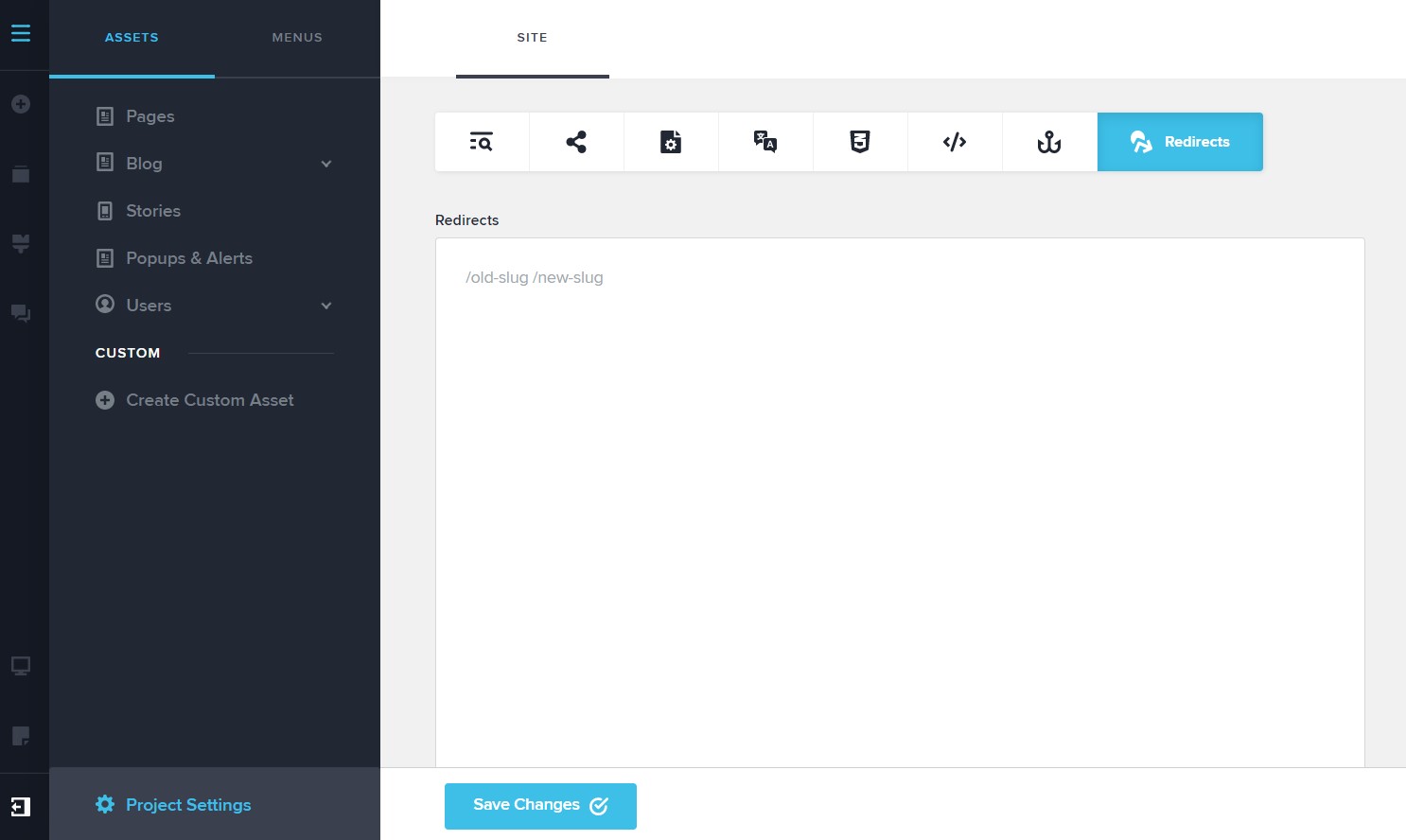
Can you please check if you see any redirects in your Brizy Cloud project under CMS- Project Settings - Redirects? https://jmp.sh/52YdHT8
If you see any redirect, please take a screenshots and share it here
0 -
Hi,
Here's the screen shot of the redirects window.
 0
0 -
Hi Barry,
Can you please check if this is your GitHub repository? https://github.com/Softsource-Dev/brizy-project-6910334
In this repository, I see a _redirects file which has the following redirect commands (please see the attached screenshot). According to the screen you have shared above, you do not have any redirects. There is a disconnect between what you have shared above and what I am seeing in your GitHub account.
Please try this and see if it helps. Open your GitHub project and delete this redirects file by clicking on the trash icon on the right hand side top corner of this file. https://jmp.sh/sj045Tz See if this resolves the problem.
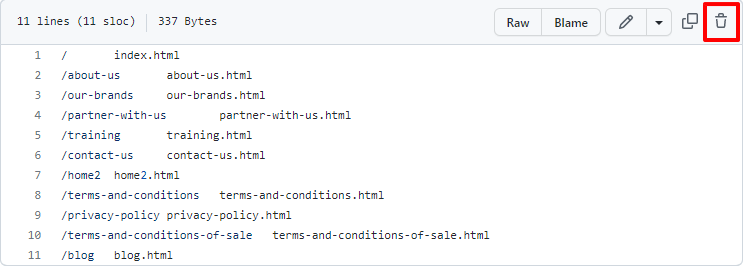
You had mentioned that
In June I moved a site Wilson Consumer to a new profile so that my client could have access.
When you had moved this project from your account to the client account, probably the connection to GitHub and Netlify did not get transferred smoothly. (Brizy Cloud connection with GitHub and Netlify are not designed to handle such a project transfer).
If deleting of the redirects file did not help, please try this. Remove both the GitHub and Netlify connections from your Brizy Cloud project by clicking on 'Disconnect' button here.
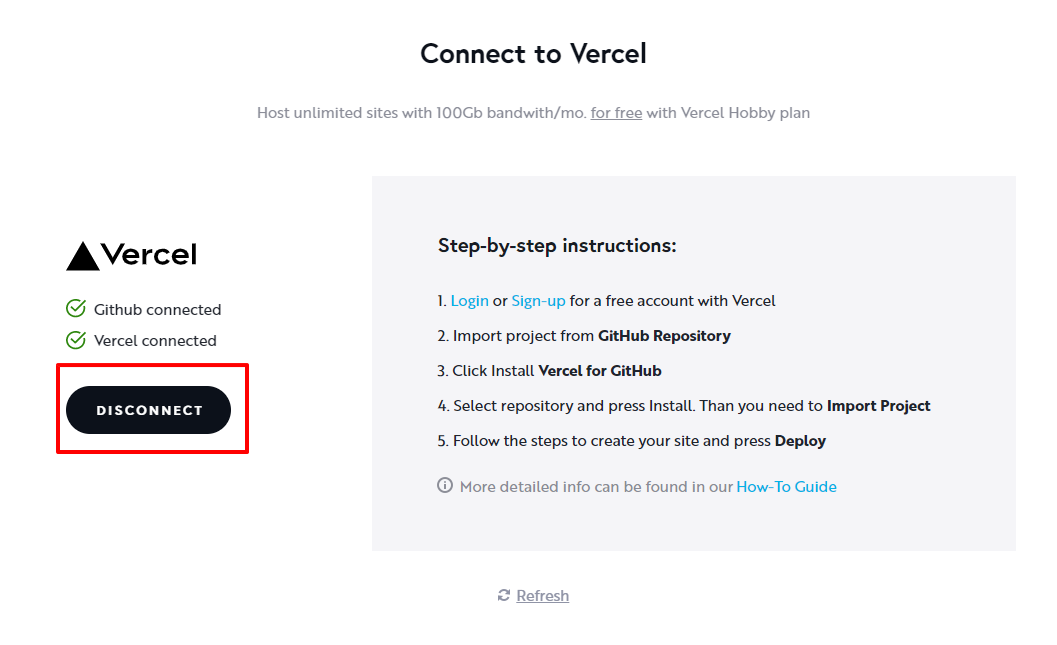 Then reconnect with GitHub and Netlify again following this procedure. https://support.brizy.io/hc/en-us/articles/360044234652-How-to-connect-your-Netlify-account0
 -
Thank for that,
I assume you mean the file <_redirects>. ?
Yes disconnecting and re connecting was the next thing I was going to try as I was pretty sure it was the <Move> that caused the issue. However I was bit nervous doing this without testing it first I on another Brizy site as Wilson Site is a live site.
Im assuming that once the site is is set up in Netlify that you can change and re point it at any GitHub repository? ( Eg when I reconnect Brizy I’m assuming it’s going to create a new Github repository yes?)
Barry
0 -
Hi Barry,
While you are following the procedure here https://support.brizy.io/hc/en-us/articles/360044234652-How-to-connect-your-Netlify-account please make these changes.
- When you make a new connection to GitHub it should open a new GitHub repository for you. Select the new repository in step 5 of the above process. (Your previous project was brizy-project-6910334)
- At step 7, add a new site with Netlify by clicking on New site from Git button and connect to the new repository from GitHub.
- Once you have successfully synced your Brizy Cloud project with Netlify, delete the previously added DNS records under the Domains tab in your Netlify account. https://jmp.sh/bOxJqWd Then please add the same domain to the new site you have added with Netlify. https://jmp.sh/zD9TAPI
0 -
Have deleted the <redirects> file and rerun the deploy which works fine from Github, however, hasn’t had any effect on publishing the site from Brizy which I suspected.
Re your instructions setting up a new repository, can I not create the new repository as per the normal process then switch the current live site to this as per below?
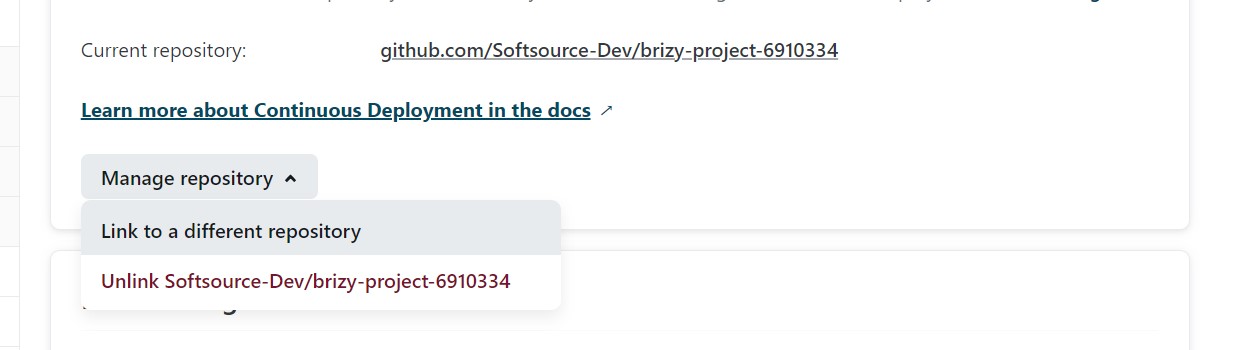
I plan to test this on another site to see if it works.
The customer FYI manages their own DNS as the URL is used for multiple services including Office 365, so they will never move their DNS to Netlify. This is my experience with most customers. Therefore, creating a new Netlify site is not desirable as we then need to re-propagate the domain which means jumping through hoops with their IT people.
0 -
Hi Barry,
This should work as well. Once you create a new repository, try linking your Netlify account to the new GitHub repository and see how it goes.
0
Please sign in to leave a comment.
Comments
9 comments