Table in accordion

I would like to point out a small bug when a table is placed inside an accordion. The horizontal does not work as intended and content on the left gets cut off.
Please try to recreate the issue on your end.
I'm on the latest version of Brizy.
As this layout is required on my current project, I need a fix to this soon. Thanks!
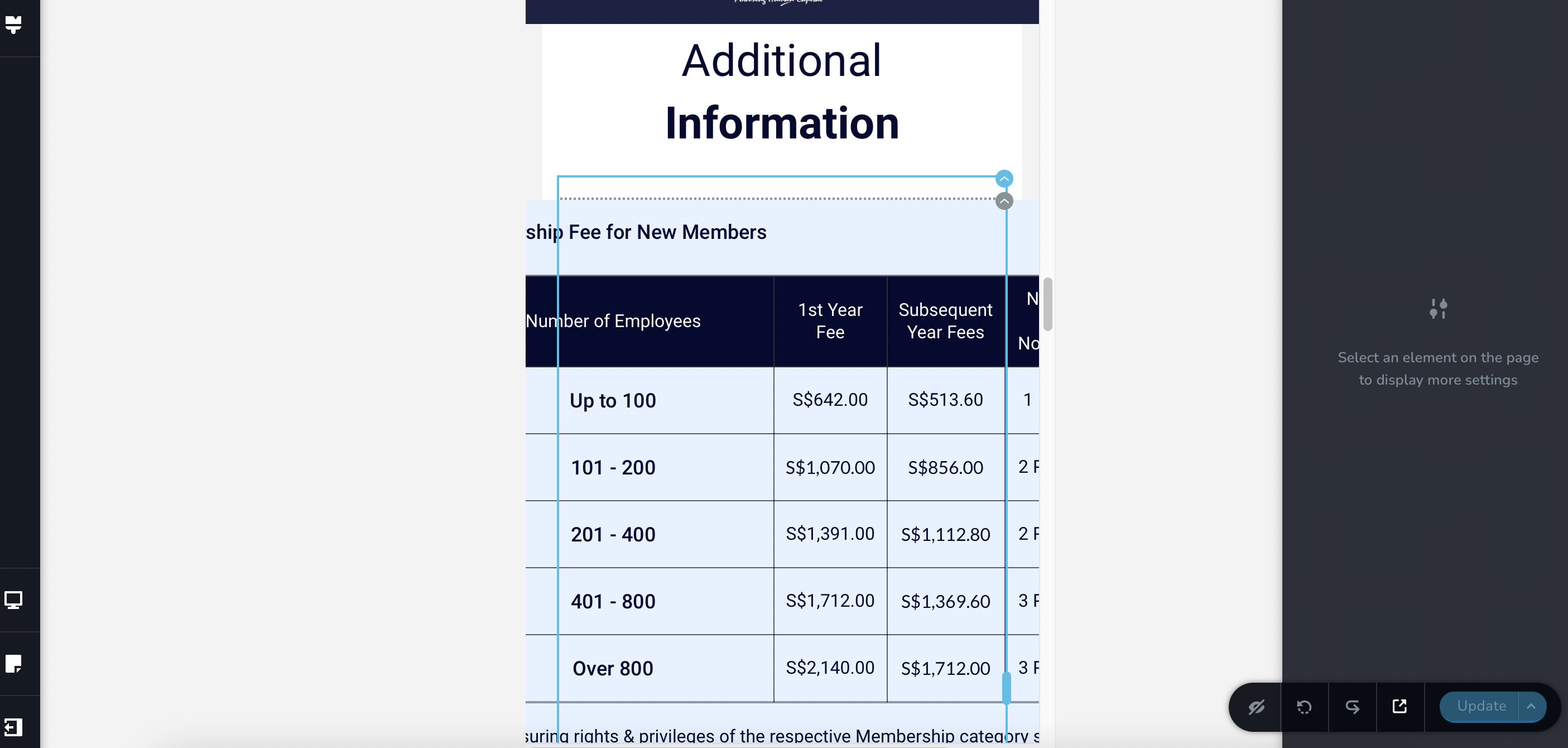
-

Hi Jae,
Can you please check this page on a mobile? https://kctest.online/accordion The table in an accordion seems to fit well. If you have more columns than what can fit within the mobile screen, you need to use a table which supports horizontal scroll.
Please have a look this page on a mobile. https://kctest.online/wpdatatables The table in this page is developed using the plugin wpDataTables If you place the plugin shortcode within the Brizy accordion element, horizontal scroll may not work.
0 -
Do you think we can get a fix for this? As I noticed that Brizy table does support horizontal scroll when not nested inside the accordion.
0 -
Hi Jae,
You are right when nested with the accordion element table does not support horizontal scroll. However along with tab element, the horizontal scrolling seems to work fine. Please have a look at this page on a mobile https://kctest.online/tab
May be you should consider the tab element instead of the accordion?
0 -

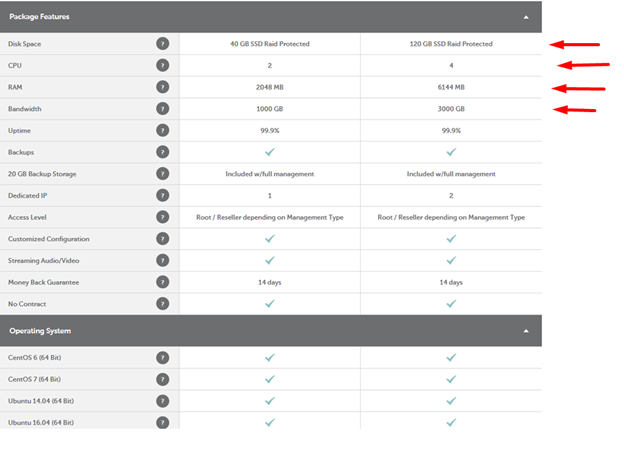
How to create drop-down menus, info signs (?), and tables like this in the Accordion element...?
 0
0 -

Hi Ivan,
Thank you for keeping in touch.
To create the info signs, you can use the icon element to accomplish this.
This is demonstrated on this screencast—https://youtu.be/afvKkIIn3i0I also made a similar example here using the accordion element—https://youtu.be/mzysHoNQUo8
Please try this and see if this works for you.
Best regards,
Ariel H.0 -
Ariel,
Thank you so much for your work on this video.
I wanted something similar in this way.
I thought that the Accordion element had an option for tables, but I saw that it doesn't.
Anyway, this will help.
SincerelyIvan D.
0
Please sign in to leave a comment.
Comments
6 comments