Extensive Form does not work

Hello,
I made an extensive form, but it does not work - I keep getting messages that it is not sent.
Initially, I set it up with Google, then with WP mail, and it still does not work (it seems that I am unable to delete either of them now - hence both are set up)
The page in question
https://itismadeineurope.com/?page_id=46012&brizy-edit
Support log-in details, if needed, are active.
Thank you for your help in advance!
Tomas
-

Hi Tomas,
Setup Google App Password
If you have enabled two step verification on your Gmail account, you will need to use Google App Password instead of Gmail password in the Brizy Form. Please have a look at this screenshot https://jmp.sh/jzHp7Y3
To setup Google App Password, please follow the procedure here. https://support.google.com/accounts/answer/185833?hl=en. You can also watch this video https://jmp.sh/uis4rTC
Uncheck an Email Notification Option
If you have added both Gmail and WordPress as Email Notification options, you need to unselect one of the two. Brizy form does not allow you to do this; please follow this work-around.
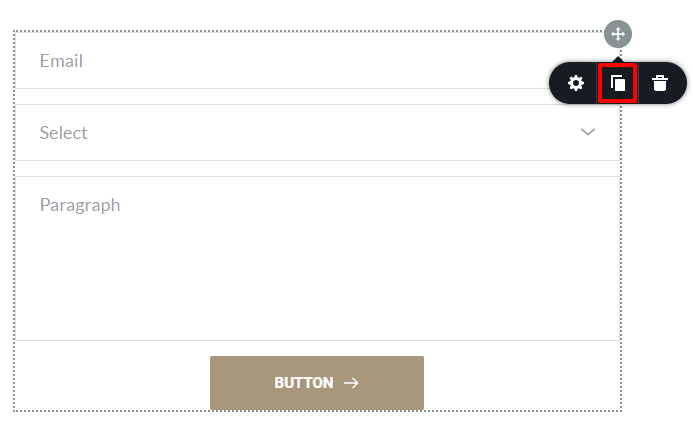
- Click on the right hand side top corner of the form
- Click on the 'Duplicate' icon to duplicate the form
- In the Duplicated form, set up any Email Notification again
- Delete the original form
Email Notification Best practices
Form Emails can be suspected as spoof by mail servers around the world. To avoid being rejected by Mail Servers, please adhere to these best practices
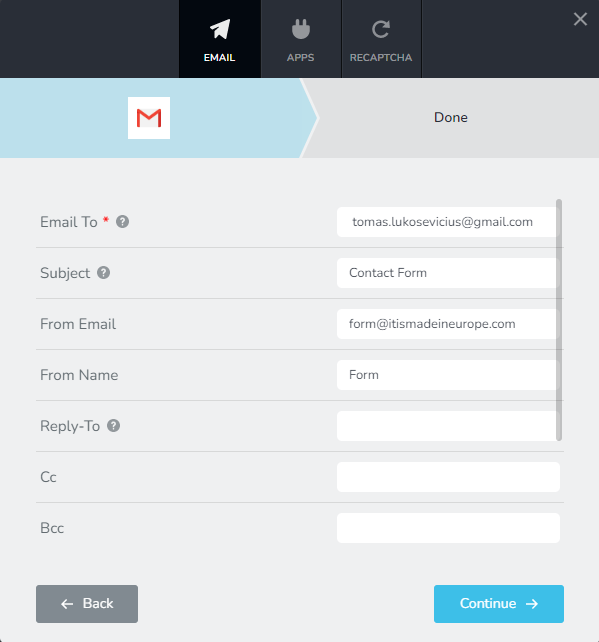
- Do not leave the 'Subject' field blank. Give a meaningful subject for your email. You can say something like Contact Form or Website Form etc.
- Specify a 'From Email' with the same domain of your website. For example, your 'From Email' can be Form@itismadeineurope.com or Contact@itismadeineurope.com.
- Do not leave the From Name blank. Give a meaningful From Name. It can be something like Contact Form. Do not use shortcodes here
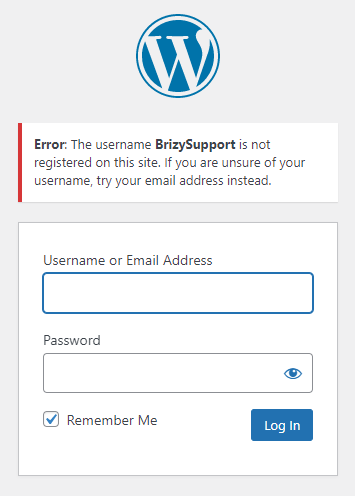
I tried accessing your server with the credentials you had given earlier. I got this error
 0
0 -
solved. Thank you.
0
Please sign in to leave a comment.
Comments
2 comments