SSL-Zertifizierung

Hallo,
Meine Domain www.sonic-cloud.de wird nicht mehr angezeigt. Mein Provider sagt, das müsste an der fehlenden Implementierung einer Datei wie "*.sonic-cloud.de_private_key.key" (vom Provider geliefert) liegen, die im System von brizy eingebaut werden müsste.
Wie geht das? Können Sie mir da weiter helfen?
Hello,
My domain www.sonic-cloud.de is not further displayed in browser. Info from my provider: a file, delivered by the provider, such as "*.sonic-cloud.de_private_key.key" (example) has to be uploaded to your system. How to be done? Could you help me please?
If possible, please answer in german.
Robert
-

Hi Robert,
To fix the SSL issue, please follows these two steps
- Sign into https://my.ionos.com/ account and under Domains and SSL - DNS- please delete the AAAA address with the IP: 2001:8d8:100f:f000::29c. The record will look like this. Click on the trash icon on the right to delete it.

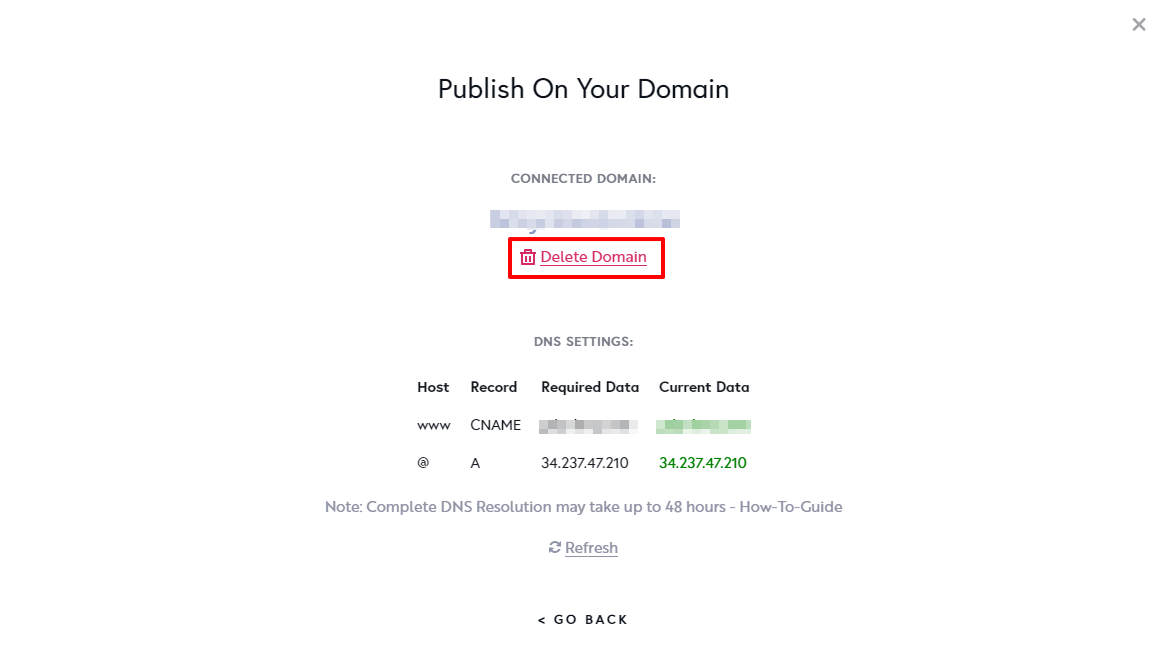
- In Brizy Cloud Dashboard in the 'Publish On Your Domain' screen, please delete your domain and add it again and wait for half an hour to restore your SSL.
Hallo Robert,
Um das SSL-Problem zu beheben, befolgen Sie bitte diese beiden Schritte
- Melden Sie sich bei https://my.ionos.com/ an und löschen Sie unter Domains und SSL - DNS- bitte die AAAA-Adresse mit der IP: 2001:8d8:100f:f000::29c. Der Datensatz wird wie folgt aussehen. Klicken Sie rechts auf das Papierkorbsymbol, um es zu löschen.

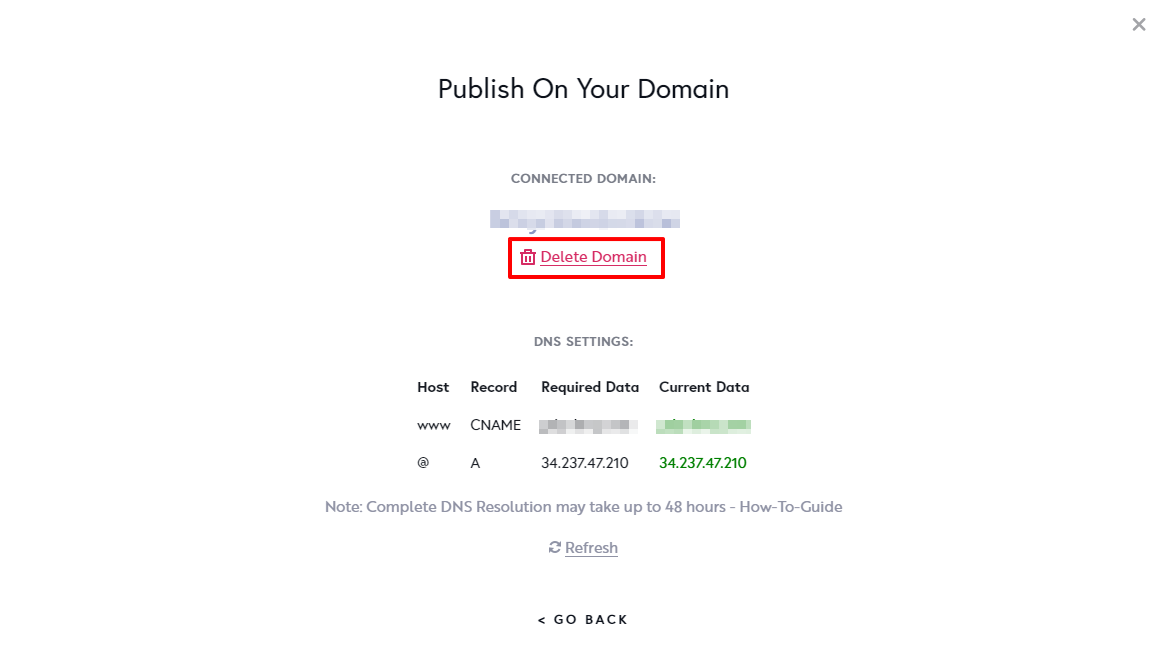
- Bitte löschen Sie im Brizy Cloud Dashboard im Bildschirm „Auf Ihrer Domain veröffentlichen“ Ihre Domain und fügen Sie sie erneut hinzu und warten Sie eine halbe Stunde, um Ihr SSL wiederherzustellen.
 0
0
Please sign in to leave a comment.
Comments
1 comment