Brizy is not working properly.

Hello,
(I am Japanese and my English is not good, so I use a translator.
Also my way of writing English may not be correct. Sorry)
There are three things I am having trouble with now.
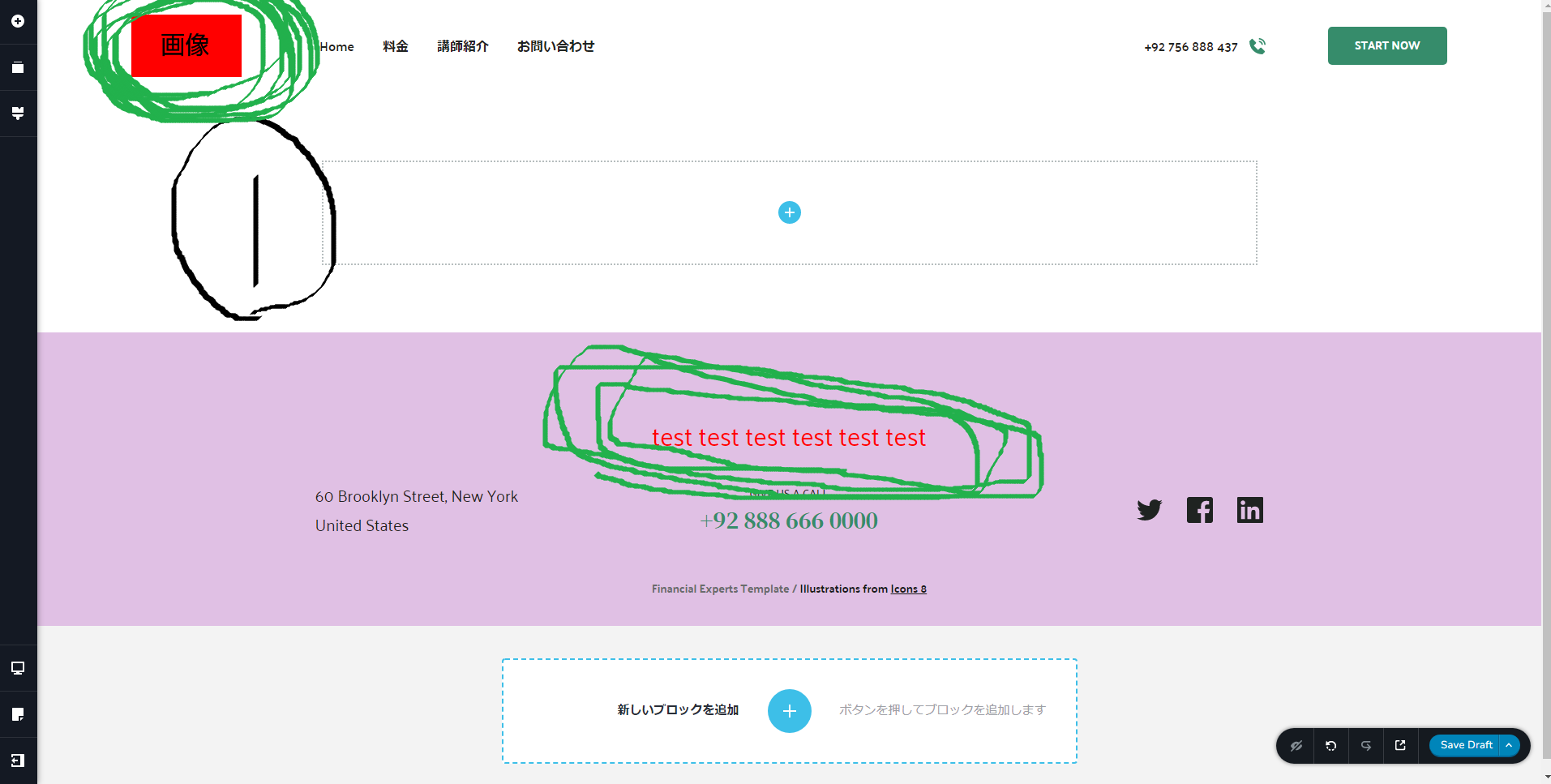
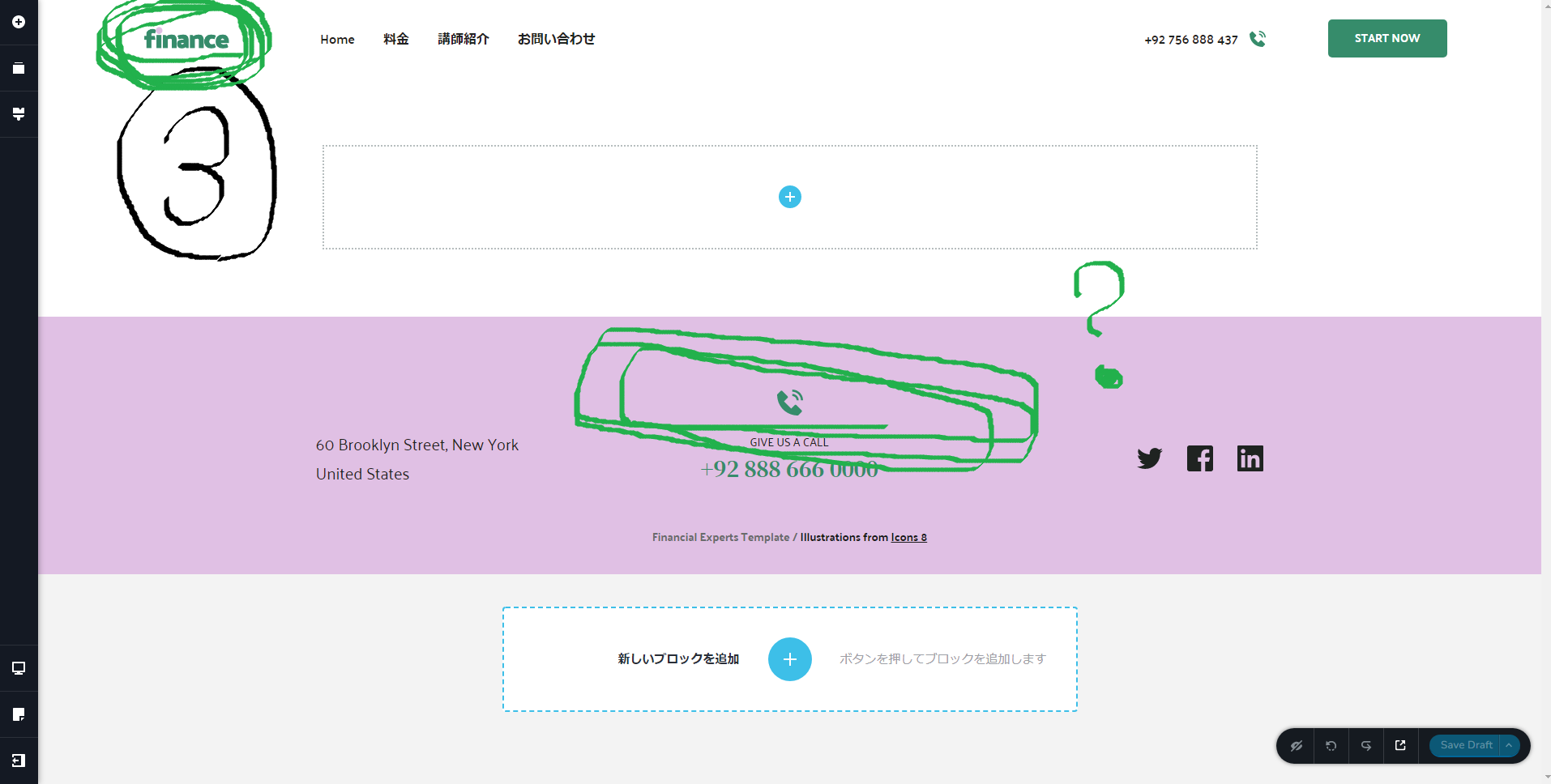
1. I cannot replace the site logo (image) on the fixed pages.
I am using Design Loft in the template, but I cannot change the "finance" in the upper left corner to any other image.
I can do it on the edit page, but when I update it, it reverts back to the original.
2. I cannot change the footer of a fixed page.
Same as 1. Footer cannot be changed or deleted.
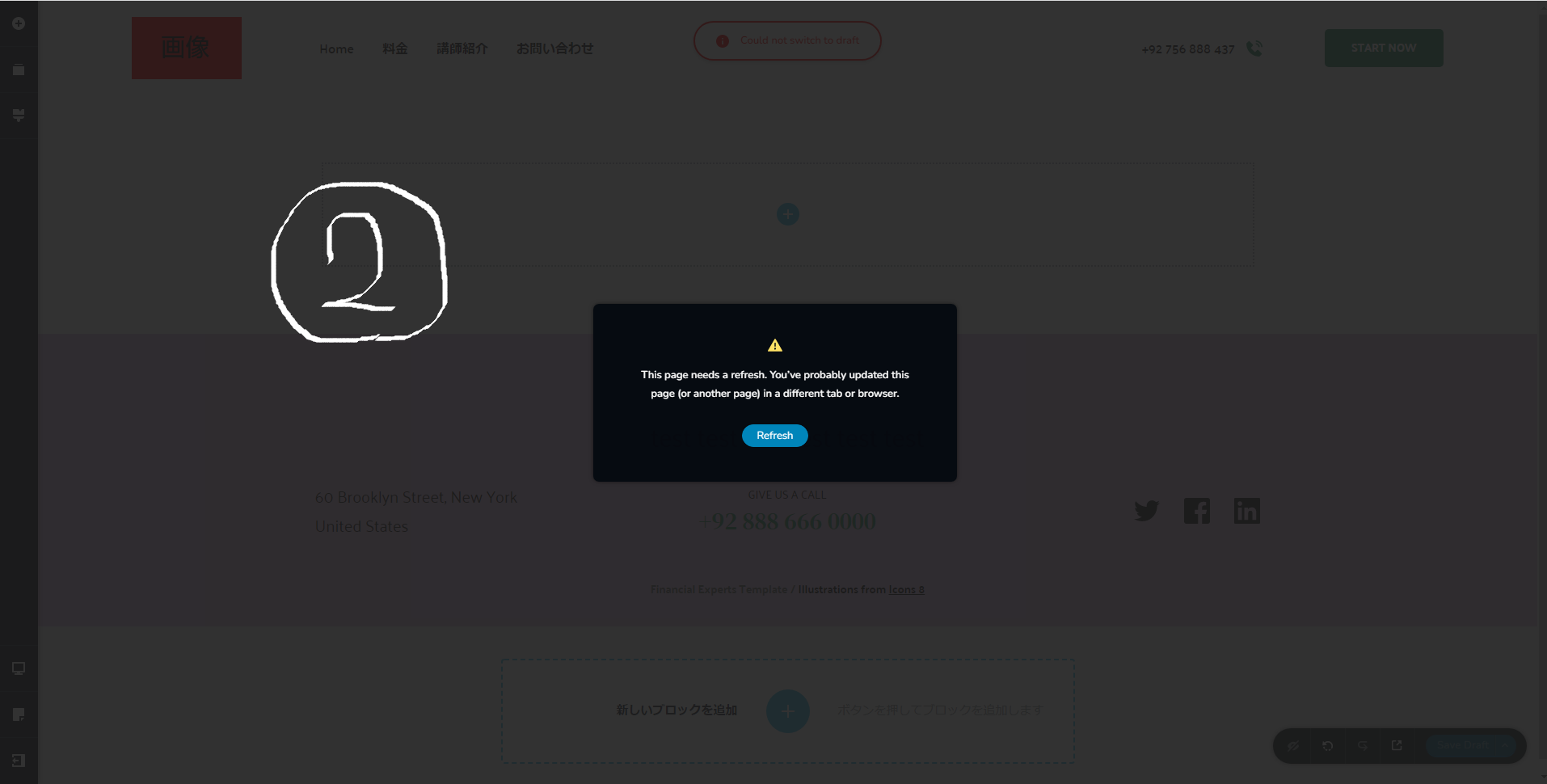
3. I get an error when I hit refresh (save draft).
I am not using a different tab or browser.
But, [ This page needs to be updated. You may have updated this page (or another page) in another tab or browser]. is displayed.
Below is a description of what I am using.
Theme
Ocean WP, Twenty Twenty (I tried with Twenty Twenty but it didn't work)
Plug-ins
Brizy(2.4.3)
Brizy Pro(2.4.3)
Browser
Chrome (latest)
I have one concern.
I currently have multiple Wordpress installations using subdomains. Is there any chance that using subdomains will cause problems?
The same phenomenon occurs when I create another site.
Thank you in advance for your help.
Sorry for the long post,...
-

Hi Yuki,
Let me restate what I have understood. When you make a change in a page and try to save your work you get an error message which says "This page needs a refresh. You've probably updated this page (or another page) in a different tab or a browser" and your edits are not getting saved. Hence you are unable to edit your logo and save changes to your footer.
This error normally happens when a security/ firewall/ malware protection/ DDOS software is enabled on your hosting account. Please sign into your hosting account and check if any such software is enabled. Please disable temporarily the security/ firewall/ malware protection/ DDOS software in your hosting account and check if you are able to make changes to your website.
0 -
Hi George,
I used your answer and stopped the WAF and it solved all the problems.
Thanks for the quick answer!
0
Please sign in to leave a comment.
Comments
2 comments