Single Post Link Colour

I have created a single blog page template and it's curently displaying all my single blog posts and working well.
When I create a new post and link a url to some text it doesn't change to my default link colours set in Appearance/customise when viewing the blog post.
If I change the colour manually in the blog post it still won't change on the template.
I want links to display in one colour, underlined and then another colour when hovered over.
Could you please advise how to achieve this. I can't find any other setting to change.
0
-

Hi Gary,
As mentioned to you in another post, please add this code to your Additional CSS
/*Add link color, underline and hover color to blog posts */
p a {
color: #3581e4 !important;
text-decoration: underline;
}
p a:hover {
color: #fe4800 !important;
}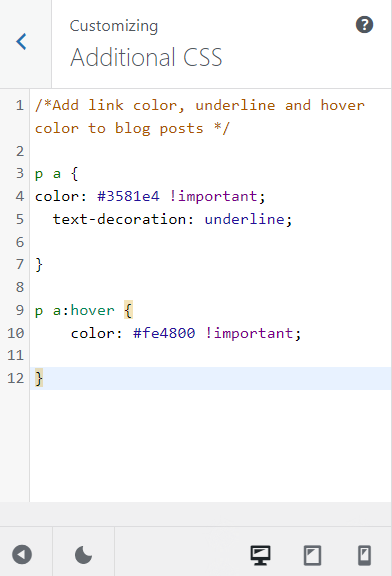 0
0
Please sign in to leave a comment.
Comments
1 comment