Project not found message

Hello!
Although I can edit my project, when I try to publish, it comes up with 'project not found message'. Can you please help?
Thank you!
Sol
-

Hi Michael
Please mention your website URL so that we can check the 'Project Not Found' error.
0 -
Dear KC George
The URL is www.solmuniain.com. Thank you very much for your assistance.
Best Wishes
0 -
Hi Michael,
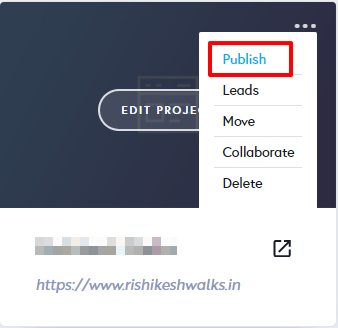
In your Brizy Cloud Dashboard, click on 'Publish' and then 'Custom Domain'
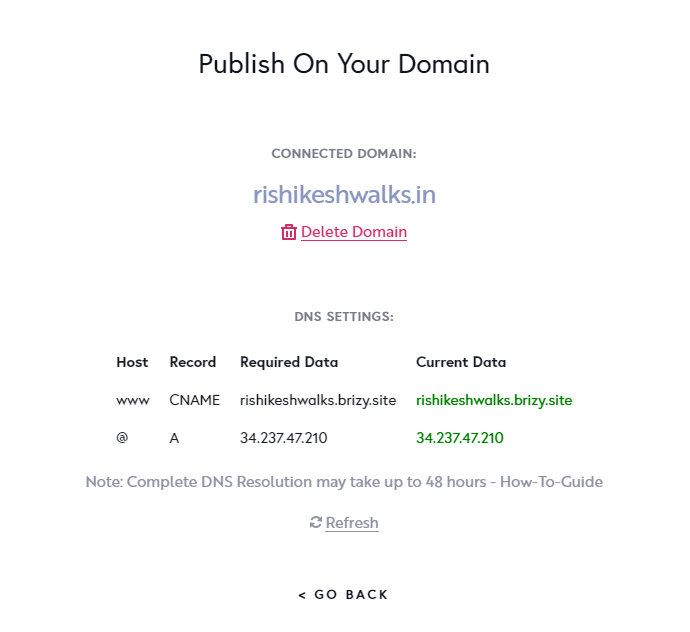
At the 'Publish On your Domain' screen check if the 'Required Data' and 'Current Data' are matching?
 0
0 -
Thank you - they are not matching! The current data is 'Not found'. How do I rectify this?
0 -
Hi Michael,
Please follow instructions in this page to add an A Record and a CNAME record to your domain name. https://support.brizy.io/hc/en-us/articles/360041764052-Custom-domain-A-Record-Redirect-
0 -
Hi KC
Thanks very much for your message. We already have an A record and a cname record in the DNS settings.
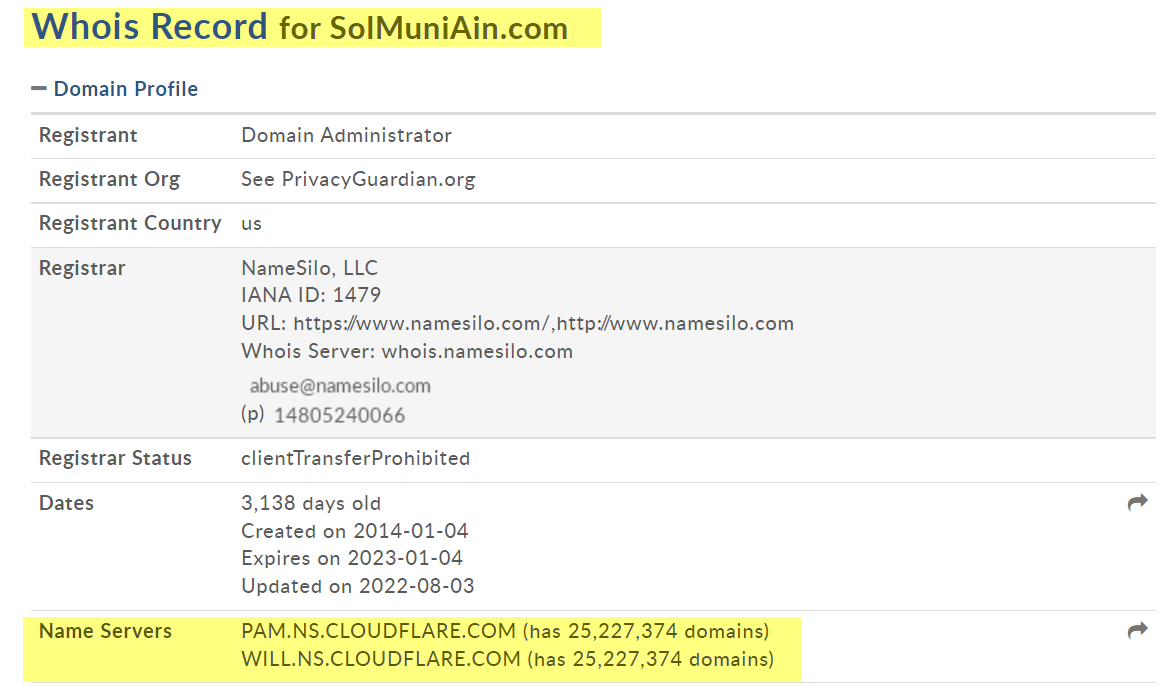
The nameservers that we are using point to our CloudFlare account (where we manage the DNS):
In our Cloudflare DNS settings we already have the required records:
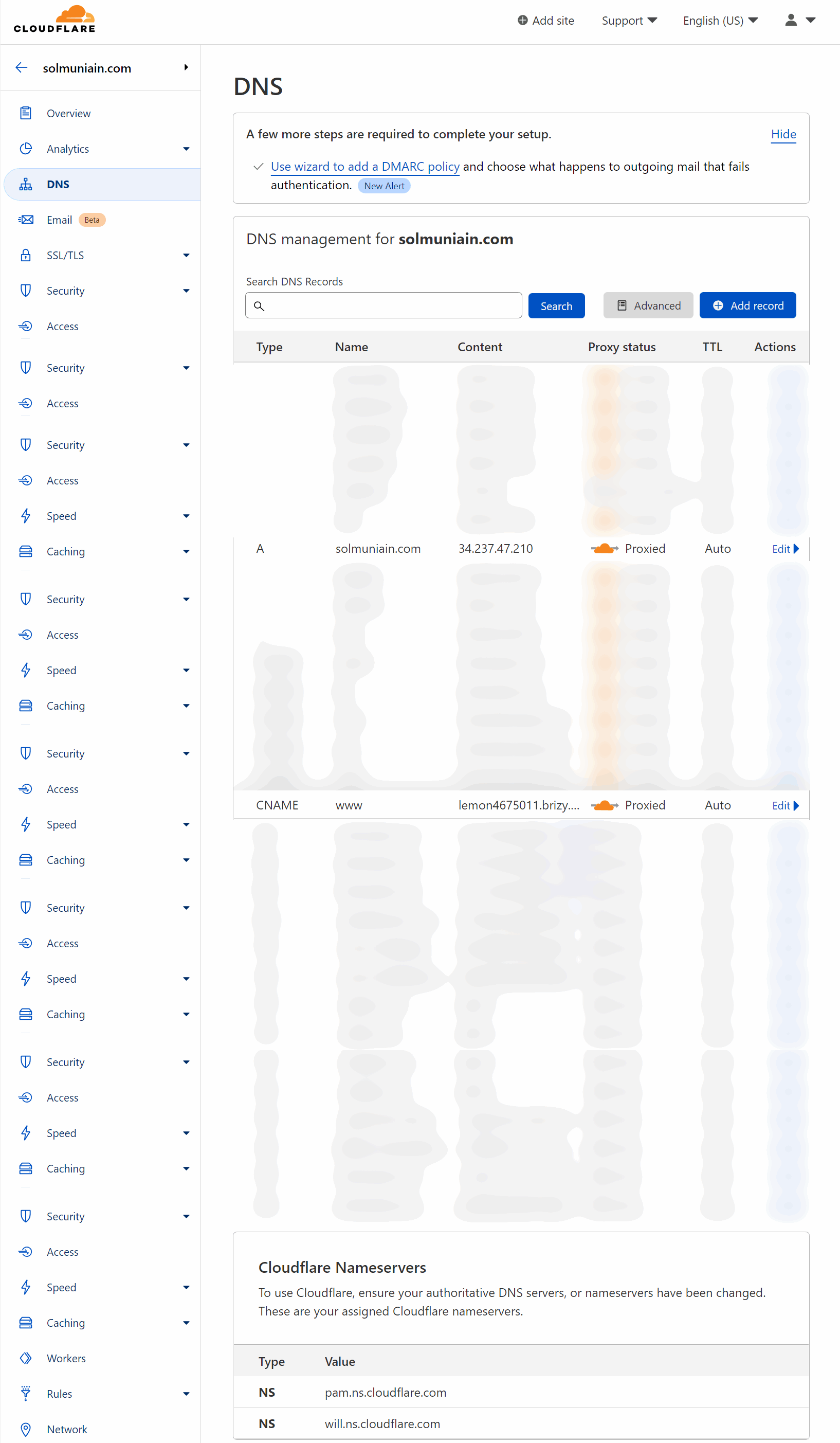
yet when I look at the Brizy publishing settings for the site I see this completely different information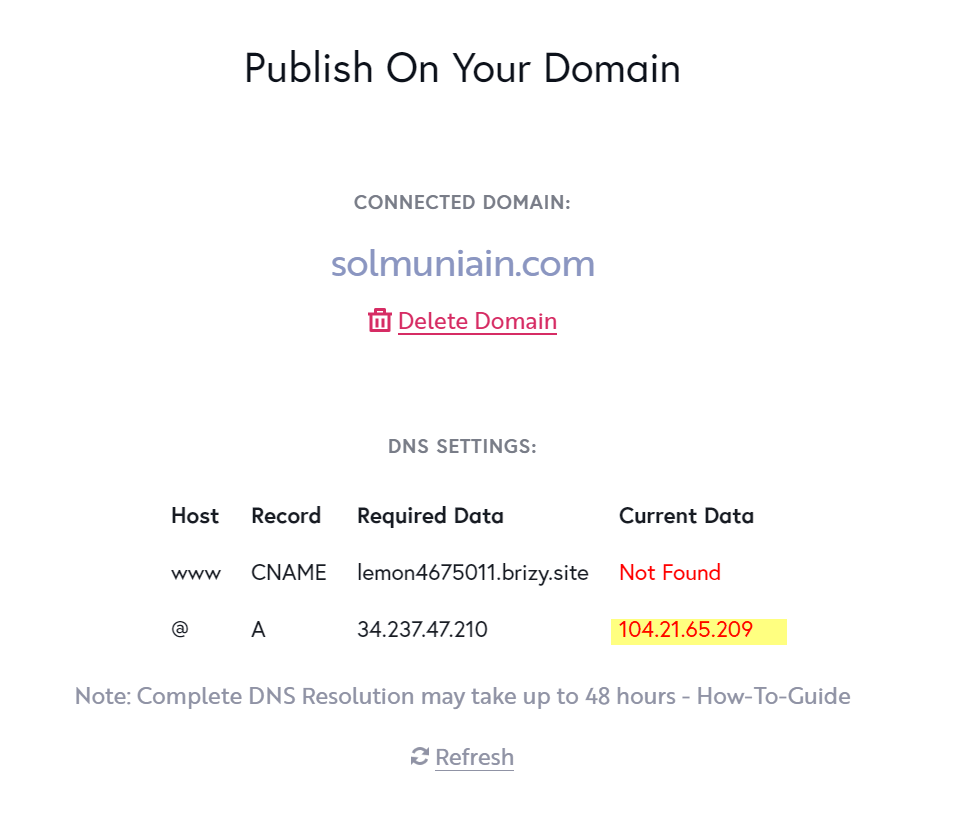
and when I click on the refresh link the Current Data ip address changes:
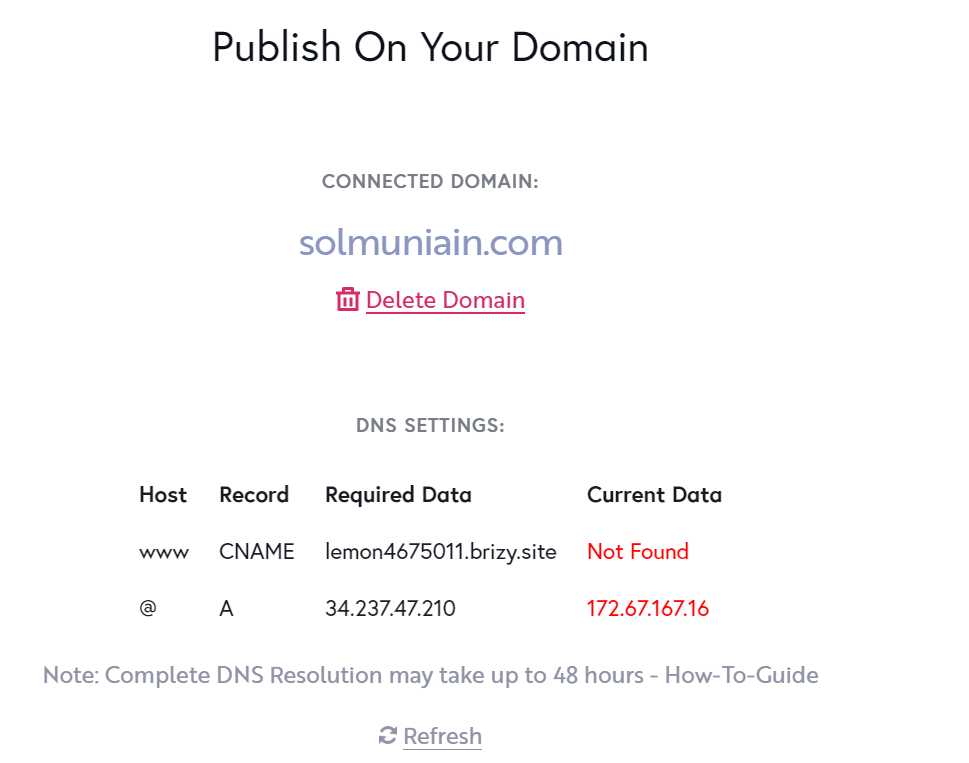
So it looks like everything is set up correctly in the Cloudflare DNS settings yet the site is still not working.
Does this shed any more light on the problem? Can you see from your end where it is arising or any changes that we need to make?
Thanks very much
0 -
Hi Michael,
Thanks for the detailed response. In Cloudflare, please disable DNS Proxy for the A Record and the CNAME Record by clicking the toggle button under 'Proxy Status'. Then please check if the 'Required Data and the Current Data in the 'Publish On your Domain' screen are matching
 0
0 -
Thanks very much KC
That did the trick and the required data and current data match.
There's just one issue now...going to the site it says this:
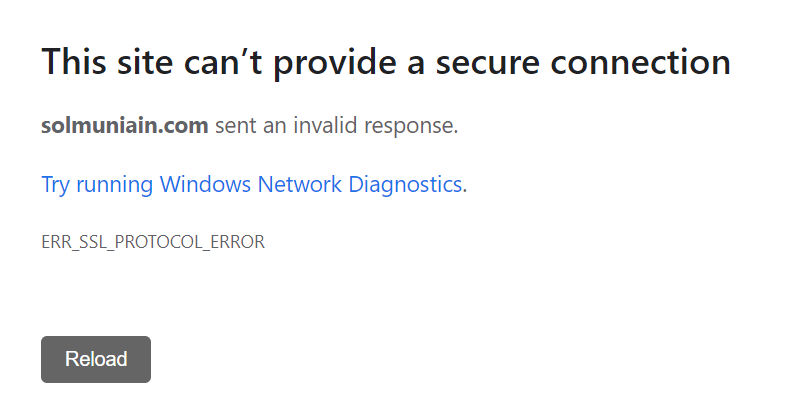
From researching online it looks like Brizy handles the SSL for sites hosted on Brizy Cloud (which this is). Can you help with that one final issue please... and then I'll leave you in peace!
Thanks very much
Michael
0 -
Hi Michael,
When you make changes to your DNS records, for those changes to take effect, DNS cache on the Brizy Cloud server needs to purge. To purge DNS cache, on the 'Publish On your Domain screen', please click on 'Delete Domain', and add your custom domain one more time and wait for half an hour. This will restore your SSL.
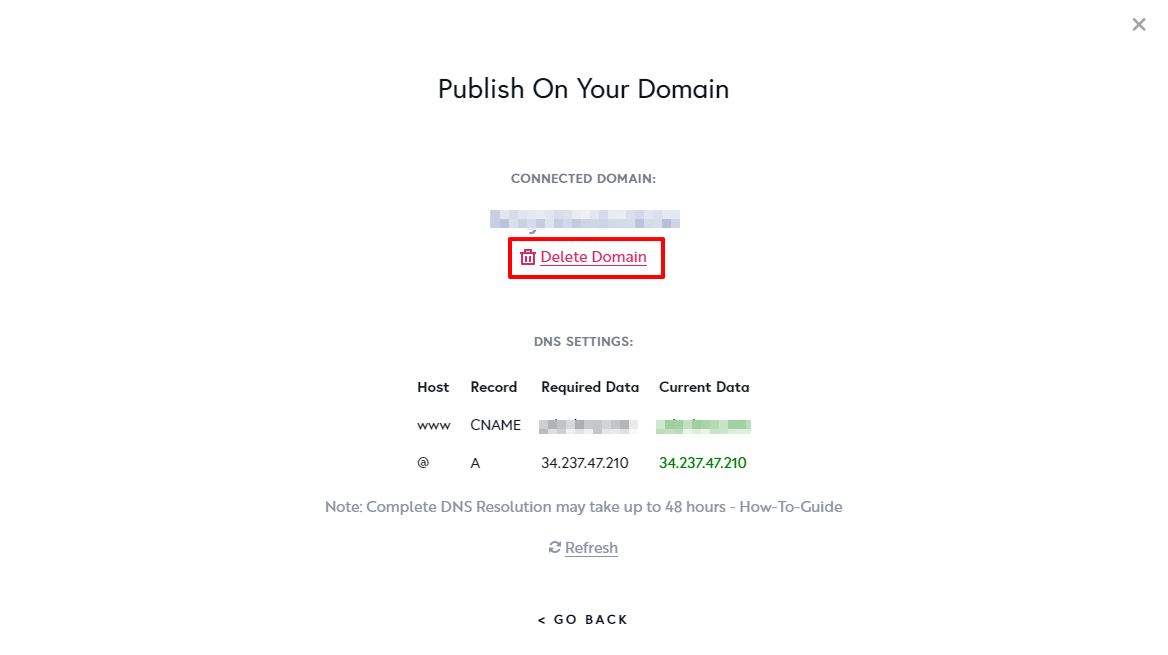 0
0 -
Thank you KC... it's all working perfectly now.
Thank you for all of your help.
0
Please sign in to leave a comment.
Comments
10 comments