Password Protection not working on Brizy Cloud

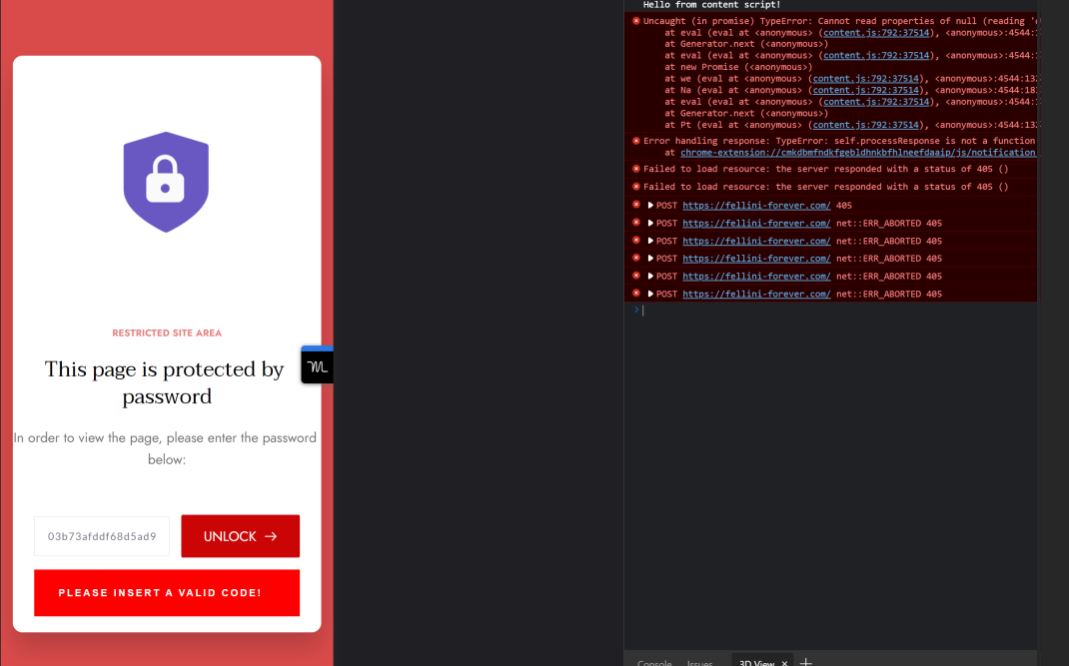
It has generated a password for me but its not working to password protect on brizy cloud or when the site is deployed.
-

Hi,
Thank you for contacting us.
I have checked the password protection and everything is working well. Please see this video.
Best regards, Nelea.
0 -
 0
0 -

Hi Vito,
Can you please mention the brizy.site URL of your project so that we can check?
0 -
Hey please check https://fellini.brizy.site/protected-page It’s not working to enter assigned password when deployed or the live site.
Vito Giovannetti
0 -
Hi Vito,
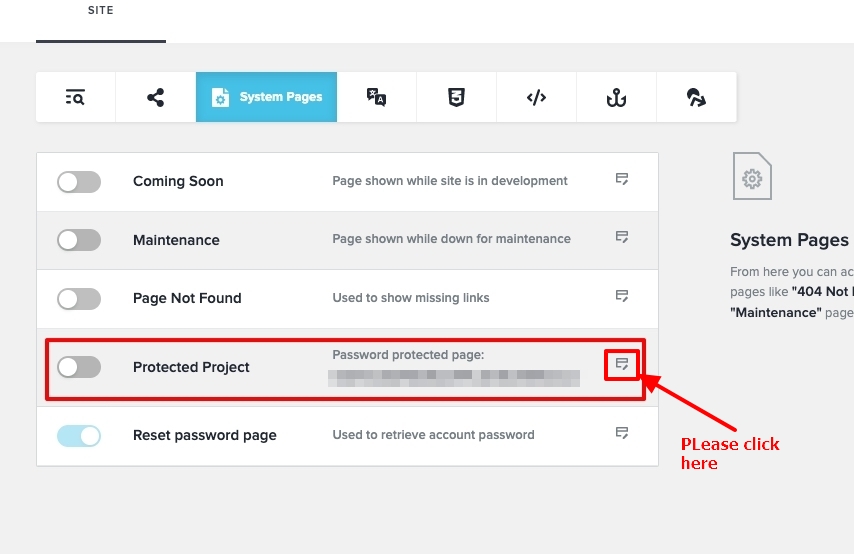
The password protect feature was not turned on. Please enable the highlighted option and click on the icon on the right hand side to create the password protected page.
 0
0 -
I found a work around with membership blocks. And Pop Ups. However, when password enabled it does not work when deployed fellini-forever.com, (Brizy site - Fellini.Brizy.site)
Vito Giovannetti
0 -
Was a solution ever looked into for the password protect ?
Vito Giovannetti
Phone: 647 267 7498
0 -
Hi Vito,
The password protection appears working fine at my end. Please checkout this test site. https://paysss.brizy.site/
After enabling this feature with Brizy Cloud and saving the password protected page, open an incognito (private) window in your browser and check the URL of the password protected project.
0 -
When deployed off the Brizy site and on Vercel… Should the password still work ?
Vito Giovannetti
0 -
Hi Vito,
I just tested it. Password protection seems to work fine with Vercel.
I have deployed https://digiwork.brizy.site/ to Vercel. Please have a look at https://digiwork.vercel.app/
0
Please sign in to leave a comment.
Comments
10 comments