Brizy - carousel issues - advice on consistent sizing etc

Hi there,
Please can you advise if and where I am going wrong with the carousel element. I've put together a video with a few questions and points.
https://www.screencast.com/t/0f31juFAd
ALSO: How can I stop the carousel element from mega-compressing the images I use as my client would like them far sharper than they appear.
Thanks in advance
-

Hi Jason,
Please watch this video to see how the Brizy carousel element normally behaves. https://jmp.sh/EGZbd9W Irrespective of the different aspect ratios, all images take the height and width of the blue containers.
However Images can retain its original aspect ratio, if you select the 'Original' size here instead of 'Custom'.
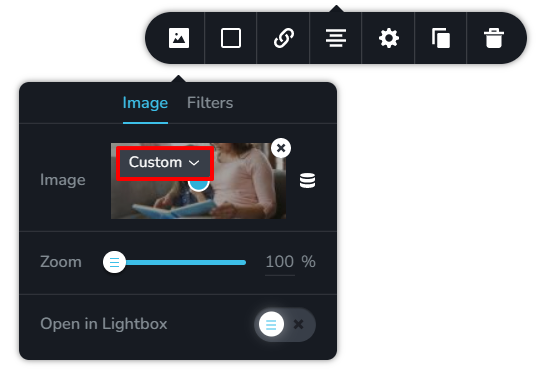
When you have a single column carousel, the size of the image container will be big and when you increase the number of columns, the image container will shrink. The images are resized to fit into the container around it. Hence you cannot stop resizing images.
However if you upload higher size (higher height and width) images, the quality of images will look better. For example, take a look at this carousel. https://kctest.online/carousel The first and second images are of 2000 x 1333 size and the 3rd and 4th are of 1000 x 667 size. You will notice a difference in quality between the images.
0
Please sign in to leave a comment.
Comments
1 comment