Single page 'Attributes'

Hi,
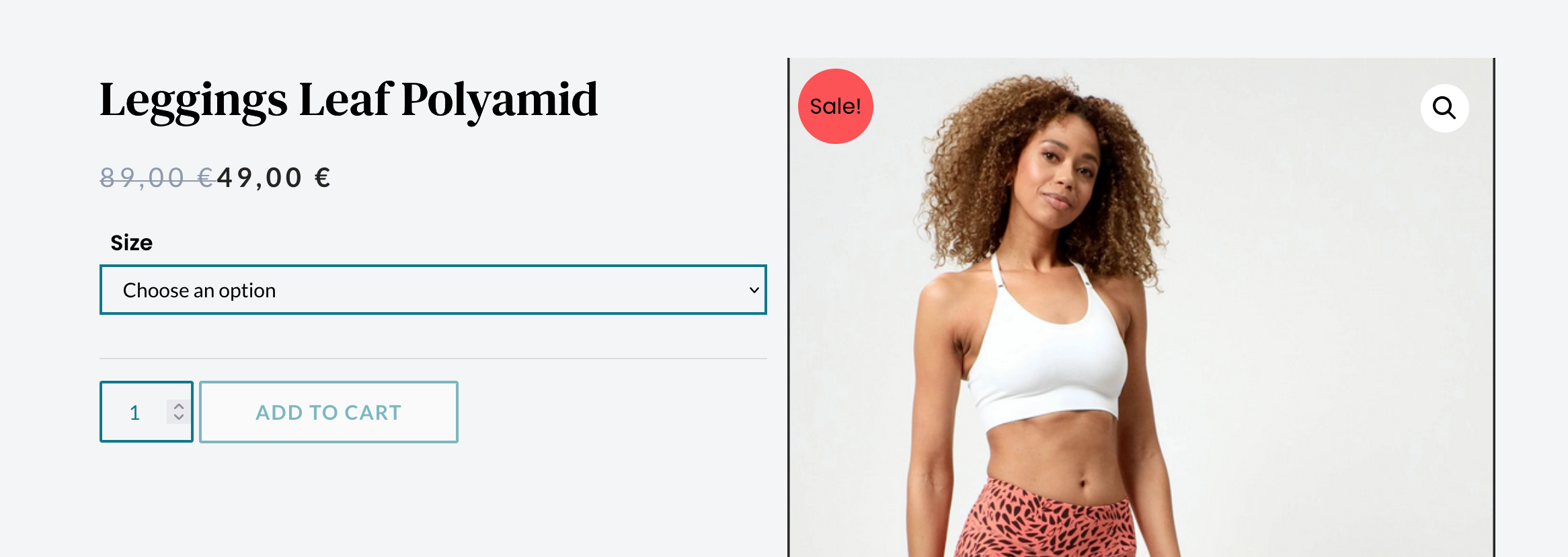
Instead of the 'Size' selection dropdown I created using the standard WooCommerce elements, is it possible to make size and quantity selections from a set of buttons like in the sample website? Also How can I get rid of the 'Sale' and 'magnify' badges that came with the Astra theme and make my own using Brizy?
Sample website page: https://heyhoneyyoga.com/collections/leggings/products/leggings-marble
Cheers,
Chinthaka
-

Hi Chinthaka,
You may need a variation swatches plugin to implement the design you have shown above. Please explore these plugin options. https://wpklik.com/wordpress-plugins/woocommerce-variation-swatches/. The Variation Swatches for WooCommerce is a popular plugin. Please have a look at this page for a broad idea of what this plugin can do. https://getwooplugins.com/plugins/woocommerce-variation-swatches/
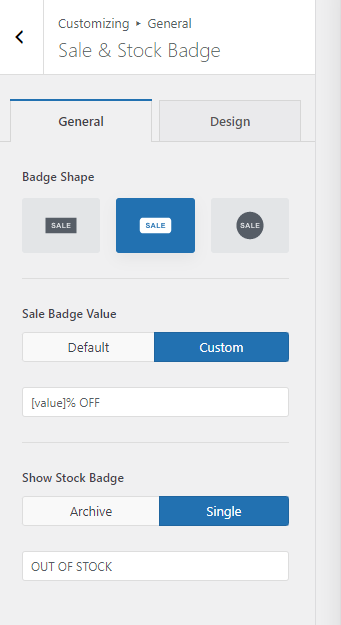
You may need Astra Pro to customize the look of the sale badge. https://wpastra.com/docs/general-woocommerce/. Consider switching your theme to Blocksy; you can customize the sale badge in the free version (see the attached image). You cannot customize these in Brizy.
 0
0 -
Hi George,
Thank you very much for your clever solutions and tips. Much appreciated!
0 -
Hi George,
I'm trying to add "Variation Swatches for WooCommerce" plugin by CartFlows to the single product template you have created for me. Could you please let me know how I can achieve that? If it's with a shortcode, I could ask them for that. All their instruction videos show how it's seamlessly activated on a theme, but not on a template like I have. Thanks.
0 -
Hi Chinthaka,
If the plugin is compatible with Brizy, when you setup the product variations correctly it should show up in the Brizy product page. Please try the plugin and see if it works fine with Brizy.
- Setup the Variation Swatches for WooCommerce by CartFlows following their instructions
- Add Attributes and Variations in Woocommerce
- Add few variations to one of the products
- View the specific product page and check if the product variations show up in the Brizy product page
0 -
Hi George,
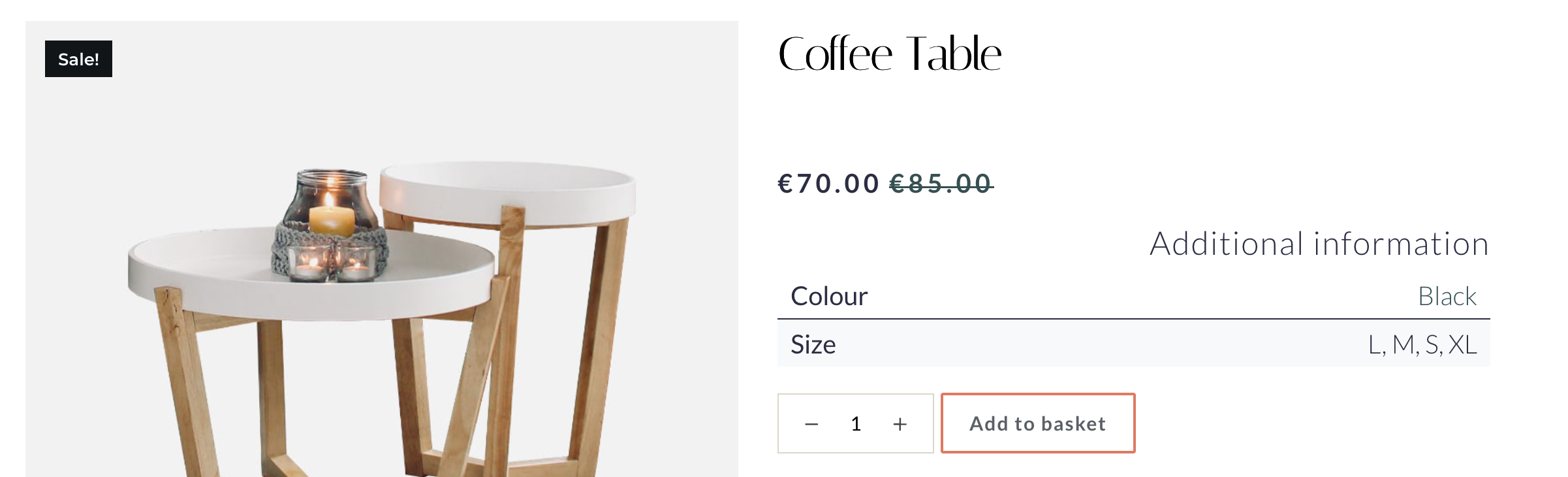
Thanks again for your quick reply. I followed your instructions and also got to know from the app maker that it is compatible with Brizy. Yet when I drag the attributes' element to the product template, the attributes are shown in a table instead of as interactive icons.
 0
0 -
Hi Chinthaka,
When you add a variation swatches plugin, it normally gets attached to the 'Add To Cart' button automatically. You cannot add it using the Brizy Attributes element.
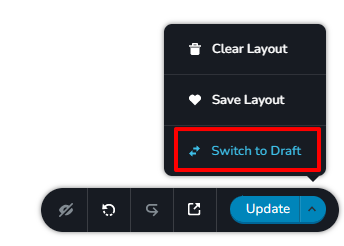
Please try this approach. Open the Brizy Single Product Template and switch it to draft by clicking on 'Switch to Draft'. Make the variation swatches work with the Blocksy Single Product Template first. Once it is working well with your theme, publish the Brizy Single Product Template.
 0
0 -
Hi George,
Thanks for the reply. I don't understand what's 'Blocksy Single Product Template' though.
0 -
Hi Chinthaka,
When you setup a Shop, initially the Product Catalog and Single Products designs are coming from your theme. When you setup Brizy Product Template, you replace the theme's single product page with Brizy's single product template. You can watch this video for a more detailed explanation. https://jmp.sh/G6w5KsE
0 -
Hi George,
This is a great explanation! I got what you meant now. Thank you very much.
0
Please sign in to leave a comment.
Comments
9 comments