Can‘t past HTML-Code

I want to insert HTML-Code and I used the Embed Element. In the Window “Paste your HTML-Code here…” it’s possible to type something. But I can’t insert something with copy-paste. Is there an issue? I’m using the iPad pro with Safari.
-

Hi Michael,
You should be able to copy paste code into the Brizy Embed element. Are you getting an error message when pasting code or not able to save the code you have pasted?
Security/ DDOS/ malware protection systems in your WordPress hosting environment can block your embed code, suspecting it as a threat. The solution in this case is to temporarily disable the systems that are interfering with your embed code, paste the code into page and then enable it again. Please check if any security system is enabled in your hosting account.
0 -
Hi KC George,
no, I don’t get an error-message. If I klick in the black field to insert a code, the field would be bigger an I can type a html-code. But I can’t paste a code.
If I type a code I can save it, but also there is a bug. If I open the webpage, there the content of the loading code isn’t on the right place. It would be display on another part of the page. If I delete the code in Brizy and save the page. Also after this the content, which I insert with the code, is still at the page. There is no possibility to delete it. It doesn’t work.
I installed wordpress and Brizy for testing. For this I don’t use a security plugin. At her Plugins I was testing, I deactivated / delete. I was trying also with different themes.
For me it seems, that there are some Bugs in Brizy.
0 -
Hi Michael,
Please have a look at this video to see how the Embed element is expected to work with Brizy WordPress. https://jmp.sh/Fecds3b
Can you please share these details?
- WordPress version https://jmp.sh/Oe63wQY
- PHP Version https://jmp.sh/2MRd96w
- WordPress theme you are using
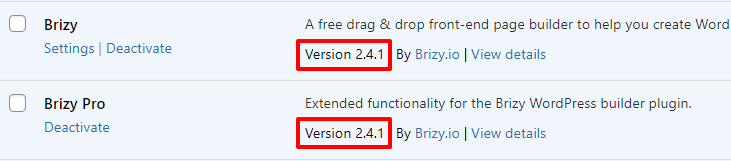
- Brizy and Brizy Pro versions
 0
0 -
I did it exactly how you show in the video. But I can‘t paste code in the field. It doesn‘t work…
Wordpress version: 6.0.1
PHP Version: 8.1.3
Theme: Astra (free Version)
Brizs / Brizy Pro (2.4.3)
0 -
Hi Michael
Can you sign into your hosting account and check if any security/malware protection/ firewall is enabled on your account? (This is different from installing a security plugin). Disable it and then try again.
If you are not able to make it work, we would be happy to take a look at your WordPress Dashboard. If you need this help, please add me as a user to your WordPress Dashboard. My email: kc.george@brizy.io. Please enable the option "Send the new user an email about their account" as in this screenshot https://jmp.sh/tSRznJX
Once you have sent me an invitation, please let me know here.
0
Please sign in to leave a comment.
Comments
5 comments