Header options

Hello,
Is it possible to make a header with menus like this with Brizy pro? Could the hamburger menu be the 'main menu' and use a secondary menu for 'shop' on the left-hand side? How can I incorporate the search icon and the cart (just the icon) to the right-hand side of the menu?
Menu taken from: https://wovenmagazine.com/
Thank you.

-

Hi Chinthaka,
It is possible to design a header similar to wovenmagazine.com in Brizy. Please have a look at this video for a broad idea on how to recreate this header. https://jmp.sh/fmgXu0R Please watch these videos for more details.
- Mega menus : https://youtu.be/L0gfn_iGdd4
- Menu in a Popup: https://youtu.be/ssbAxYXCte0
After watching these three videos, if you have questions, please let us know.
0 -
Hi George!
You are a lifesaver! Thank you so very much. I have 2 more queries, if you can kindly answer would be a great help;
1) Can I use a plugin like 'Ajax Search Lite' for the search button in a straight swap?
2) Can I use an icon for the cart from the icon library instead of the WooCommerce cart, and assign WooCommerce values with a Short code or something? (attached)
Thanks in advance!
 0
0 -
Hi Chinthaka,
Brizy search element works with the WordPress default search function. If you add a search plugin to replace the default WordPress search, the Brizy search element would then work with the plugin search. Feel free to use any WordPress search plugin.
We are sorry; at the moment, Brizy cart element supports only the default cart icon; you cannot change it.
0 -
Hi George,
Thanks again for the detailed explanations. It's a great help!
0 -
Hi, sorry about that. I resent it now. Hope it works.
0 -
I still haven't received it. May be your WordPress emails are not going out.
Please send the credentials to my email address.
0 -
Hi George,
I want to add a few more features to my header. An account/login menu, a wishlist and a language switcher. Already managed to add the language switcher and account menu items, but it seems I can't add more columns to include the wishlist and the search icon.
Ideally would like to,
- call a pop-up when clicked on the search icon
- include the wishlist icon and attach "Yith WooCommerce Wishlist" plugin
- include an account icon and call "Login/Signup Popup" plugin in a pop-up when clicked
Could you please let me know what I should do to make it work?
Thank you.
 0
0 -
Hi Chinthaka,
Please watch this video for the procedure to add more icons to your header. https://jmp.sh/M2moiVH
If you are using a Membership plugin, please use the plugin shortcode for the Login and the Registration forms.
0 -
Hi George,
Thanks for this great advice. I managed to set up the desktop view pretty much to the way I like thanks to that. The Tablet and Mobile views are yet to be desired, though. I can't seem to move the elements around the way I want, and it doesn't allow columns to move places to match the order of the Desktop view. And I would prefer not to turn the language selection menu to a hamburger icon. If it has to be that way, is it possible to change the hamburger icon to another icon like the globe from the icon library?

 0
0 -
Hi Chinthaka,
I missed an important point in my previous video. Instead of dragging and dropping multiple icons, you need to drag and drop the first icon and for the second and the third, you must duplicate the icon and then change it. Please watch this video. https://jmp.sh/7sJsIO1
When you add icons using this method, it would be easier to make your design responsive.
0 -
Hi George,
This makes it much more manageable. Thanks a lot.
0 -
Hi George,
What should I do to reduce a column width of the mega menu without making menu items taking up two lines like in the picture. It is only when I increase the column width to an unnecessarily long length that it stays in one for now.
Also how can I duplicate the mega menu created on the main header to the sticky header without having to recreate it? I tried copying columns like you have shown once, but the paste option was grayed out.
Thanks
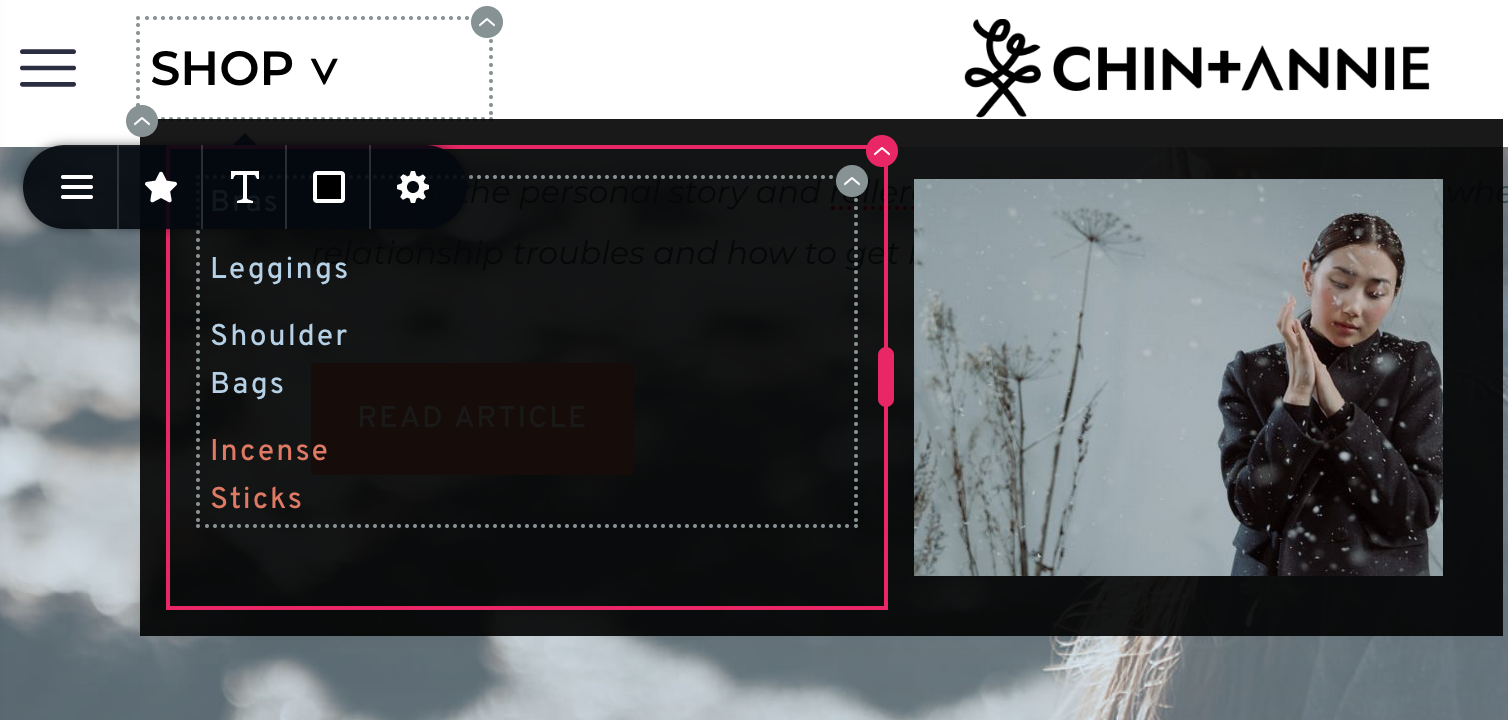
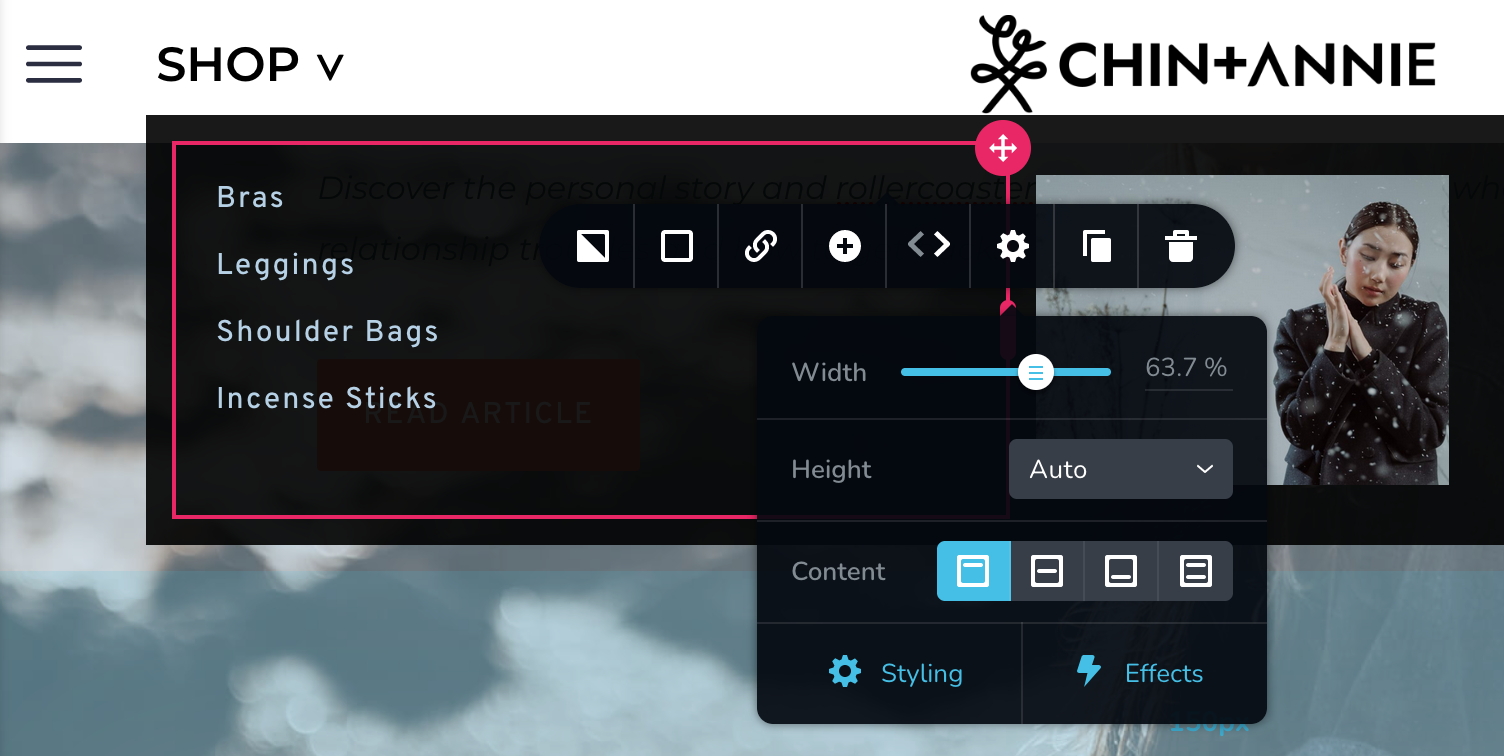 0
0 -
Hi Chinthaka,
Please follow this procedure to display the menu elements in a single line. https://jmp.sh/pNGTx7G
If copy pasting of columns is not working, please consider this work around to transfer the columns from your main header to the sticky header. https://jmp.sh/gLoJMml
0 -
Thank you very much. These are great tips!
0 -
Hi George,
I find that my header is not visible in all pages apart from the home page. The sticky header is created with Brizy with display conditions to show on all pages apart from the page used as the 'coming soon' page. The footer which was created with the Blocksy theme though is visible in all pages. Do you have any suggestions to correct the visibility? Thanks
 0
0 -
Hi Chinthaka,
You have broadly two options to design your pages using Brizy.
- Use Brizy Page Template: When you use Brizy Page template, the page header, the body and the footer are designed in Brizy
- Use Default Page Template: The page header and the footer are designed using your theme and the body is designed using Brizy. In your case, when you select this option, your footer and header will come from Blocksy and you design it using Blocksy header footer builder.
Both header and footer should either come from Blocksy or from Brizy. Designing the header in Brizy and footer in Blocksy is not an option. I guess you need to make a decision about this.
In the Brizy editor, you can select either of the above two templates for your pages on the left sidebar at the bottom

For the Brizy global header and footer to work, you need to select Brizy Page Template. This would mean that you can't use the Blocksy footer. If you select the Brizy template, you will need to redesign your footer in Brizy. I am sorry if this is a surprise for you.
0 -
Hi George,
Thanks for the clarification again. This makes sense. Actually I preferred doing it with Brizy and only decided to keep the Blocksy footer instead because I couldn't find a way to,
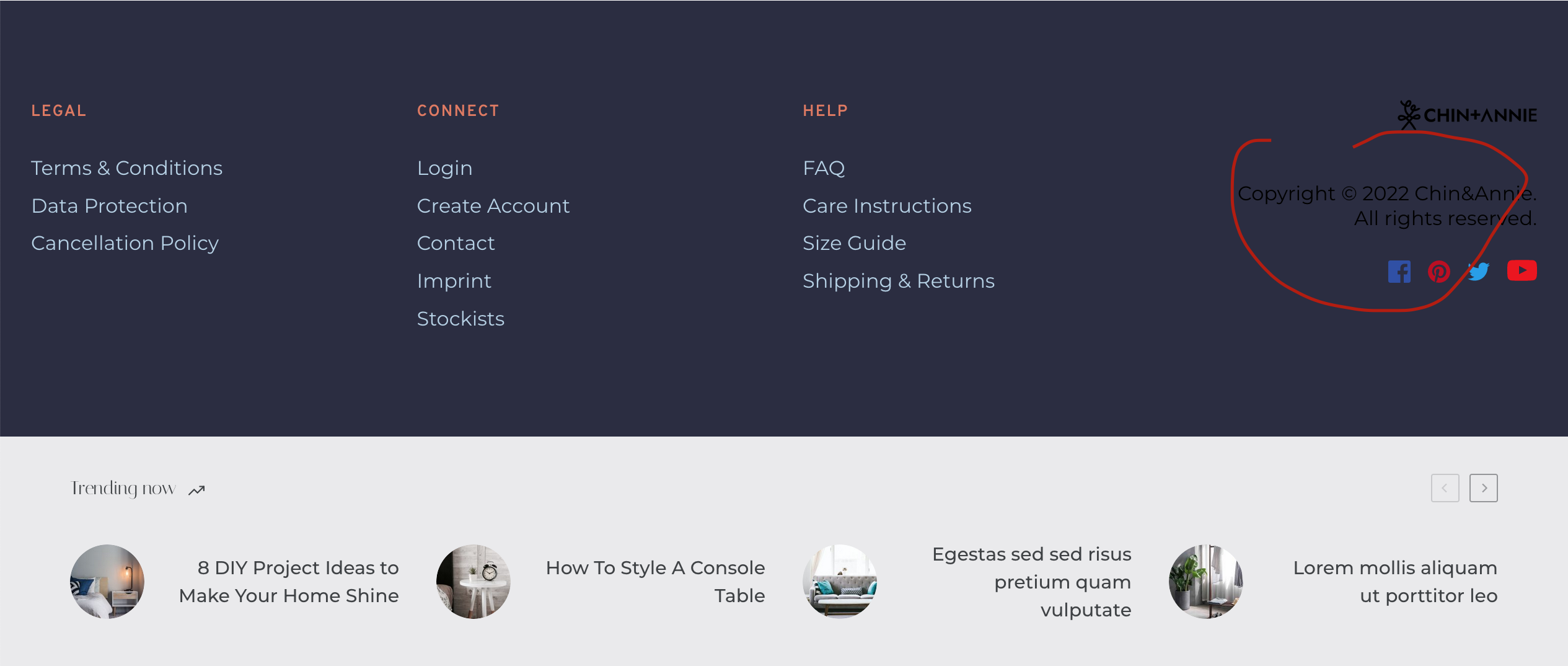
1. change the font colour of the embed section (circled in red) with copyright information on the right (I used the code you have given in another poster's query on the message board for the embedded text)
2. make the 'trending now' element that's part of Blocksy appear above the Brizy footer I created.
Please let me know whether there's a workaround. Thanks.
 0
0 -
Hi Chinthaka,
1. Please try adding this code to Additional CSS to customize the text in the Embed element. You can set font size to small/medium/large. Font weight can be normal/bold/500. Use any color of your choice.
.brz .brz-embed-code .brz-embed-content {
font-family: sans-serif;
font-size: medium;
font-weight: normal;
color: #ff380b;
}
2. I am not sure how you have added the Trending Now element from Blocksy. To add content like this in a Brizy page, you need a shortcode.
0 -
Hi George,
Thank you for the css. It works perfectly. I didn't add 'trending posts' it was already a part of the starter site. It's under 'Extensions' along with 'Cookie Consent'. Apart from turning off visibility, I couldn't figure out a way to change its position. Thanks
0 -
Hi,
When I switch to the 'Brizy Page Template', the content that comes with Blocksy theme for Cart and Checkout pages seem to be lost. Only the header and footer built with Brizy is visible. Does that mean if I'm using Brizy to build the header and footer, I lose the functionality of the theme and I have to rebuild pages such as the shop, cart and checkout?
0 -
Hi Chinthaka,
I am sorry; I do not know if the 'Trending Posts' Blocksy Extension can be placed elsewhere on a Brizy page. It may be better to put up this question in the Blocky Facebook Community.
I am demonstrating how you can create the Checkout page using Brizy in this video. https://jmp.sh/PRns4gF Please follow a similar procedure to create the other woocommerce pages using Brizy.
0 -
Hi George,
This is fantastic! I'll follow along, creating other WooCommerce pages this way too. I already asked Blocksy support for assistance, but unfortunately they're not responsive as you are.
0 -
Hi George,
I got following replies from Blocksy support:
1) Trending bar appearing below the footer: "the trending bar appears below the footer because it has been inserted as page content, not as a footer hook in Brizy, so the theme doesn't know that's actually the footer (and it cannot know at all), so it places the trending bar after the content of the page"
2) The header and footer not appearing on other pages (WooCommerce pages): "this seems to be more of a Brizy issue, rather than Blocksy. These "pages" are actually "special" in WordPress' eyes and require special integration coming from the plugin's end."
3) Cart page not showing content: "it's completely normal that it doesn't show anything. Plus, I would totally recommend not editing these pages as you can cause other discrepancies in the future. You can restore the page and integrate the [woocommerce_cart] shortcode into it."
------
For:
1) I could turn it on and off from Blocksy extensions it sems but is there a way to insert it as a footer hook in Brizy?
2) I tried out what you've suggested with the cart page, and it worked. But when I tried the same with the Checkout and Shop pages, the header and footer were still not appearing. Also I found that with Blocksy, the content on the left-hand side was scrollable but when the page was built with Brizy the page was static.
3) Cart page shows all content after editing it with the way you suggested.
Cheers
0 -
Hi Chinthaka,
I am sorry; I do not know about how to insert a footer hook. May be it is inserted through Blocksy content blocks. Please see this page https://creativethemes.com/blocksy/docs/extensions/content-blocks/
I could not understand why the header and footer would not work. Should I take a look at your WordPress Dashboard?
0 -
Hi George,
Please find the login below:
Please let me know if the login doesn't work. I will create a login for you with WP. And thanks for the suggestion on footer hooks; I'll check it out.
Cheers
0 -
Hi Chinthaka,
I have added few woocommerce pages to your website. Please see this video https://jmp.sh/olTBJpd
Feel free to redesign the pages as you like.
0 -
Hi George,
Thank you so much all your work. This is a big relief. It works great!
0
Please sign in to leave a comment.
Comments
27 comments