çode

I am a new member , and I following the instruction of this video https://youtu.be/hVxkGrKZgjc
and there is no setting on my left bottom side so I can add the code.
Please advise how to do so.
Thanks
-

Hi,
Thank you for contacting us.
We made some changes in the Brizy Cloud menu and our documentation was not renewed. If you need to add Custom CSS to the project please click on Menu - Assets- Project Settings - Custom CSS. Please see this screenshot.
Best regards, Nelea.
0 -
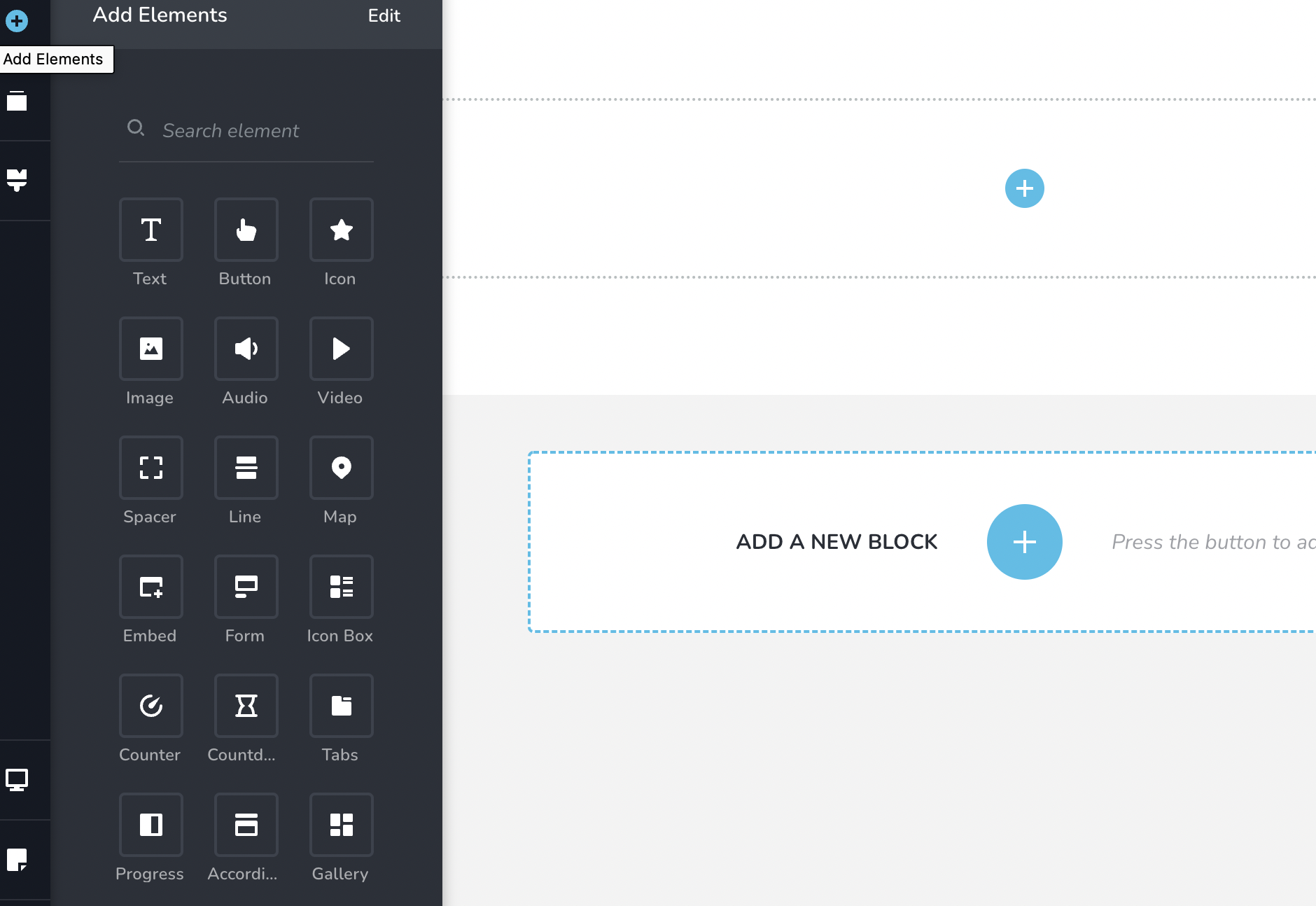
Hello, for some reason I have a different layout and cannot access the menu area, here is a screen shot
 0
0 -
Hi,
You have sent a video from Brizy Cloud. I have sent you an explanation from Brizy Cloud too. Now I checked your account and see that you have Brizy Worpress. Brizy Cloud and Brizy Worpress are 2 different environments with different dashboards. If you need Brizy Cloud you should purchase a new plan for Brizy Cloud. Here you can find more information about Brizy Plans.
In Brizy Worpress the CSS can be added in the theme files or in Appearance -> Customize-> Additional CSS. Also, In Brizy builder you can add the CSS code directly in the element settings: https://jmp.sh/cwqLy4F
Best regards, Nelea.
0
Please sign in to leave a comment.
Comments
3 comments