translation of breadcrumb

Hello !
Is it possible to add to your checklist to translate in other langages than english the breadcrumb's terms ?

As you can see, on a french site, we still have "Home" instead of "Accueil", and " Search Results for "" Query" instead of "Résultats pour la recherche "" ".
Thanks ! :)
0
-

Hi Théophile,
Yes; we will add a request to display the breadcrumbs in the same language as the WordPress site language.
To fix this issue on your project, please consider these steps
- Install a Breadcrumb plugin like Breadcrumb NavXT and customize the breadcrumb text in the plugin settings
- Add the Breadcrumb NavXT to one of the widgets under Appearance - Widgets https://jmp.sh/X01XLZN
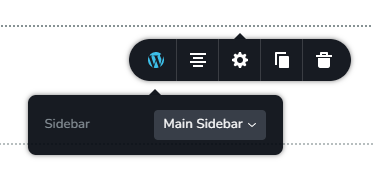
- Delete the breadcrumb element and drag and drop the Brizy sidebar element and select the sidebar which has the Breadcrumb NavXT breadcrumb.
 0
0
Please sign in to leave a comment.
Comments
1 comment