out of stock sticker

how can i add sticker with out of stock or low price?
The website is made in wordpress with the brizy module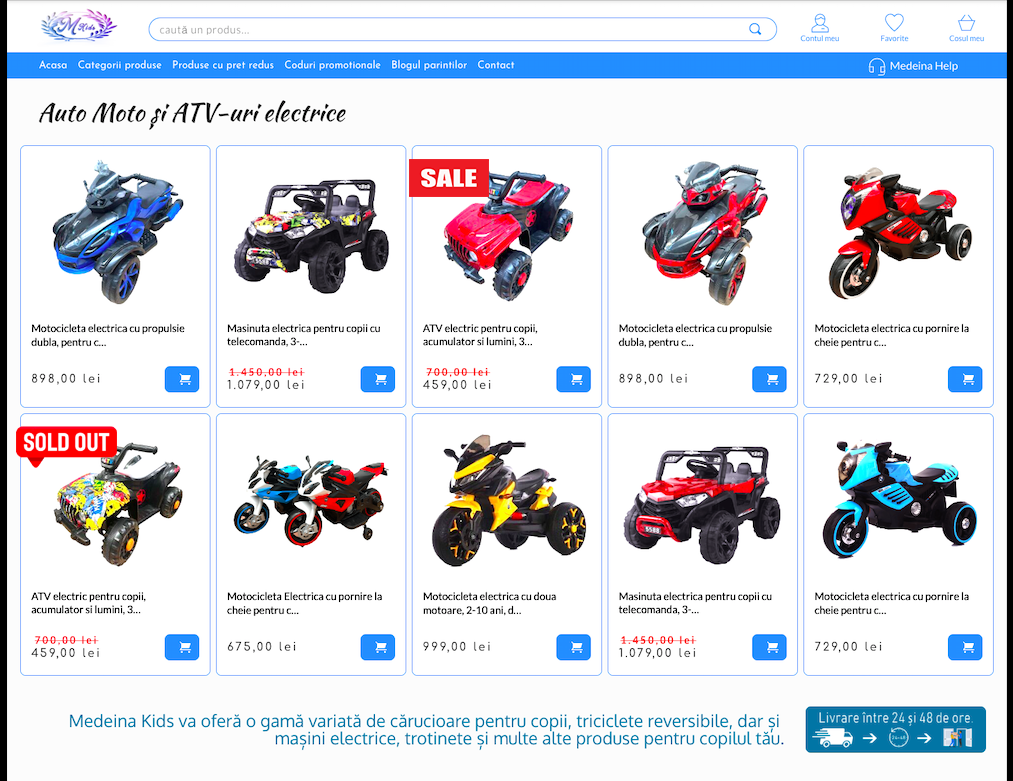
-

Hi Stan,
The Brizy Archive element does not have an option to display the stickers. If you would like to display 'Out of stock' and 'Sale' stickers, please consider using the woocommerce 'products' shortcode. Delete the Brizy Archive element and drag and drop the Shortcode element and paste the woocommerce shortcode into it.
Have a look at my test page; this page uses the below shortcode: https://kctest.online/shop-2
[products columns="4" orderby="popularity" ]
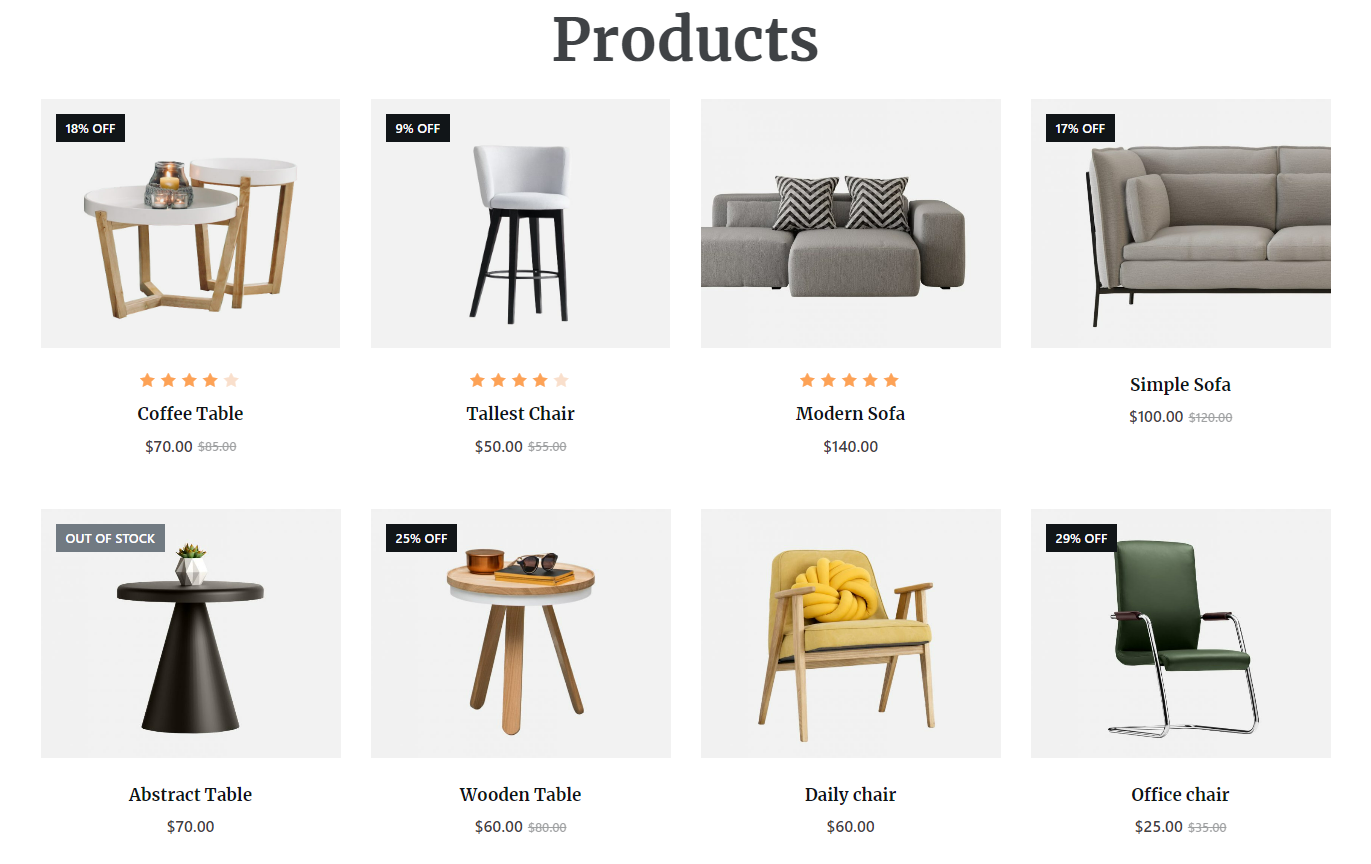
The products shortcode is quite flexible and allows several attributes to fine tune your product listing. Please checkout the content under the 'Products' heading in this page for more details. https://jmp.sh/aTcBJoihttps://woocommerce.com/document/woocommerce-shortcodes/
When you use the woocommerce shortcode for listing of your products, the shop page design will be set in your theme. To have good control over your shop page design, please use a theme with good woocommerce support. In my test page, I am using Blocksy theme which permits several customization options for the product card design. The stickers are supported by the Blocksy theme.
0 -

Dear KC,
I tried many time to change the "out of stock" text by something more personnal (in french)
So I'm very interested by your solution but I'm not so techy and I don't specifically understand what you mean by :
"...Delete the Brizy Archive element..." (where?)
"...and drag and drop the Shortcode element..." (same question, where?)
"...and paste the woocommerce shortcode into it." (in a file ?)
Thanx in advance
Gerald0 -
Hi Gerald
The above statements are made in the context of developing a Shop page. To develop the Shop page using Brizy, you add a Shop Template with Brizy. Please have a look this video for the procedure to create Shop/ Product listing Brizy template. https://youtu.be/ke95gPZbi5g?t=553.
In the shop page, the Archive element displays the product catalog. The Brizy Archive element cannot display sale and out of stock badges. Hence my recommendation is to to use the woocommerce product shortcode in place of the Archive element. Drag and drop the shortcode element in place of the Archive element and then paste this shortcode.
[products columns="4" ]
Please look at this video https://jmp.sh/2xvlFbf
If your theme supports 'Sale' and 'Out Of Stock' badges, the shortcode will display those badges. For example, if you are using Astra theme, your product catalog may look like this https://websitedemos.net/egrow-plants-04/shop/
0 -
Hi KC, I yhink I miss something big or I've got it all wrong
In the woo video, (around 9m,36) Dimtry créate a template with shop page attribut he previously created.
Then he used an archive element to get products
I don't use archive but the products element directly on serarate pages (bags, laptop bags... etc).
So I have 3 questions
In the video, how Dimi made the link between the page and the template with archive element ?
And in case I use the woo shortcode, where do I copy paste it ? (in the page or template?)
If I use woo short code, how can I select a category and desgin the showing archive products ?
Feel free to have a look :
https://www.lessacsdesylvie.fr
ThanxGérald
0 -
Hi Gerald,
In the list of pages in your WordPress Dashboard, you need to have a page allocated to be used as the Shop. You normally set this as your Shop page In Woocommerce. https://jmp.sh/daYKvij However, you do not work directly on the shop page. Shop page design is created in the Product Archive template. If you would like to use the woocommerce product shortcode, you add it to the Product Archive template. In the Product Archive template, instead of the Brizy Archive element, you can drag and drop the Brizy shortcode element and paste the products shortcode.
For different category archive pages, add the category name into the shortcode like this.
[products category="hoodies"]
To add pagination to your category archive pages, you can add paginate="true"
[products category="hoodies" paginate="true"]
The Woocommerce Products shortcode is quite versatile and can be used in a wide variety of ways. Please refer to this page for different attributes you can set for the shortcode. https://woocommerce.com/document/woocommerce-shortcodes/
0 -
Hi KC,
I don't normally use shortcode because of the level of the cutomisation.
I choose brizy to custom everything I wanrt directly from the page.
Custom buttons (or remove them), put borders on pictures, choose the font....
Like this (design by the client herself) 0
0 -
Hi Gerald,
You are right; when you use shortcodes, you can't customize your shop page using Brizy. You will have to use your theme to design your shop page.
At the moment Brizy Archive element does not support Out of Stock and Sale badges.
0
Please sign in to leave a comment.
Comments
7 comments