BRIZY PRO: Contact Form Error

-

Hi Omran,
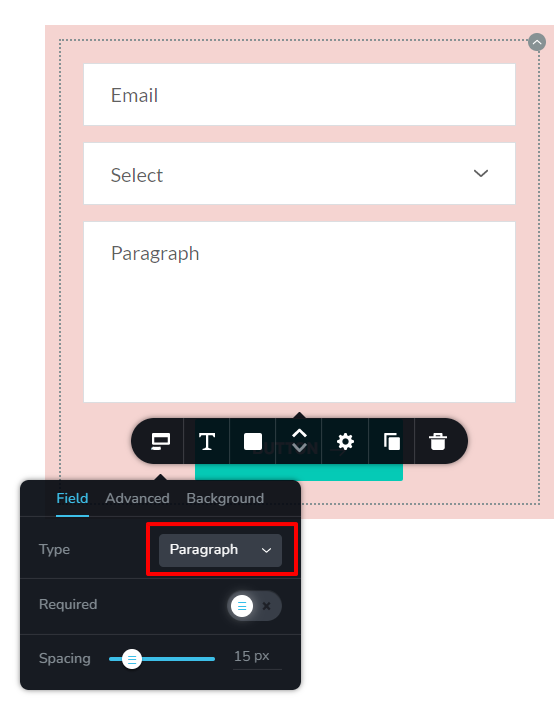
Can you please check if you have selected the appropriate 'Filed Type' for each form filed? For example
- First and Last name: "Text' field type
- Phone number: "Number' field type.
- Subject: Text field type
- Message: Paragraph field type
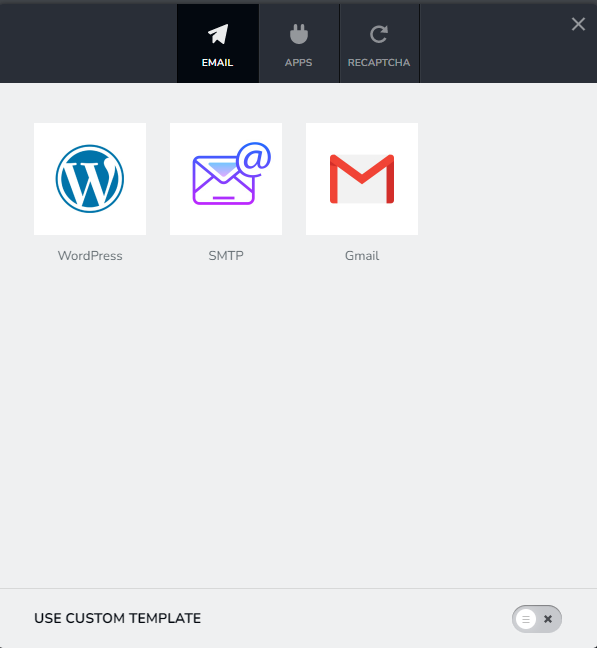
If you get the message that the form could not sent, try the 'WordPress' option of sending out the email.
In Brizy form, you cannot uncheck an Email Notification option. Since you have already used the Gmail option, to try the WordPress option, please follow this procedure
- Click on the right hand side top corner of the form and select 'Duplicate' icon. The form will be duplicated
- In the Duplicated form, please setup the 'WordPress' option of sending emails.
- Delete the original form
 0
0 -
Hello Brizy Team,
Thanks for the reply. I have did all the suggestions that you have mentioned. Now the form is going but no emails is coming to my Inbox.
Not sure why. Can you please help me to resolve this?
0 -
Hi Omran,
Can you please try these?
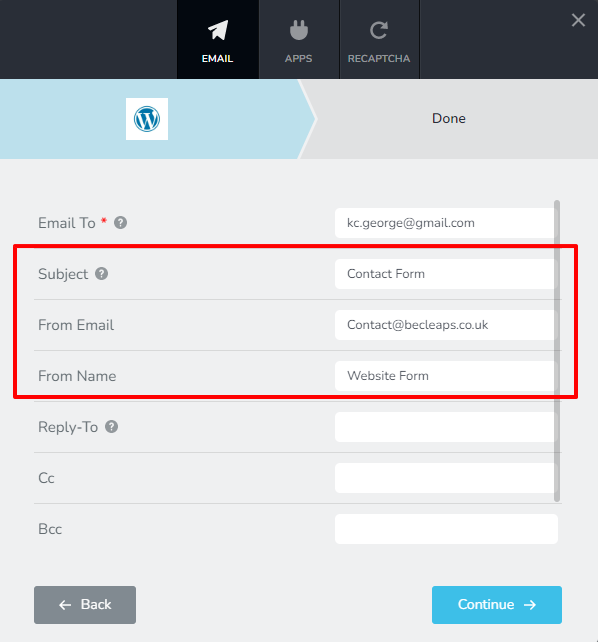
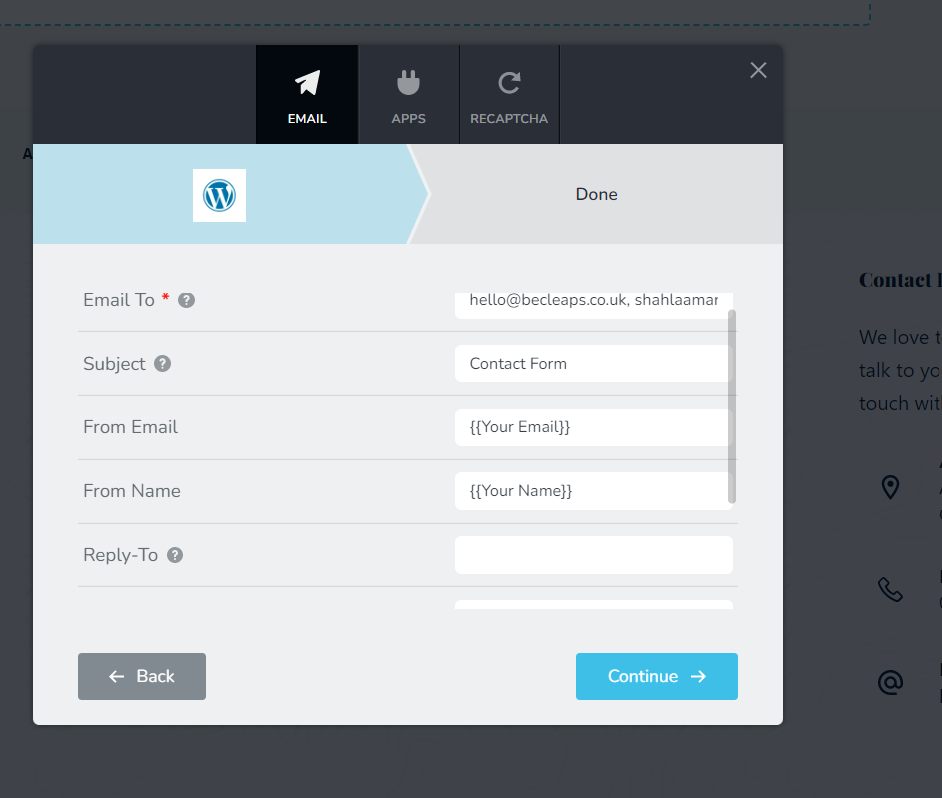
- If an email does not have a Subject, From Address or From Name, mail servers may suspect the email as SPAM. Please ensure that you have filled up the Subject line, From Email and From Name in in your Email Notification settings (see the image below).
- In the 'Email To' filed, if you have added a business email, please add Gmail/ Yahoo/Hotmail address also with a comma in between. After submitting the form, please check if you receive the email in the personal email address
- Please check the SPAM folder for the Form notification emails.
 0
0 -
Hello Support Team,
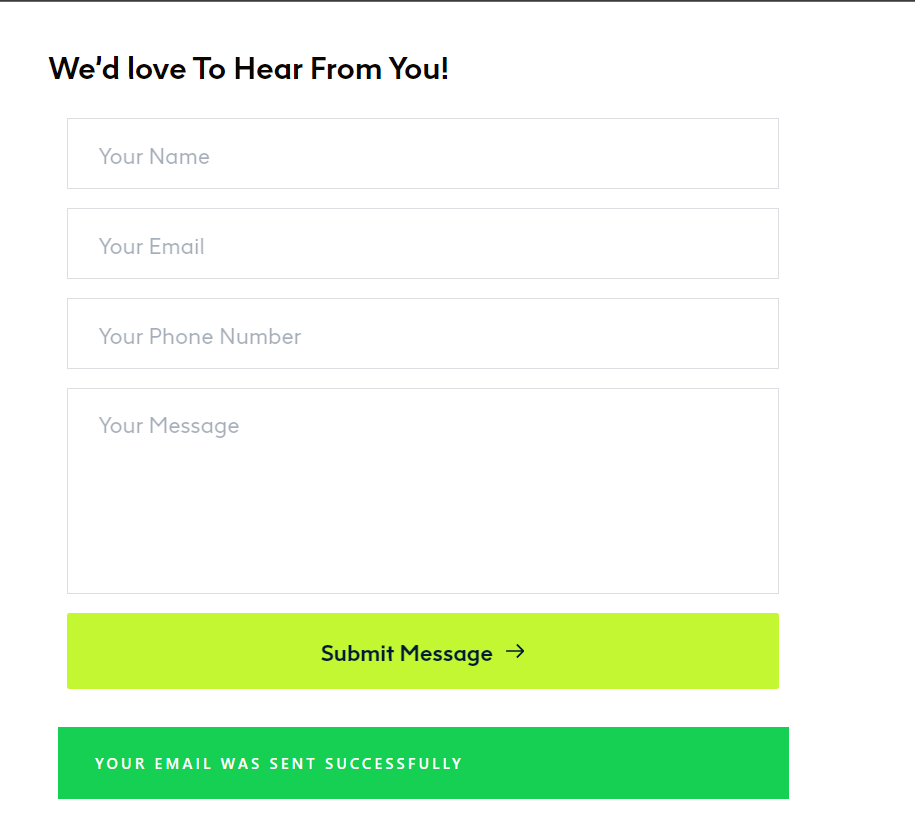
I have added my personal email. But still it is not coming to either of my personal or official email. I am attaching the screenshots of form configuration and the email sent notice.
Please check this from your side why is this happening and help us to resolve it.
 0
0 -
Hi Omran,
We will need to take a look at your WordPress Dashboard to help you further. If you need help with this, please add me as a user to your WordPress Dashboard. My email: kc.george@brizy.io. Please enable the option "Send the new user an email about their account" as in this screenshot https://jmp.sh/tSRznJX
Once you have sent me an invitation, please let me know here.
0 -
Hi Mr.George,
This is done. Please check your email Inbox or Spam folder. If its not there, please let me know.
0 -
Hi Omran,
I haven't received your invitation in my email (including in the SPAM). Can you send me the WordPress admin URL, username and password to my email?
0 -
Hi George,
The details has been sent from shahlaamariyam@outlook.com. Please check your inbox or in the SPAM.
0 -
Hi Omran,
I have changed the 'From Name' and 'From Email' in the form and the I have received a test form notification in my Gmail account.
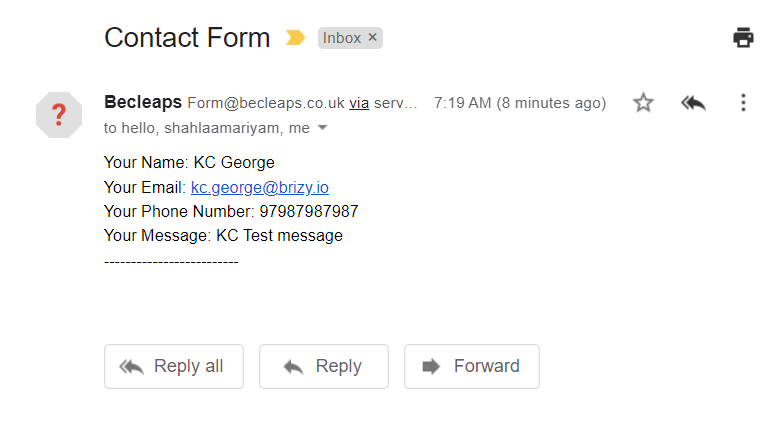
Please check if the same email was delivered to two other email addresses specified in the form.
0 -
Hello George,
Thanks for your support. I have received this email to shahlaamariyam@outlook.com but not to hello@becleaps.co.uk.
Can we try with this email: omran@becleaps.co.uk
Not sure why the email is not receivable to official one's.
0 -
Hi Omran,
Some mail servers may consider form email notification as a SPAM and block it. That could be the reason why it does not get delivered in business emails. Can you try these?
- Please check the SPAM folder
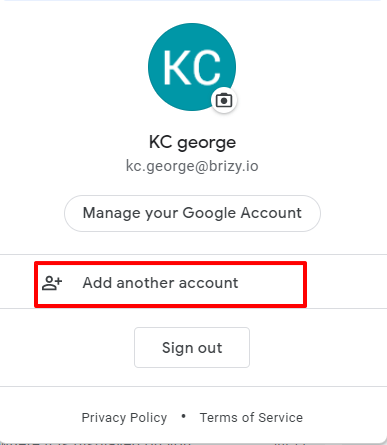
- If you have a Gmail account, try adding your business email omran@becleaps.co.uk to Gmail as an additional email account. To do this go to mail.google.com and on the right hand side top corner click on your profile and then on "Add another account"
 0
0 -
Thank you George. We will check and get back shortly. Till then please dont close this ticket
0 -
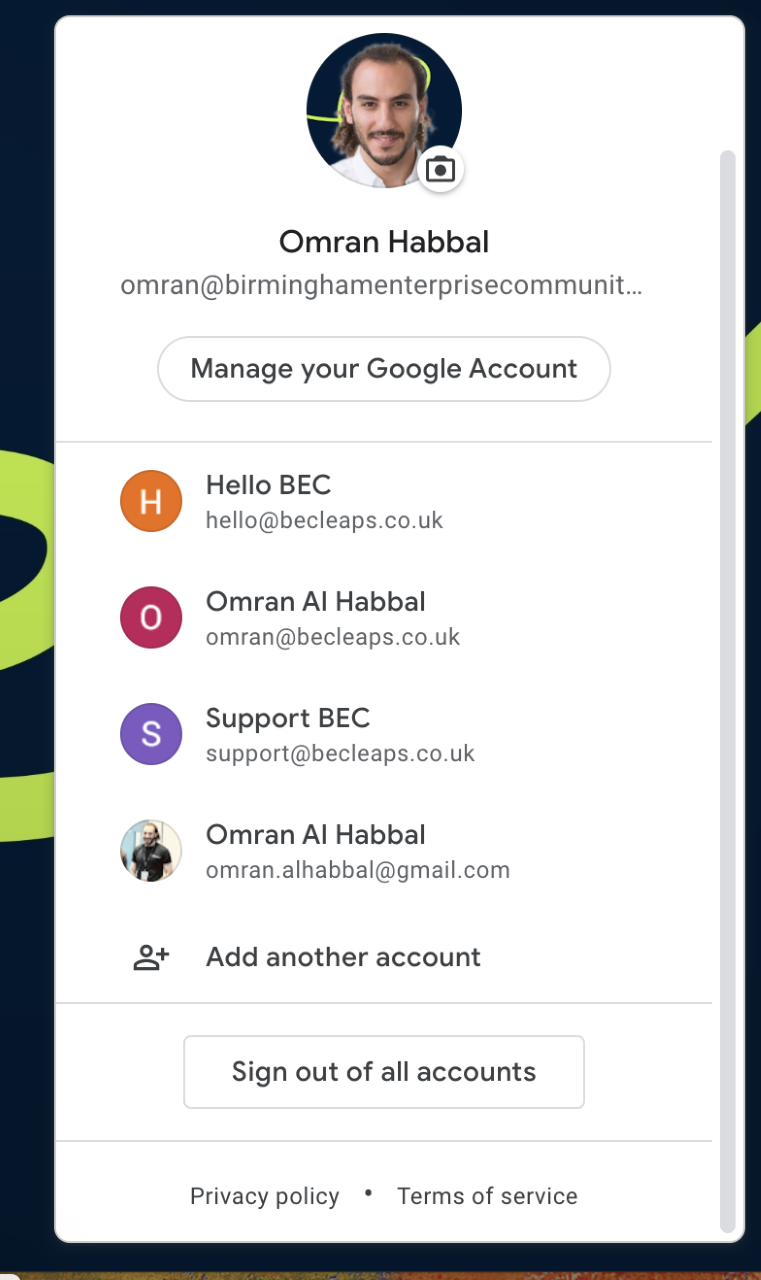
Hello George,
We have done this already. Still the email doesnt come through to hello@becleaps.co.uk?
 0
0 -
Hi Omran,
We can try sending out the form email notifications through an external SMTP server like Gmail SMTP and see if that helps. Hopefully your mail sever will accept form email notifications if sent out from a known SMTP server. I can install WP Mail SMTP plugin and set it up to send out form emails through Gmail SMTP server.
Please let me know if you want me to try this
0 -
Hello George,
Thanks for the message. Yes, please go ahead and check. Hope it works0 -
Hi KC, Yeas please try that. I have copied in my colleague Shahlaa who would follow up on this. Many Thanks,
0 -
Hi Omran,
I have installed WP Mail SMTP plugin and have setup Gmail SMTP server to send out your form emails. I have also tested the form and have received the form email. Please check if you have received it at hello@becleaps.co.uk
To setup the Gmail SMTP I have used my Gmail credentials. Please change it to your Gmail credentials. Please follow the procedure in this video. https://jmp.sh/BCDYKXV
0 -
Hello George,
Thank you so much for your support. Its working now and we have received the email to hello@becleaps.co.uk.We are going to add our own gmail, till that time please dont remove yours. I will update you shortly on this.
Once again thank you so much
0 -
Hi Omran,
Good to know you are able to receive form email notifications in your business email.
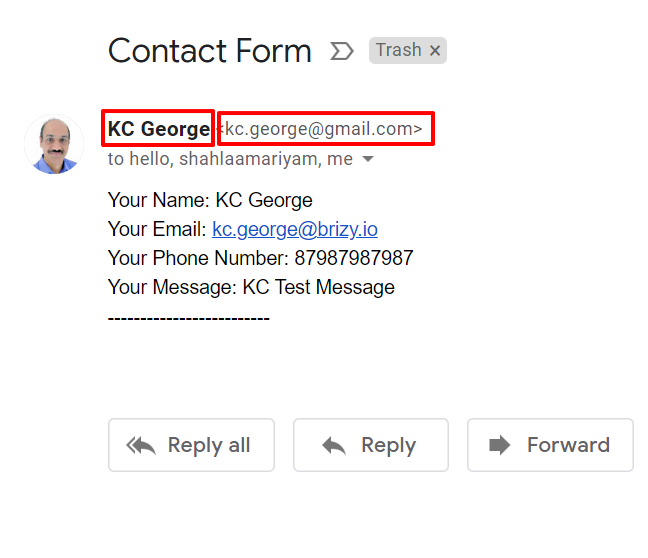
Please keep in mind that the 'From Name' and 'From Email' are set as KC George and kc.george@gmail.com in the WP Mail SMTP plugin until you change it.
 0
0 -
Hello George,
Hope all is well with you. I would like to know can we collect the emails from the pop-up builder in mailchimp or monday.com?
For monday.com I get this below instruction, Is this the correct one?
https://www.wppagebuilders.com/connect-brizy-with-mailchimp/
Similarly do we have for Monday.com?
0 -
Hi Omran,
Yes; when a Brizy form is submitted on your website, the form data can get added to your Mailchimp Audience database. You can follow instructions in the above link or at https://support.brizy.io/hc/en-us/articles/360043381952-MailChimp. It would be easier to implement this option.
Brizy does not have a direct integration with Monday.com; however Brizy form can be integrated with Monday.com with the help of Zapier. You can create a workflow in Zapier.com in such a way that
- Every time the Brizy form gets submitted, it triggers webhooks by Zapier
- Every time webhooks by Zapier catches the hook, it adds an item in Monday.com
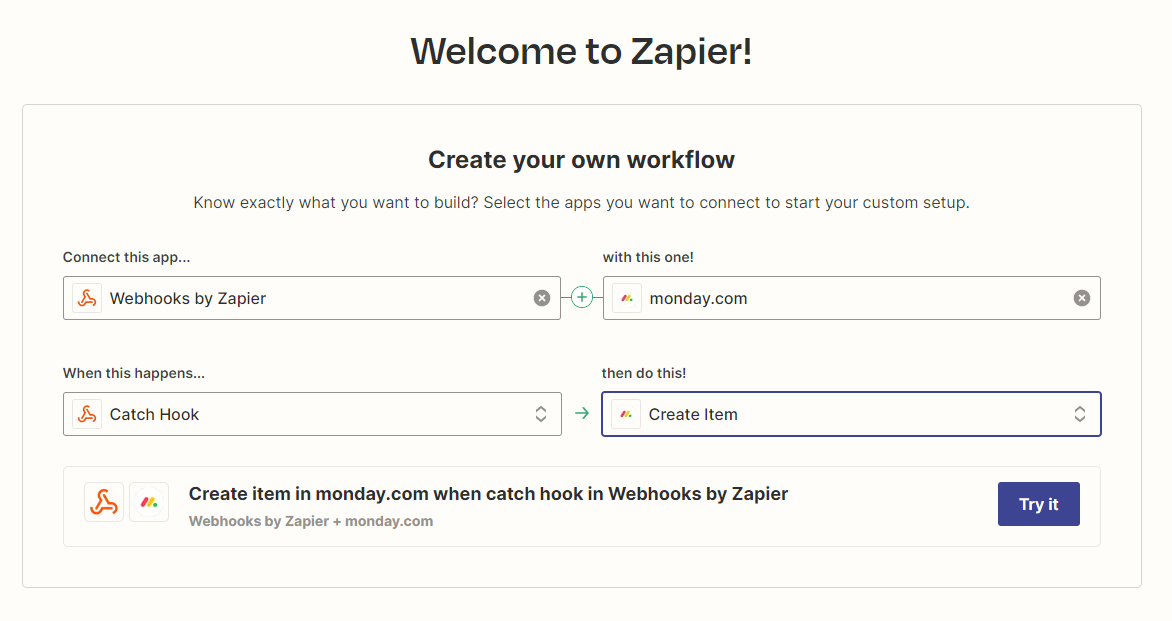 Webhooks by Zapier is a premium service and you need to sign up with Zapier.com to make use of this feature. You can read more about Brizy Zapier integration here https://support.brizy.io/hc/en-us/articles/360044066291-Zapier0
 -
Hi Omran,
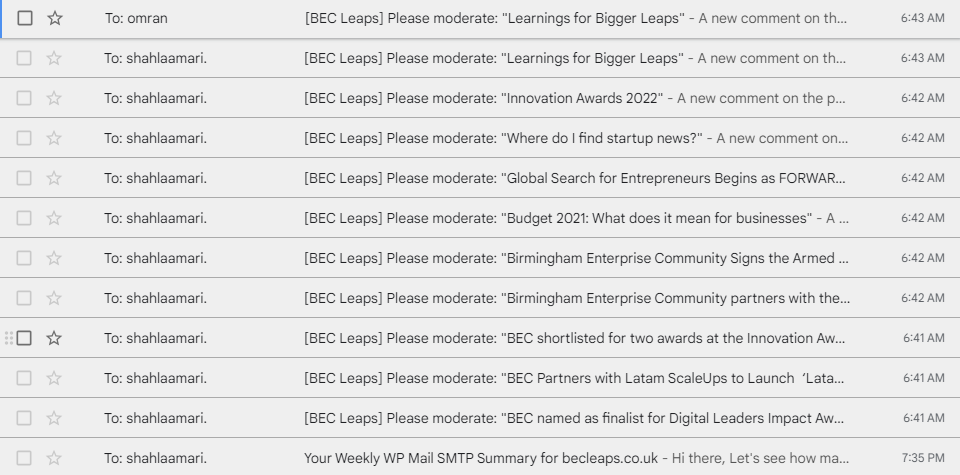
Looks like all emails on BEC Leaps are still going out from my Gmail address. These emails went out from my Gmail today morning. Can you please use another Gmail in place of mine? Please follow the procedure in this video.. https://jmp.sh/BCDYKXV
 0
0 -
Hi George,
Sorry for the inconvenience. I followed your video unfortunately the app password option is not available for my gmail yet. That is why your email is not changed yet.
I am waiting for the option to get available for me. But it will be changed soon. Please give us 1 or 2 days time.
0 -
Hi George,
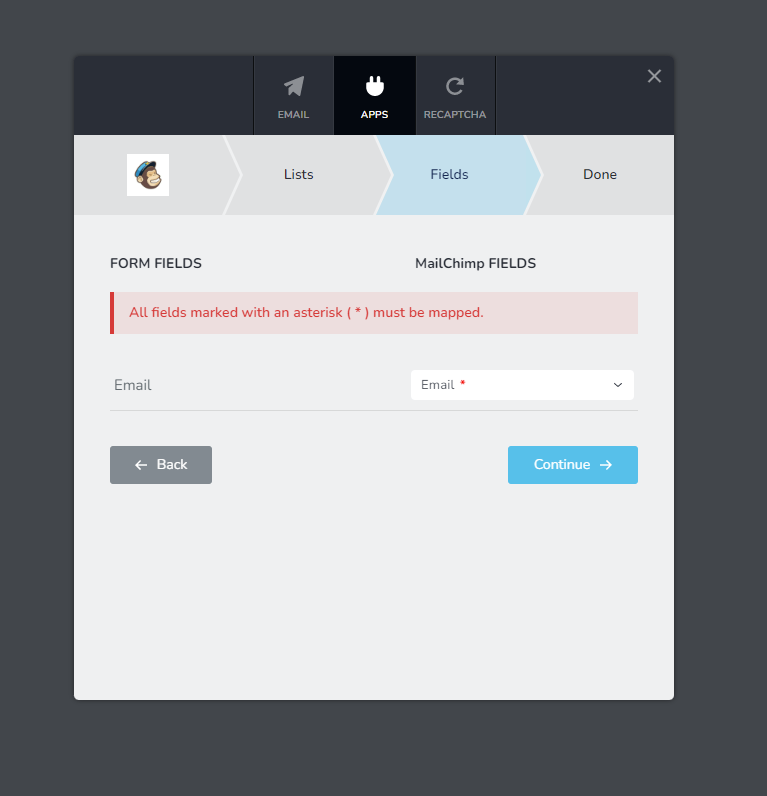
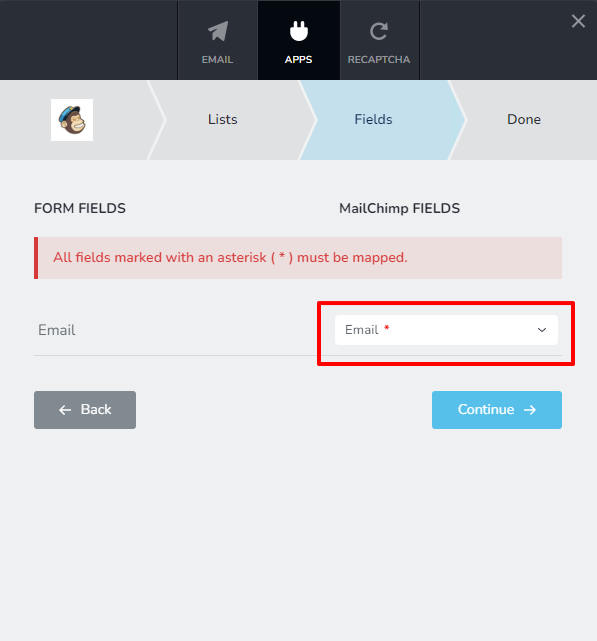
For the mailchimp integration, I am facing a issue at last step. At the form field module, I have connected the email and mapped yet it is showing me " All fields marked with * must be mapped.
 0
0 -
Hi Omran,
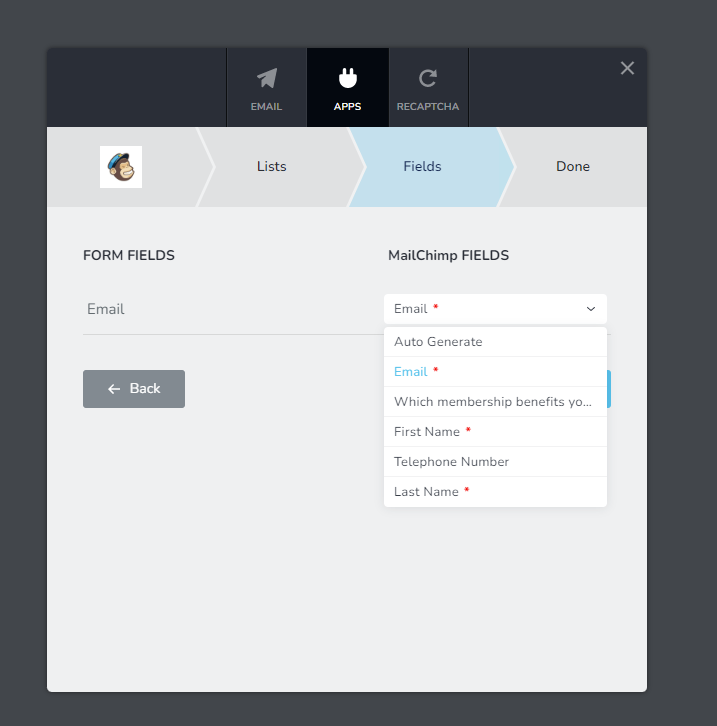
Under Mailchimp fields, normally only the Email is marked with asterisk and is mandatory. Please click on the drop down list of Mailchimp fields, check if any other field is marked with an asterisk.
Are you trying to integrate the Newsletter signup popup with Mailchimp?
0 -
Hello George,
Yes I am trying to integrate the Newsletter signup popup with Mailchimp. Where to check the below?
Please click on the drop down list of Mailchimp fields, check if any other field is marked with an asterisk.
0 -
Hi Omran,
In the multistep process of integrating your newsletter signup form with Mailchimp, where you see the error, please click on the drop down list under the heading 'Mailchimp Fields'. Check if you find more than one field marked with asterisk
 0
0 -
Hi George, Yes I do see First Name and Last Name. What do I do now? (Please see attached)
Also, since we are adding them to the preexisiting list is there anyway to add the tag like (web newsletter contacts) when the contacts get added to the list? This is to identify those contacts from the existing ones in the list.
 0
0 -
Hi Omran,
This means that in Mailchimp, the First Name and the Last Name are specified as mandatory/required. I am not sure if this is the right setting; you can try this. In your Mailchimp Dashboard under Audience - All Contacts - Settings - Audience fields and *|MERGE|* tags- please check if First Name and Last Name are 'Required' fields. https://jmp.sh/skirz2G You can untick those fields.
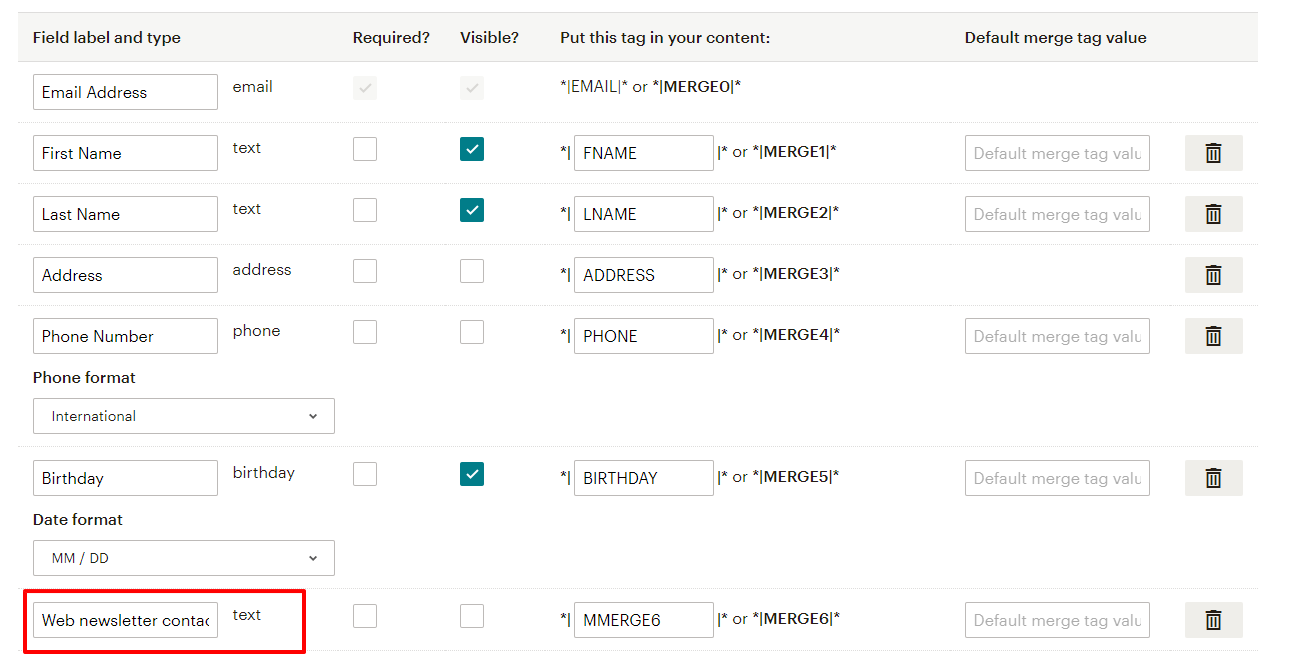
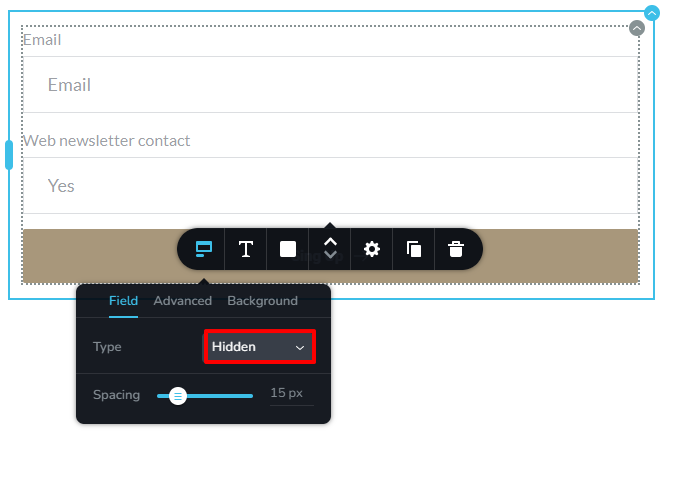
You can add a tag like web newsletter contacts to your Mailchimp audience in three steps.
1. In the Mailchimp Dashboard under Audience - All Contacts - Settings - Audience fields and *|MERGE|* tags, add an additional field to your audience database by clicking on 'Add A Field' button at the bottom.
2. Add a hidden field to your subscription form and call it "Web newsletter contact" and provide 'Yes' as the placeholder data.
3. In the multistep step process to integrate your subscription form with Mailchimp, map the hidden field to the appropriate Mailchimp field.
0 -
Hello George,
Thanks for the message. I will get back with an update for this.
0
Please sign in to leave a comment.
Comments
30 comments