Color for Links not working

I have added CSS to make all hyperlinks show up as an accent color, but this does seem to be working when the link is within a bulleted or numbered list. Example can be found on this blog post.
https://visionzeronetwork.org/ss4a/
I am trying to make all links in my Posts this color: #0084b6
Is there place where I can set this globally for the whole site? For body text links to be a certain color? I have attached an image where I show where one link is the correct color and the one within a List is not showing the color.
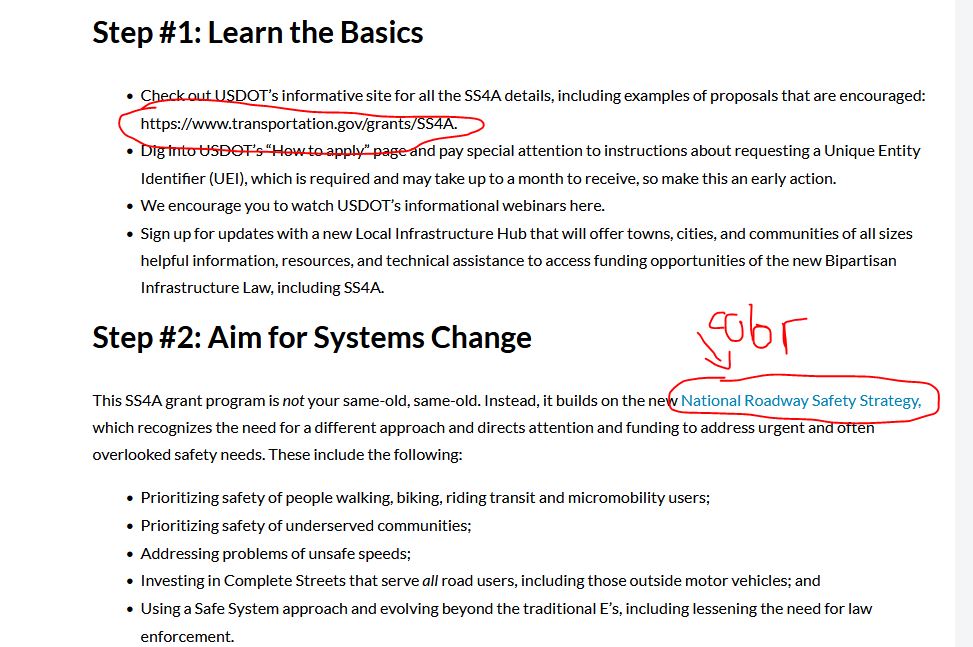
-

Hi Eric,
As part of the Brizy User Interface, we do not have a global setting to set link color. At the moment it needs to be set manually. With blogging templates, setting colors manually also will not work.
What you have done using the CSS is the best you can do with Brizy.
0 -
Ok, can you please help provide the CSS to get the link color within a bullet list to match? I am not able to figure it out and have tried several things. I am not sure what CSS selector to use. Since you know the element of Brizy better, I appreciate your help with figuring out the correct CSS to use here.
Please submit this as a feature/update request for future updates. Most themes have the ability to globally set the link color, but for some reason it is not working with Brizy even though I set it in the Theme customizer for the Astra theme. Brizy builder has so many features, but this is a very basic function of almost all themes I've used before so it seems you are missing something essential. Brizy already has the global color palette and my understanding is that the certain items in the palette are assigned globally to Text or other elements for example. If one of these could be the Link color, it would be extremely helpful.
0 -
Hi Eric,
Looks like you have already fixed the issue with the link color within the bullet points.
Sure; we will add a Feature Request to globally set link normal and hover colors
0 -
Yes, in the time since my request, I found a CSS solution. But ideally this would be controlled by the Brizy Builder globally, so hope you are able to release this in a future update soon!
0
Please sign in to leave a comment.
Comments
4 comments