Email not sent

Hi,
I'm trying to create a form in the Brizy builder. When I send the form it says email not sent. I don't get anything to my gmail account but the lead is still generated in the Brizy tab on my wordpress dashboard.
I looked at the help page and saw you need to enable less secure apps on Google manager. I went to google mananger but couldn't find anything to allow me to enable less secure apps.
Any advice would be appreciated. Thanks
-

Hi Steven,
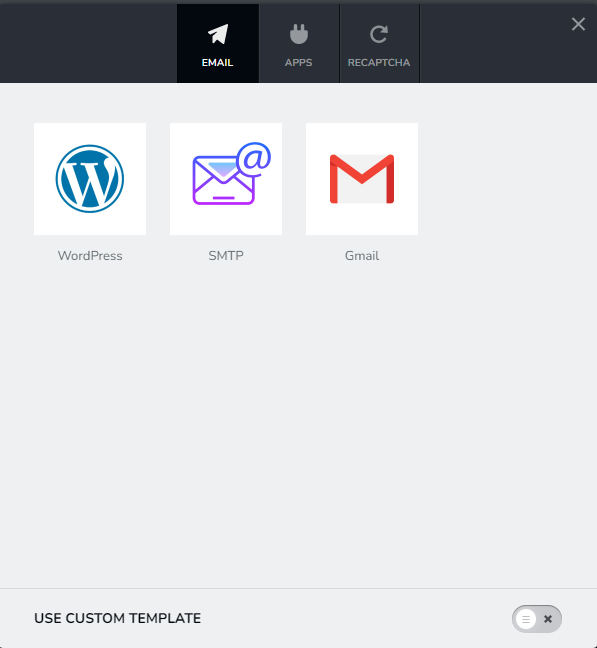
Which option have you selected to send out Email Notification from your form?
 0
0 -
Gmail.
0 -
Hi Steven,
Can you try the WordPress option also? You cannot uncheck an Email Notification option with Brizy forms. To setup a different Email Notification, you need to
- Duplicate the form by clicking on the right hand side top corner and then on the 'Duplicate' icon.
- Add the WordPress option to the duplicated form
- Delete the original form.
0 -
Thank you. I'll do this and be back with the results. Thanks for your help so far.
0 -
That worked in so much as the form said email was sent. The lead is in my WP dashboard but i didn't receive an email.
0 -
Hi Steven,
Please try these
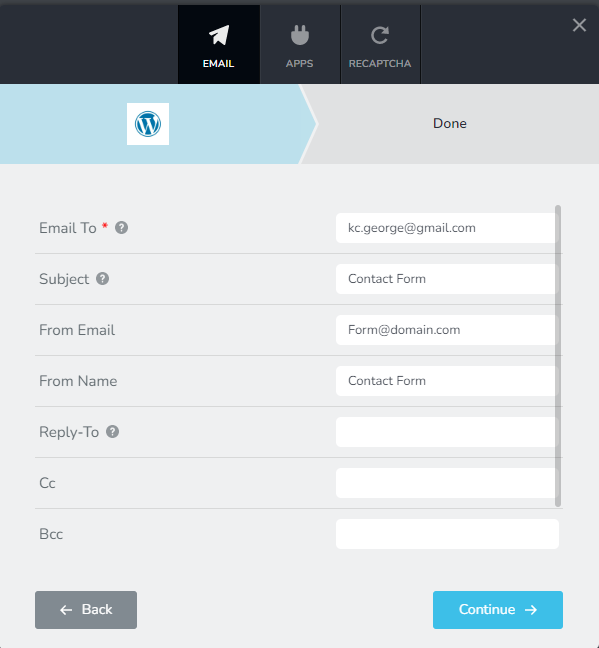
- Ensure that the 'Email To' address has no spelling mistake
- If you are sending to a business email, add a Gmail/Yahoo email also in the 'Email To' filed with a comma in between and check if you receive the email in the free email.
- Ensure that 'Subject' and 'From Email' are filled up. (If your email does not have a subject and From Name, it could be treated as SPAM)
- In your Email application, check the SPAM folder for form email notification.
 0
0
Please sign in to leave a comment.
Comments
6 comments