Blog-Posts

Hello
we have a display problem with the blog post pages:
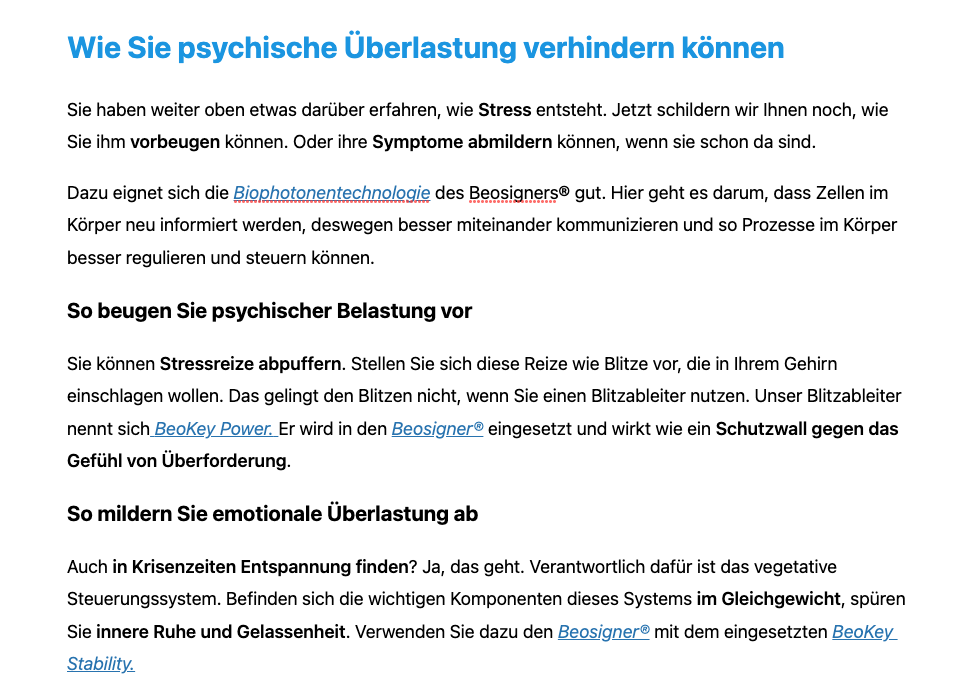
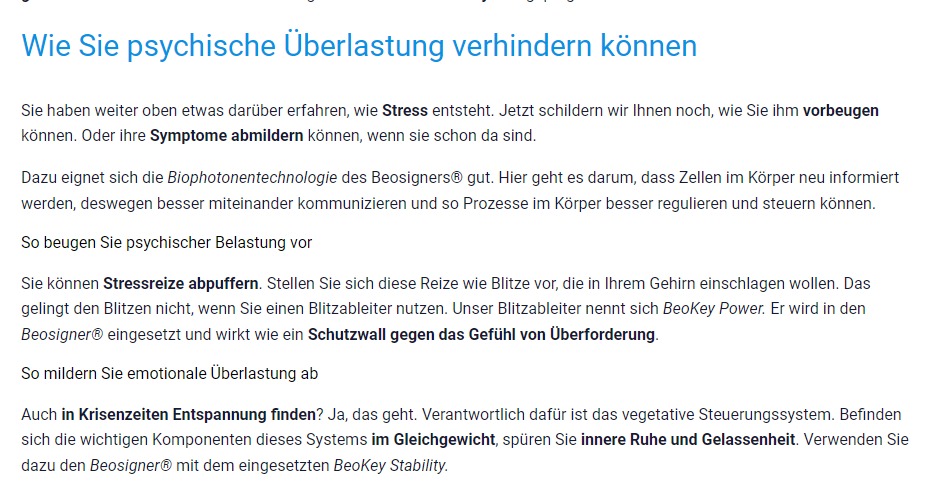
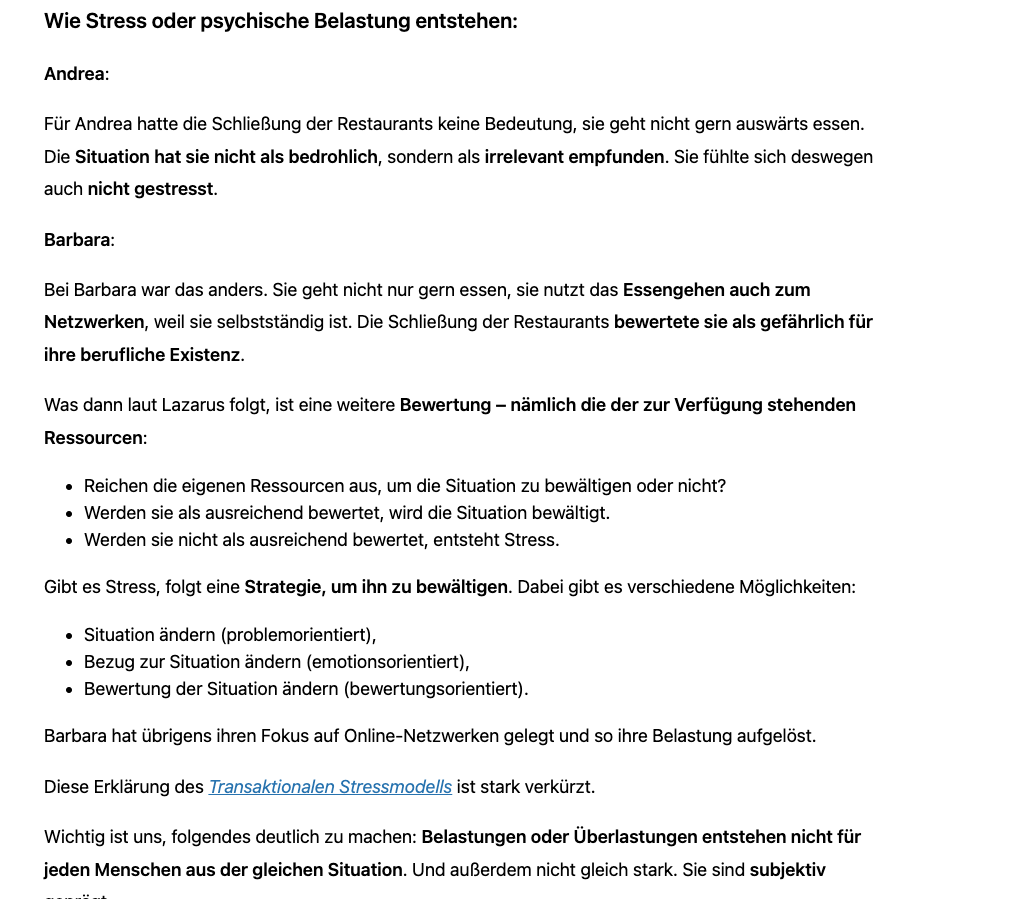
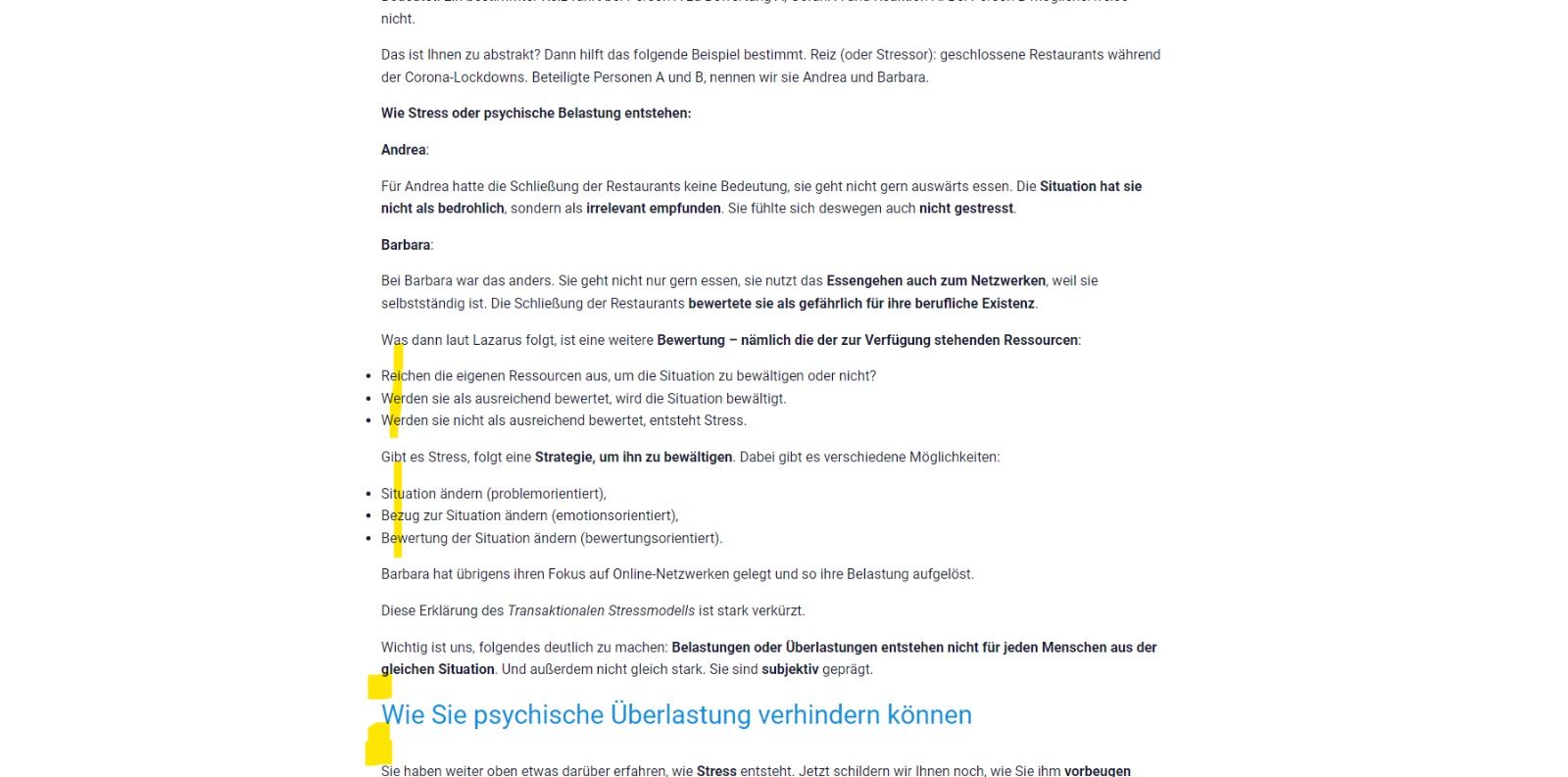
The settings in the backend, such as headlines (e.g. H2), font sizes, font colors, links and bullets are displayed differently in the frontend than set in the backend.
No matter what device, Mac, Windows, iPhone, Android etc.
Please help quickly - we can't find the error!
In attached screenshots you can see the differences between back- and frontend.
2 x Screenshot 1 - Backend and Frontend
2 x Screenshot 2 - Backend and Frontend
Thanks in advance
Pina
-

Hi Pina,
Thank you for contacting us.
Are you using any of these recommended themes? https://www.brizy.io/theme-partners. If not, try one of these and see it helps. Also, could you please temporary deactivate all external plugins (except Brizy Free, Brizy) clear the cache, and check the issue again?
Regards, Nelea.
0 -
The link you send doesn`t work
0 -
Hi,
Sorry, please see here: https://www.brizy.io/theme-partners
Regards, Nelea.
0 -
I do not understand, I should set a new plug-in for our blog - then I would have to edit everything again???
There are a lot of posts.
Is there no other solution?
0 -

Hi Pina,
This is due to a recent bug. We are working on fixing this issue. It may take sometime for us to fix this bug.
I can suggest a work around in the meantime to display the headings appropriately. However if you have hundreds of blogposts, it would involve a lot of reworking. How many blogposts do you have on your website?
0 -
Hi Kc George.
Ok ... then I will wait ... Do I get an info when the bug is fixed?
0 -
HI Pina,
The bug fix will be available to you though a future update. When you update Brizy to the latest version, the changes will take place automatically and headings will show correctly in the frontend
0 -
Oh ok sounds like it will take longer.
How can I go back to the last Brizy / Brizy Pro version?
0 -
Hi Pina,
We were told by the development team that roll back to a previous version from 2.4.0 will not work well. I tested a roll back using these files and I did not find any issues while rolling back to the previous versions.
- Brizy 2.3.37: https://jmp.sh/UlKDwdx
- Brizy Pro 2.3.30: https://jmp.sh/9JMPxQ6
However doing a roll back on a live site is not recommended. If you want to try it, consider either of these options
- Create a staging site, roll back on the staging site and see if everything works fine and then repeat the same in the live site
- Take a full backup of your website using a backup plugin (Eg: UpdraftPlus). Roll back to the previous Brizy versions using the above files and if you find any issues, restore your website from your backup
The Procedure
To roll back to the previous versions, delete both Brizy and Brizy Pro plugins and under Plugins - Add New - Upload Plugin, upload both the plugins from the ZIP files.
0 -
Hi Kc George ... that sounds too complicated for me - I don't dare to do that.
Is there a possibility that you do this for me?
Or is there another solution?
0 -
Hi Pina,
Yes; I can do either one of these for you.
- If your hosting company provides you staging facility, I can create a staging site and roll back to the previous versions in staging for you.
- If they offer you a backup facility, may be you can request them for a backup and then I can roll back to previous versions on the live site. If they do not have backup facility, we can install a backup plugin and create a backup and then carry out the roll back on the live site.
0 -
Hi George
I know my co-worker Manuel does regular backups of the site - but the last few weeks he hasn't and we've updated quite a bit during that time.
That's why we don't have a current backup. Manuel will be back in the office on Monday.
Personally, I'm really just a Brizy user...I don't have any IT skills.
So I can't answer your questions.
My dilemma ist, taht our client need a working blog because social media actions are running that lead to the blog.
That's why I didn't want to wait until Monday. Let me know your thoughts.
Many thanks
Pina0 -
Hi Pina,
If I do a backup using a plugin and if we cannot restore from the backup for some reason, we would be in trouble. I don't find a backup plugin in your WordPress Dashboard. May be Manuel was taking backups using the backup system from your hosting provider. If he has been regularly taking backups, it is better to check with him if he can do a backup. It may take just 15 minutes of his time.
0 -
Ok thanks ... i check and come back to u :)
0 -
Hi Kc George,
hope u are doing fine :)
We have now made a backup.
Waiting for your Feedback.
Many thanks in advance.
Pina0 -
Hi Pina,
I have rolled back to the previous Brizy versions. Can you please check if everything is fine?
0 -
Good morning Kc George,
Almost - thank you very much already.
The following still doesn't fit:
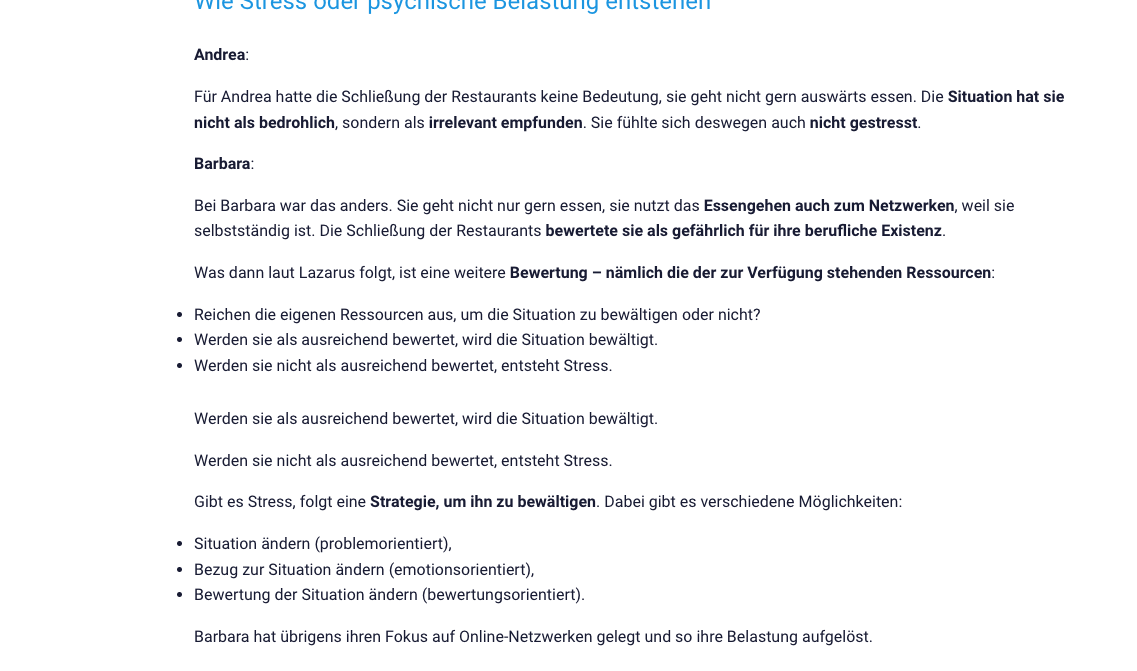
1) As you can see, the blog posts are created in wordpress mode and in doing so, bullets are displayed correctly in the backend and are displayed unattractively in the frontend.
2) The navigation between the individual posts ... at the bottom of the respective detail pages ... is sometimes played out in German and then again in English - would be great if it was always German.
3) Featured Image - the image is sometimes displayed on the blog detail pages and sometimes not?


 0
0 -
Hi Pina,
Can you please add example URLs for each issue you have mentioned above? In a new comment, add numbers 1,2, and 3 and provide one or two blogpost URLs where we can see the issue.
0 -
Hi Kc George,
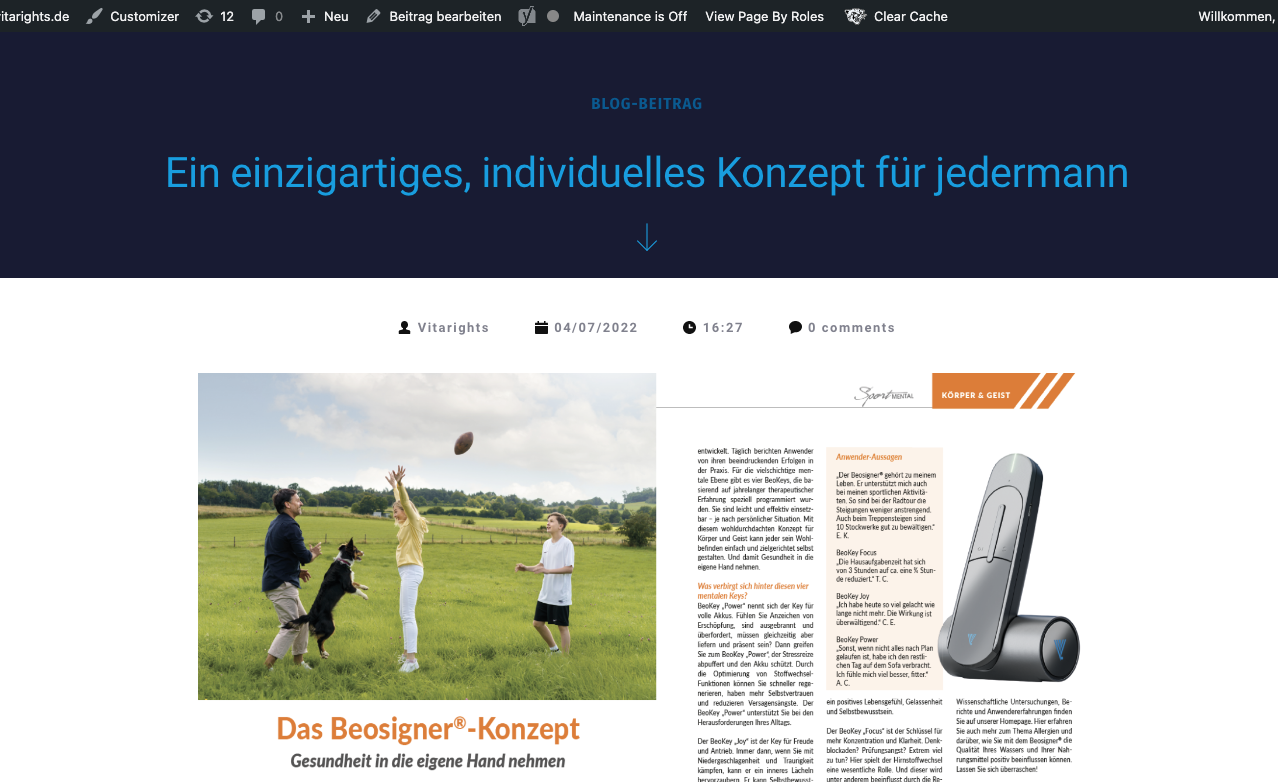
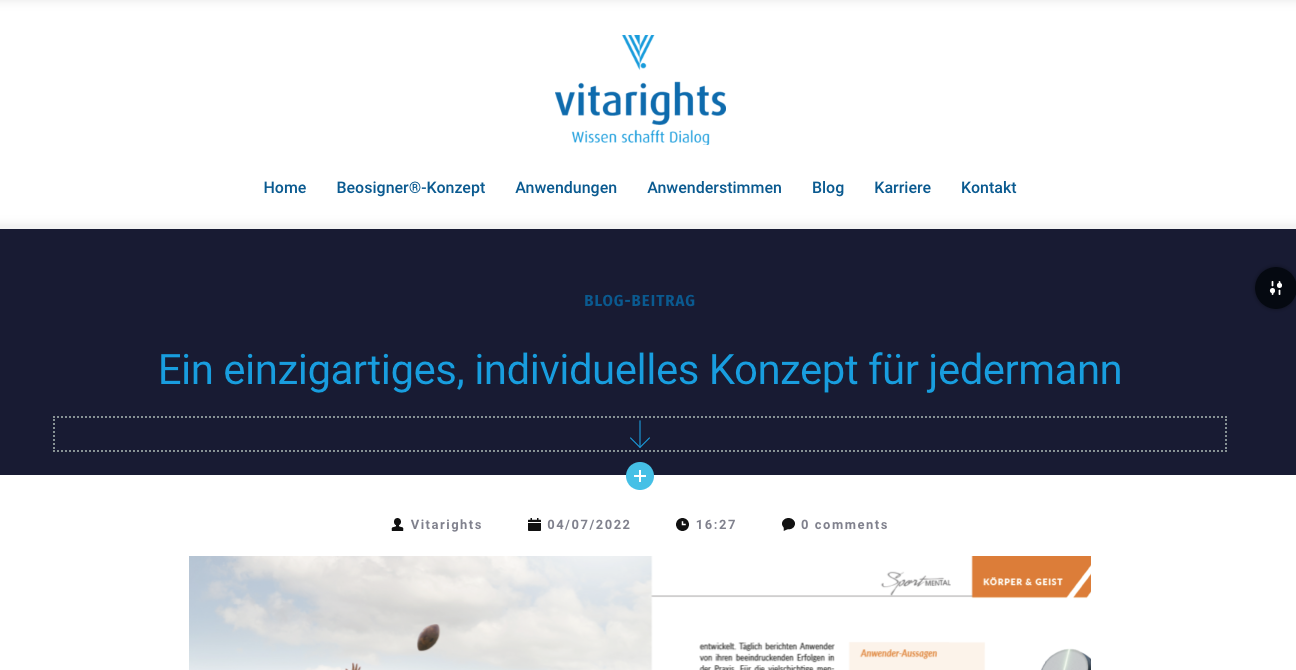
here I am again - unfortunately the settings are not stable.
It is hardly comprehensible ... sometimes the header is displayed ... one day later again not.
Example:
1) Blog post - last week ok - today the header In the backend is set and in the front end again not to see.
 0
0 -
Next:
The Preview / Next - Navigation between the posts is sometimes German and sometimes English.
In addition, no line break is made - see screenshots - everything messed up.
 0
0 -
Hi Pina,
I am sorry for the late reply. I could not reproduce the first issue you have mentioned above. In all blogposts, I do see the header
I have increased the width of the navigation element so that the long blogpost names do not overlap. Some blogpost names were crossing the divider line. I have removed the divider line from the navigation element.
https://vitarights.de/ein-einzigartiges-individuelles-konzept-fuer-jedermann/ In this blogpost, the Featured Image is added in Gutenberg when it is also added in Brizy blogpost template. Hence the featured image is appearing two times. May be you should remove it from Gutenberg
I have noticed that the website is in Maintenance mode. Do you have more issues with your website?
0
Please sign in to leave a comment.
Comments
21 comments