Contact form is not working mobile device

I have a strange issue; my contact form is working well on all desktop devices, but it's not working on mobile devices. Can someone please help me resolve this issue? Thank you!
0
-

Hi Aman,
Thank you for contacting us.
If you have Google reCaptcha could you please disable it, then check this issue again? If it will not work please disable all the plugins (Except Brizy Free and Pro) one by one and check if the error still occurs.
Best regards, Nelea.
0 -

How do you disable reCaptcha (Brizy WordPress plugin)? I'm using the reCaptcha function that's part of the Brizy form element.
0 -

Hi Craig,
Please try this.
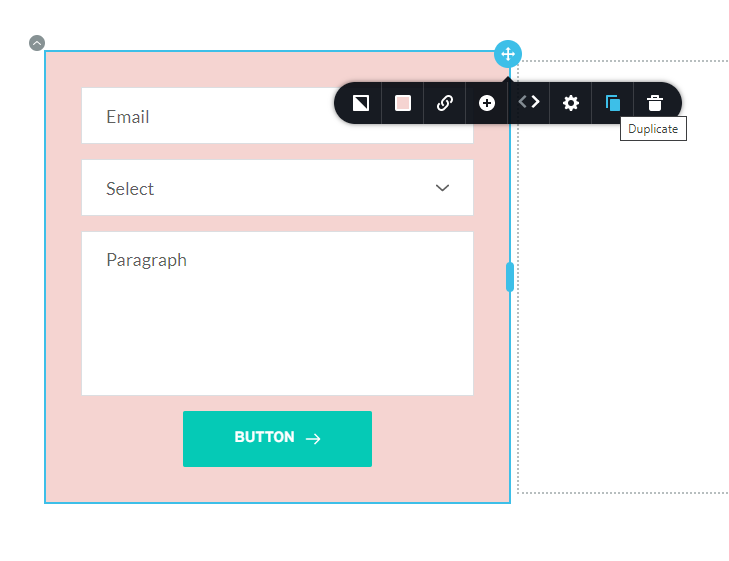
- Duplicate your form by clicking on the right hand side top corner and selecting 'Duplicate' icon. The form will be duplicated below the original
- Copy paste the Email Notification settings from the Original form to the duplicated form.
- Delete the original form and save the page and check if the reCAPTCHA has disappeared in the front end
 0
0
Please sign in to leave a comment.
Comments
3 comments