Privacy Error: "Your Connection Isn't Private"

Hello Support,
Need help on the "Your connections Isn't Private" issue, please.
The website had been published months ago ( with the system page currently switched on, -coming soon page while working on the site)
It was working fine until I started getting this message alert. It's all green on the Cloud Brizy Publish page with all necessary details required, CNAME and A Record.
What's causing this issue?
Thanks!
-

Hi Joel
We have fixed the issue. Please check
0 -
Thanks Kc George.
On a recent Brizy Cloud system maintenance update today, somehow all my custom assets for this website (roarvisuals) disappeared.
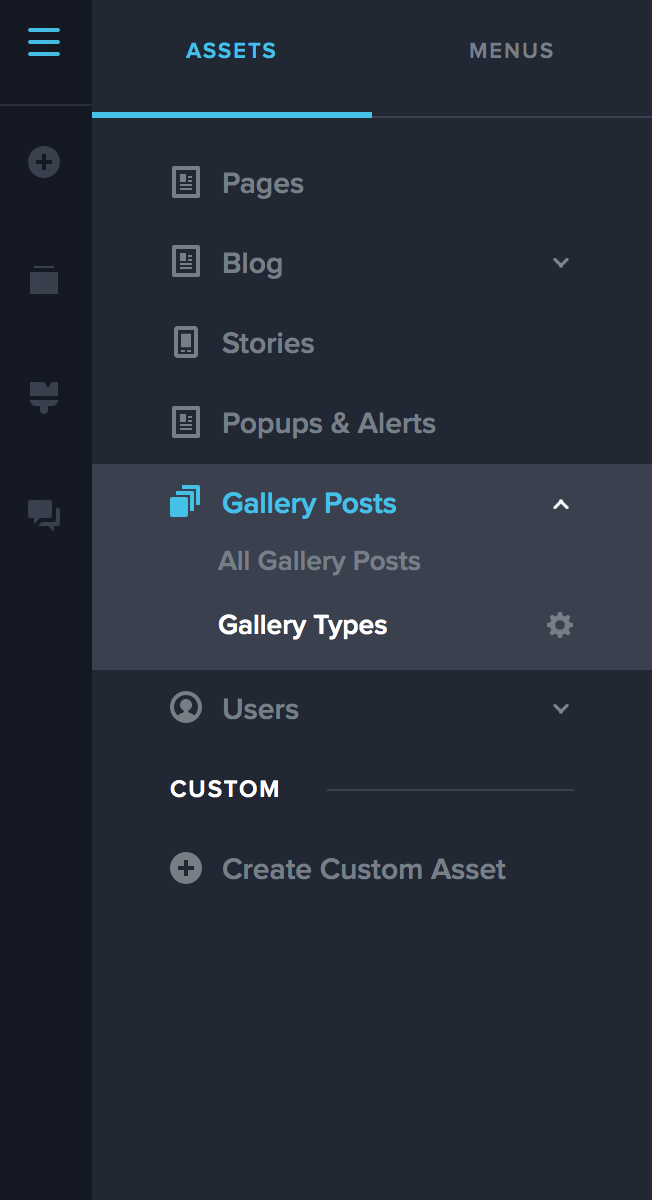
On another website I have, custom assets are intact. (screenshot below is from another site). I am referring to Galley Type and Gallery post. Whats the best way to restore this back? Create new custom gallery type and and link the previous gallery post?
 -1
-1 -
Hi Joel,
We are sorry about this trouble. Can you elaborate the issue a bit more in detail?
- The custom assets you have lost from https://www.roarvisuals.com/ were also called Gallery Posts and Gallery Types or something else?
- Did you loose just the Gallery Type or both Gallery Posts and Type?
- Is your Gallery Type a taxonomy for Gallery Posts? Is it easy to recreate it?
0 -
Hi George,
1. Yes, Gallery type and Gallery post disappeared from the left panel as mentioned in the picture above in the previous post.
2. Yes Both. I can't access my posts. All my posts are still there on the 'Design' page that holds it.
3. Yes correct. You cant recreate it with the same name as the previous one. ie. Gallery Type and Gallery Post.I tried recreating another Gallery Type and Gallery Posts thinking I could link and access the previous posts but I'm getting the " Title: value already used".
I created a new custom asset and renamed it, Portfolio Type and Portfolio Posts, but it doesn't help, you can't add or link the previous post to it.
Don't know how to access all my previous gallery posts.
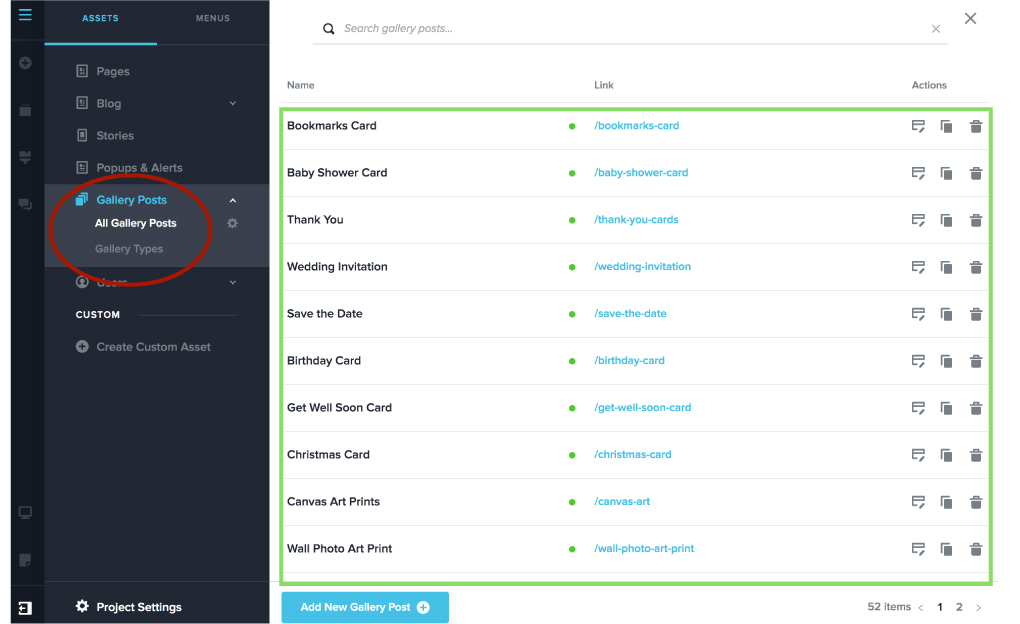
Attached is a visual from another site. Hope this helps with what I'm trying to explain.
Circled red on the left panel ' Gallery Type and gallery Posts disappeared after the update. I am unable to access all my gallery posts after that. All gallery posts are listed on the right panel.
 0
0 -
Hi Joel,
Few customers are facing this issue after the last update. The custom assets are missing in the editor; but in the front end it is visible. Your assets may not be lost, it could be just hidden in the editor.
We will try to fix this error from our end.
0 -

Hi Joel,
This issue has been fixed, please confirm if everything is working at your end.
Best regards, Nelea.
0
Please sign in to leave a comment.
Comments
6 comments