ERR_SSL_PROTOCOL_ERROR

I have two domains with this issue.
http://www.hericonicempire.com and http://www.freedomchicks.org
Please let me know what additional information is needed.
-

Hi Cheryl,
For the domain http://www.hericonicempire.com, please delete the custom domain and add it again and wait for 30 minutes and see if it resolves the problem
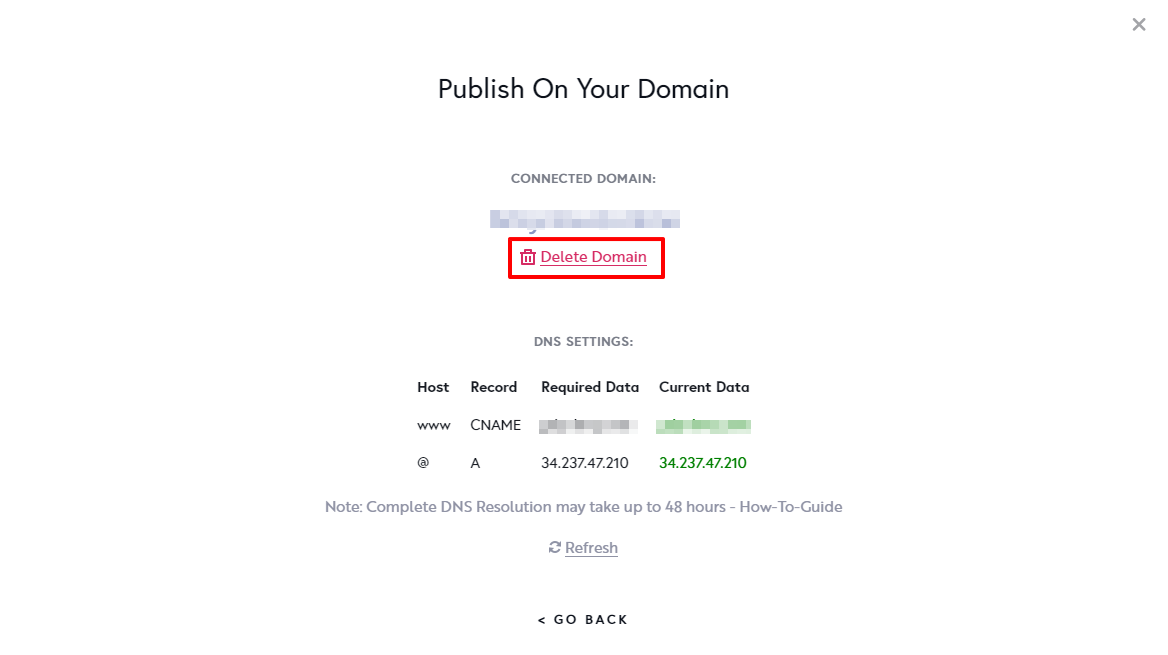
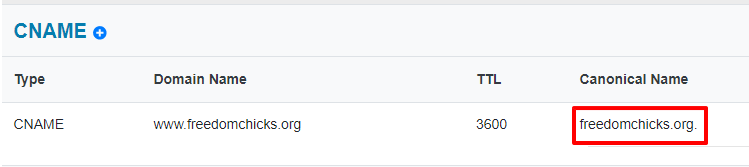
For the domain http://www.freedomchicks.org instead of adding a brizy.site suddomain, you seem to have added freedomchicks.org as your CNAME. Please check the 'Publish On Your Domain' screen and check if you see green for your CNAME.
 0
0 -
It's been updated, however, still getting the same error message for SSL PROTOCOL ERROR
0 -
Hi Cheryl,
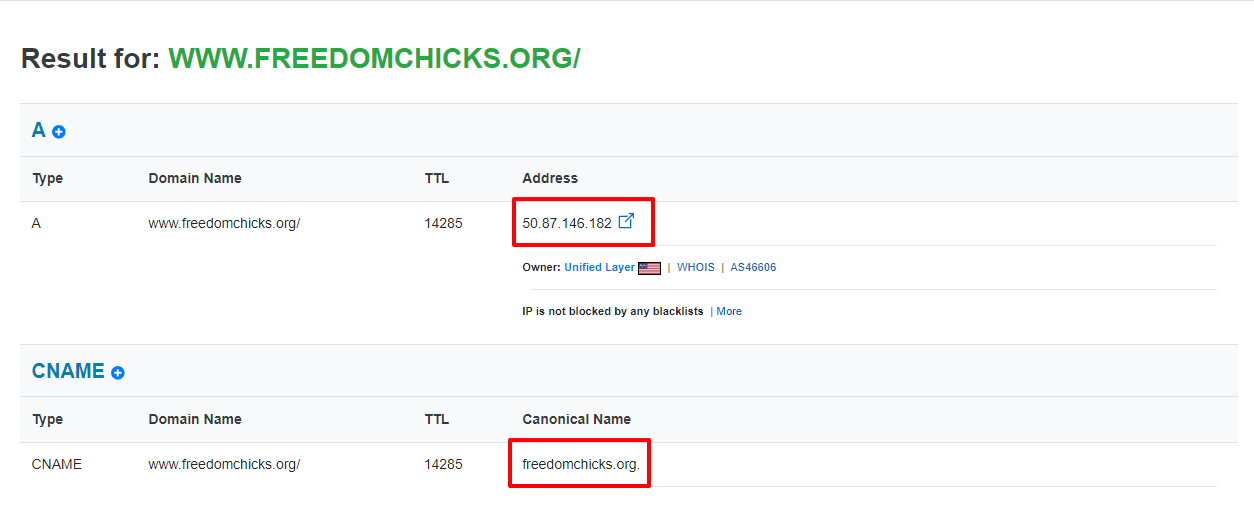
Looks like the changes you have made to freedomchicks.org are not taking effect. Both your A Record and your CNAME records are still showing incorrect values. (see the first screenshot attached)
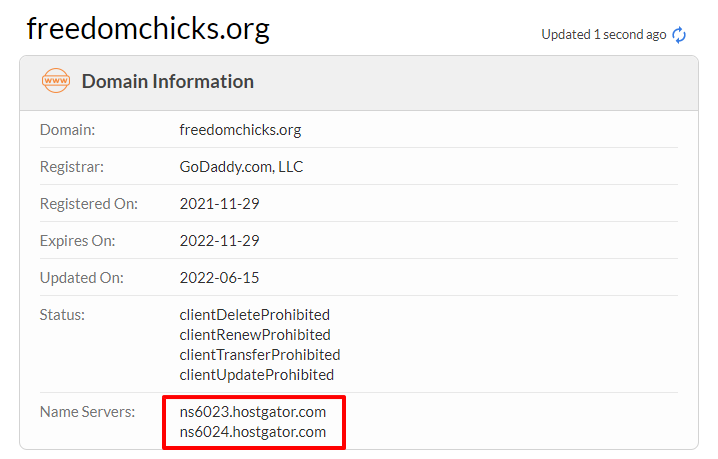
While this domain is registered with GoDaddy, its Name Servers are with Hostgator. (See the second screenshot) Please select either of these options to update your domain records.
- Make Changes at HostGator: Add the A Record and the CNAME Record in your account with Hostgator. (and not with GoDaddy)
- Make Changes at GoDaddy: Delete the Name Servers you have added to your domain, ns6023.hostgator.com and ns6024.hostgator.com. Your domain will now use the GoDaddy default Name Servers. Add the A Record and CNAME records in your GoDaddy account.
Once you have added the domain records, please check your 'Publish On Your Domain' screen to see if you have green for both A Record and CNAME record.
 0
0
Please sign in to leave a comment.
Comments
3 comments