Brizy Cloud Stories

Hi,
I am trying to put Stories in folder on my web site (folder in root of wordpress site) and I succeed. But when changed some text in Brizy cloud stories and try to update nothing is happening. When I delete all files and download Stories project and upload again, always showing me https://fairplayleague.com/sponzorstvo/install_step_1.php.
One more time I tried to delete everything and upload new files, but no luck. Now doesn't show anything but random wordpress page.
Please help me.
-

Hi,
Thank you for contacting us.
You have 2 stories, one in Brizy Cloud and the second in Brizy Wordpress? When you make changes in the Brizy Cloud story, do you expect the changes to reflect in Brizy WordPress? Brizy WorPress and Brizy Cloud are 2 different products and hence changes you make in one would not reflect in the other.
Brizy WordPress is a plugin that helps you to design pages with WordPress (besides these pages you can have another page edited with the theme, WP editor, or another page builder). Brizy Cloud is standalone Cloud based website builder.
The changes that you make in Brizy Cloud will not show up in Brizy WordPress. Please let me know if I understand you correctly.
Best regards,
Nelea.
0 -
Hi,
you don't seem to understand me. I made Brizy Cloud storie and exported over Server Sync. Then uploaded to folder on my web site. I wont to be standalone story and not part of wordpress. To better understand me, I will upload some storie on another website, that is made in wordpress, but doesnt have nothing with stories, just using folder on that website.
This website turajlic.com is wordpress, but I uploded standalone story in folder root of site in folder cv. Here is link https://turajlic.com/cv/.
And that work fine, but on site https://fairplayleague.com/ is not working. On this fairplay site i made folder in root of website named sponzorstvo and uploaded there standalone story. Here is link https://fairplayleague.com/sponzorstvo/
It worked first time I uploded. But wanted to make some changes in text (did that on Brizy Cloud), but there is no update over 24h. Because of that I deleted folder on site, and exported again from Brizy Cloud and uploded to new made folder. At that time everything disappear.
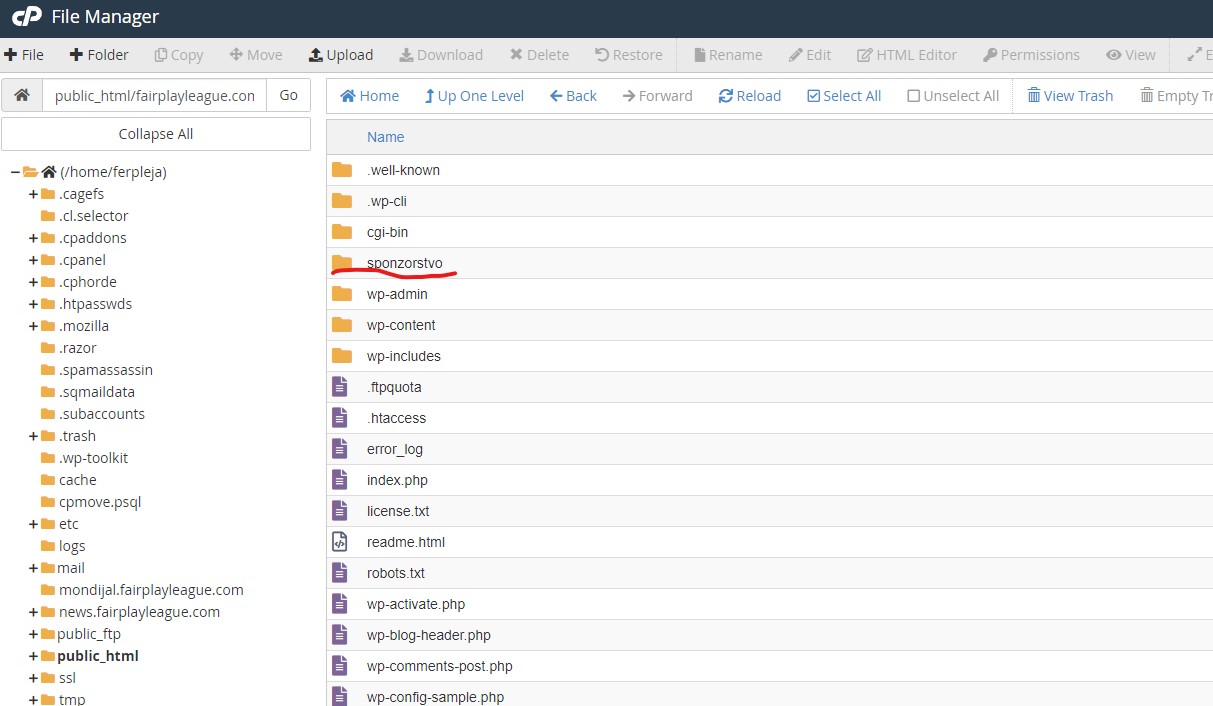
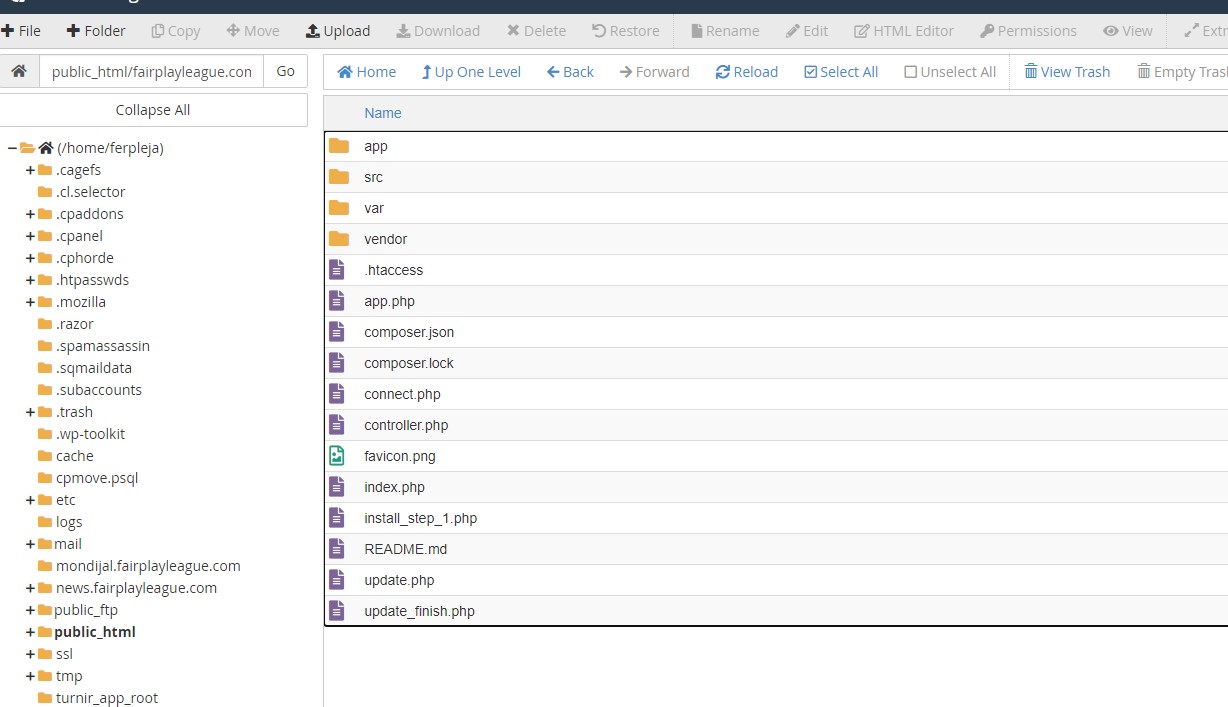
 0
0 -
Your support is useless. To late and you have no clue what am I talking. Explaining me what is difference between Cloud and Wordpress to me after using Brizy for two years. That's very disappointing for lifetime licence user.
0 -
Hi,
We would like to check this problem from your dashboard. Could you please send us the WP credentials to this site? We have created a private ticket for this request. You will receive an email regarding this. Could you send us in that private message the WP credentials to this site?
Best regards, Nelea.
0 -
Dear Nelea,
I solved my problem by crating subdomain and uploding there. And did some change in htaccess., because , error log file is full. Now it's wotking. I am sending you so you can send to developer team.
htaccess that work look like this:
<IfModule mod_rewrite.c>
RewriteEngine On
RewriteCond %{HTTPS} off [OR]
RewriteCond %{HTTP_HOST} ^www\. [NC]
RewriteCond %{HTTP_HOST} ^(?:www\.)?(.+)$ [NC]
RewriteRule ^ https://%1%{REQUEST_URI} [L,NE,R=301]RewriteBase /
RewriteCond %{REQUEST_FILENAME} !-f
RewriteCond $0#%{REQUEST_URI} ([^#]*)#(.*)\1$
RewriteRule ^.*$ %2index.php?page=$0&%{QUERY_STRING} [QSA,L]
</IfModule>Once again support is horible.
 0
0 -
Hi,
Thank you for sharing this information on the forum.
I have opened a private ticket so a developer could help you but in the meantime, you have already found the solution.
Best regards, Nelea.
0
Please sign in to leave a comment.
Comments
6 comments