Password protected page

Hi, I would like to create a password protected page using a popup with a brizy form.
I see that there is a Password field. But i don't know how to enable it with a chosen PW
What's the use of this PW field?
That would be great if you could add a condition to this field (right PW) to redirect with a page.
-

Hi Jean-Pierre,
To create a password protected page you can use the Membership function and set blocks accessible exclusively to logged in users.
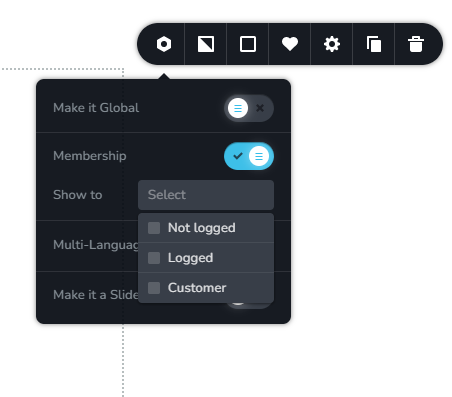
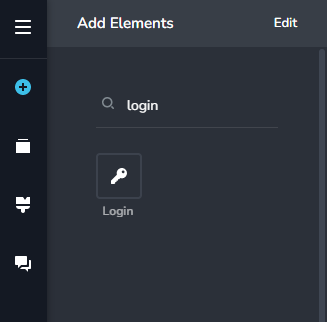
To provide the login form within a popup, please use the 'Login' element
To create users, you can use the Registration function of the Login element.
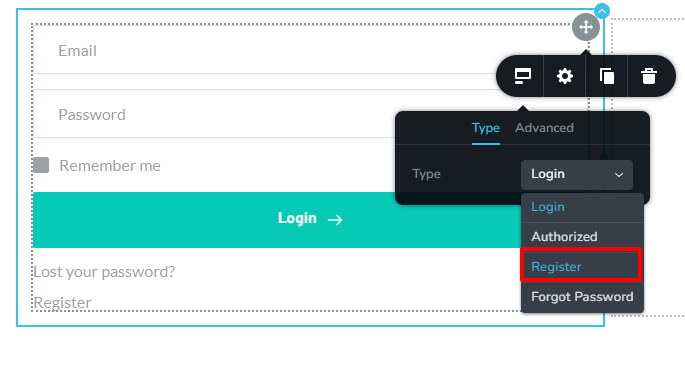
You can create a registration page and either create users yourself or allow users to register themselves.
 0
0 -
Thanks a lot, But is it possible to use this with a single password and allow the people who have it to access the page ? Without creating accounts ?
I don't want them to receive a Brizy invitation. Just give them the password and allow them to get in. I could create users myself and add a PW for them
0 -
Yes; setup a registration page temporarily and create a single user. In the Login page, change the name of the Email element to Username and provide the same username and password to all users
0 -
Ohhh ... let me try this ! That's cool.
It doesn't prevent you from accessing with the URL though.
0 -
Oh I found out. I can hide the elements when not logged in. That's a great workaround
0 -
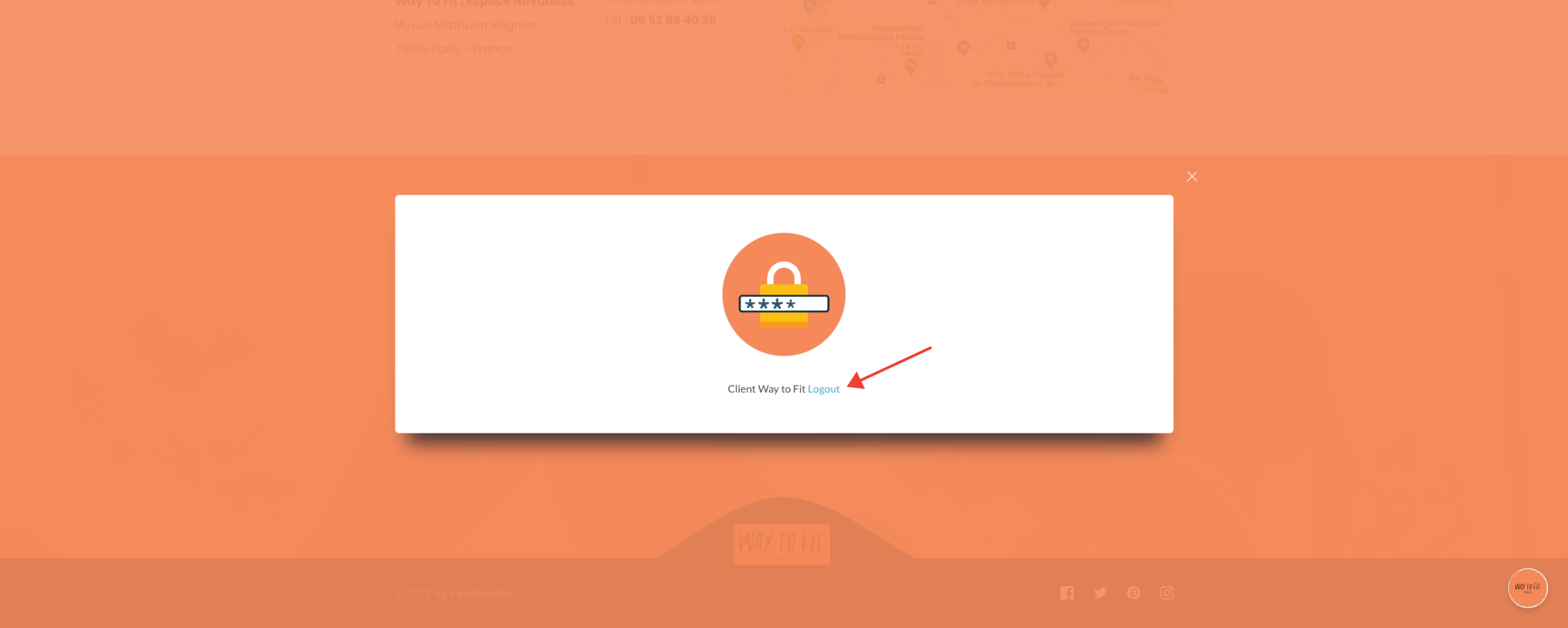
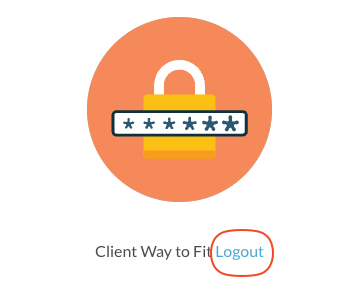
Is there a way, like for messages to customize the error messages (translations) and the "logged in " message?
0 -
 0
0 -
 0
0 -
Hi Jean-Pierre,
I am not aware of a way to customize the 'Logout' text and error messages.
0 -
I searched but couldn't find it in the builder. That would be great I (like in the form builder) they could add this.
0 -

Hi,
Thank you for your suggestion. We will send it to our managers and they will add it to a Feature Request list. Best regards, Nelea.
0
Please sign in to leave a comment.
Comments
11 comments