contact form - confirmation mail does not work

Hi
Apparantly the confirmation mail should work now in the latest Brizy 4.x update - and the field to connect to ie. a mail adress, has also been added.
But no confirmation mail is sent.... (or at least I dont get any, have tried both with Gmail and own domain, but nope..)
Anybody else with this issue, that got it solved ??
-

Hi Claus,
When you submit the form, do you get this message?

If you receive this message, you should be able to find the form data under Brizy - Leads https://jmp.sh/7kRMFcz
Even though you see the above message, if emails are not coming please try these
- Ensure there are no spelling mistakes in the email address
- Check the SPAM folder for the email notification
- Confirm with your hosting that PHP Mail service is enabled on your account (if you are using WordPress option for sending out emails)
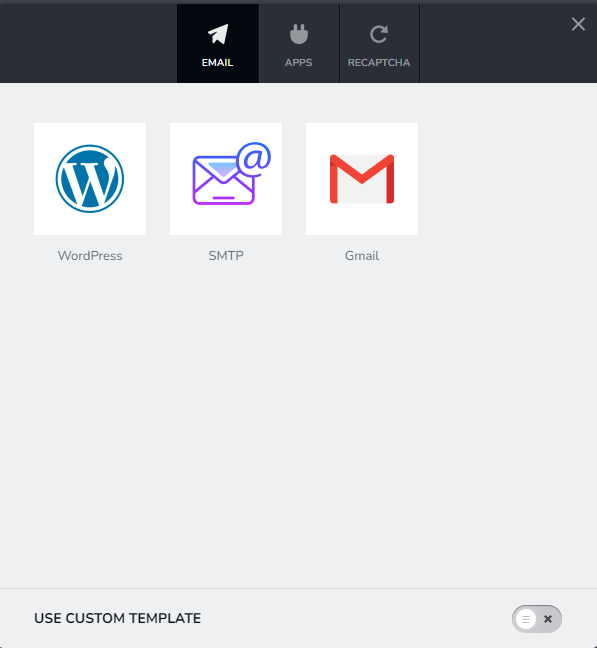
Among the three Email Notification options, which option are you using?
 0
0 -
Hi and thanx for answering.
Yes I get the message and it can be seen in WP brizy leads
1 and 2 is also yes.
3 Cant find that setting in my Cpanel - have asked hosting, they did not tell, but recommended that I set up a SMTP plugin instead....
And last, I use the WP option. Tried the other 2 options, but could not get them to work.0 -
Hi Claus,
If you give us access to your WordPress backend, I can help you set it up for you.
If you need help with this, please add me as a user to your WordPress Dashboard. My email: kc.george@brizy.io. Please enable the option "Send the new user an email about their account" as in this screenshot https://jmp.sh/tSRznJX
Once you have sent me an invitation, please let me know here.
0 -
Hi George
Thanx for helping thats super
I have sent you an invitation.
0 -
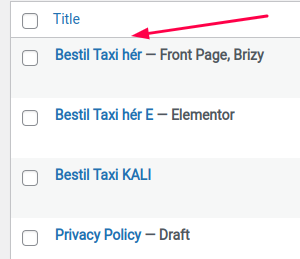
Btw. the site to be looked at, is this one here, where it says Brizy..
 0
0 -
Hi Claus,
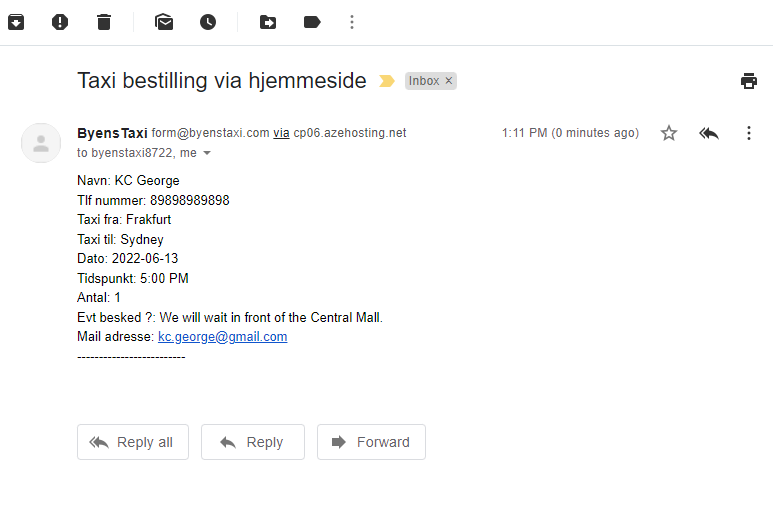
I have tested your form and have received the form data in my email. You also might have received a copy. Your form appears working.
Possibly reason why it was not working earlier was because you had not added a 'From Email' and 'From Name' in your form. Without these two details, most mail servers will reject your email.
 0
0 -
Hi George
And thanx for your effort.
However, it does not seem to work here.
The mail you have inserted above in your answer - does it come from your mail program, and is this mail generated from the
- "reply-to" field OR
- is the mail generated from the "email-to" field ??
The reason for me asking is that in the mailheader it says "byenstaxi8722" AND "me" - where the last clearly is you own email adress....The reason for me to ask, is that whatever adress i put in the "reply-to" Or as the form says "Mail adresse" - I have used cdi@dittrich.dk and infotresman@gmail.com (which are owned by me) - nothing happens, the reply-to mail is nowhere to be found, and also not in spam.
But I can see that it appears in Leads - here is a screenshot of your test as well of my 2 tests:
(but it is not to be found in my incoming mails - and as I have tried both with my own domain "dittrich" as well with Gmail - I dont think it is functioning)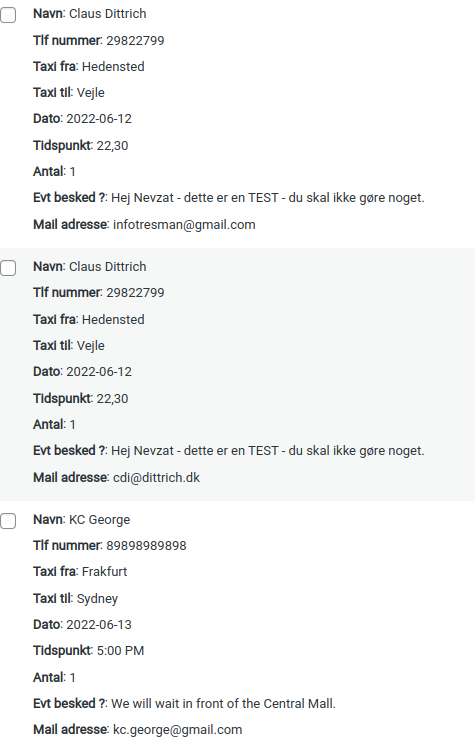 0
0 -
Hi Claus,
I have tested the form again. Here is the email I have received. As you can see the 'Reply To' filed is correctly set as my email address. The code you have entered in the form seems to be working fine.
This time when I tested the form, it did not come in my Gmail Inbox. Instead it was in the SPAM folder. Can you please check your Gmail SPAM folder?
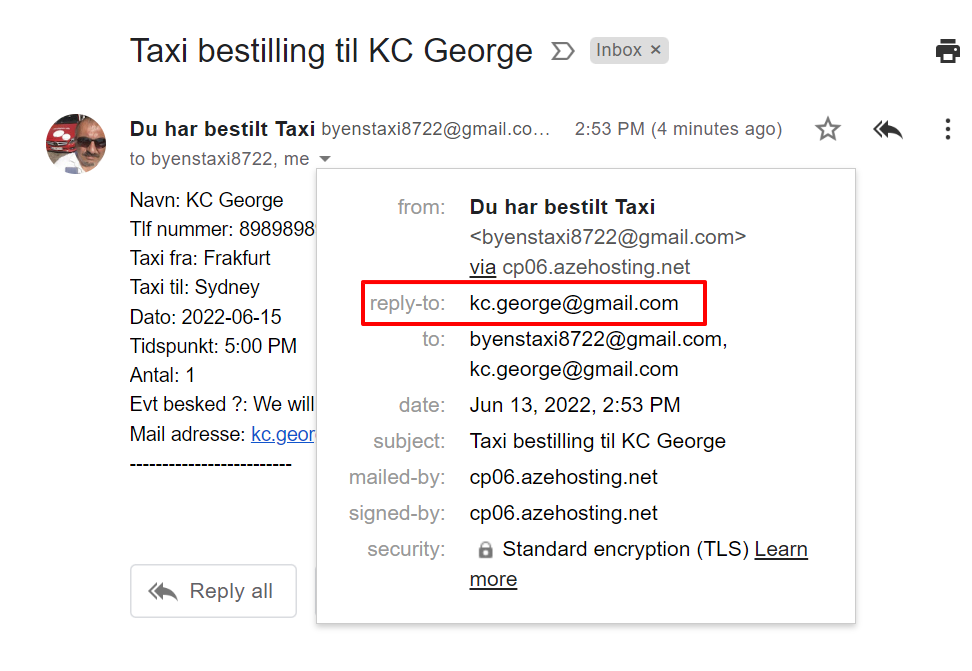 0
0 -
Hi George
I have and as before there's no mail in the spam folder. Not in Gmail and also it in my "domain" mail (cdi@dittrich.dk)0 -
- also not...
0 -
Hi Claus,
You were using the same email address in the 'Email To' and the 'From Email' fields. Gmail may suspect emails with the same From and To email addresses. I have changed your From Email to cdi@dittrich.dk and have filled up the form again. Can you please check if you have an email with the subject line "Taxi bestilling til KC George" in your Gmail. Please also check the SPAM folder.
0 -
Sorry George, no mails also not in Spam
0 -
Hi Claus,
Can I take a look at this issue on your computer during a zoom call? If you are free to do a call in the next half an hour, please click on this link
https://zoom.us/j/97947348845?pwd=VHFMSk5mOVhLdGJFYzNhS0VFb1RlUT09
If you see this message after half an hour, please suggest a time for the call. I live in India time zone GMT +5:30
0 -
I'm sorry George, on work now.
I will suggest a time for call later
Br. Claus0
Please sign in to leave a comment.
Comments
14 comments