500 internal server error - reoccurring

500 internal server error seems to be reoccurring goes a way and comes back with any new revision. It seems to be related to any revisions you make on website doesn't matter what you change and refresh and you get the error! So annoying!!!
-

Hi Zane,
This issue has been fixed one day ago. Can you please clear your browser cache, update your project and check again if this issue still persists?
Best regards, Nelea.
0 -
Hi Nelea,
Yes at the moment the 500 error issue seems to be gone. Strangely though now ever site I checked the text boxes alignments seem to be out place in association with other objectives in the background and the actual text exceeds the text box boundaries or are self adjusting allowing the text to extend in along Colum as they wish? I have not seen this text box misalignment before?
0 -
Hi Zane,
Could you please send us the URL of your project so we could check it?
Best regards, Nelea.
0 -
I reset them all last night...but one still seem to be a little off https://royalimagedetailing.czvn.net
To make the wording alignment view correct on the windshield it's has to be offset in the builder....
0 -
Hi Zane,
Sorry for the late reply, support is limited on weekends.
I have checked your website and everything looks fine, the text does not exceed the text box. Please see this video. Let us know if we can help you with something else.
Best regards, Nelea.
0 -
Hi Nelea,
I know it doesn't now I reset all my sites. But in the builder of the Hero section of the one I gave you the link to get it to appear where I want it in the preview I have to offset the text in the builder now it just seems weird.
0 -
Hi Zane,
Sorry for the late reply. How did you offset the text? Can you please send a video recording?
Best regards, Nelea.
0 -
Hi Nelea,
I have included and one preview screen shot and two screen shots within the builder showing windshield text offset at bottom right corner of windshield to make it appear in the middle of windshield in the preview and on the live site. Secondly, the email also has to be offset to get it where I want it at the bottom right corner of preview. Its so offset you can't even view it in the builder view to get it appear close to where I wanted it. I have now notice this is happening in other builds since the 500 Error correction.
Link contains the screen shots: https://royalimagedetailing.czvn.net/screen-shots
0 -
Hi Zane
I'm so sorry but I don't understand your issue. In this screenshot, i see that the column has the dimension bigger and the text is in the middle of the column. In the second screenshot, the column is smaller, and the text is not in the middle of the image. If you need that the text from the second image to be lower you can add the space element and then the text element. Hope this will help.
Best regards, Nelea.
0 -
I guess I am not explaining the issue correctly. In the first screen shot the Words Royal Image is not located in the center of the car windshield. If I do make it in the center in the builder then it will appear out and above the windshield in the preview of the live site. Before the correction of the 500 error I was able to center it the words in the windshield in the builder and it would be located respectively in the preview pane. It's not that way anymore it seems now I have to account for wind drift and offset my rifle scope to hit the target in the preview pane. This is just one site but it seems the same for all now...The text overlay is just not lining up as it did with background images. I guess my other option I could merge the text with my image editors, but then in the mobile version you can't see it because of the text overlay... If you don't understand it or there is nothing that can be done to fix it, I can make it work as weird as it may be...BTW, I do have spacers and all that I use more now then ever to make it work as it appears in the preview pane...sigh
0 -

Hi Zane,
Can I take a look at this issue from your project? Can you please invite me as a Team Member into your project? My email: kc.george@brizy.io. Please assign me "Manager" role.
0 -
Ok invite sent let me know when your done so I can remove invite.
0 -
Hi Zane,
I don't see any difference between your editor view and the front end view. Both designs look exactly the same to me. Please see this image https://jmp.sh/h4Pot5j
If you still need any help, please let us know. Otherwise feel free to remove my access.
0 -
First one I just snipped at 2:10 am 06.15.22 Second one with a minute of it. From my view they are not the same not even close... https://www.czvn.net/builder-view-vs-preview-pane-view
0 -
Hi Zane
It is interesting that while there are some differences between your editor and front-end views, at my end both views look exactly the same.
- Editor: https://jmp.sh/mByMNno
- Front end: https://jmp.sh/8FxbQbE
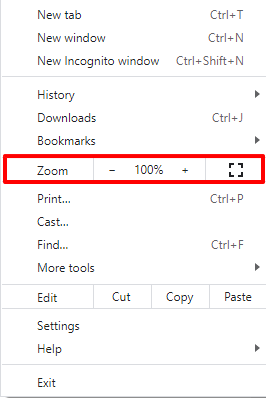
I wonder if the difference between the two views could be because of a local issue. Are you using the same browser zoom level for the editor and the front end views?
 0
0 -
Hi KC George,
I am not changing anything in the setting both the builder and the front-end-view are the same. However, I have another site to check responsiveness and I use same browser with same setting. All the devices represented i.e.; mobile, tablets. laptops and another devices all track along with the front-end-view...This issue started right after the 500 error correction something changed within the builder not the front-end-view. It's really annoying to have to compensate to produce the end results I am looking for. It is also very time consuming too to find the right compensating offset.
0
Please sign in to leave a comment.
Comments
16 comments