Can the feature be linked to a blog post instead of just the read more button?

When adding posts automatically to a page by category, the featured images do not seem to be clickable. They website visitor must click the 'Read more" button. Is it possible to make the images clickable so they will also open the blog post page?
0
-

Hi Tes,
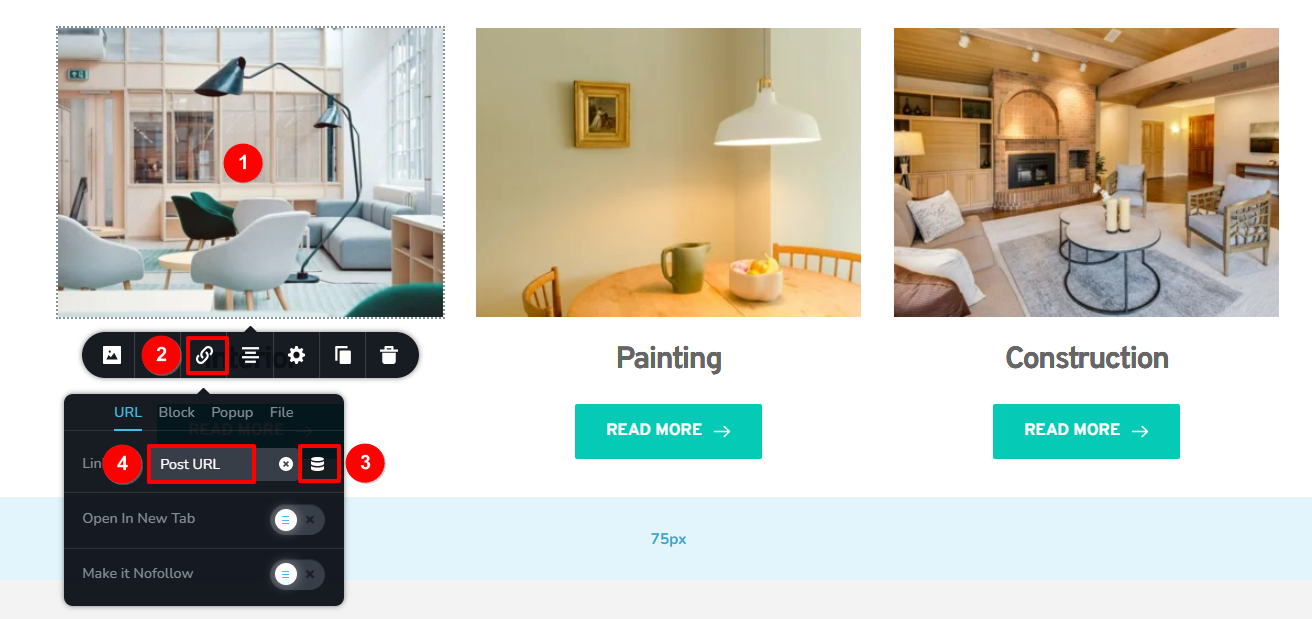
To make the Featured Images clickable please follow these steps
- Click on the Featured Image
- Click on the "Link" icon
- Under the URL tab, click on the "Database" icon
- Choose Post URL
 0
0 -
Thanks KC that's brilliant!
0
Please sign in to leave a comment.
Comments
2 comments