Main page loading; other pages "not found" from menu

Hey folks,
Published the blackalertpodcast.com site to the Brizy Cloud hosting and enabled the A record and CNAME. At the moment, it looks like the main page loads fine, but the other pages attached in the top menu bring up the following error:
"The requested URL was not found on this server.
Additionally, a 404 Not Found error was encountered while trying to use an ErrorDocument to handle the request."
Can you folks help me troubleshoot here? Thanks.
-

Hi Tia,
Thank you for contacting us.
Could you please check if other pages are published ?
Regards, Nelea.
1 -
Hello,
All pages are published.
0 -

Hi Tia,
We would like to take a look at this issue from your Brizy Cloud editor. Can you please invite me to your Brizy Cloud project as a Team Member? My email: kc.george@brizy.io. Please assign me the "Manager" role.
Once you have sent me an invitation, please let me know here.
0 -

Hello Tia,
Natalia here, Brizy technical team.
What publishing method did you use to publish this project? Server SYNC or HTML.
I assume it is a server sync project. Do you have an Apache HTTP server or NGINX Web server?
For Server Sync we require Apache server, because it can read the htacces file.
Thank you!
Natalia
0 -
Hey folks,
I've invited George to take a look from the editor. The site is the Black Alert Podcast.
I used HTML previously to publish this, but then changed the hosting directly to custom domain due to the Appsumo account features, and I had issues trying to use server sync and html in the past.0 -
Hi Tia,
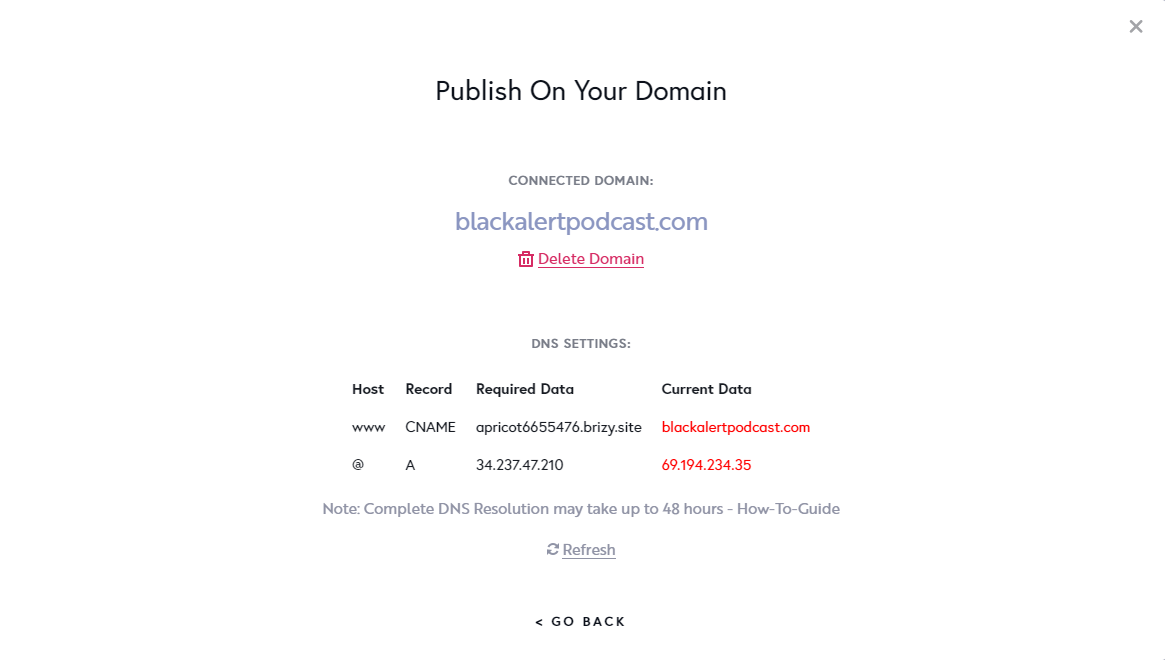
Your domain is not pointing to Brizy Cloud at the moment, but to your server. To point your domain name to Brizy Cloud, please add the A Record and CNAME records as per your "Publish On Your Domain" screen.
Please login to your domain control panel and add these domain records
www
CNAME
apricot6655476.brizy.site
@
A
34.237.47.210
 0
0 -
Hello,
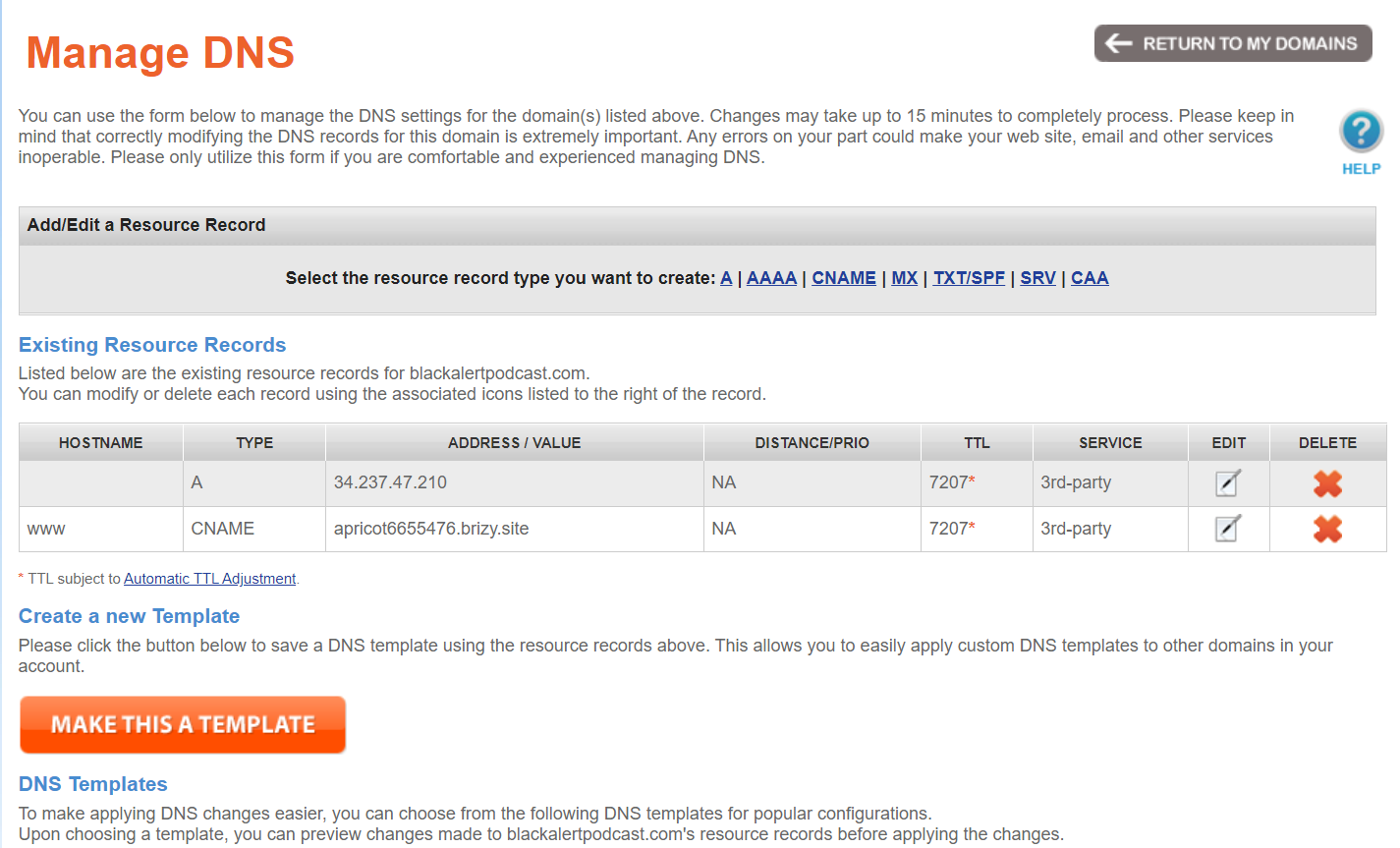
The DNS was configured like this since before I sent the ticket. Is the issue the name servers themselves? If so, where should I point them?
Thank you.
 0
0 -
Hi Tia,
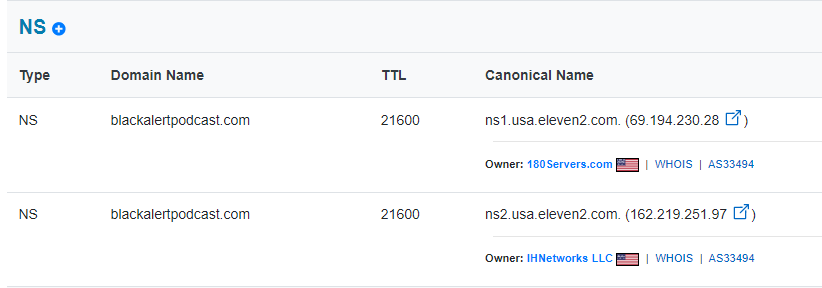
While you have registered your domain name with NameSilo, your Name Servers are with http://www.180servers.com/. In The Domain Manager with NameSilo, please remove these name servers
- ns1.usa.eleven2.com
- ns2.usa.eleven2.com
For the domain records you have added to NameSilo to take effect you must use their name servers. Please ensure that you are using the default name servers of NameSilo. (http://ns1.dnsowl.com/, http://ns2.dnsowl.com/, http://ns3.dnsowl.com/)
Feel free to take a look at this link. https://www.namesilo.com/support/v2/articles/domain-manager/manage-name-servers
 0
0 -
Thank you for your assistance KC George. I've reinstated NameSilo name servers, I know this hosting comes with SSL but it hasn't turned on yet. Is there something that I need to do on my end to enable it?
Thank you.0 -
Hi Tia,
You didn't need to do anything. We needed to purge DNS cache. We have done it.. Please check if the SSL is working fine.
0 -
Great, everything seems to be working well. Thank you so much!
0
Please sign in to leave a comment.
Comments
11 comments