Upgrade to Pro, but Im already PRO

-

Hi Juan,
Please check in your dashboard if the Brizy Pro plugin is activated, see please here.
Best regards, Nelea.
0 -


I had the same problem today. It was an update from version 2.3.30 to 2.4.0.
I have to say: I'm a bit worried... Is this happening every update?
Automatic updates are turned on, but this still mean updates are not applied for a few hours. If everyone visiting the site in the meantime will see this warning, its gonna look really bad. It makes the site look as made by amateurs.
0 -

Hi Walter,
Brizy is updated from the WordPress plugin repository where as Brizy Pro is updated from Brizy directly. Update notifications for these two plugins may not show up at the same time. Hence PLEASE do not auto update Brizy and Brizy Pro. It is not a recommended practice.
Brizy 2.4.0 requires Brizy Pro 2.4.0 to work well. If one is updated and other does not, you can face problems. Hence please remove auto update for Brizy and Brizy Pro plugins. Please always manually update Brizy and Brizy Pro so that you can ensure that both are updated.
You said "If everyone visiting the site in the meantime will see this warning, its gonna look really bad" Does this mean that you were seeing the error message in the front end? Your website visitors could see this message?
0 -
Hi George,
Thanks for clearing up!
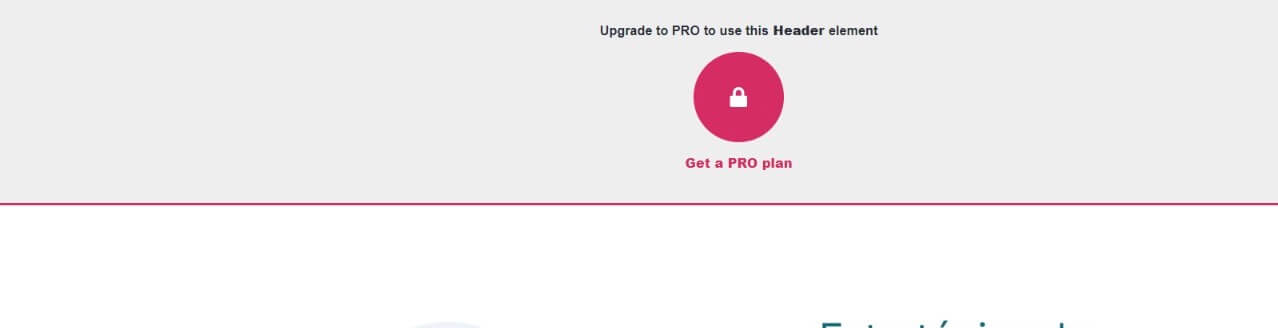
Answering your question: yeah, the main menu was replaced by a warning asking to buy the Pro version, but after updating manually, the message was gone. Below, a screen capture of the warning replacing the main menu.
 0
0 -
Hi Walter,
We are sorry about this error message in the front end. This is a bug with Brizy 2.4.0. This message should be at the WordPress backend. We have escalated this to our development team.
0 -
Hi George,
Thank you for quickly address this problem.
If dont mind, I have a "dumb" question: is there a order into making updates? I mean, should I update Brizy Free or Brizy Pro first, or this do not matter?
Thanks again, and have a great day!
0 -
Hi Walter,
Brizy free can standalone without the Pro. Hence updating Brizy free first makes sense. Then you can update Brizy Pro. If you do one update after the other within few minutes the order should not matter much.
0 -

I'm having the same issue...i'm already on Pro and have it installed, but getting front-end messages that elements are only available under Pro
0 -
Hi Christopher,
Please check if Brizy Pro is deactivated on your account. If it is, please follow these steps.
- Download Brizy Pro 2.4.0 from your Brizy.io account.
- At the WordPress Dashboard under Plugins, delete Brizy Pro
- Click on "Add New" and "Upload Plugin" and upload the ZIP fie.
Once Brizy Pro 2.4.0 is installed, this error should disappear.
0
Please sign in to leave a comment.
Comments
9 comments