Brizy Wordpress Gallery Issues

Hi all,
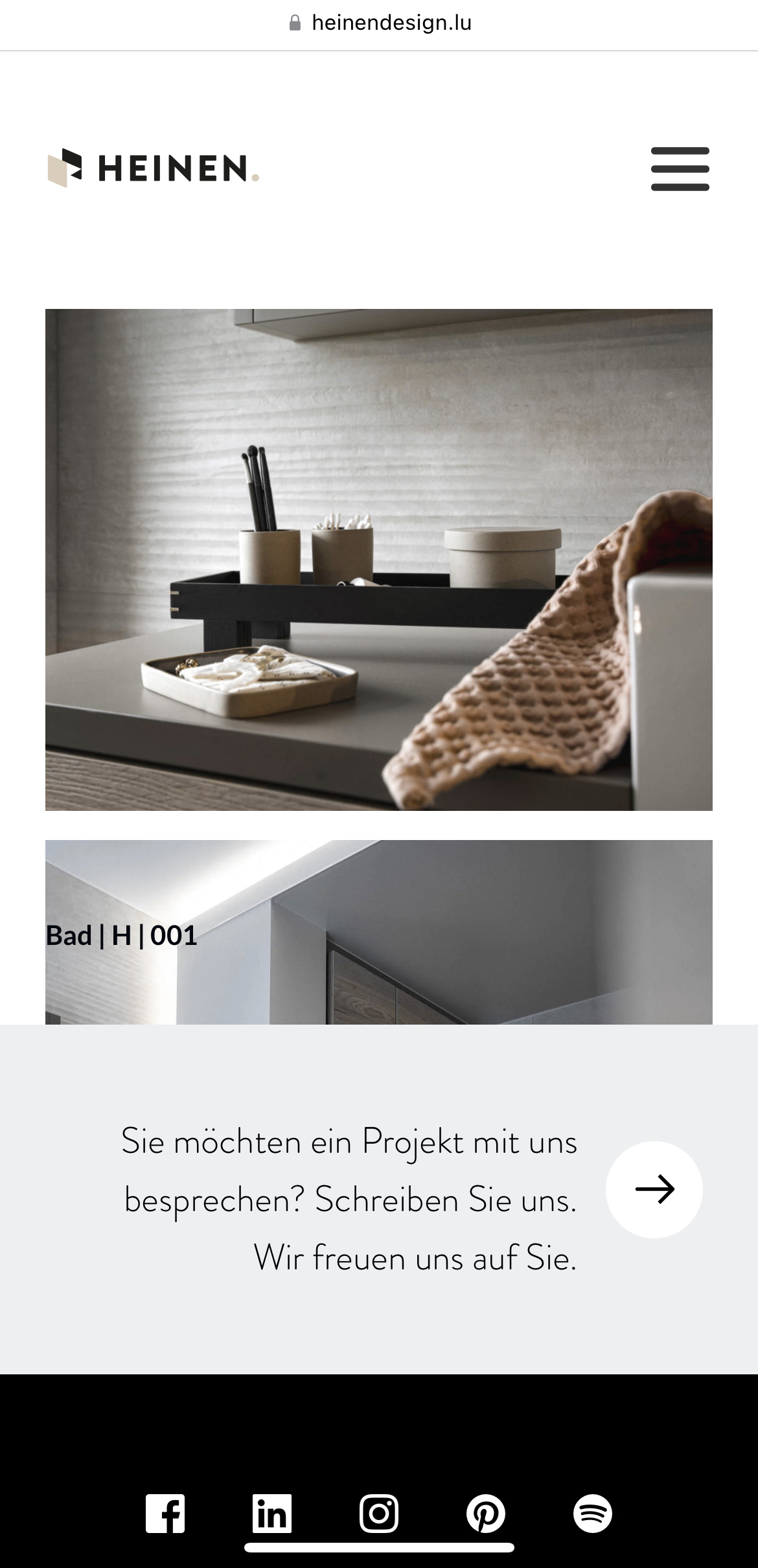
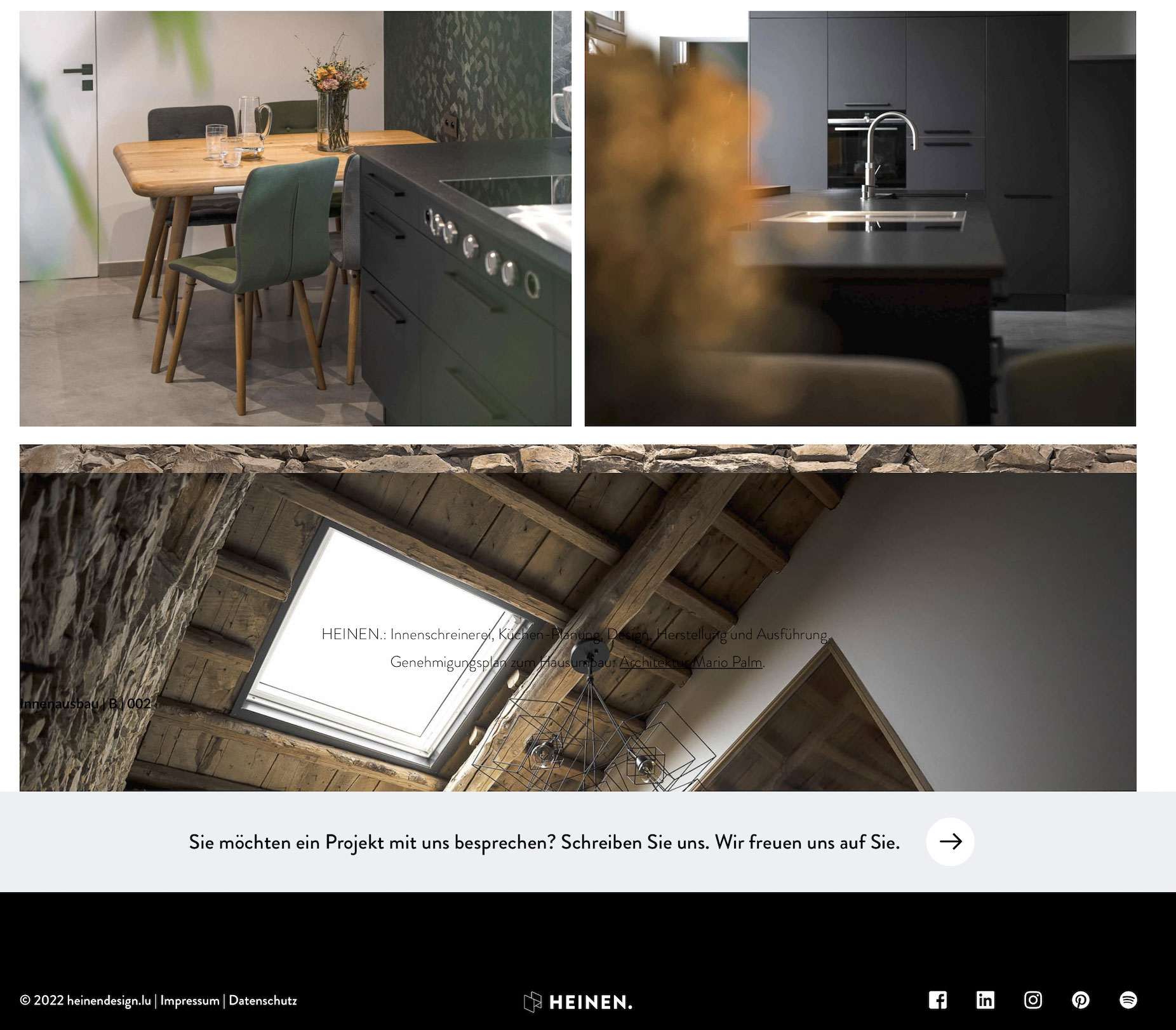
I have problems with the gallery. In the editor everything is OK, but on the live page there are some problems. In the mobile version the footer overlaps the last image and the font, on the desktop version some images are missing or displayed offset or overlap each other. See images below.
Thank you very much
-

Hi
I have looked at https://www.heinendesign.lu/. On the desktop I see this. https://jmp.sh/tXJfnrl The gallery looks fine at my end.
On mobile, I do not see the footer overlap. All images look fine. https://jmp.sh/yLtnfra
Please check again in an Incognito window
0 -
The problem occurs mostly with posts
https://www.heinendesign.lu/bad-a-001/The first image is the mobile version of this, but sometimes it appears on the Desktop version too.
0 -
Hi
I just checked https://www.heinendesign.lu/bad-a-001/ at my end. I see this on the desktop https://jmp.sh/deJ1oKR and this on my mobile: https://jmp.sh/MgcabBn
On both devices, your page looks fine.
0 -
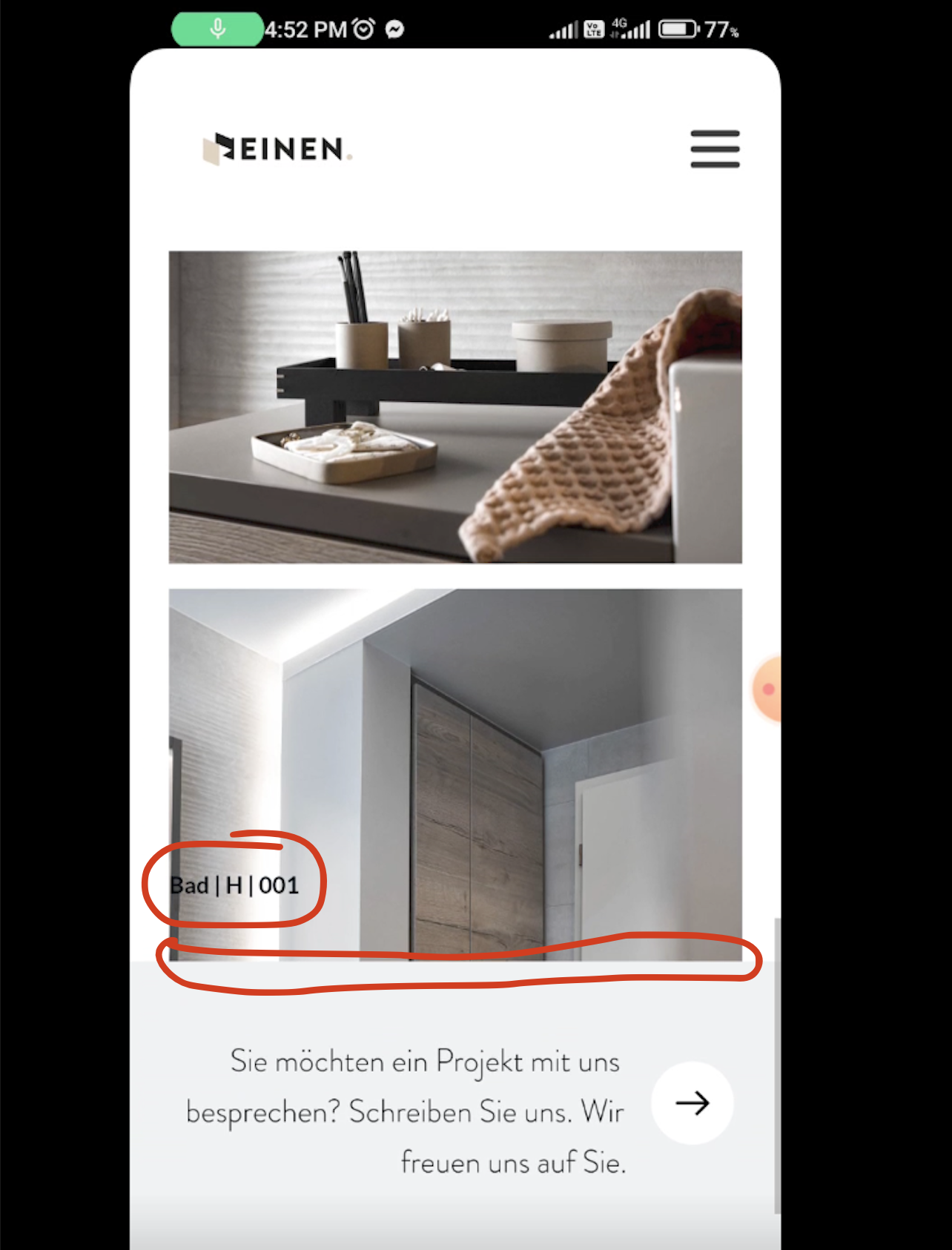
Sorry, but it doesn't 😅
See the screenshot from your video, I marked the errors
 0
0 -
Hi
Do you want me to take a look at your WordPress Dashboard?
If you need help with troubleshooting, please add me as a user to your WordPress Dashboard. My email: kc.george@brizy.io. Please enable the option "Send the new user an email about their account" as in this screenshot https://jmp.sh/tSRznJX
Once you have sent me an invitation, please let me know here.
0 -
Done ;)
0 -
Hi
I could not get to the root of why the blog navigation was showing on top of the image, I did a work around for two of your posts.
- For the page https://www.heinendesign.lu/bad-a-001/ I have dragged and dropped the image gallery inside a column and the navigation element remains outside the column.
- The same way I moved all images inside a column for https://www.heinendesign.lu/geschaeftseinrichtung-w-002/ and the navigation element remains outside the column.
This seems to help. Please check the pages
0
Please sign in to leave a comment.
Comments
7 comments