Page That Displays Custom Asset Using Posts Element Is Taking a While to Load

Hi,
Using Brizy Cloud, I have built a simple test page (with pagination) to display the Flag custom asset that I have created. Each page will show a total of 18 flags images (in svg format) using the Posts Element. When viewing the pages, they all take 8 seconds or more to load for the first time for some reason. Not sure why it's taking so long. Also tried viewing it using 3 different browsers and got the same result. Same with viewing using different computers. Can you take a look?
-

Hi Jason
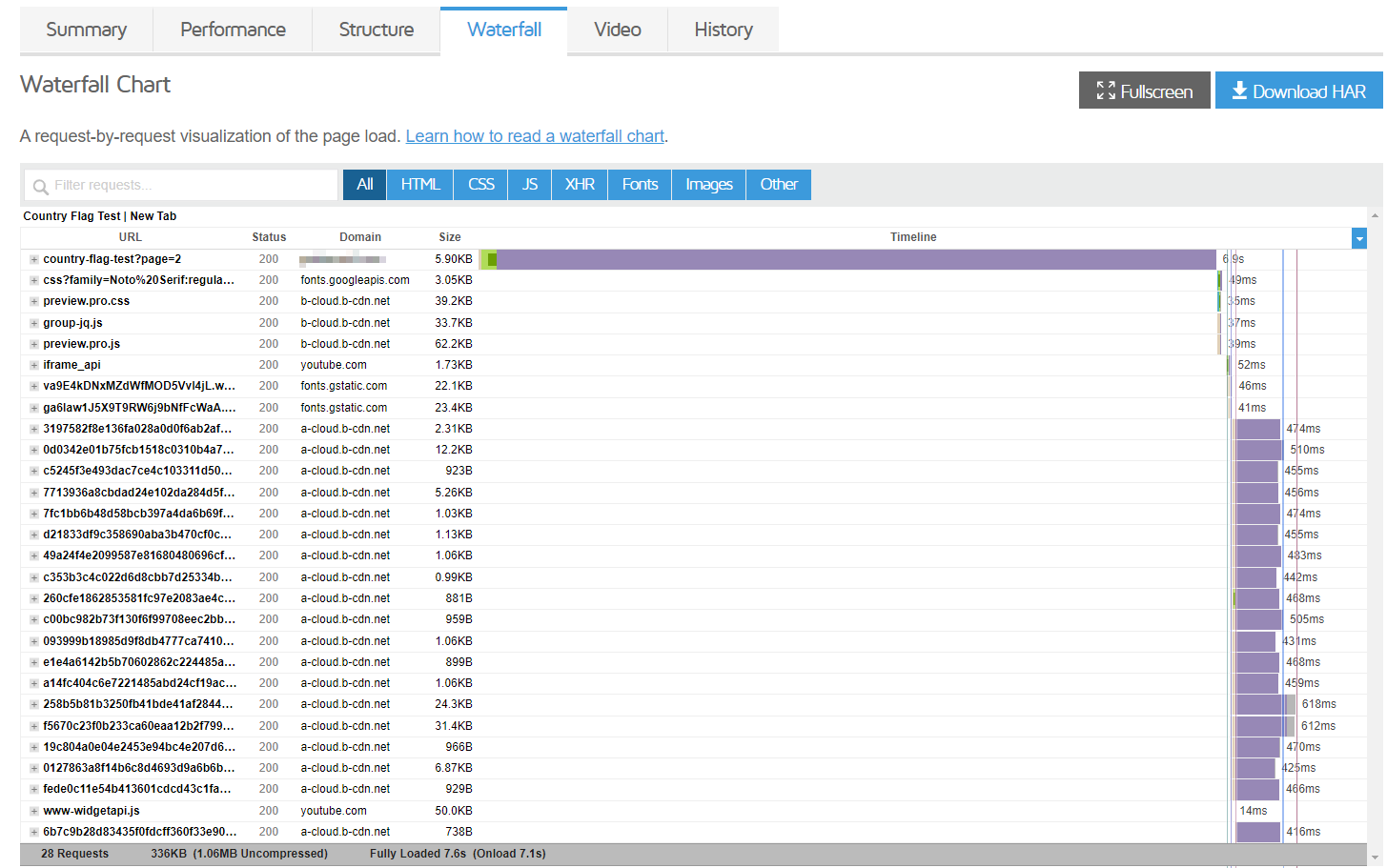
You are right. There seems to be something unusual about your page. The first request took 6.9 seconds to process and the rest of the requests were normal.
We will get this checked.
 0
0 -
Hi KC,
I am also building another project with Advanced Custom Posts and encountered similar situation. It also took several seconds for the first load. Not sure if it's something to do with ACP in general or not.
Regular site without ACP seems to be loading just fine. Just thought I share this info too.0 -
Hi KC,
Any updates on this case?
I have created and added additional custom assets and they are all experiencing the similar slow load time for initial request to each page. It will appear to be "loading" for about 8 seconds (but nothing is showing/updating on the page) and then everything (images & text) just show up all together at once.0 -
Hi Jason,
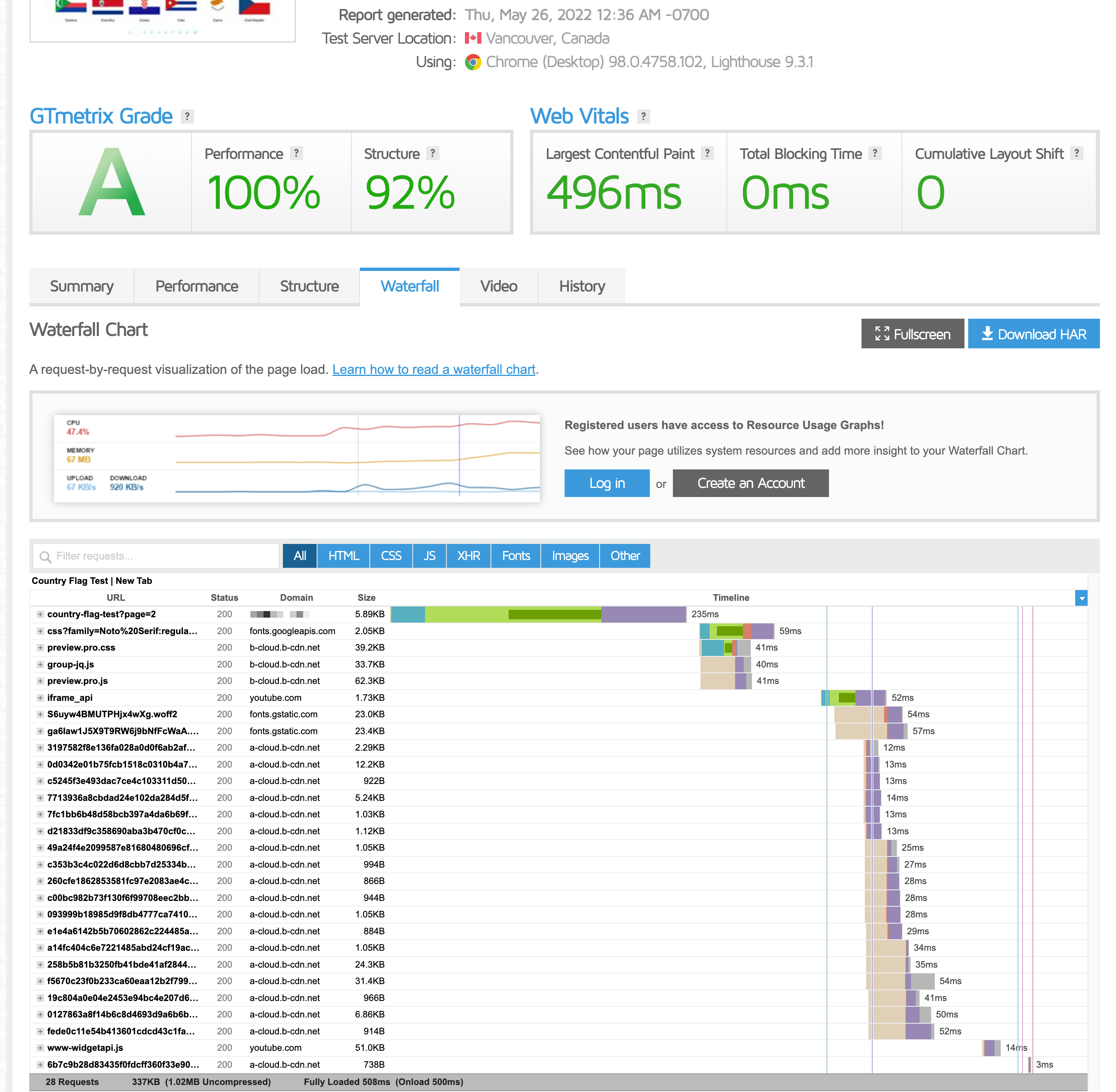
Once you update a Brizy Cloud page, when you access it in preview for the first time, a cached version of the page is created. The second time onwards, you will be accessing the cached version. Hence every time you make a change and check it in preview, you may experience a longer page-load time. However your users would not face the same issue because they would be accessing the page after you have checked it.
For example your pages loaded in 7.6 seconds earlier. Now it loads within a second.
 0
0 -
Hi KC,
I checked again and it's working properly now as you described.
Yesterday it wasn't working properly. It was slow for first time access and when I used other browsers on the same computer or different computer to load the same page, it was still slow for the first time for the same page for all of them. And when I asked my friend to load the same page after I have loaded it, he reported it's slow as well. Glad it is resolved now. Thanks!0 -
Hi KC,
I noticed that after some time, not sure how long, it could be just hours or less, when you go reload the same page you have loaded before and the load time is long again. So just wondering what the cache expiration time is. And the cache, is it at Brizy's server or is it the CDN. Could a not so popular website's pages cache expire and get deleted if no new visitor visit the page within a certain amount of time?
I see in the browser status bar at the bottom showing "Waiting for a-cloud.b-cdn.net..." sometimes while waiting for a page to load. This is quite puzzling as CDN is suppose to be fast.0 -
Hi Jason,
What you have mentioned could be a temporary CDN issue. If one of their servers were down for a while or something similar you could experience minor variations in speed. However these variations should not stay for long periods of time. If you experience slow speed for long periods of time, please let us know, we will take a look.
0
Please sign in to leave a comment.
Comments
7 comments